Razer Deathadder 1800dpi Gaming Mouse
Introduction, Specifications & Packaging
Published: 11th May 2007 | Source: Razer | Price: |
Whether you’re a serious gamer or part-timer player, the word “Razer” will not be unfamiliar to you. Originally the company focussed purely on mice, but have since branched out to incorporate a number of additional products into their range such as speakers, keyboards, headsets and gaming surfaces.
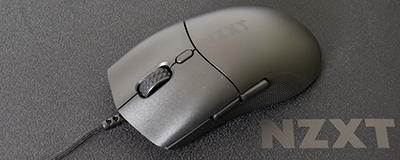
Without question, the quality of Razer’s products is of the highest standard and I have personally been using their mice since the Boomslang came out many years ago. So you can therefore appreciate my excitement when looking at their latest “gaming weapon” – the Razer Deathadder!
As with all of its predecessors, the Deathadder takes its name from the reptile world and I must admit that this mouse sounds one of the best yet. The name alone suggests destruction, carnage and mayhem will be caused….of course all in a gaming sense!
However, with the success of previous Razer mice such as the Copperhead and Diamondback, will the Deathadder live up to expectations?
Specifications
The technical specifications for the Deathadder were taken from Razer’s website.
| • 1800dpi Razer Precision™ 3G infrared sensor • Ergonomic right-handed design • 1000Hz Ultrapolling™ / 1ms response • Five independently programmable Hyperesponse™ buttons • On-The-Fly Sensitivity™ adjustment • Always-On™ mode • Ultra-large non-slip buttons • 16-bit ultra-wide data path • 6400 frames per second (5.8 megapixels per second) • Up to 60 inches per second and 15g of acceleration • Zero-acoustic Ultraslick™ Teflon feet • Gold-plated USB connector • Seven-foot, lightweight, non-tangle cord • Approximate size: 128mm (length) x 70mm (width) x 42.5mm (height) |
Packaging
It’s clear that Razer knows how to package a product and they haven’t disappointed with the Deathadder. The packaging is smaller than previous Razer mice but not to a detrimental effect. The box follows the theme of the mouse by using a black theme, very similar to previous Razer products.
One major difference between the DeathAdder’s packaging and that of previous mice is that it contains a window to open in which to view your new weapon. This certainly does add to the occasion when seeing the Deathadder for the first time and almost teases you with anticipation before opening it.
I have to admit that I prefer this type of packaging to the previous products from Razer, namely the Diamondback and Copperhead. Both of their packaging focused around a plastic window with the mouse on display. However the way in which the Deathadder is packaged gives it more suspense and anticipation when opening.
I do however have a few small issues with the packaging. Firstly, for a mouse that is so sleek in design, with just a Razer logo on it, I felt the box was a little “busy”. It feels as if there is too much information telling the buyer what the mouse can do. In a world where less is more, I feel that Razer have over complicated matters by slapping logo’s and information all over the box. The irony here is that the mouse itself has only the Razer logo on it, so is very minimalistic. Perhaps a simple Razer logo and the words “DeathAdder“ with a reptilian effect to the box would have sufficed?
To put this into context, the silver tin in which the original Razer Boomslang was shipped in was pure genius. A sleek design with only the logo on the top and it really did make the whole unpacking process an occasion. However I appreciate that costing now might be an issue where Razer is shipping so many products, so it’s understandable that their current approach doesn't follow the Boomslang.
Contents
The contents of the package included:
• Razer DeathAdder Mouse
• Driver CD
• Quick Setup Installation Guide
• Razer DeathAdder card containing marketing information.
I do however have a few small issues with the packaging. Firstly, for a mouse that is so sleek in design, with just a Razer logo on it, I felt the box was a little “busy”. It feels as if there is too much information telling the buyer what the mouse can do. In a world where less is more, I feel that Razer have over complicated matters by slapping logo’s and information all over the box. The irony here is that the mouse itself has only the Razer logo on it, so is very minimalistic. Perhaps a simple Razer logo and the words “DeathAdder“ with a reptilian effect to the box would have sufficed?
To put this into context, the silver tin in which the original Razer Boomslang was shipped in was pure genius. A sleek design with only the logo on the top and it really did make the whole unpacking process an occasion. However I appreciate that costing now might be an issue where Razer is shipping so many products, so it’s understandable that their current approach doesn't follow the Boomslang.
Contents
The contents of the package included:
• Razer DeathAdder Mouse
• Driver CD
• Quick Setup Installation Guide
• Razer DeathAdder card containing marketing information.
Most Recent Comments
Nice job there by Ins. Looks like a good mouse, i just hope the fact its lower don't irritate people who have big hands.
Nice Review Chris, been after one of these for ages but im still too keen on my MS3.0
spot on review!
Been using a Deathadder for two weeks now, from using a Diamondback, was surprised that there was zero time required to adapt.
For me the Deathadder feels so much better than the Diamondback - and I thought the Diamondback was brilliant!
I've got fairly big hands and I would say that the DA suits me better than the DB.
Been using a Deathadder for two weeks now, from using a Diamondback, was surprised that there was zero time required to adapt.
For me the Deathadder feels so much better than the Diamondback - and I thought the Diamondback was brilliant!
I've got fairly big hands and I would say that the DA suits me better than the DB.
Thanks guys! 
Yes this mouse really did impress me. I always thought things couldn't get any better after the Copperhead because there is only so many DPI you can go to before it's hard to tell the difference.
However the Deathadder did feel a lot smoother overall. Plus the buttons have a nice "click" to them and the side buttons are easy to locate. Combine this with the fact that it sits perfectly in your hand (assuming you're right handed) and it's a very accomplished mouse!


Yes this mouse really did impress me. I always thought things couldn't get any better after the Copperhead because there is only so many DPI you can go to before it's hard to tell the difference.
However the Deathadder did feel a lot smoother overall. Plus the buttons have a nice "click" to them and the side buttons are easy to locate. Combine this with the fact that it sits perfectly in your hand (assuming you're right handed) and it's a very accomplished mouse!

Nice review 
I think I'll stick with my diamondback as I prefer ths shape compared to the deathadder.
No lanbag included
lol
edit: I also think it depends on how you hold a mouse. Like do you have 1 finger over each button (all 3) or do you only have 2. Do you rest your hand/wrist on the mat and move the mouse mainly using your fingers, or do you have your hand off of the mat and totally elevated from causing any friction. etc etc

I think I'll stick with my diamondback as I prefer ths shape compared to the deathadder.
No lanbag included
loledit: I also think it depends on how you hold a mouse. Like do you have 1 finger over each button (all 3) or do you only have 2. Do you rest your hand/wrist on the mat and move the mouse mainly using your fingers, or do you have your hand off of the mat and totally elevated from causing any friction. etc etc

I own one of these and its slick 

Quote:
|
Originally Posted by name='equk'
Nice review
![]() I think I'll stick with my diamondback as I prefer ths shape compared to the deathadder. No lanbag included loledit: I also think it depends on how you hold a mouse. Like do you have 1 finger over each button (all 3) or do you only have 2. Do you rest your hand/wrist on the mat and move the mouse mainly using your fingers, or do you have your hand off of the mat and totally elevated from causing any friction. etc etc ![]() |
Good review Ins
id get one if a. I had the money, and b. if i didnt have such an attachment to my Logitech MX518 :P
id get one if a. I had the money, and b. if i didnt have such an attachment to my Logitech MX518 :Pits a good mouse but in ergonomics logitech are never beaten ,
i had an mx 510 and i just got and G5 and my god they are so comfortable , the razer mice kinda have the traditional shape but the death adder has changed and is kinda similar to logitech models
I use my old Logitech MX510 as my work mouse and yes I agree they are very comfortable. But this Razer mouse is even more comfortable!
The Copperhead and Diamondback weren't the most ergonomic mice, but that's because they are ambidextrous mice whereas the Deathadder is Right-handed only, which makes it the most comfortable mouse I've ever used

they sit there, staring at me when I pop down to the warehouse and I sit there looking at them cursing the fact I'm left handed.... 
Sweet review though and thanks for picking up on the fact us lefties will be knackered if trying to use one

Sweet review though and thanks for picking up on the fact us lefties will be knackered if trying to use one

yea i have had one for a bit now its sutch a good mouse that i would consider buying another for my shelf 

I'd love to have a go at that mouse, as I've had my diamondback for some time and I agree that the side buttons are a bit of an afterthought. Nice review INSey 

Nice review Chris.
Looks like you have pursuaded me to buy one of these and see if I prefer it over my Logitech G5 which I have never been able to get along with tbh.
It's awesome mate! You won't be disappointed! The best gaming mouse I've ever used (and I've had a lot haha) 

Quote:
|
Originally Posted by name='Hyper'
Looks like you have pursuaded me to buy one of these
|
If a green one comes out I may have to buy it 
lol u and ur green 

the blueness very well matches G15 keyboards.
I did have a red: case; keyboard and mouse - now it's just a red case - I've given up on PC "interior design".
Hey! Had a good idea for a TV programme rip off of changing rooms - "changing rigs" where 2 people go off and mod each others PC setup.
I did have a red: case; keyboard and mouse - now it's just a red case - I've given up on PC "interior design".
Hey! Had a good idea for a TV programme rip off of changing rooms - "changing rigs" where 2 people go off and mod each others PC setup.
I use a Razer Diamondback for my main rig, its really good for gaming, the only thing is the way it curves down at the front buttons... not good for extended gaming, fingers get tired and cramped. I like the way my hand feels on Logitech mice, the more rounded from front to back feel, but overall my MX-518 is only okay and for backup, and my MX-1000 is at work (cordless isn't so good for gaming, a slight lag time and batteries run dry... so uncool). May go after the DeathAdder since it looks more rounded from front to back, and the higher front looks like a very good idea.
TJS
TJS
To sum it up, the Deathadder takes all of the great ergonomic qualities of mice such as the Logitech range and combines them with the smoothness and accuracy associated with previous Razer mice.
Add to that the smoothest, most crisp feeling response all covered in a lovely grippy "smooth to touch" rubber feel and you've got a winner!
I still can't get enough of it if I'm honest!
Add to that the smoothest, most crisp feeling response all covered in a lovely grippy "smooth to touch" rubber feel and you've got a winner!
I still can't get enough of it if I'm honest!
Well Chris you just cost me £54 !!!
Just ordered the Razer Deathadder and a Razer ExactMat from SpecialTech.
Sold my Logitech G5 so I hope I get along with this mouse a little more.
Just ordered the Razer Deathadder and a Razer ExactMat from SpecialTech.
Sold my Logitech G5 so I hope I get along with this mouse a little more.
you will love it its a great mouse
Quote:
|
Originally Posted by name='Hyper'
Well Chris you just cost me £54 !!!
Just ordered the Razer Deathadder and a Razer ExactMat from SpecialTech. Sold my Logitech G5 so I hope I get along with this mouse a little more. |

Great combo and you'll love it!
I'll be grabbing the DeathAdder, but can't get rid of my 'Hooters' mouse pad... my wrist rests comfortably in the cleavage!
(the mouse is happy, too
)
http://upload.overclock3d.net/get.php?id=2746&view=1
TJS
(the mouse is happy, too
)http://upload.overclock3d.net/get.php?id=2746&view=1
TJS
Ummmm Hooters mouse mat review ftw?
:rotfl:
:rotfl:Received my DeathAdder a few days ago, fits in my hand alot better than the G5 and slides smoothly across this eXactMat.
I am now starting to get used to it and I am impressed, a huge improvement over my G5

Quote:
|
Originally Posted by name='Hyper'
Received my DeathAdder a few days ago, fits in my hand alot better than the G5 and slides smoothly across this eXactMat.
I am now starting to get used to it and I am impressed, a huge improvement over my G5 ![]() |

Get one Jimbo 
It's the best mouse I've ever used!!

It's the best mouse I've ever used!!

Me too lol 

Im still on the G5, caint complain i got given it, still good though.
Rob
Rob
Welllllll, it feels good in the hand and moves like butter (even on a mousepad that isn't super-smooth), BUT the old fault is apparent... can't use the thumb buttons in Halo!
I've tried the newest drivers, all configurations, and still leaves me dry. This particularly sucks because I used to use the scroll wheel button for melee but wanted to switch to a thumb button... and now neither works.
I know I'm using Vista and Razer may not have it down pat yet, but 4-5 months should be plenty of time to have this problem fixed.
EDIT: just uninstalled the drivers and now the buttons work. ...wth... but whos arguin', now I can lay the smackdown once more. ja rly ;}
TJS
I've tried the newest drivers, all configurations, and still leaves me dry. This particularly sucks because I used to use the scroll wheel button for melee but wanted to switch to a thumb button... and now neither works.
I know I'm using Vista and Razer may not have it down pat yet, but 4-5 months should be plenty of time to have this problem fixed.EDIT: just uninstalled the drivers and now the buttons work. ...wth... but whos arguin', now I can lay the smackdown once more. ja rly ;}
TJS
You do know that you can assign a macro to the buttons don't you.
When I've had problems in the past with Razer drivers, I've just assigned used a bind to assign a key to the side button. For example if I was doing it in CS:S....
1. Assign "x" to mouse4 or mouse5 (can't remember what no. the side buttons are) in the Razer control panel.
2. In CS:S - Bind "x" "Mouse4" and hey presto, it works!
When I've had problems in the past with Razer drivers, I've just assigned used a bind to assign a key to the side button. For example if I was doing it in CS:S....
1. Assign "x" to mouse4 or mouse5 (can't remember what no. the side buttons are) in the Razer control panel.
2. In CS:S - Bind "x" "Mouse4" and hey presto, it works!

I did try the macro using the 'j' or 'u' buttons when the drivers were installed, but it was a no-go. I also assigned the 4 button (front of the two thumb buttons) as another 'advanced scrolling' button and that worked once, but upon restart didn't work again. But if it works with no drivers I guess thats a bonus.
Will try the drivers again though since I want to be able to fine tune my meese's speed...
TJS
Will try the drivers again though since I want to be able to fine tune my meese's speed...TJS


Linky