


DLSS Swapper 1.2 launches with presets and multi-language support

DLSS Swapper has been updated to support DLSS presets and other new features
DLSS Swapper is an excellent tool for Nvidia users, allowing users to swap out a game’s built-in DLSS version with newer/updated versions. This enables older games to benefit from Nvidia’s latest DLSS updates, resulting in higher levels of image quality.
While the same functions are possible through the Nvidia App using DLSS Override, DLSS Swapper remains a valuable app. For starters, it also supports FSR and XeSS DLL switching. That means that this isn’t a DLSS-only app. Furthermore, it offers options to Nvidia users who prefer not to use the Nvidia App.
With version 1.2.0, DLSS Swapper now supports improved DLL handling, multiple languages, and DLSS preset options. This allows gamers to choose their favourite DLSS presets (with preset K being the app’s default option). Below are the languages that the app now supports.
- English (Australia)
- English (United Kingdom)
- English (United States)
- Polish
- Português BR
- Russian
- Turkish
- Simplified Chinese
- Traditional Chinese (Taiwan)
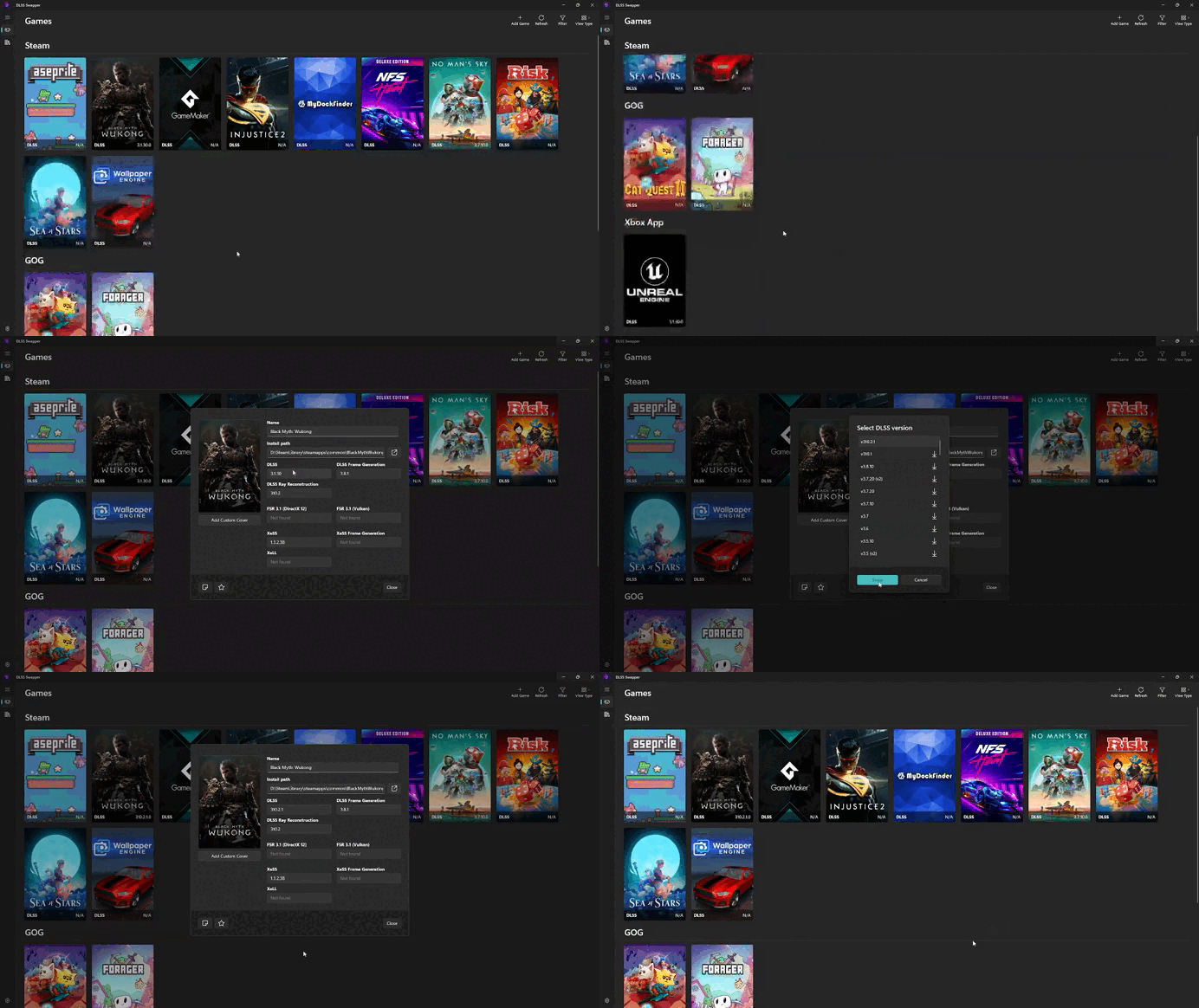
While the initial release of Swapper 1.2 had issues with non-NVIDIA GPUs, these problems were quickly fixed with the release of version 1.2.0.3. Note that this app cannot enable FSR 4 support in games, as AMD’s current implementation of FSR 4 doesn’t work by simply swapping DLLs.
Other changes with Swapper 1.2 are changes to how DLL files are handled and displayed. These changes should make FSR DLLs easier to understand and improve the app’s DLL backup functionality.
You can join the discussion on DLSS Swapper’s latest update on the OC3D Forums.
