


Xbox Mode expands to Windows 11 PCs in select markets

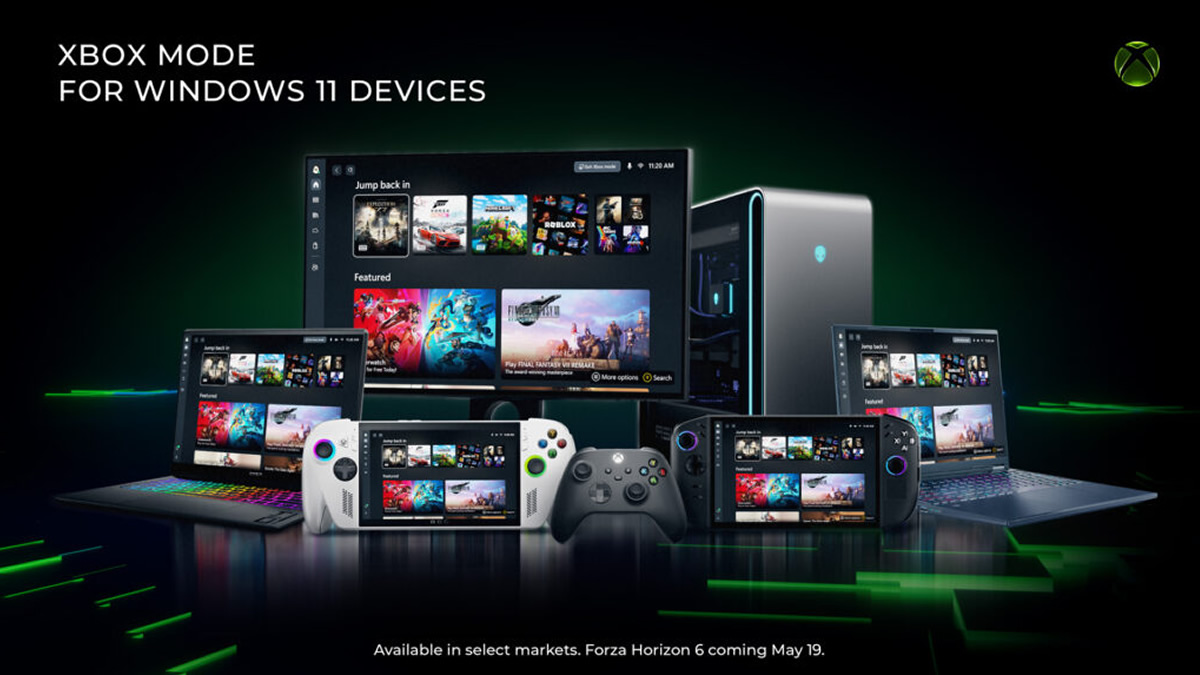
Xbox Mode has started rolling out to all Windows 11 PCs
Microsoft has officially started rolling out “Xbox Mode” to all Windows 11 PCs, laptops, and tablets in selected regions. This new mode is what Microsoft originally called the “Xbox Full Screen Experience“, which provides a more console-like experience to PC gamers.
This mode gives PC gamers a controller-optimised gaming experience. Users can easily switch between Xbox Mode and Windows Mode, with Xbox Mode dedicating more system resources to gaming, potentially boosting performance. Previously, Microsoft has stated that this mode can save 2GB of system memory.
Beginning today, we’re excited to share that Xbox mode will begin rolling out in select markets to Windows 11 PCs, including laptops, desktops, and tablets, bringing a console-inspired Xbox experience to more players than ever.
Whether you’re playing on a high-performance desktop, a gaming laptop, or a Windows handheld, Xbox mode makes it easier to jump into your games. It adds another way to enjoy games on your PC – with a controller-optimized, full screen experience that is built for play.
Some players in select markets will be able to download the Xbox mode experience today, with availability expanding to more players in those markets over the next several weeks.
– Xbox
PC users will be able to seamlessly switch between Xbox mode and their Windows 11 Desktop. Using Xbox Mode, gamers can access their aggregated game library from all major PC gaming storefronts and Xbox Game Pass titles.
Xbox mode is designed for the moments when you want your games to take center stage on Windows 11 PCs and handhelds. Inspired by the Xbox console experience, Xbox mode offers a streamlined interface that puts your library and recently played titles within easy reach while minimizing background distractions.
With Xbox mode, you can:
- Browse and launch games using a controller optimized interface.
- Jump back and forth between Xbox mode and the Windows 11 desktop whenever you want.
- Access an aggregated game library, including the full games catalog from Xbox Game Pass, and installed games from leading PC storefronts.
Because Xbox mode is built on Windows, you still get the flexibility and openness of PC gaming, while enjoying a more immersive and streamlined way to play.
– Xbox
Want access to Xbox Mode? Just update Windows
Xbox Mode has started rolling out to Windows users. To access it as soon as it becomes available to you, simply set Windows Update to “Get the latest updates as soon as they are available”. Sadly, Microsoft’s announcement didn’t unveil which “select markets” will be getting Xbox mode.
Xbox mode is rolling out gradually to ensure a great experience for everyone. To get access as soon as it becomes available for your PC, make sure your device is set to receive the latest Windows updates:
- Open Settings on your Windows 11 PC
- Select Windows Update
- Turn on Get the latest updates as soon as they are available
Once the update is available on your device, you will be able to jump into Xbox mode directly from your PC and start playing.
We will continue evolving Xbox mode based on your feedback as we continue enhancing the Xbox experience on Windows. We cannot wait to see how you make Xbox mode part of your gaming setup.
– Xbox
Microsoft plans to continue updating Xbox Mode based on user feedback. Given Project Helix’s support for PC games, it’s likely that Xbox mode will become an increasingly important part of both Xbox and Windows. Will Project Helix be a glorified PC that defaults to Xbox mode? If not, what will Project Helix offer that Windows can’t?
You can join the discussion on Microsoft rolling out “Xbox Mode” to Windows users on the OC3D Forums.
