Noctua Compromise – Antec Flux Pro Noctua Edition PC Case Review

Thermal Performance
Antec Flux Pro Noctua Edition Thermal Testing
Thermal performance is an essential factor for any PC case. Your system may look great from the outside, but it’s for nothing if your PC has an internal temperature like an oven. Your PC case needs sufficient airflow to keep your components cool under load and prevent thermal throttling. For our testing, we used the following hardware. We test at fixed fan speeds, so only the case and its fans affect thermal performance.
Intel i9-9700K @4.8GHz at 1.2V
ASUS ROG Strix Z370-F Gaming @ 100% Current Capacity/ LL lvl16
Cooler Master Hyper 212 Black Edition @ 9V via Fan Speed Reducer
Nvidia GTX 980 Reference @ 60% Fixed Fan Speed
Corsair LP Vengeance LP (Grey) @ 3200MHz
Corsair MP500 M.2 NVMe SSD
Corsair RM550X Power Supply
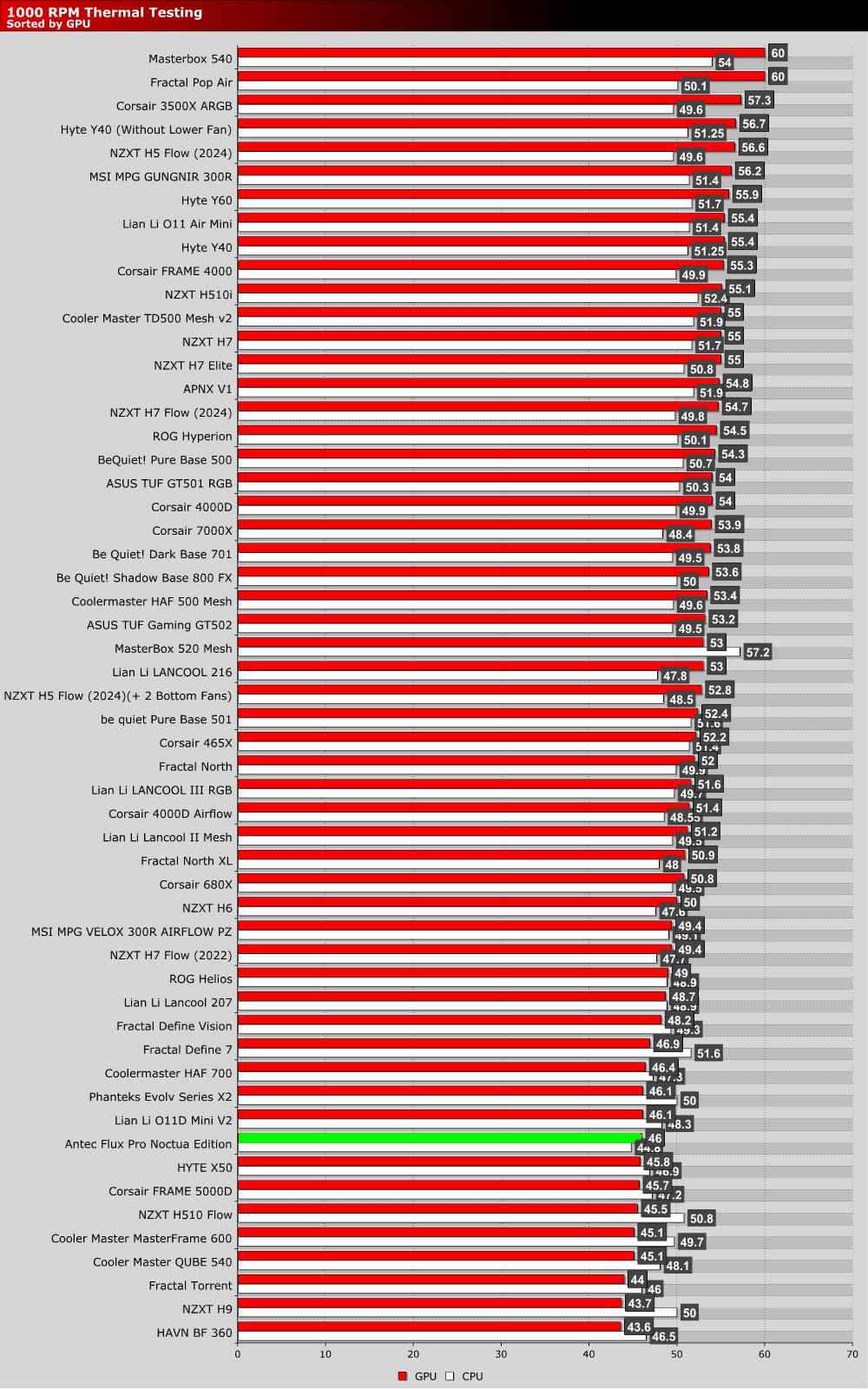
The graph below showcases Delta temperatures with a controlled ambient temperature of 20 degrees Celsius.
Fan controller woes
For whatever reason, we couldn’t get Noctua’s NA-FH1 fan hub to play ball with our motherboard’s fan control software. It just wouldn’t work. Restart after restart, and many fan reconfigurations later, we finally got to test this case with its fans at 1,000 RPM and at their maximum speeds. This could be a software issue. That said, ASUS motherboards are the most popular in the world, so not working with them isn’t a good sign. Furthermore, we used a different NA-FH1 fan hub and experienced the same issue. So we can rule out getting a faulty fan hub.
In our test setup, which uses an air cooler, we mounted two 140mm fans at the front, one at the rear, and one at the top. The case’s two 120mm fans are installed below the GPU, above the case’s PSU shroud. While having an extra 140mm fan at the front would be ideal, that would leave us with no top exhaust. Clearly, Noctua intends for this case to be used with its upcoming AIO CPU liquid-cooling solution. For our testing, Noctua’s NF-A12x25 G2 fans reached a maximum of 1,800 RPM, while their NF-A14x25 G2 fans reached a maximum of 1,500 RPM.
1000 RPM Performance
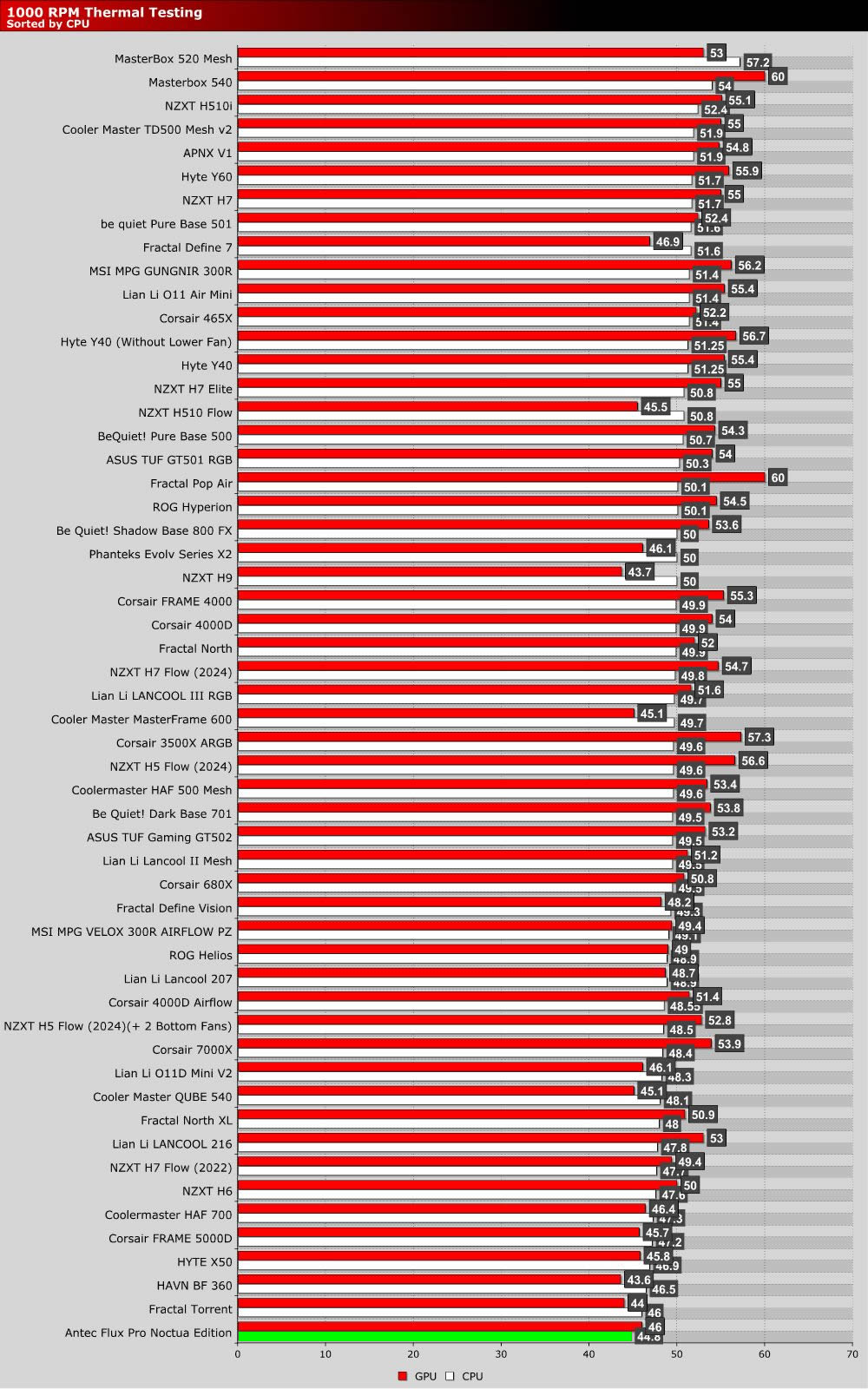
For CPU thermals, the Antec Flux Pro Noctua Edition delivered the best thermals we have seen yet at 1,000 RPM. GPU-wise, thermals were strong, but below the best we have seen. Overall, these are excellent thermal results. As expected, adding premium fans to an already high-airflow case has delivered stronger airflow and better thermals.
Maximum Fan Speed Performance
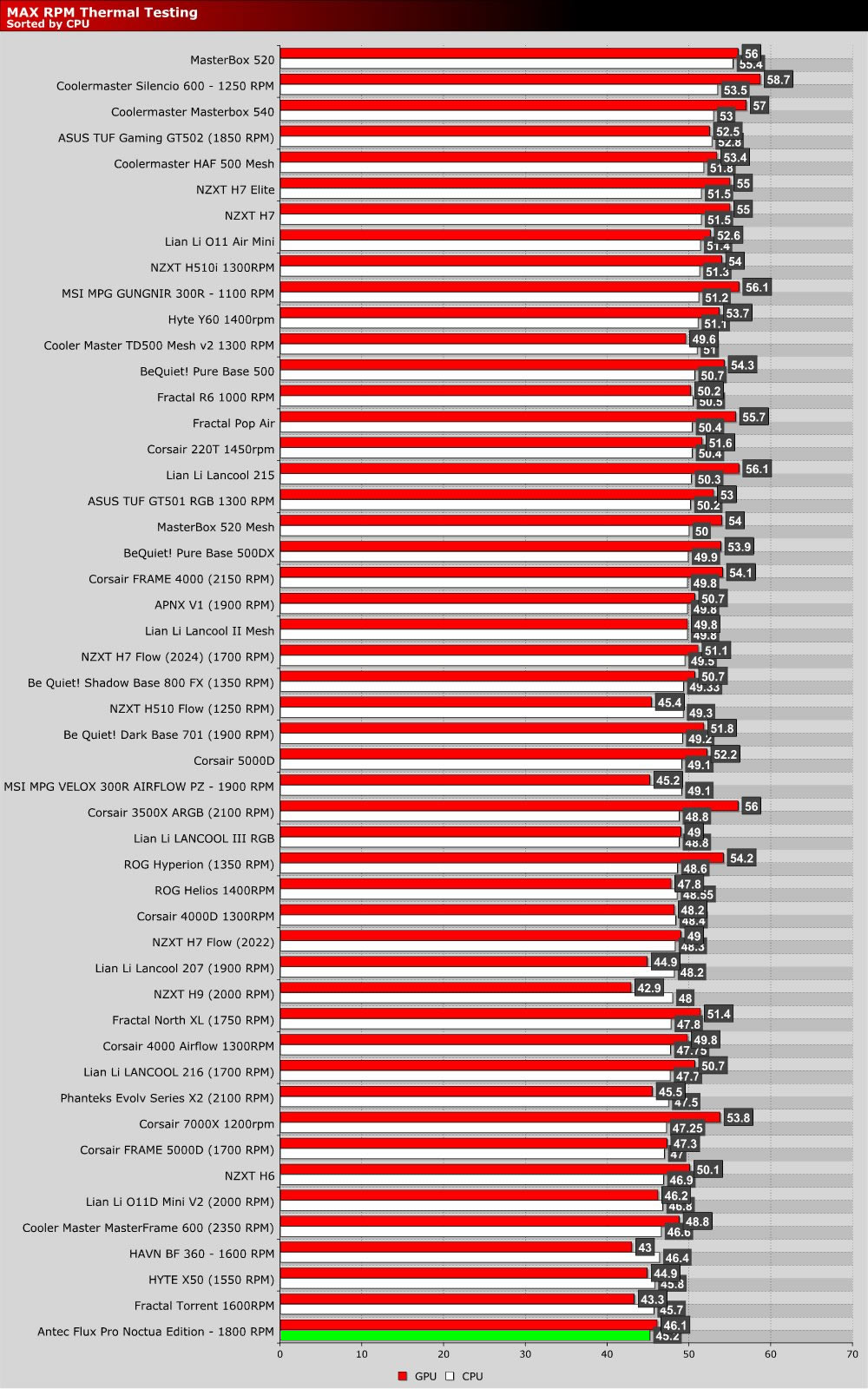
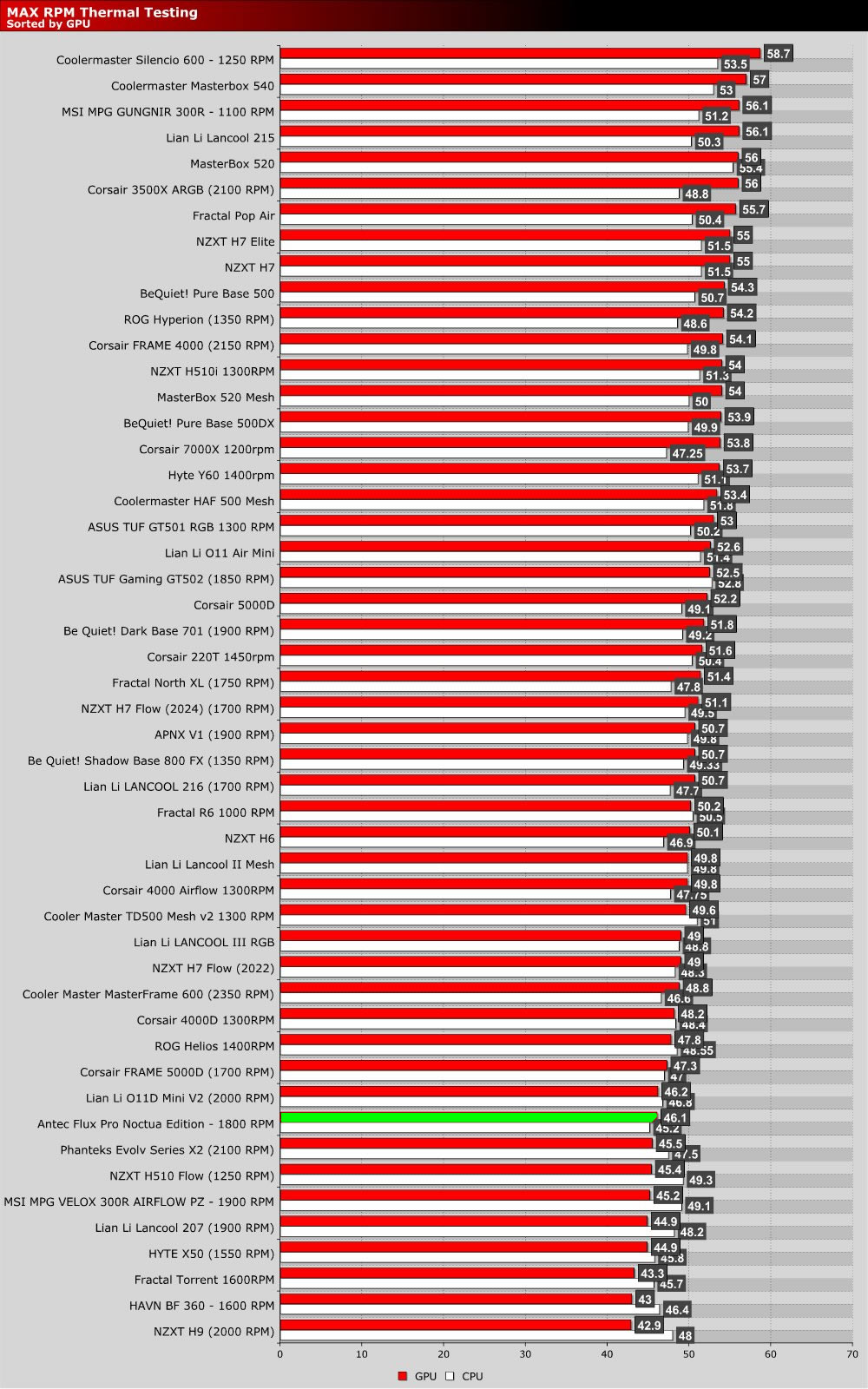
At maxed-out fan speeds, the Antec Flux Pro Noctua Edition delivered the best CPU thermals we have ever seen, surpassing the Fractal Torrent by half a degree. GPU thermals were less impressive, though still amongst the best we have seen. If we moved our top 140mm fan to the front, perhaps we would have seen GPU thermals drop further. That said, if we tested every possible fan configuration, we would be here all day, and you’d probably stop reading before the end.
I think it is safe to say that this case delivers strong airflow, and Noctua’s fans deliver strong results. Who’d have thought that combining an already great case with top-tier fans would result in excellent thermals? Yes, everyone expected this.