TRYX Stage 360 ARGB CPU Liquid Cooler Review

Thermal Testing – Gaming
OC3D CPU Cooler Gaming Test
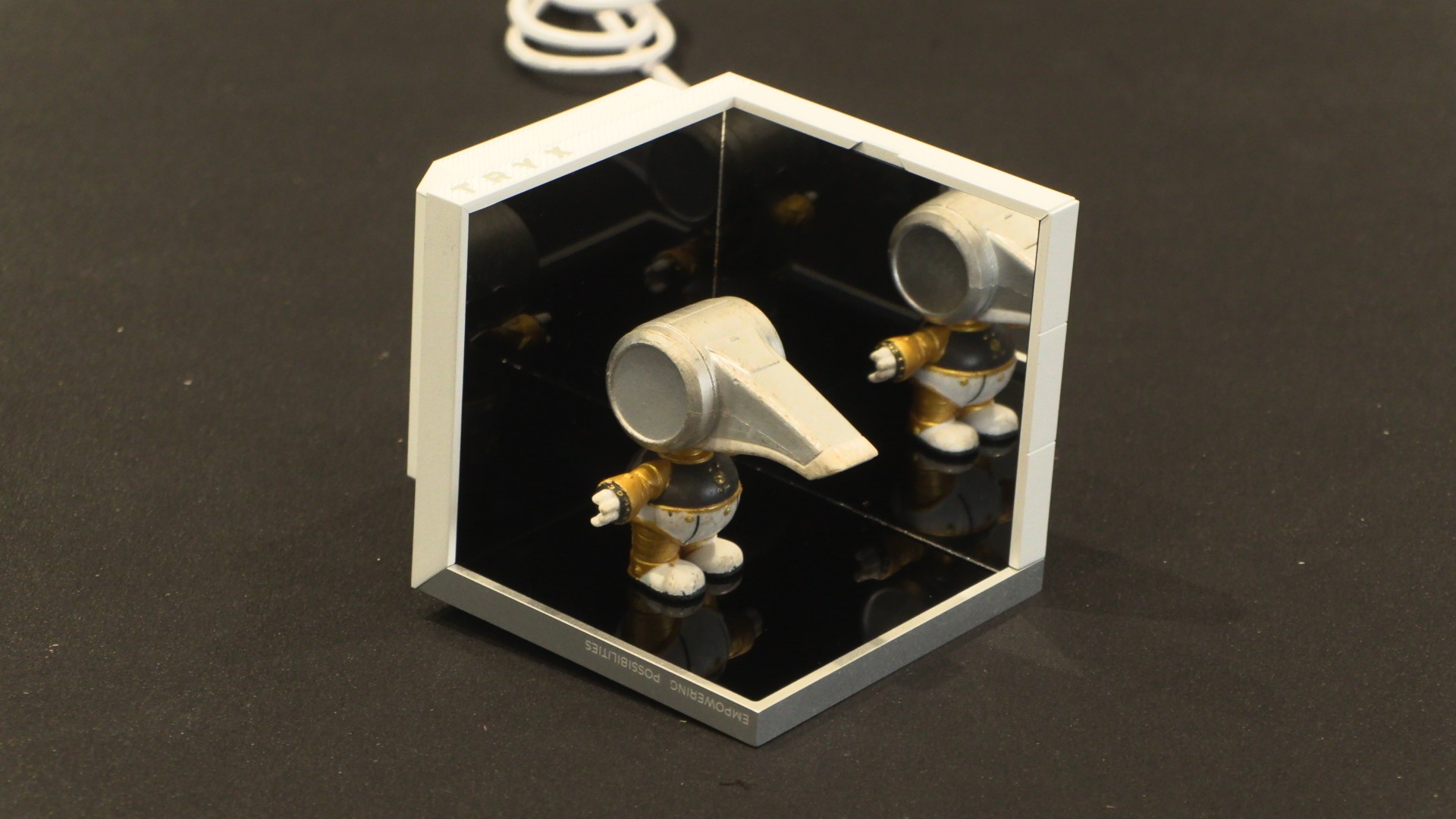
With this new CPU testing rig, we wanted to experiment with analysing the “gaming” performance of CPU coolers. After all, all-core stress tests are not a common workload for most PC users. Games do not usually put huge levels of stress on all cores of your processor, especially if your CPU has a high core count. We also wanted to see if your choice of CPU cooler impacts GPU thermals under a GPU-focused stress test. After all, your CPU cooler can have a huge impact on the overall airflow pattern of your PC.
This testing procedure uncovered something. What we found was that AIO CPU liquid cooling solutions gave us lower GPU thermals. This makes sense, as these solutions pump hot air directly out of our test system and act as an exhaust. That said, the impact on GPU thermals was minimal. We only saw drops of 2-3 degrees during this test. Given this lack of difference, we will now focus exclusively on CPU thermals with this test.
For our CPU game test, we used Final Fantasy XIV Endwalker’s benchmarking tool for our gaming test. This test can run for a long time and moves between CPU and GPU-limited parts of the game. This test was used at a resolution of 1080p at maximum settings.
1,000 RPM Fan Test
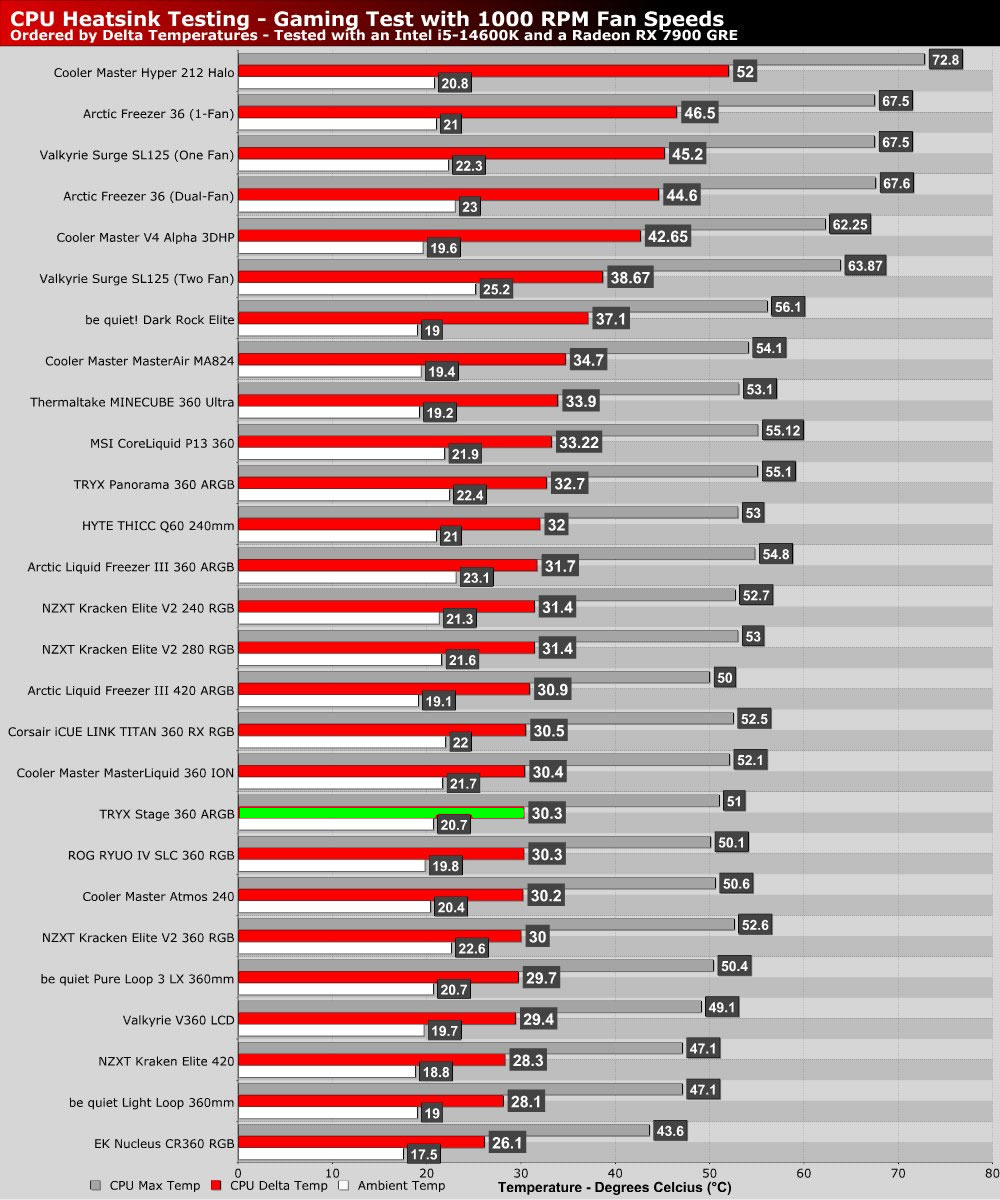
With its fans set to 1,000 RPM, the TRYX Stage performs admirably, sitting in the lower sections of our performance charts.
1,500 RPM Fan Test
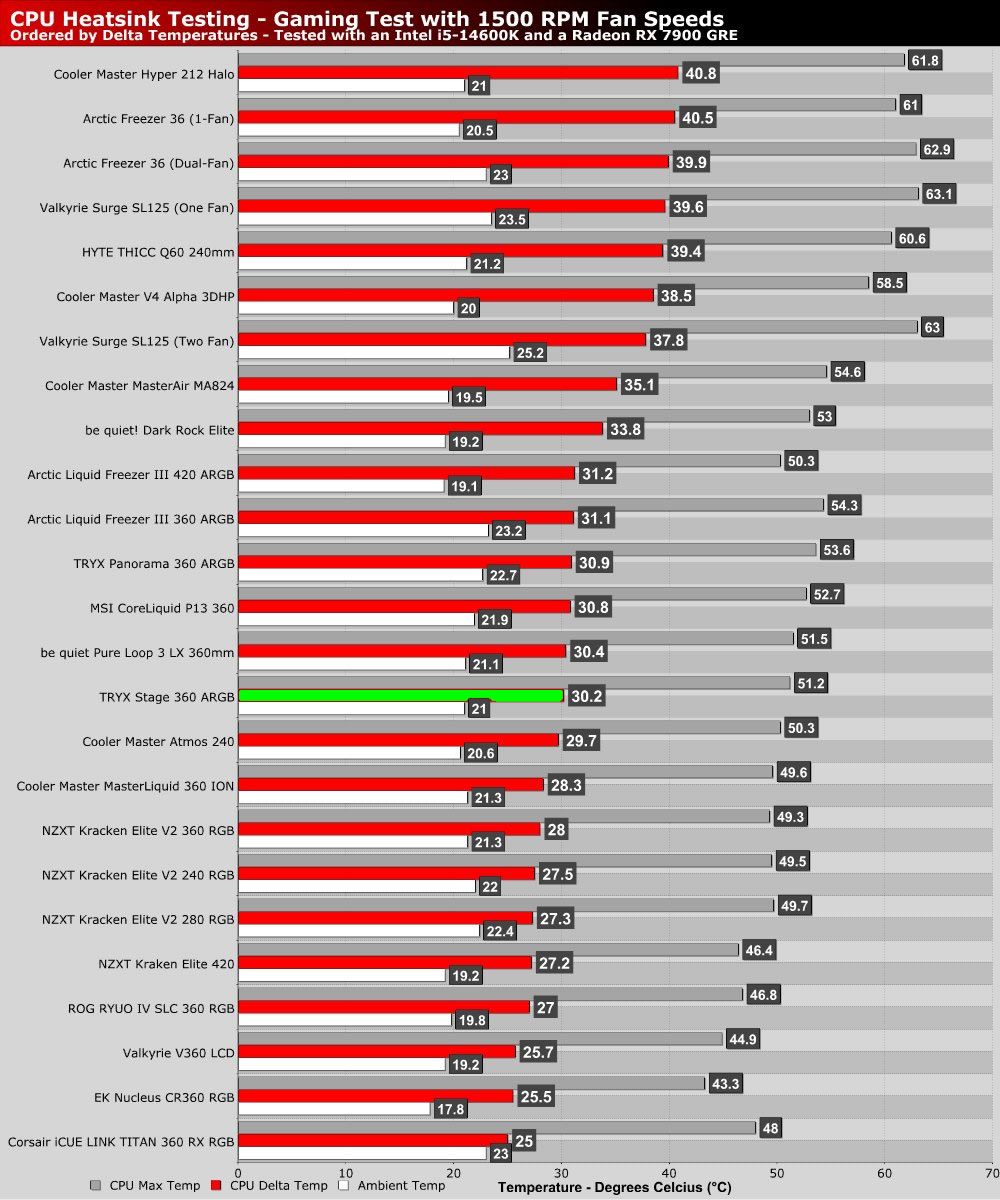
Like most liquid coolers, the TRYX Strage doesn’t break a sweat during our gaming tests, with an average CPU core temperature of just 51 degrees.
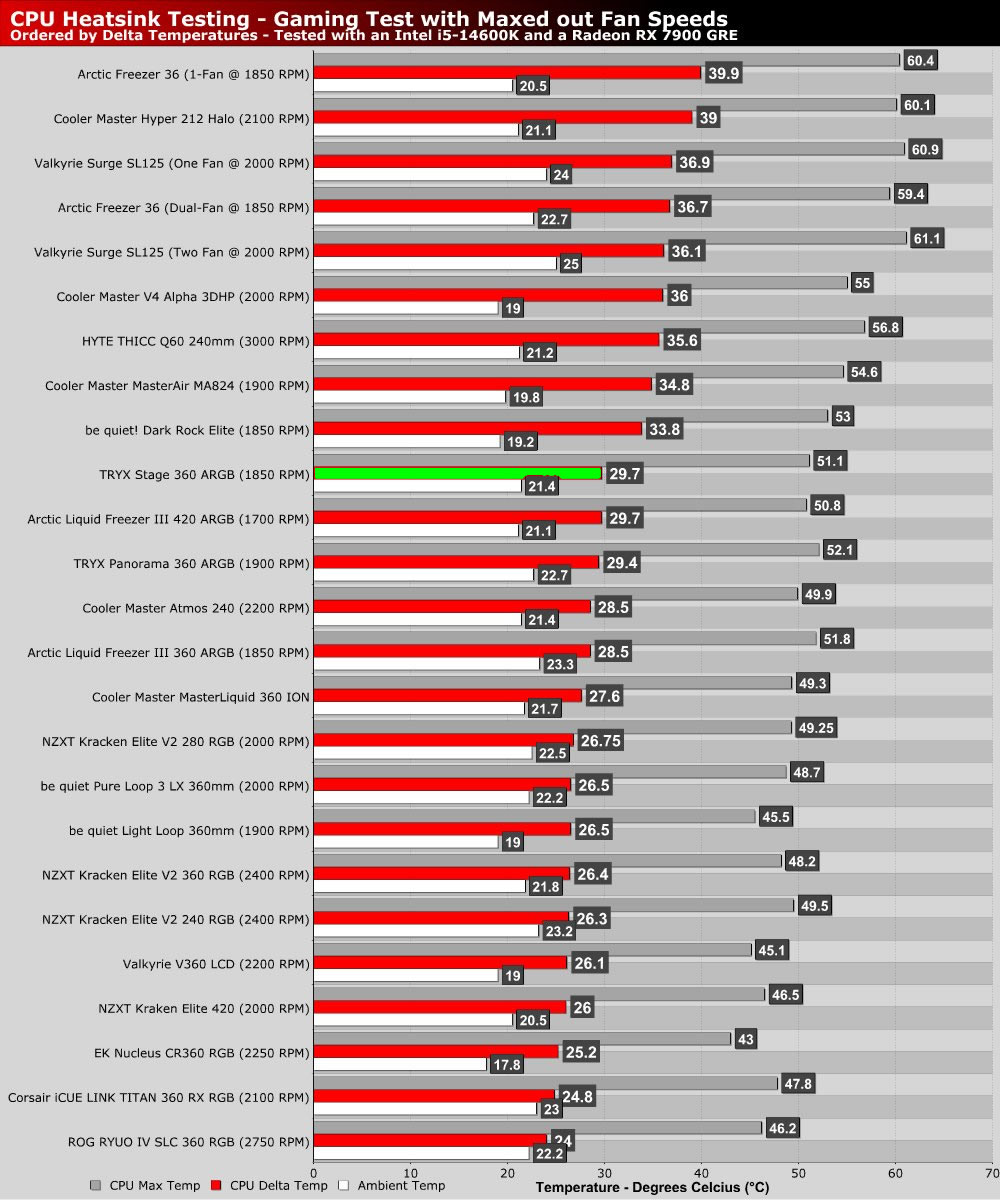
Max RPM Fan Test
At higher 1850 RPM fan speeds, the TRYX Stage 360 only sees its thermals drop by half a degree when compared with 1500 RPM. This results in the cooler falling behind many cooling solutions with faster/louder fans.