


Cooler Master SK650 Low Profile Keyboard Review

Up Close
This crash course diet isn’t limited to the actual keyboard itself. The packaging for the SK650 is robust enough to ensure it arrives on your desk in mint condition, whilst giving a small taste of the compact dimensions of the keyboard within. It’s a very small box, absolutely no bigger than is necessary, yet without lacking for anything. We have the distinguishing purple colour that is such a part of the Cooler Master brand, a full product shot, lots of feature highlights, nothing missing at all. It’s all it needs to be and no more.


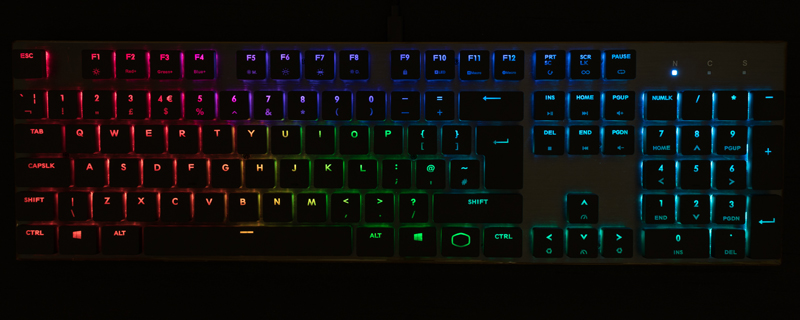
Freeing the SK650 from the box we have a zero frame design with low profile chiclet keycaps mounted on the low profile variant of the Cherry MX Low Profile RGB switches. If you need to switch keycaps there is a key puller supplied, whilst the detachable cable is USB Type-A to USB Type-C. The Type-C end plugging into the SK650.

Something that has been a hallmark of the Cooler Master design is the ability to control everything onboard. Yes there is a software package if you want more complicated macro recordings and lighting, or just the more user friendly control that software can offer over some key combinations, but there isn’t anything you can do in the software that you can’t do at a hardware level. Macro recording to lighting style and colours, it’s all available at your fingertips on the SK650.


The Cherry MX Low Profile switches are the perfect combination between the gorgeous typing feel that have made them the de facto choice for every mechanical keyboard worth it’s salt, and the short throw so beloved of anyone who has grown used to typing on laptops. With the lightest actuation pressure – 45cN – of the Cherry MX range, and a very low actuation point – a mere 1.2mm – it’s a keyboard that is as fast as it is small.

It isn’t just the keys which are low profile, the chassis is too. There are no feet on the underside to raise the SK650 above your desk, leading to a very flat typing experience. Around the rear we find the single Type-C USB port for the cable. No through ports. No switches. No anything.


