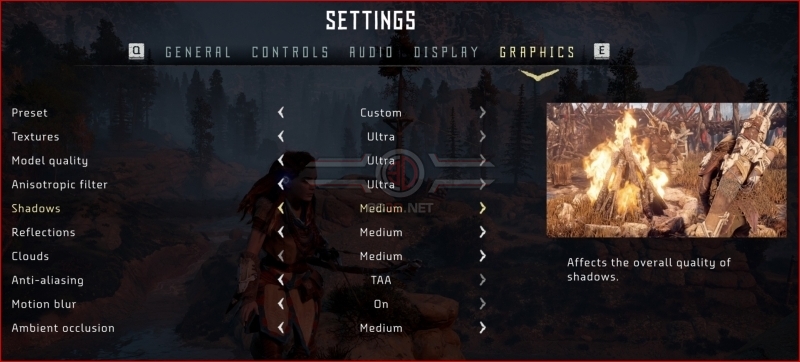
Horizon Zero Dawn PC Performance Review and Optimisation Guide

Optimisation Tips – All Settings Tested
In our test area, we looked at the performance impact of all of Horizon Zero Dawn’s graphics settings. Below you can see how these settings impact the game’s overall performance.
Below you should see that Horizon’s settings for Reflections, Model, Clouds, Shadows, and Ambient Occlusion have the largest performance impact. These settings should be lowered first by any PC gamer who desires higher framerates when playing Horizon Zero Dawn.
Below we have also charted the performance of our “Optimised Settings”, which increase the game’s 1st Percentile and Average framerates by 40.3% and 30.5% respectively. We will detail the visual impact of these settings on page 6 of this analysis.
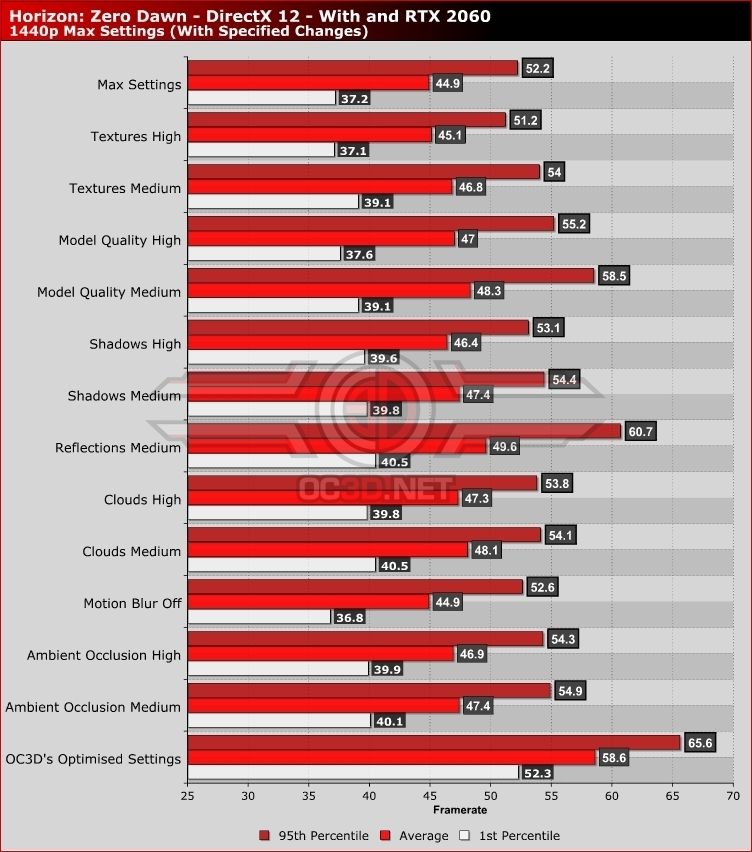
By setting Shadows, Reflections, Clouds, and Ambient Occlusion to Medium, PC gamers will receive colossal increases to game performance with a minimal impact of the game’s visuals. Medium settings are a match for Horizon’s PS4 version and already look great. All settings above Medium represent an upgrade over Horizon Zero Dawn’s console versions, and these settings can offer significant visual upgrades without a large performance cost.