Monster Hunter World DLSS Review – Performance and Quality Analysed

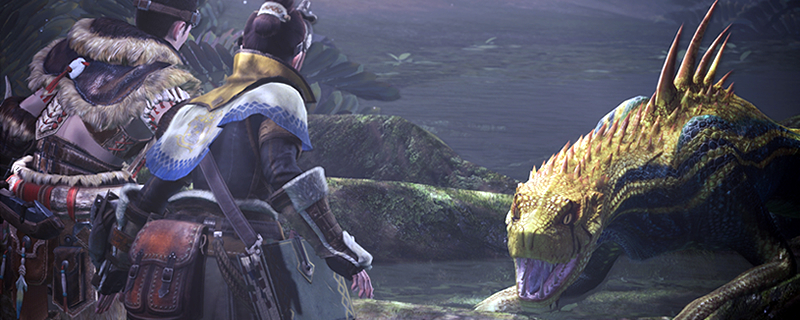
1440p Analysis and Benchmarks
I know, some of you are wondering “why are you doing both 1440p and 4K testing?” The simple answer is that both resolutions can provide very different results when using DLSS. Some games use what appears to be sharpening filters to make DLSS look sharper at some resolutions more than others. On top of that, the graphical impact of DLSS at lower resolutions can be much more significant, as the effect has a lower resolution initial image to work with, which again presents strange results.
Most review sites focus on 4K and ignore 1440p, but not us. We think that 1440p is worth looking into, especially when GPUs like the RTX 2060 and RTX 2060 Super exist.
Looking at the image below, we can see the shortcomings of DLSS at 144op, with the foliage at the centre of the image taking a significant drop in quality. Beyond that, much of the image gains a grainy appearance, especially around high contrast edges.
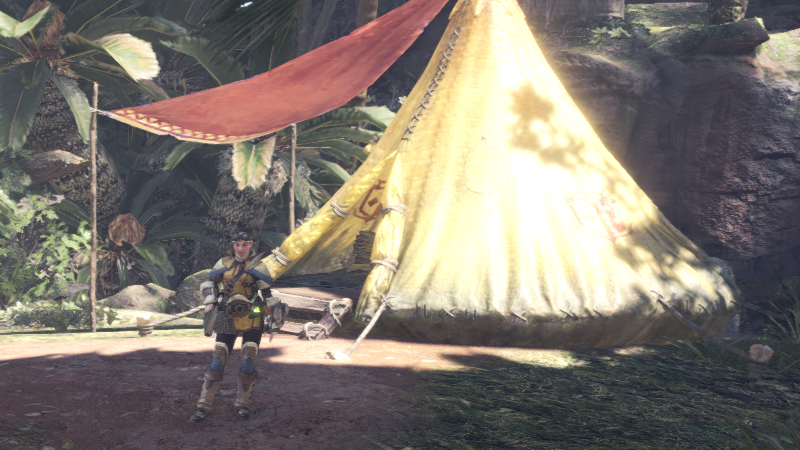
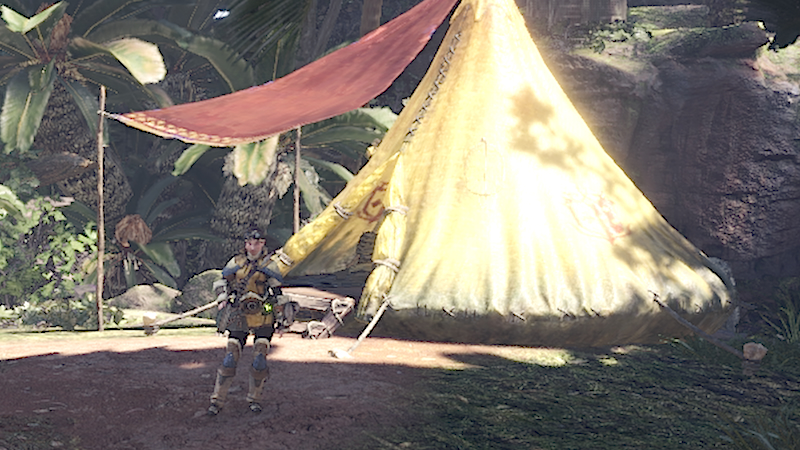
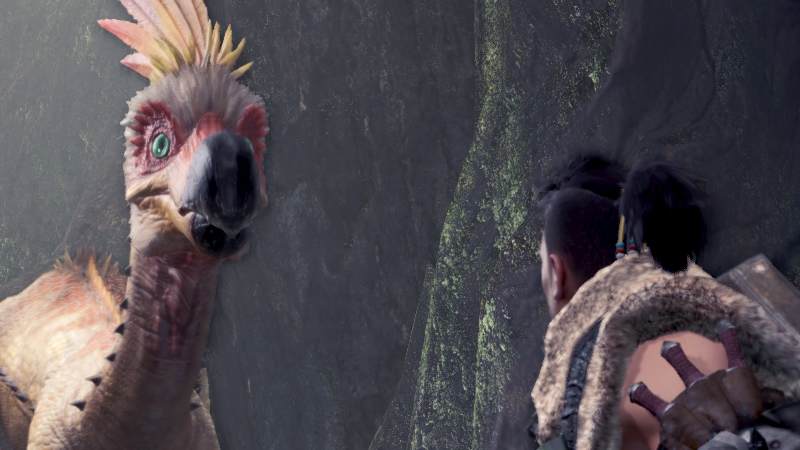
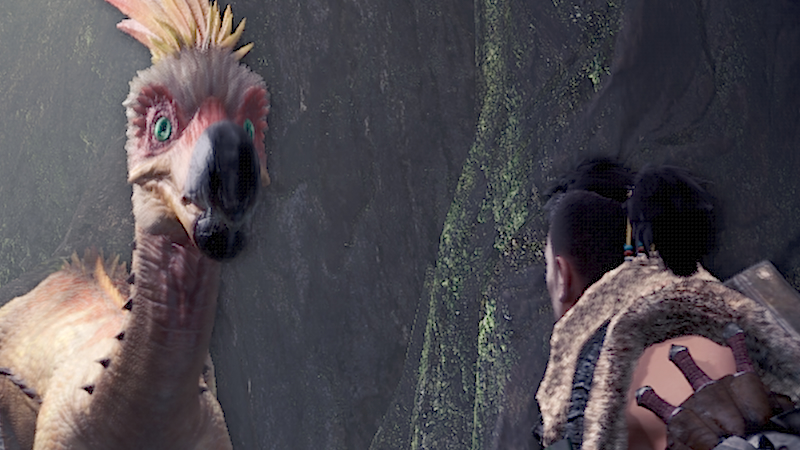
The image comparisons below are from an 800×450 section of a 1440p screenshot, allowing these screenshots to be displayed at a 1:1 pixel ratio on this website.
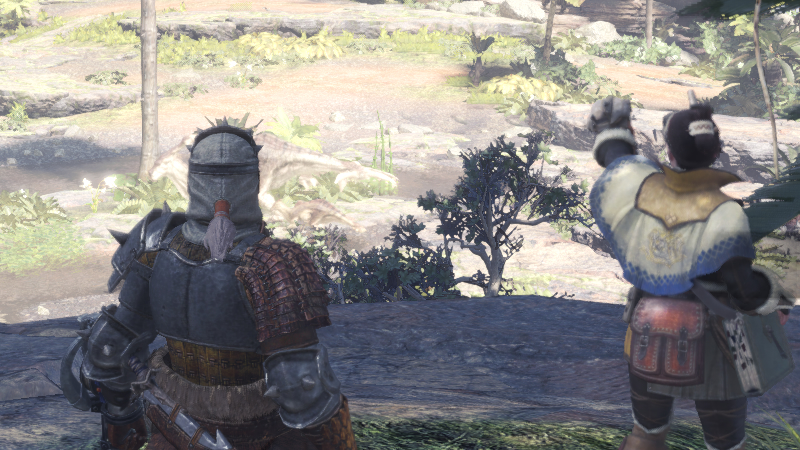
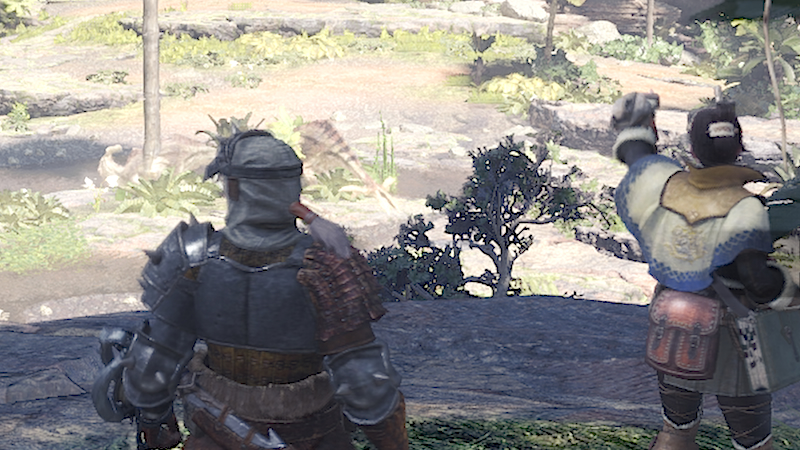
Again we see that when DLSS is used at 1440p, our captured frame appears grainy, almost as if the game was oversharpened using a sharpening filter in Reshade. We can also see that a lot of image detail is lost, especially when looking at the player’s NPC handler beside the tent.
Remember that this is a small section of a larger 1440p screenshot, but this difference in detail is noticeable if you are looking for it.
In this final screenshot, we can see again that the DLSS image looks grainy beside high contrast edges, with stairstep aliasing appearing beside the face of the NPC “Field Team Leader”. Detail differences are also visible when looking at the feathers of the Kulk-Ya-Ku bird/beast.
Performance changes
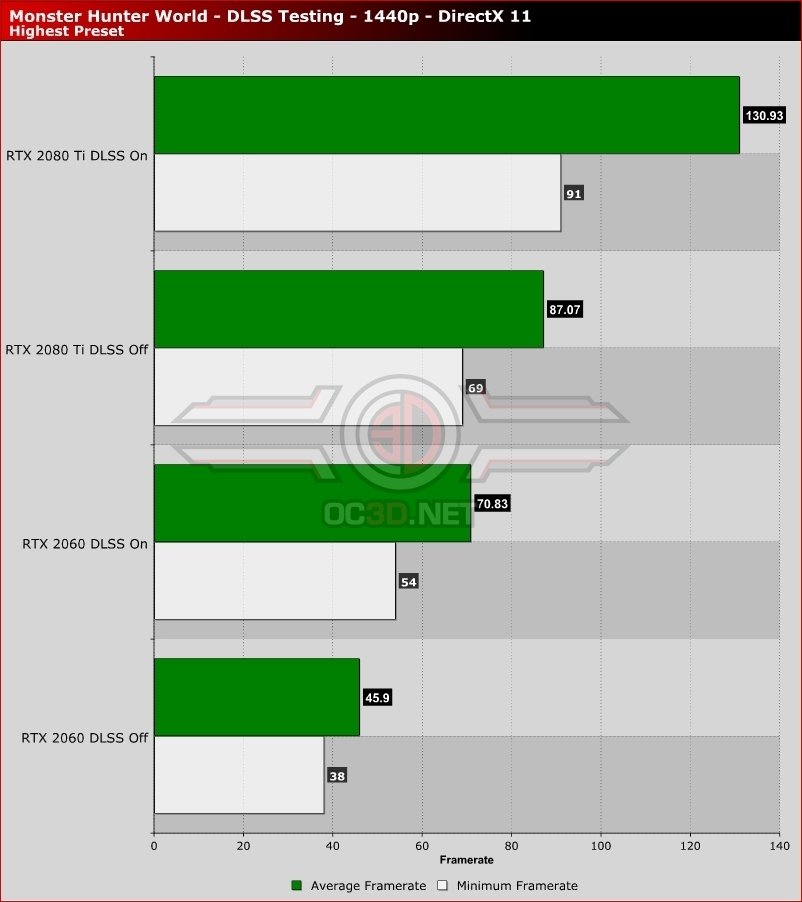
With DLSS enabled, Monster Hunter World sees its framerates skyrocket, with Nvidia’s GTX 2060 moving from an average framerate of 45.9 FPSto 70.83 FPS. Turning DLSS on is almost enough to push the RTX 2060 past a minimum framerate of 60FPS in our benchmark run.
For a solid 60FPS framerate at almost maximum settings on an RTX 2060, Monster Hunter players can turn on DLSS and turn Volume Rendering down to Medium. More optimisation tips for Monster Hunter: World are available in our Performance Review for the game’s PC version.
With the RTX 2080 Ti already offering framerates that exceed 60FPS, we wouldn’t recommend enabling the feature. The graphical downsides are noticeable if you have a keen eye, so we wouldn’t recommend DLSS unless you really need ultra-high framerates.