


Windows 11’s June Update delivers a welcome CPU boost

Microsoft is starting to make Windows 11 snappier, and low-end PC users will see the biggest impact
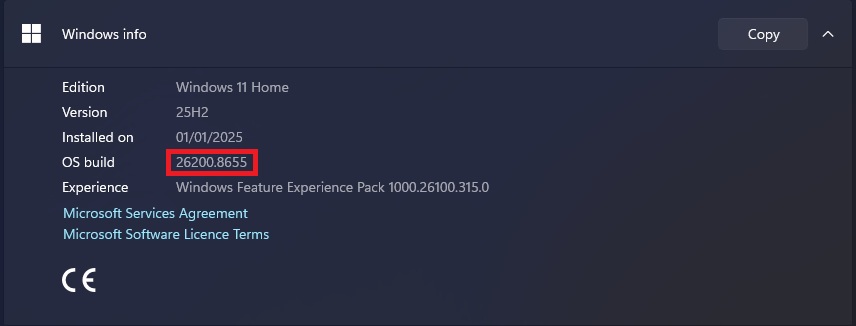
Microsoft has started rolling out its June 2026 update for Windows 11, bringing with it Windows’ new “Shared Audio” feature, improved search, and the introduction of Windows 11’s “Low Latency Profile” for mainstream users. This update is security update KB5094126, which will update Windows 11 to OS Build 26200.8655 and 26100.8655 (depending on your version of Windows 11).
Microsoft’s new Low Latency Profile (LLP) is designed to make Windows 11 feel more responsive. Windows Latest found that Microsoft described the update like this in its release notes: “[General Performance] This update accelerates app launch and core shell experiences such as Start menu, Search, and Action Center.”
Microsoft’s Low Latency Profile forces CPUs to enter a boost state for a limited time. This accelerates the performance of Windows PCs for a limited time, making actions like opening the start menu and notifications center faster. This CPU boost lasts for 1-3 seconds. That’s enough time for Windows’ UI to feel much faster, but not long enough to have a dramatic impact on battery life, at least for most Windows users.
This new update includes features that are “rolling out” over time. This means this feature may not be enabled immediately after you install this update. Users can force enable Windows’ LLP feature using ViveTool. Windows Latest has a guide for this. We don’t recommend doing this, as Microsoft will enable this feature for all users in time. Only confident Windows users should tinker with their PCs like this.
Criticisms and future updates
Many Windows users have criticised Microsoft for creating its Low Latency Profile (LLP) feature. Some see it as cheating, and others think it will greatly shorten laptop battery life. The reality is that this feature is similar to the behaviour of Android devices, Apple Macs, and Linux PCs. Everyone else does this, and Microsoft is behind the times. This “cheat” is part of the reason why other OS’ feel snappier than Windows. Microsoft’s just catching up.
As for battery life, a 1-3-second CPU boost won’t have a huge impact. These CPU boosts are used at specific times to deliver a better user experience. They aren’t enough to overwhelm CPU coolers and to dramatically impact battery life.
For now, LLP is limited to specific scenarios. Right now, the update accelerates the Windows Start Menu, Notifications centre, and other core shell experiences within Windows. Note that Windows Latest states that LLP for apps is currently unavailable. If Microsoft is true to its roadmap, this feature will soon accelerate app start times, making Windows feel snappier.
Windows’ LLP mode is part of Microsoft’s Windows “K2” project, which aims to fix Windows with a suite of changes. This includes moving Windows 11’s UI elements to WinUI3 (cutting bloat), making WinUI3 faster (further accelerating performance), and addressing longstanding complaints with Windows. If Microsoft can deliver on these promises, Windows 11 will be in a good state.
You can join the discussion on Windows 11’s Low Latency Profile starting to roll out on the OC3D Forums.
