


Nvidia upgrades Frame Generation and Upscaling with DLSS 4.5

Nvidia has unveiled a game-changing upgrade for DLSS
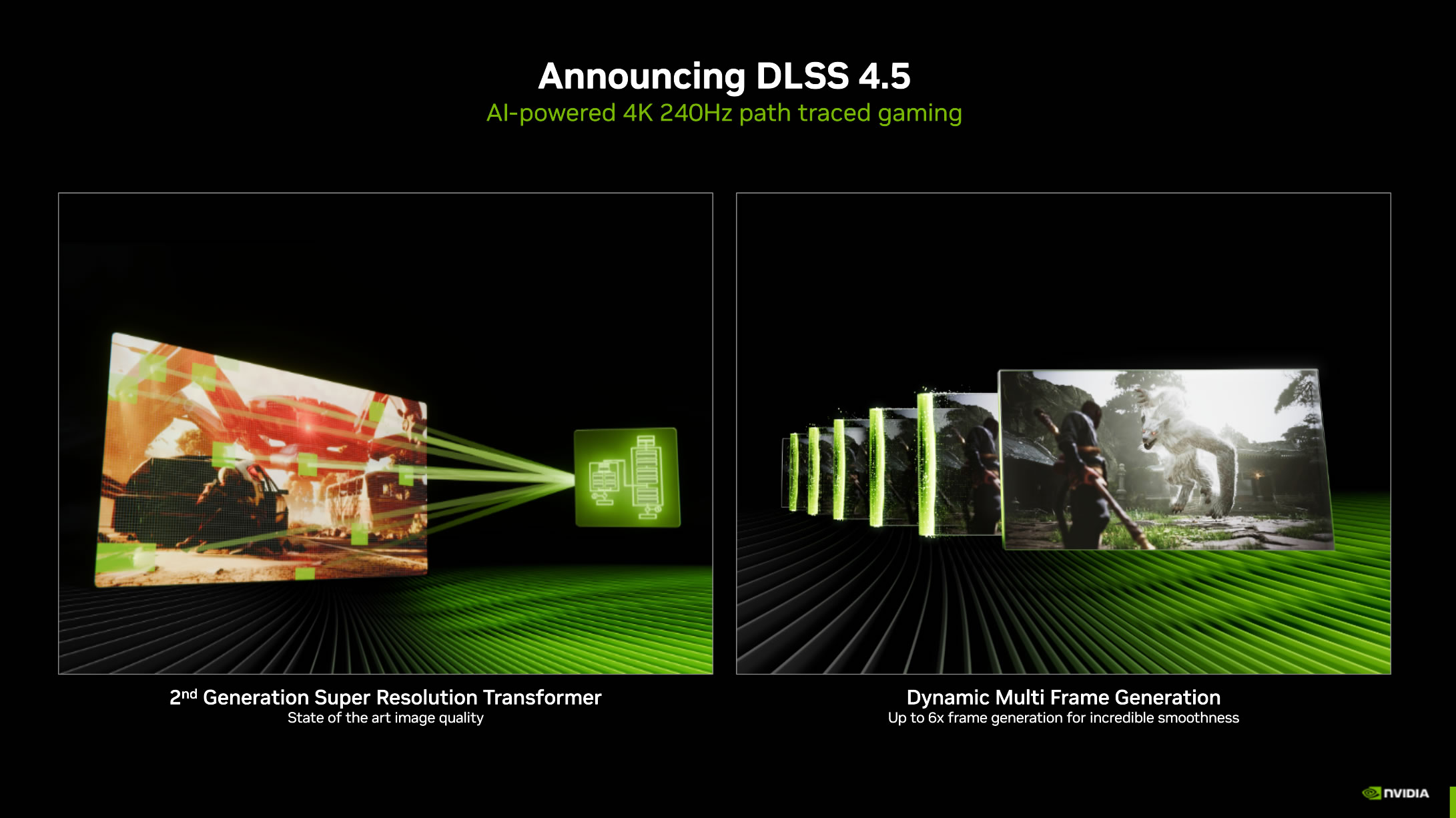
Nvidia’s not unveiling new GeForce hardware at CES 2026, but it has transformed all of its existing GeForce RTX products with DLSS 4.5. With higher levels of image quality and new forms of Frame Generation, Nvidia’s DLSS tech has taken another big step forward.
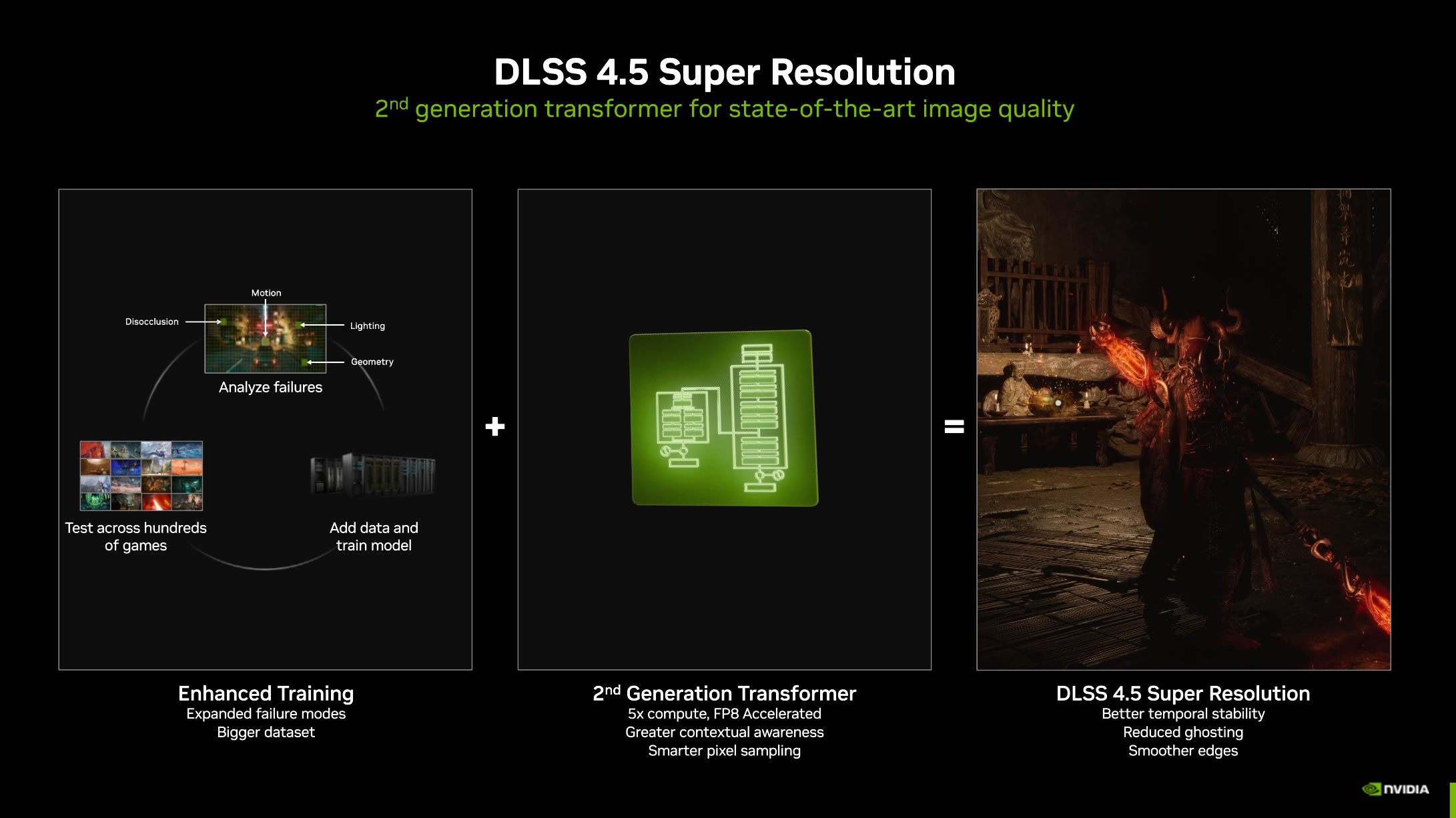
Using an enhanced training set, Nvidia has developed its 2nd-generation DLSS transformer model. This new model boosts image quality but incurs a 5x increase in compute costs, though the addition of FP8 acceleration offsets this complexity. All GeForce RTX GPUs support this new DLSS model (Yes, even Turing). However, only Nvidia’s RTX 40 (Ada) and TX 50 (Blackwell) series GPUs support FP8 acceleration.
NVIDIA claims that Ada- and Blackwell-based GPUs will incur a small performance penalty when using DLSS 4.5’s new transformer model compared with its last-generation counterpart. Note that this performance cost is higher for older GeForce RTX GPUs.
6x Frame Generation for RTX 50 series users
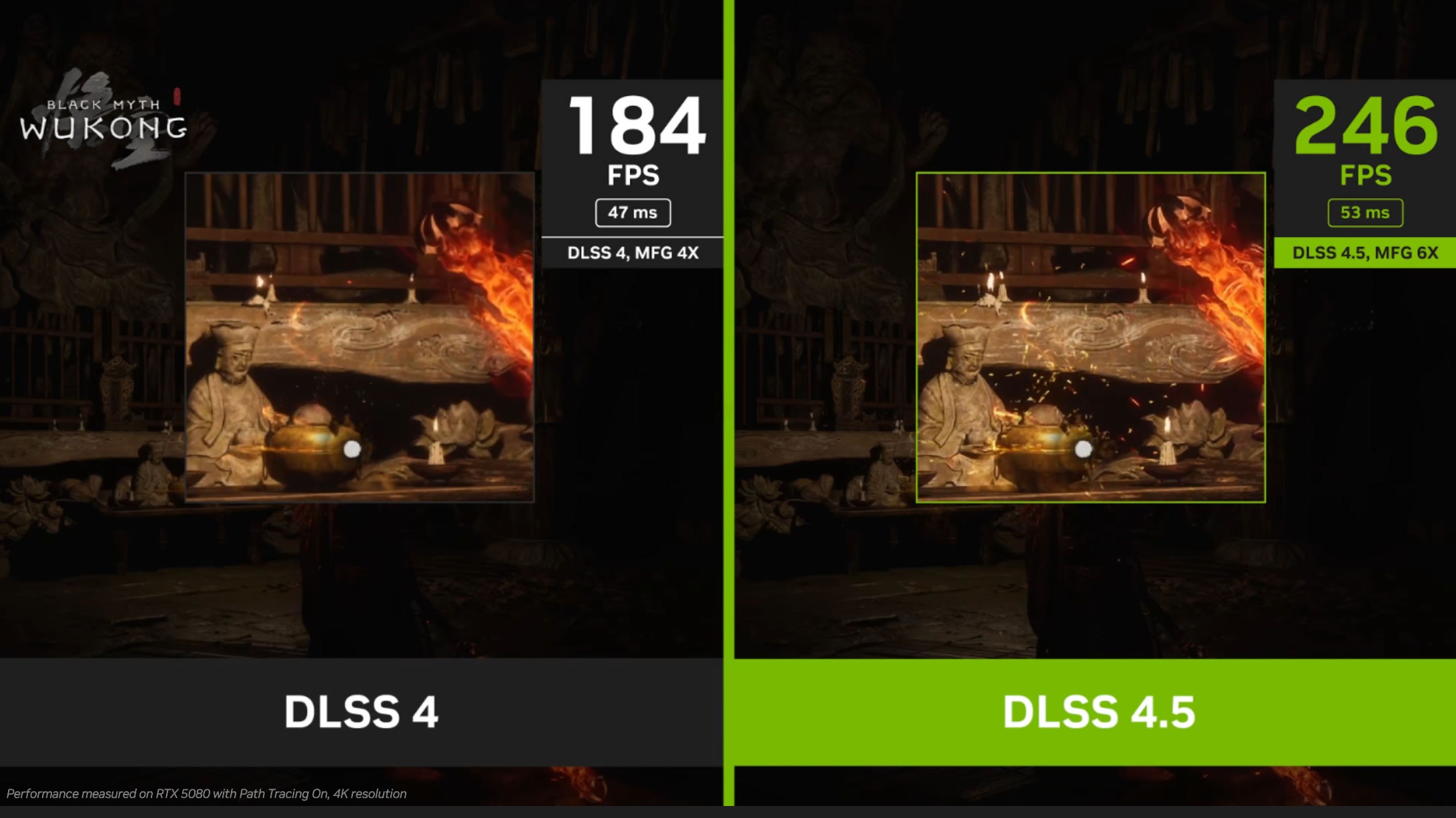
The second big upgrade that DLSS 4.5 delivers is support for 6x Frame Generation. This means that gamers with GeForce RTX 50 series GPUs will be able generate five frames for every traditionally rendered frame. This enables higher frame rate boosts with Nvidia’s DLSS Frame Generation technology.
Higher image quality with Nvidia’s 2nd Generation Transformer model
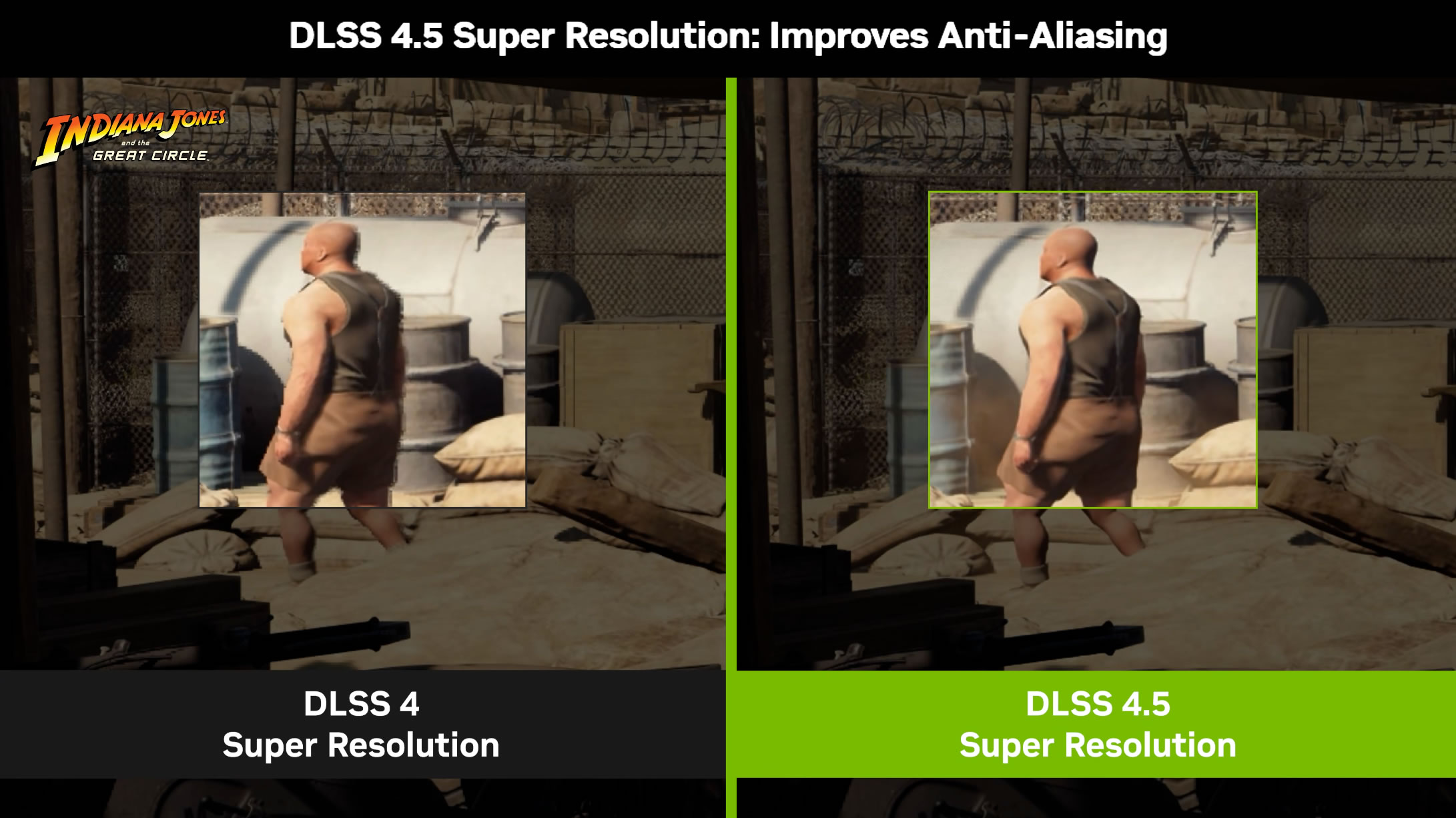
Above and below, we can see the image quality impacts of DLSS 4.5. With Nvidia’s 2nd-generation Transformer model, DLSS 4.5 can deliver improved temporal stability, reduced ghosting, and smoother edges. In other words, Nvidia’s delivering higher levels of image quality with DLSS Super Resolution, resolving more detail to give gamers a better visual experience.
Dynamic Frame Generation – A frame pacing revelation
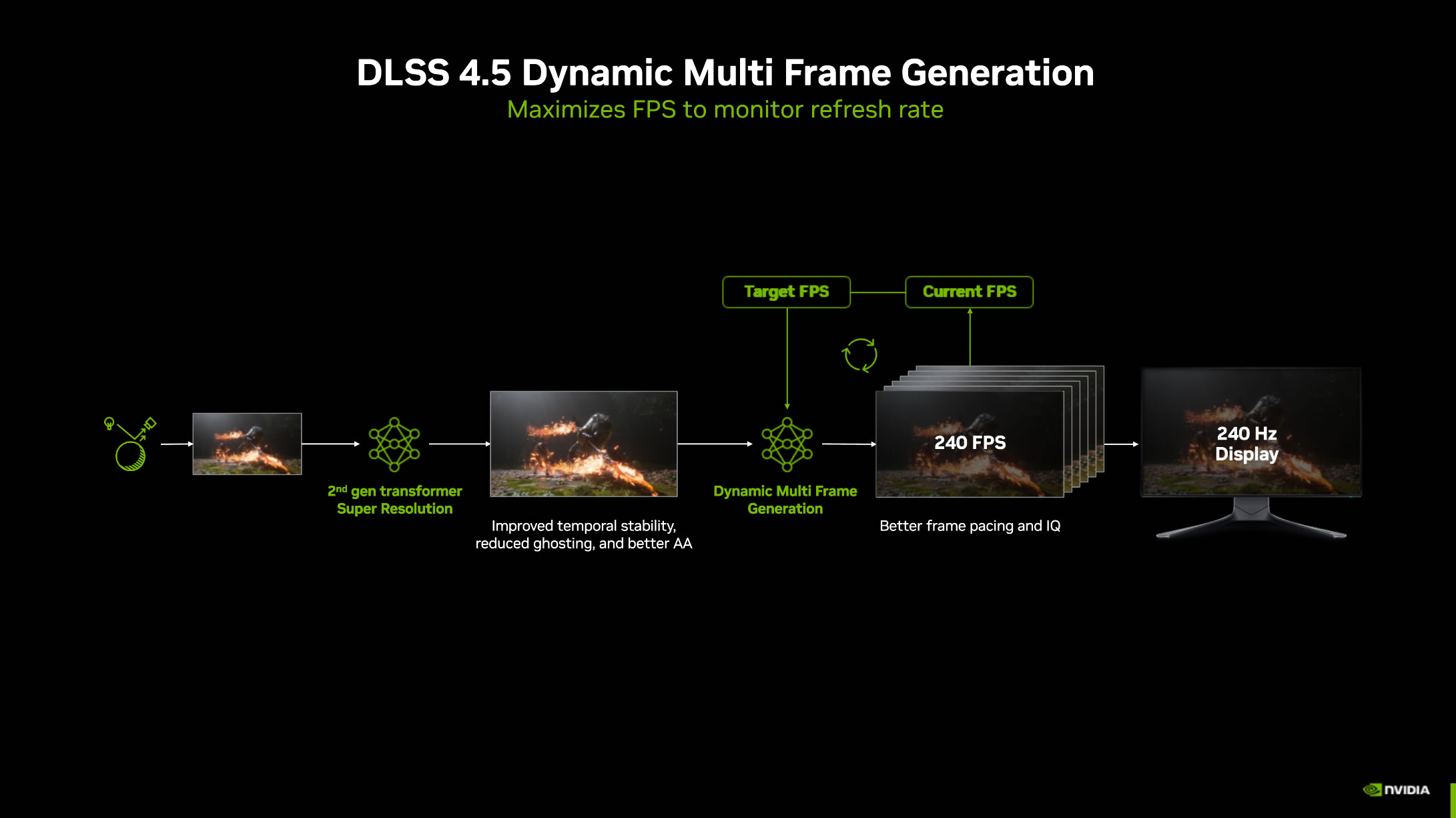
The most game-changing addition to DLSS 4.5 is Dynamic Multi Frame Generation. Within the Nvidia App, gamers can set a refresh rate target, and Nvidia will dynamically adjust its frame generation multiplier (up to 6x) to achieve that target framerate. This will provide gamers with more consistent frame pacing and enable them to get the most out of their high-refresh-rate displays.
If real frame rates dip, this mode will increase your game’s frame generation multiplier to maintain a consistent frame rate. If frame rates increase in less demanding areas, the multiplier will decrease, delivering higher image quality and lower latency.
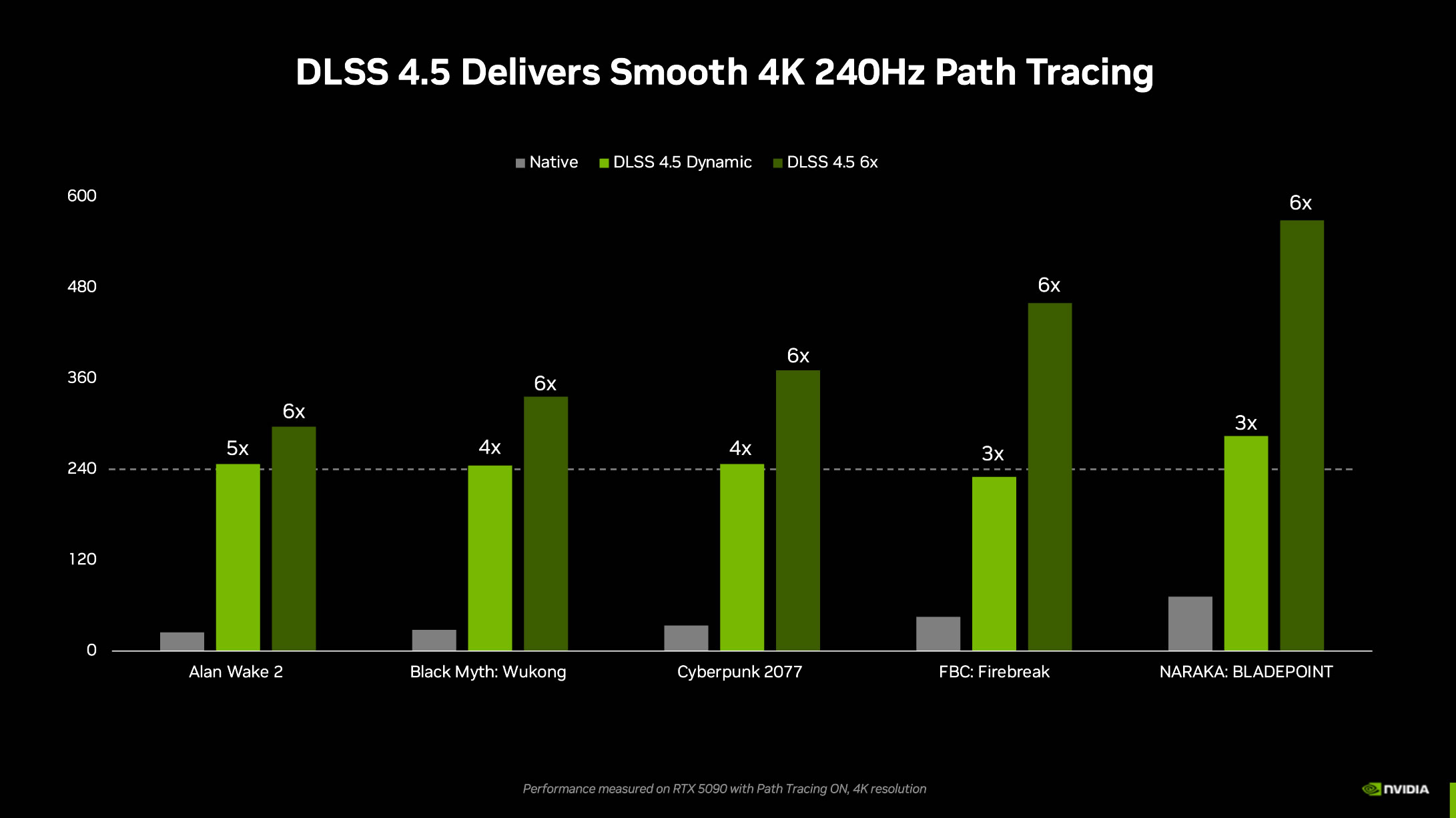
DLSS 4.5 Performance
Nvidia’s DLSS Dynamic Frame Generation technology is designed for high refresh rate gaming displays. Specifically, Nvidia is targeting 4K 240Hz monitors. With Dynamic Frame Generation, an ideal frame generation mode can be used to deliver a smooth framerate that closely aligns with a screen’s refresh rate. That said, users can also choose to use 6x mode to have the highest framerates possible. With 6x Frame Generation, Nvidia is begging monitor manufacturers to create faster displays for its GPUs.
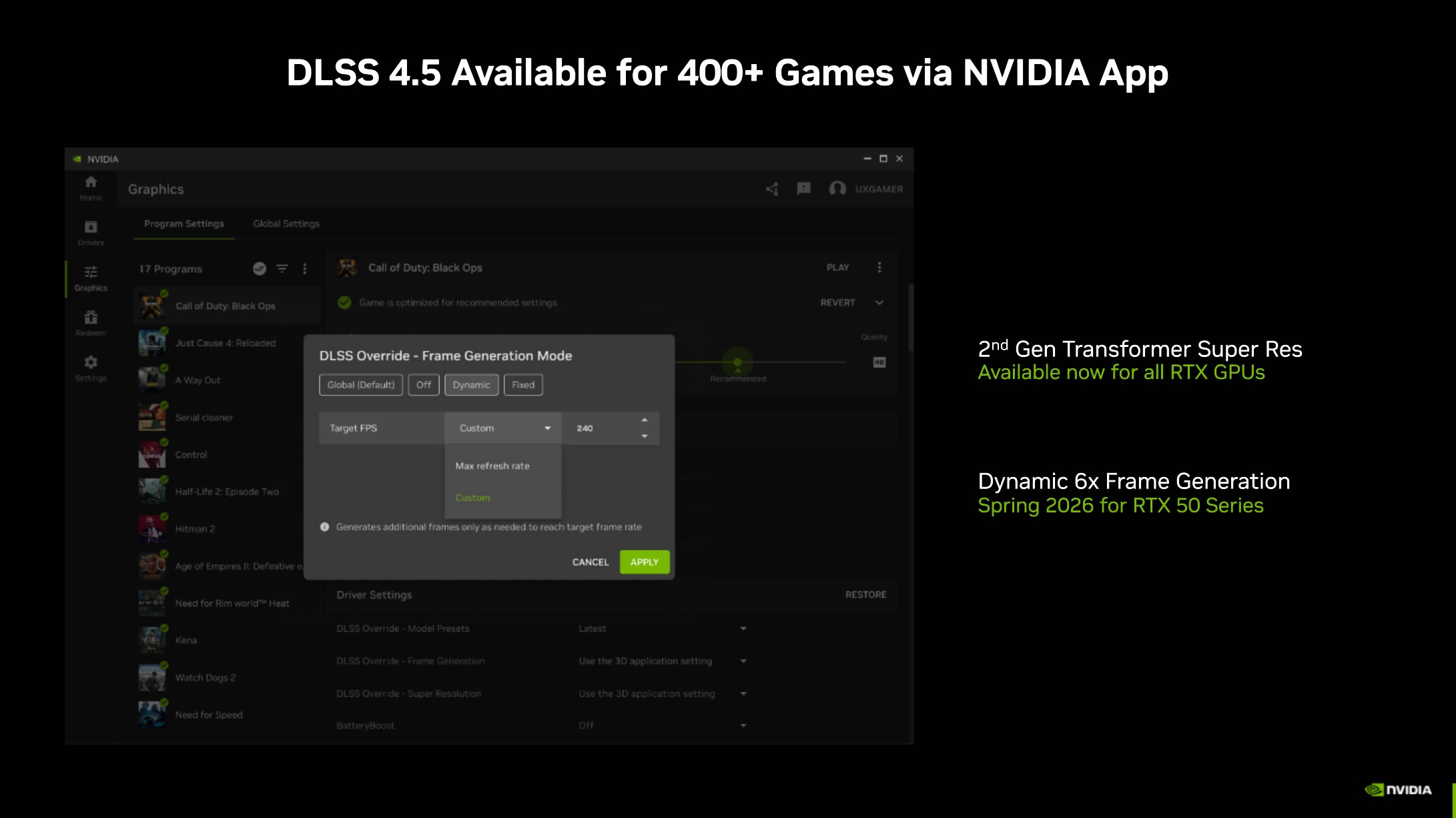
Available in 400+ games at launch through the Nvidia App
DLSS 4.5 will be available in over 400 games at launch through Nvidia’s DLSS Override feature on the Nvidia App. This will allow all games with DLSS Frame Generation to use 6x and Dynamic Frame Generation on RTX 50 series GPUs. It will also allow Nvidia’s 2nd Generation Transformer Model to be used with all GeForce RTX GPUs.
DLSS 4.5 will soon be available to developers via a new DLSS SDK. This will allow for direct game integrations for DLSS 4.5.
You can join the discussion on Nvidia’s DLSS 4.5 technology on the OC3D Forums.