


What you need to know about AMD’s Radeon Software Adrenalin 2020 driver

What you need to know about AMD’s Radeon Software Adrenalin 2020 driver
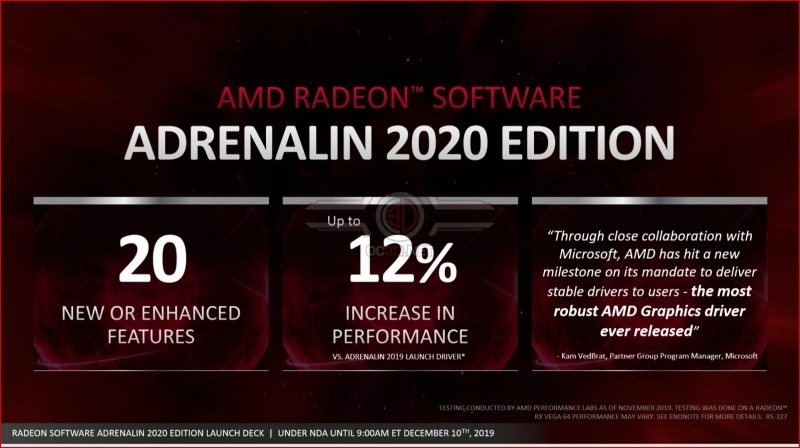
When compared to AMD’s first Radeon Software Adrenalin 2019 Edition driver, AMD has stated that its drivers deliver a performance boost of 12% on average when testing games on a Radeon RX Vega 64 graphics card.
New Installer
With Radeon Software Adrenalin 2020 Edition, AMD’s offering its users a new installer which can deliver up to a 34% reduction in driver install times, allowing gamers to spend less time installing drivers and more time gaming. Radeon users will also gain the option to “keep my settings” when installing new Radeon Drivers, which is very useful given Radeon Software’s latest feature upgrades.

New UI
With AMD’s new Radeon Software installer comes a new Radeon User Interface, which is designed to allow Radeon users to access all of their games and driver settings with ease, enabling gamers to create game-specific profiles for their Radeon graphics cards while offering are more unified experience between AMD’s Radeon Software desktop app and Radeon Software mobile app.

Radeon Software Game Center – A Radeon Games Launcher?
AMD’s Radeon Software app can now be used as a games launcher, detecting the games that are installed on your system to allow PC gamers to create game-specific settings profiles for every title and the ability to launch them without moving from games launcher to games launcher.
AMD’s new Radeon Software Game Center makes it easier to utilise Radeon options like Anti-Lag and Integer Scaling on a Game-By-Game basis. This is great news for those who like to tinker with their games.

User Profiles
If you are not into extreme amounts of settings customisation, you may want to utilise AMD’s pre-defined GPU driver settings profiles for your games. Standard enables FreeSync, a feature that should be used with most games while E-sports enables features that could deliver gamers a competitive advantage, such as Radeon AntiLag and Tesselation Limits (which can boost game performance).
Radeon’s Gamer Setting enables more options such as enhanced sync and Virtual Super Resolution, a feature which can be used to super-sample older titles if users have adequate GPU performance.

Turn to page 2 for more information about AMD’s Radeon Software Adrenalin 2020 Drivers.
A Radeon Web Browser?
Yes, I know it’s crazy, but AMD has created its own web browser within its Radeon Software suite. This browser can be used with AMD’s Radeon Overlay to allow gamers to quickly lookup guides and walkthroughs when required, without the need to alt-tab out of their games.
At the time of writing, this feature is exclusive to Radeon graphics cards. AMD has confirmed to us that the browser is based on Chromium.

Radeon Image Sharpening – Improved!
With Radeon Software Adrenalin 2020 Edition, AMD’s Radeon Image Sharpening (RIS) feature has received a significant update, gaining support for DirectX 11 games and a new sharpness slider to adjust the strength of the effect.
This is a huge feature improvement from AMD, as most Modern games still use Microsoft’s DirectX 11 API. This change allows Radeon Image Sharpening to be utilised a much larger catalogue of PC games.

DirectML Media Filters
Using DirectML, users of Radeon graphics cards can accelerate image quality enhancements using the power of their graphics cards, allowing filters to be applied to their images faster through the powers of machine learning.

Radeon Boost
You have heard of Radeon Chill, but what if you tried to run that technique in reverse. What if you were able to get your games to boost their performance whenever movement was detected? That’s what Radeon Boost is all about.
Radeon Boost is a motion-based dynamic Resolution technique which is designed to boost game performance whenever movement is detected, allowing the game to look its sharpest when characters arent moving, and run smoother whenever the game is in motion.
Basically, this feature is designed to give users a free performance boost in selected games, with AMD adding Radeon Boost support to new titles on a game-by-game basis. So far, this feature is supported in Overwatch, PUBG, Borderlands 3, Shadow of the Tomb Raider, Destiny 2, GTA V and Call of Duty: WW2.
When movement is detected, the resolution of the game will drop, a change that shouldn’t be very noticeable during the heat of battle. The idea is that players will notice their boosted framerates, but not necessarily notice their reduced resolution. When standing still, their game resolution will be at its native value.

With Radeon Boost, framerates are said to increase by 23% on average, which is great news for players of competitive multiplayer games. Whether or not this boost is worth it is up to gamers, though it is a useful feature.

AMD’s Radeon Software Adrenalin 2020 Edition driver will be available to download later today.
You can join the discussion on AMD’s Radeon Software Adrenalin 2020 Edition driver on the OC3D Forums.