


Microsoft finally fixes its Windows 11 Taskbar and Start Menu

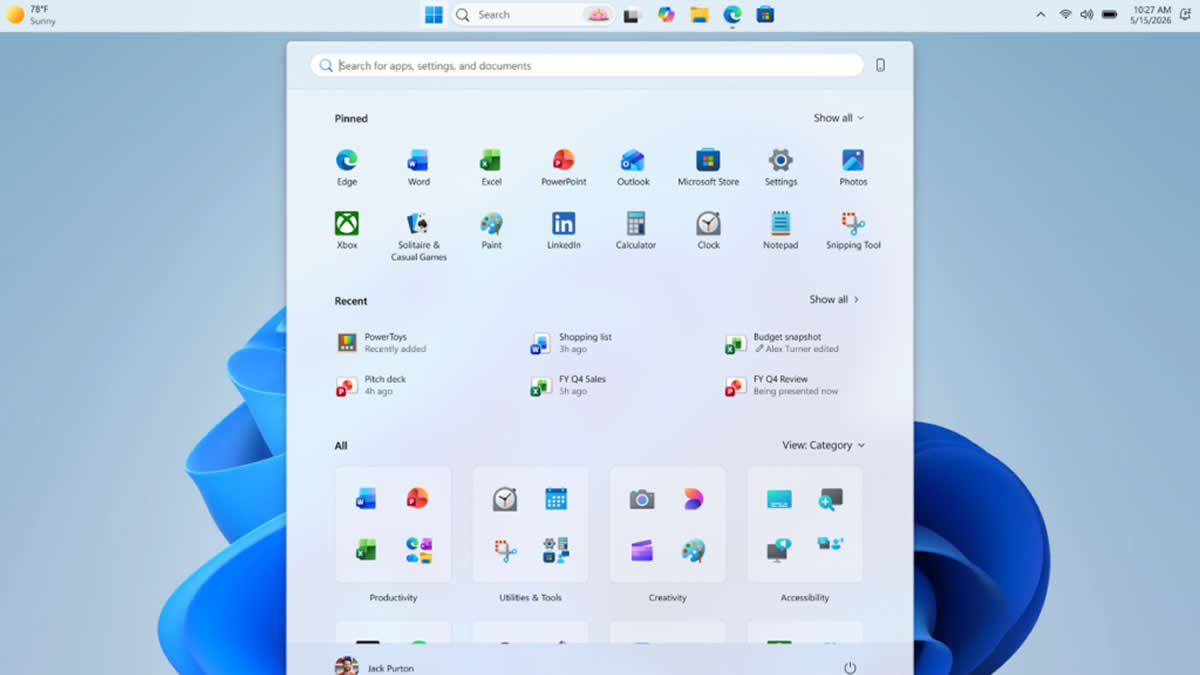
Windows 11 is finally getting some much-needed customisation options
Missing its AI targets may have been the best thing to happen to Microsoft, at least for Windows 11 users. Microsoft has become focused on improving Windows 11, reworking its OS fundamentals to deliver a faster, more user-friendly experience. Microsoft has started to roll out changes to its Windows 11 Taskbar and Start Menu to Windows Insiders and Experimental users. These changes will roll out to all Windows 11 users in time.
With this update, the Windows 11 Taskbar can now be moved to various positions. The Start Menu can also be moved to various locations. This restores functionality that was available in older versions of Windows, addressing the concerns of many longtime Windows users. There is also the option to use a new “smaller taskbar” option, which gives users more usable screen space. This extra space will be very useful on smaller, lower resolution screens.
Taskbar positions
Location, location, location. The ability to move the taskbar to the top or sides of the screen has been one of the most requested features, and we are bringing it to Windows 11.
Starting today, Windows Insiders in the Experimental channel will be able to:
- Position the taskbar on any edge of the screen: Top, bottom, left, or right (see figure 1).
- Choose icon alignment for every taskbar position: Top-aligned or centered when the taskbar is on the left or right, and left-aligned or centered when the taskbar is on the top or bottom.
- Use Start, Search, and other flyouts relative to the taskbar location: For example, when the taskbar is on the top, Start opens from the top (see figure 2).
- See every window at a glance: When using a vertical taskbar with “Never combine” taskbar buttons and show labels enabled, each app window appears as a separate labeled button, making it easier to identify and switch between windows (see figure 3).
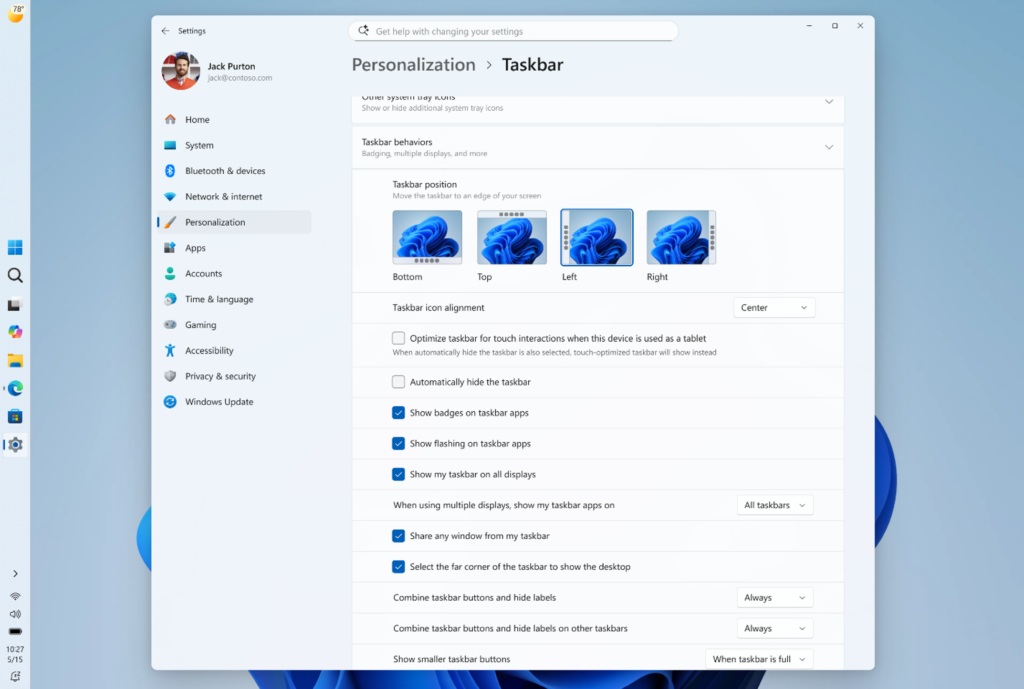
(Taskbar customisation options – Microsoft)
Microsoft has confirmed that it is still working on adding more visual polish, performance optimisations, and several fixes to its new taskbar options. This is why these options are only available to insiders and experimental users right now.
Start Menu Improvements
Microsoft has also confirmed that it is adding new options to its Windows 11 Start Menu. This will allow users to customise their Windows 11 experience and remove unwanted options from the Start Menu. These changes will make the Windows 11 start menu more useful to users, and give them privacy options like name and profile picture hiding for users who are sharing their screen.
Putting you in control of Start
There is a unique Start for everyone, whether you want a minimal experience with just your pinned apps, quick access to recent files, everything in one place, or something in between.
We are making changes in two areas to support this. First, we are giving you easier ways to shape your Start menu. Second, we are improving the quality of what appears there by default.
More control over your layout
Today, customizing Start can require navigating multiple settings in different places. Turning off the Recommended section involves toggling several settings, and clearing pinned apps means unpinning them one by one. We are simplifying this experience.
Over the coming weeks, Insiders will get:
- Section-level toggles to independently show or hide Pinned, Recommended, and All. One toggle per section that is simple and clear.
- A separate control for file recommendations. Today, turning off Recommended in Start also turns off jump lists and recent files in File Explorer. With this change, you can disable file recommendations in Start without affecting recent files in other places.
- Start menu size settings that let you choose your preferred size. Today, Start adapts to your display. With this update, you can choose Small or Large so your preference stays consistent across displays whenever possible.
- The option to hide your name and profile picture in Start for added privacy when sharing your screen, presenting, or streaming.
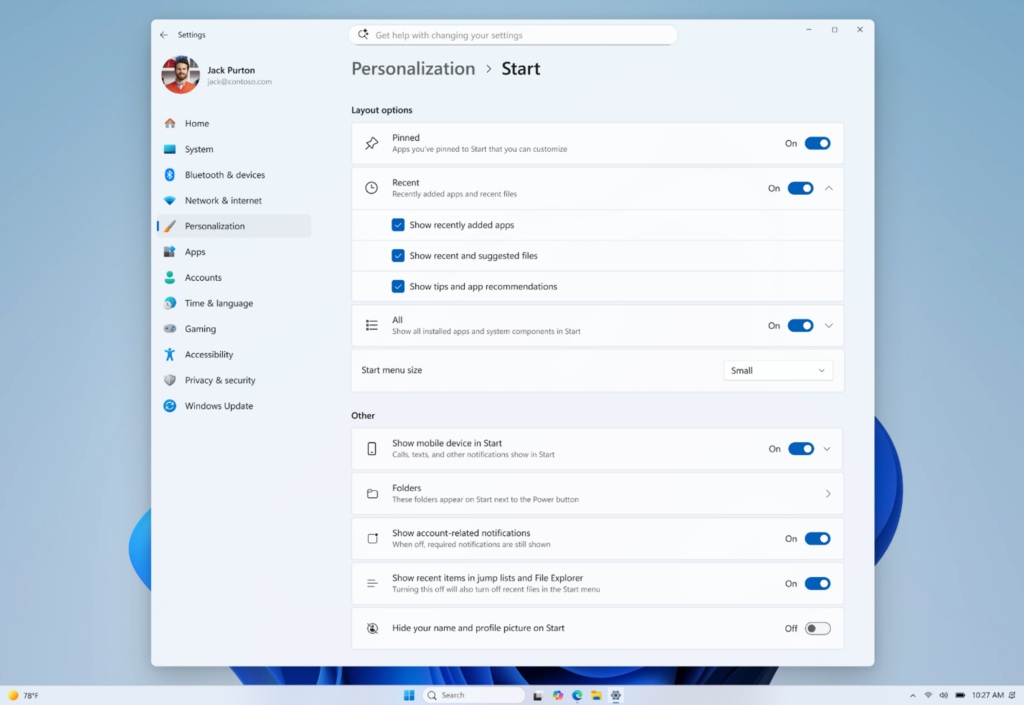
(Start Menu customisation options – Microsoft)
With these new changes, Microsoft is visibly showing that Windows 11 is becoming a better OS. That said, these are all features that Windows 11 should have had on day-1. The fact that many of these options were available in older versions of Windows showcases how bad Windows has become. Thankfully, Microsoft now appears to be serious about fixing Windows. Let’s hope that these changes are just the start of Microsoft’s Windows 11 renewal, and not its end.
You can join the discussion on Windows 11’s Start Menu and Taskbar changes on the OC3D Forums.
