be quiet Light Loop IO LCD 360mm Liquid Cooler Review

Thermal Testing – Cinebench R24
OC3D CPU Cooler Stress Test
We want to push CPU coolers to their limit, and that requires a workload that will place maximum load on our i5-14600K CPU. Why didn’t we choose an i7 or an i9? The simple answer is that we want to test various CPU Cooler options. If we put the hottest CPU we could in our system, only the best of the best CPU coolers would even pass our testing procedures. Since not everyone uses such a power-hungry CPU, we decided to tone the wattage and thermal loads down by using an i5-14600K. Even so, this CPU consumes a lot of power and generates a lot of heat under all-core workloads. Note that our CPU is operated with a fixed voltage to deliver higher levels of thermal consistency between CPU coolers.
For testing, we have used Cinebench R24. This is an all-core workload that places heavy strain on all available CPU cores. This load pushes CPU thermals higher than any other and does so consistently. We use Cinebench R24 for 30 minutes to see how hot our CPU gets over that time. If CPU temperatures rise to 100 degrees Celsius or over, that CPU cooler has failed our testing. This is part of the reason why there are more coolers on our higher fan RPM cooler charts. Some coolers will pass our thermal testing at higher fan RPMs but fail at lower fan RPMs.
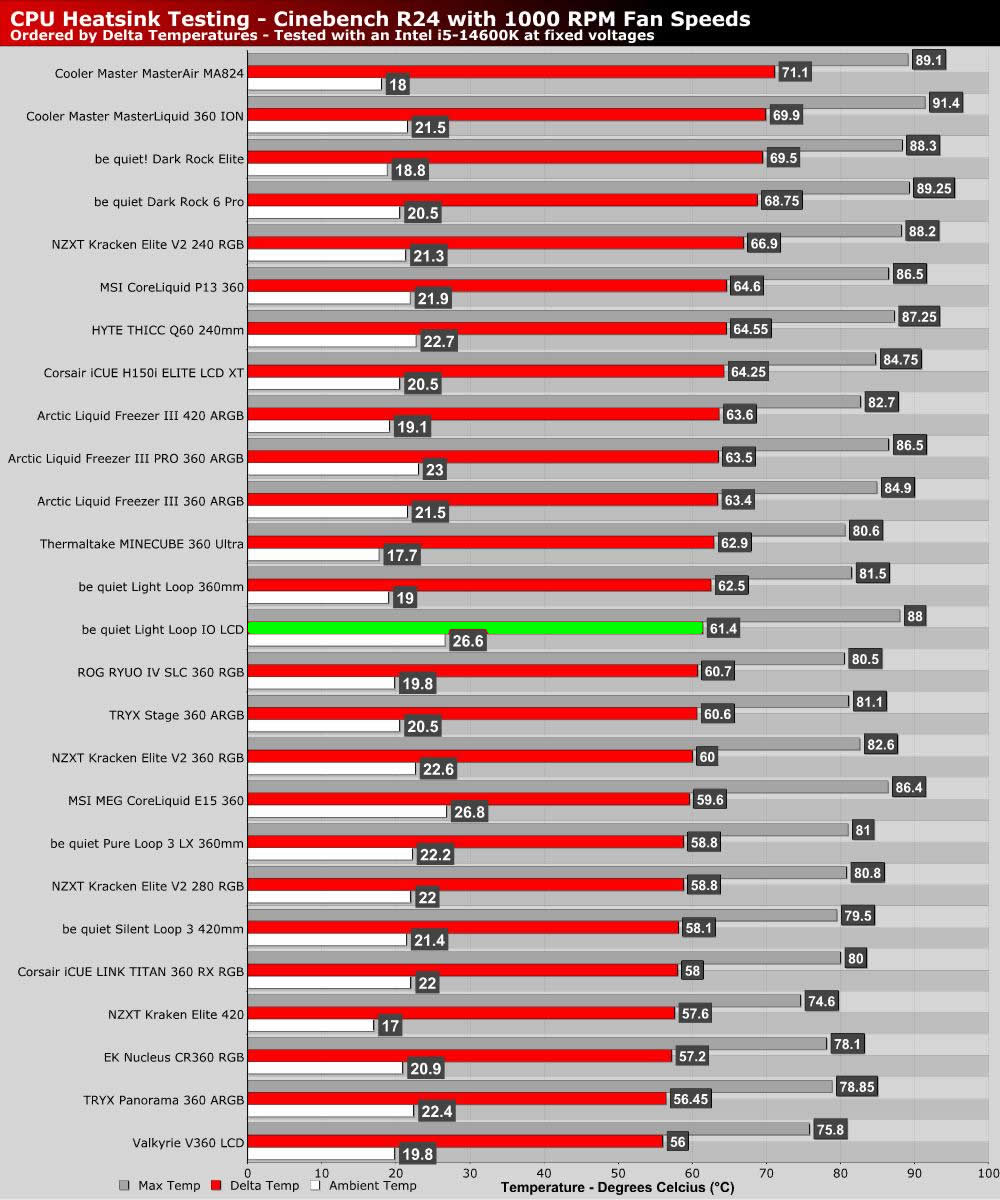
1,000 RPM fan speeds
At 1,000 RPM fan speeds, the be quiet Light Loop IO LCD 360mm delivers relatively strong cooling performance. Overall, the results are similar to be quiet’s existing Light Loop series coolers, which makes sense given the similarity of these coolers aside from the LCD-clad nature of the IO LCD model.
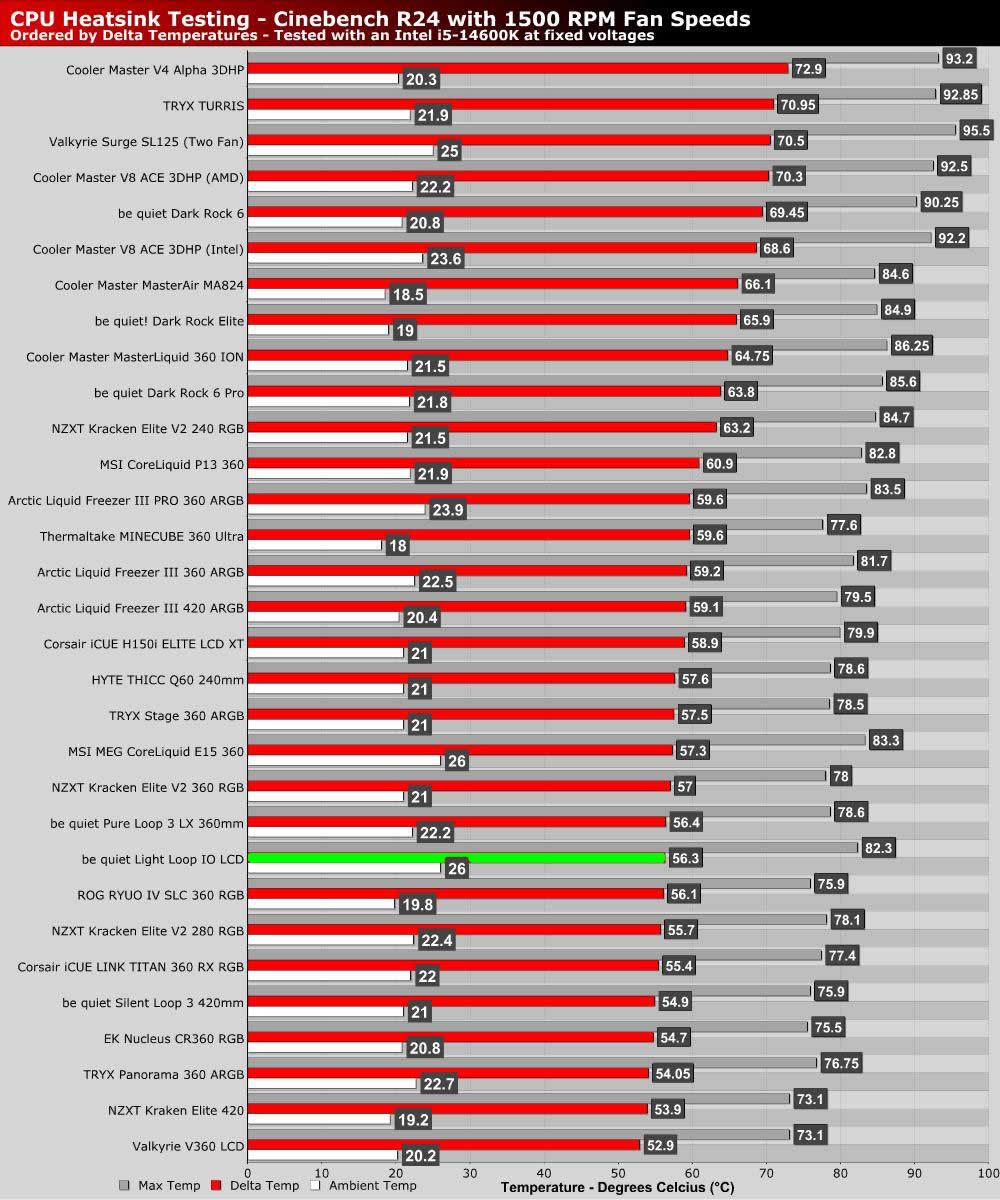
1,500 RPM fan speeds
With speeds cranked to 1,500 RPM, we see stronger results. This cooler isn’t the strongest liquid cooler that we have seen, but it delivers strong results that are very competitive. Add on its £179.99 price tag and LCD-clad nature, and we have a strong value product.
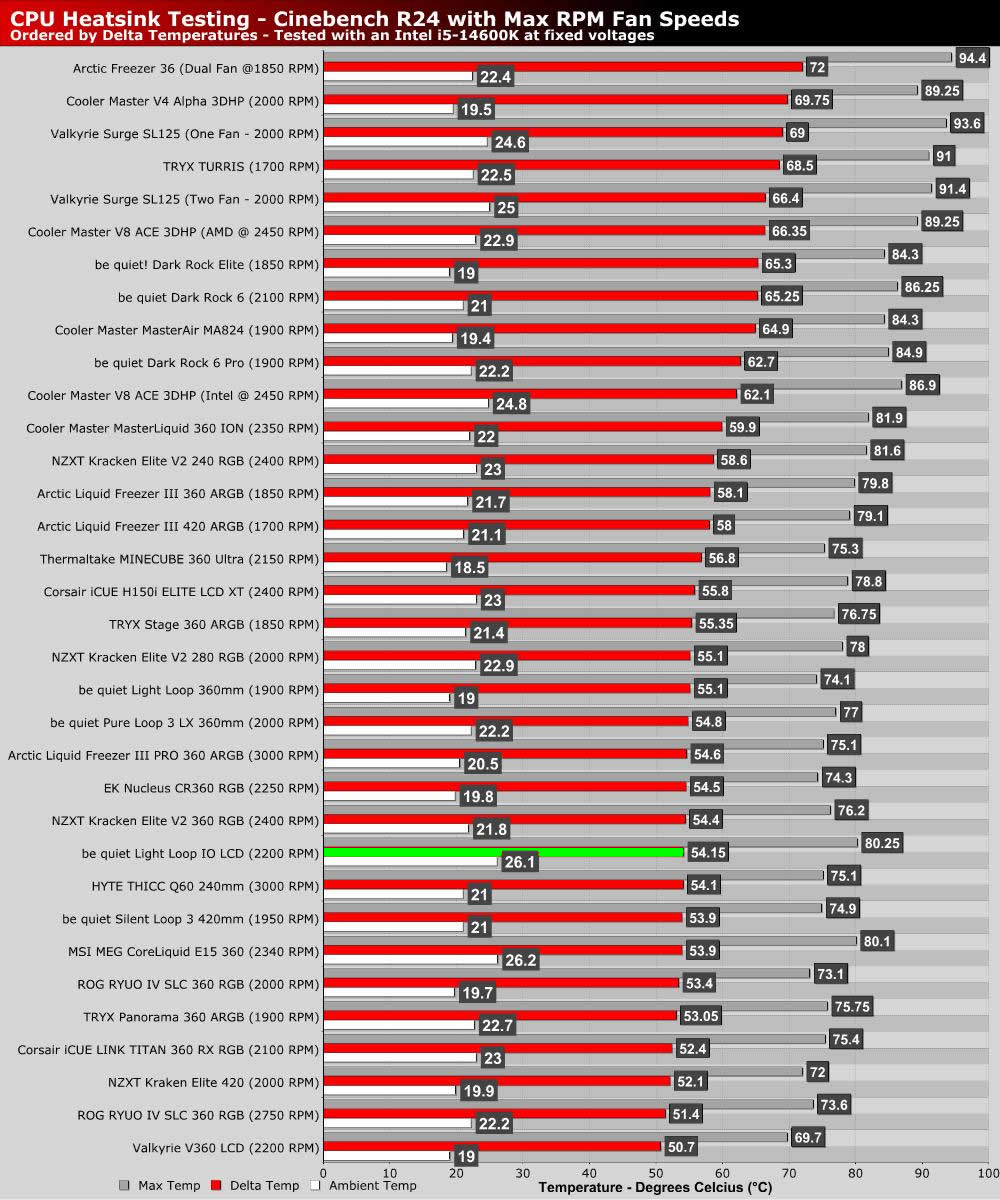
Max RPM fan speeds
By maxing out this unit’s fans at 2,200 RPM, we see a further reduction in CPU thermals and strong results against competing liquid coolers. Note that these thermals are very similar to be quiet’s Silent Loop 3 420mm liquid cooler, a much larger liquid cooling solution.