Corsair FRAME 5000D PC Case Review

Thermal Testing
Corsair FRAME 5000D PC Case Cooling Performance
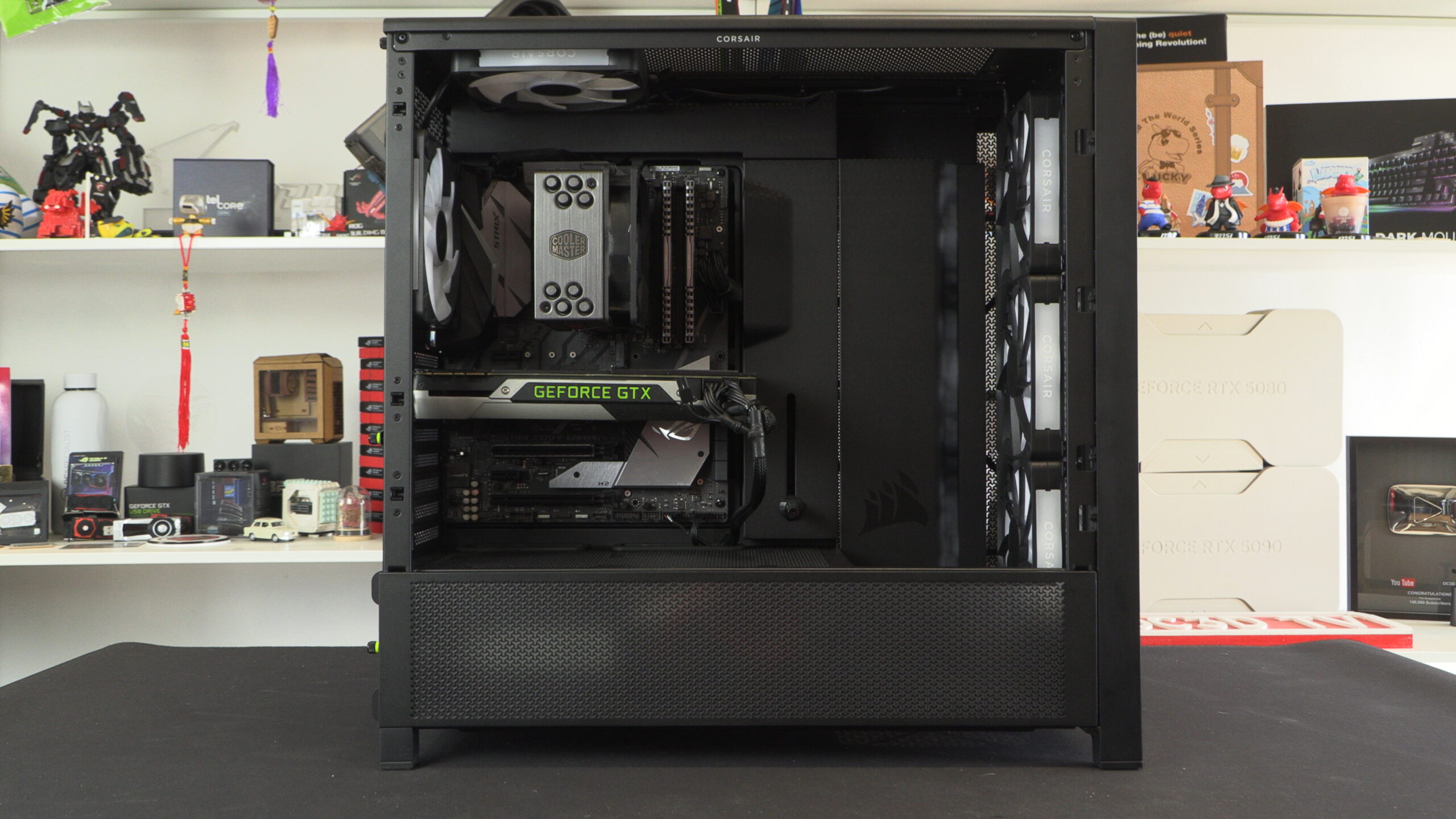
Thermal performance is an essential factor for any PC case. Your system may look great from the outside, but all of that is for nought if your PC has the internal temperature of an oven. Your PC case needs enough airflow for your components to remain cool under load and to prevent any form of thermal throttling. For our test, we used the following hardware using fixed fan speeds (so that only the case and its included fans can influence thermal performance).
Intel i9-9700K @4.8GHz at 1.2V
ASUS ROG Strix Z370-F Gaming @ 100% Current Capacity/ LL lvl16
Cooler Master Hyper 212 Black Edition @ 9V via Fan Speed Reducer
Nvidia GTX 980 Reference @ 60% Fixed Fan Speed
Corsair LP Vengeance LP (Grey) @ 3200MHz
Corsair MP500 M.2 NVMe SSD
Corsair RM550X Power Supply
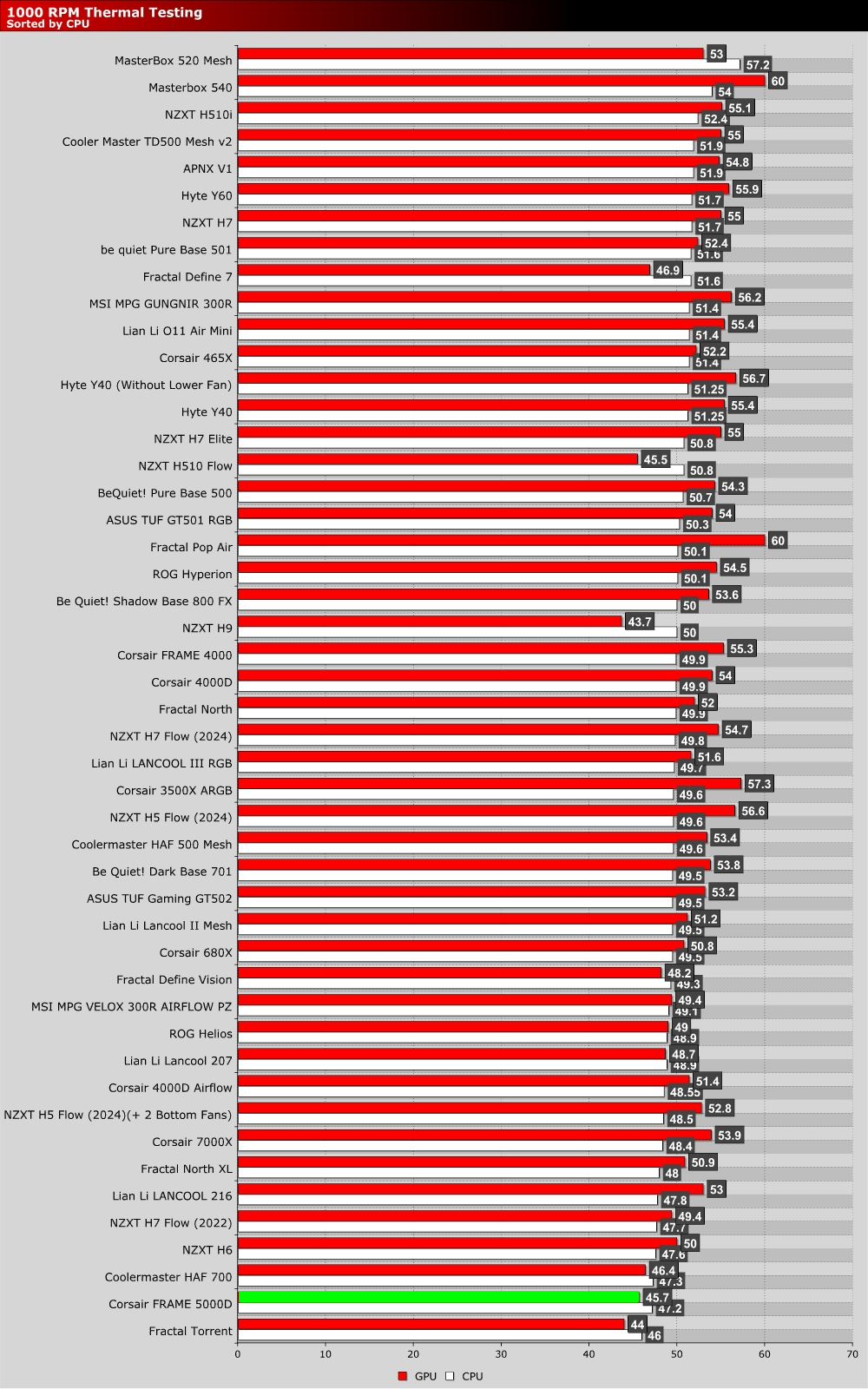
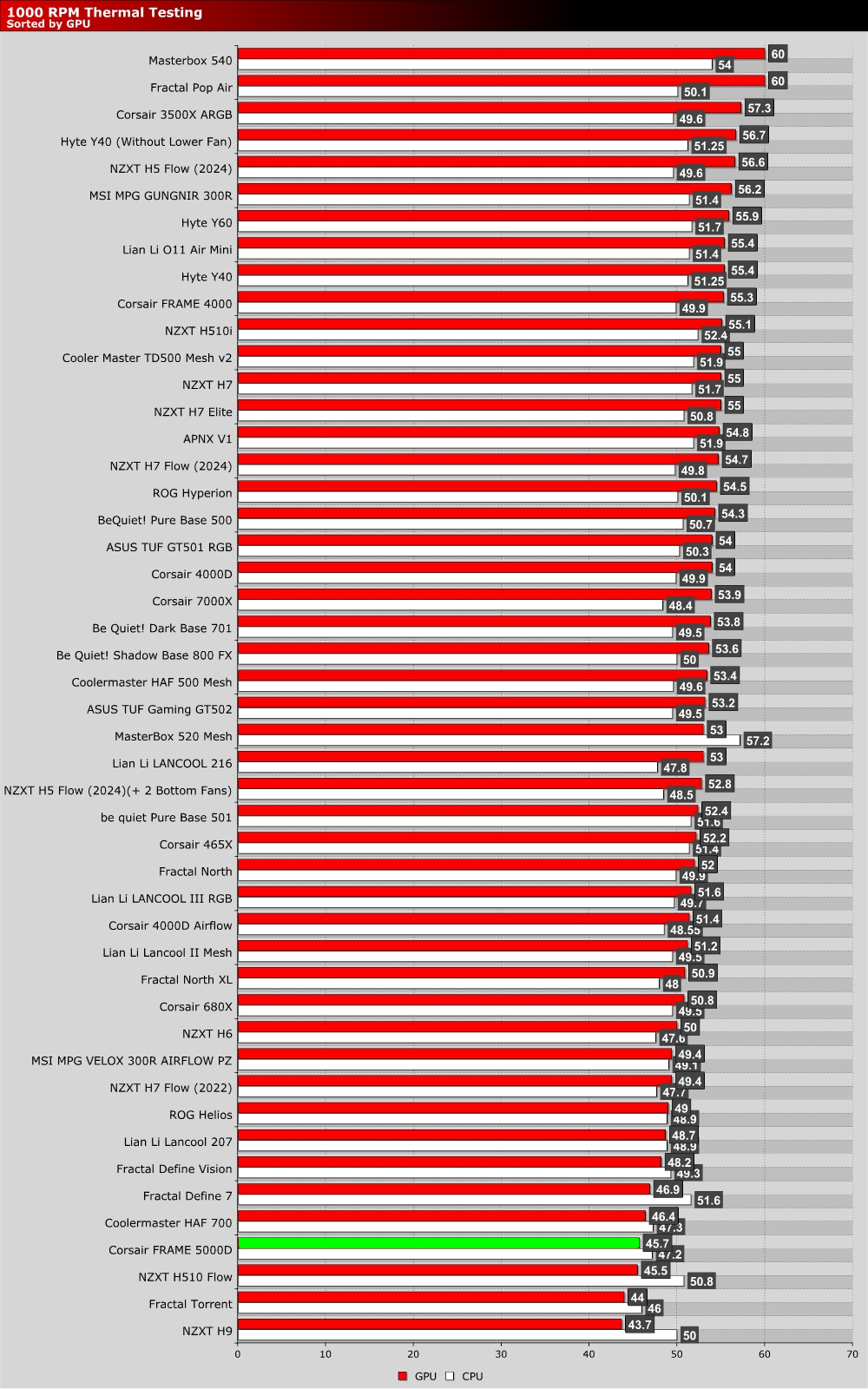
The graph below showcases Delta temperatures with a controlled ambient temperature of 20 degrees Celsius.
1000 RPM
Corsair’s FRAME 5000D performs well in our thermal tests, even with its fans running at 1,000 RPM. Out of the box, this case has four pre-installed RS 140 series fans. We added an extra fan at the top/rear of this case for added airflow. This is what we would consider a “standard” fan configuration for this case, at least for those using air-based CPU coolers.
At 1,000 RPM, both CPU and GPU thermals are excellent. Clearly, Corsair’s airflow-optimised vents and pre-installed fans work wonders, even when these fans are running at low RPMs. This is a sign of a case with solid airflow.
Max RPM Fan Testing
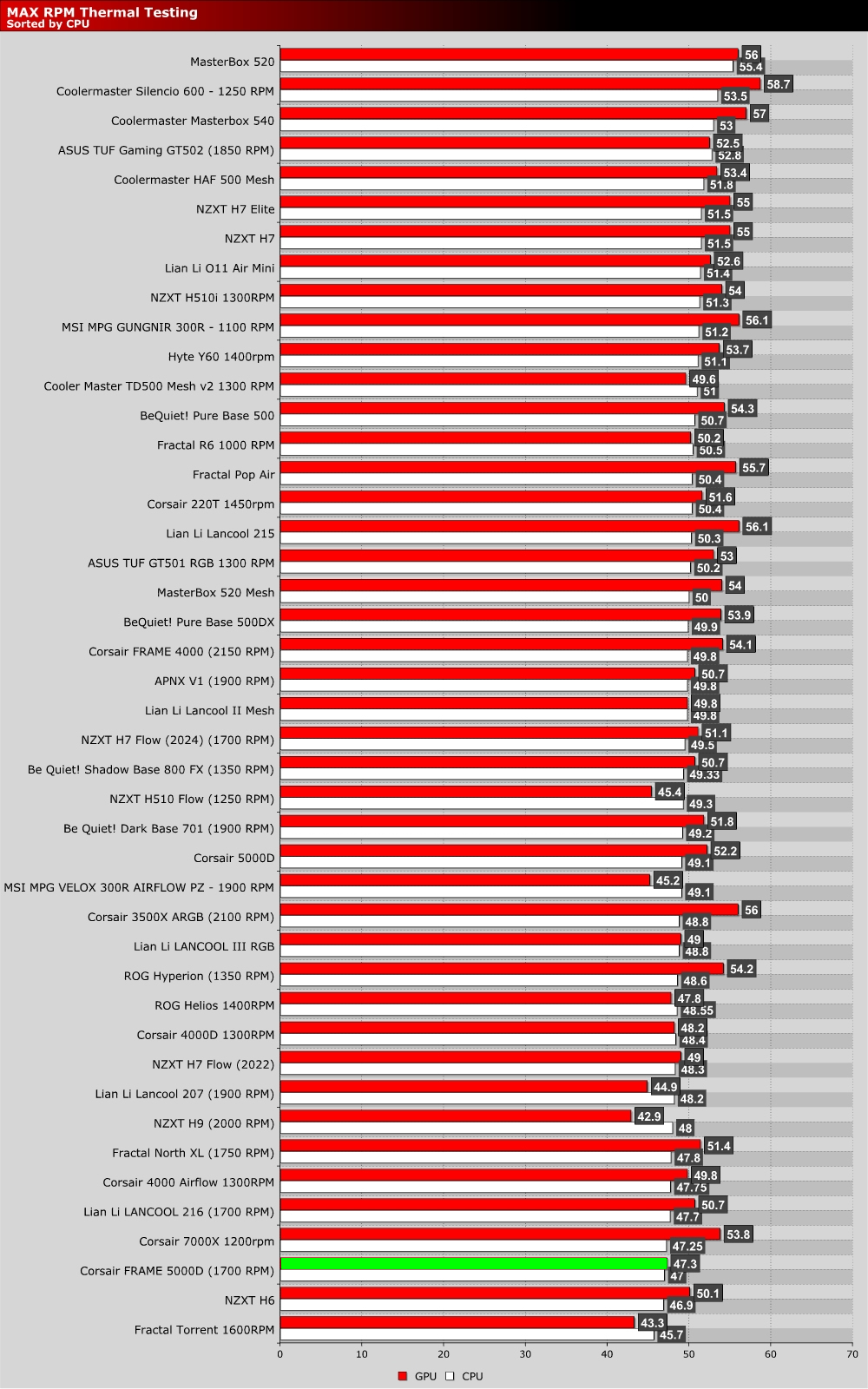
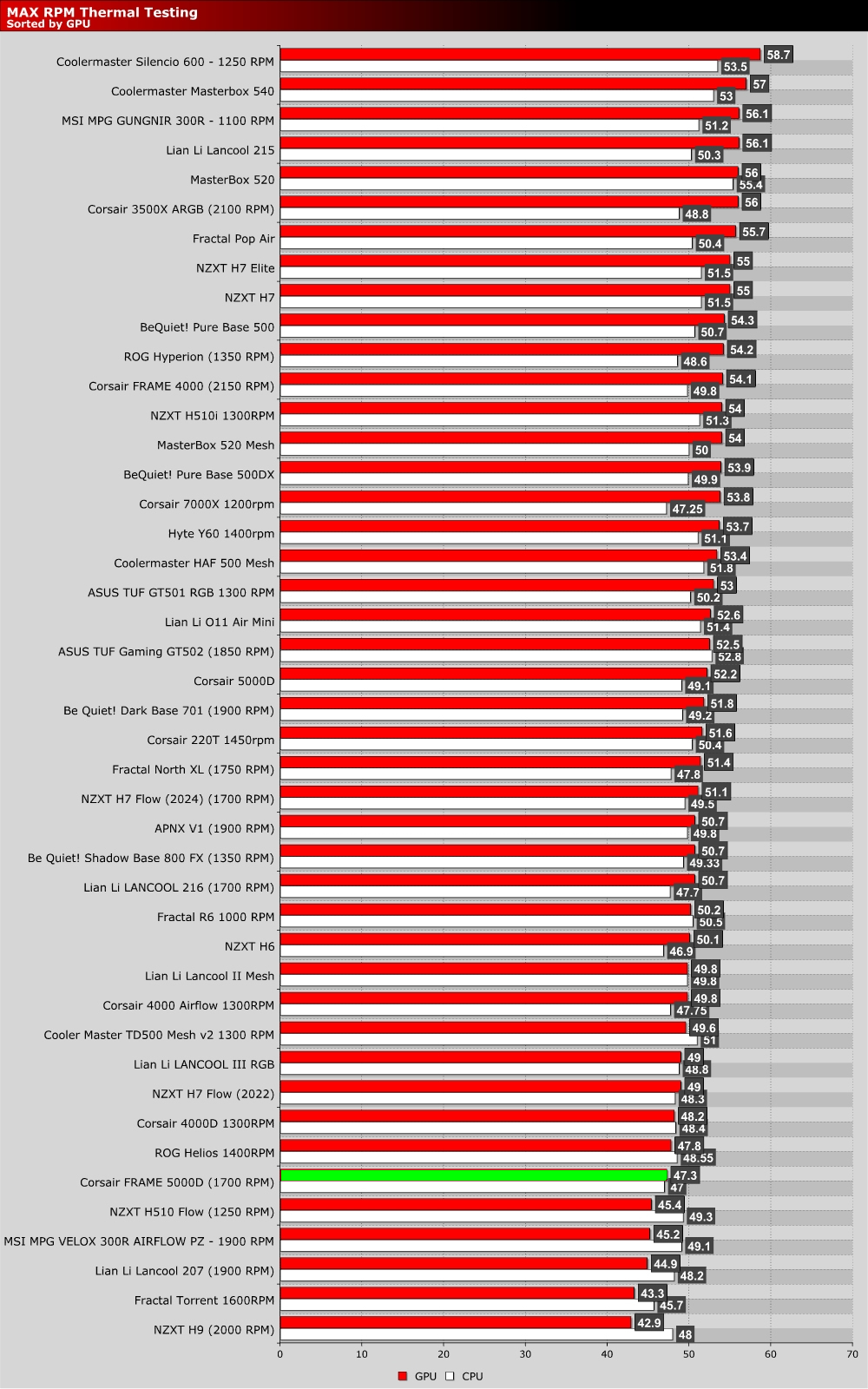
When looking at our max RPM (1750 RPM) fan speed results, it’s worth noting that our GPU thermals are actually higher than our 1000 RPM results. This is not a mistake. Clearly, at higher RPMs, this case’s airflow pattern becomes a lot more CPU-friendly and less GPU-friendly. Clearly, making fans run at faster speeds doesn’t always guarantee better results.
For optimal thermal performance, fans need to be placed in optimal locations and operated at optimal speeds. Perhaps this case would benefit from an additional intake fan at the bottom of the case?