


Fractal Define 7 Compact Review

Up Close – What has Fractal changed?
When looking at the Define 7 Compact, the first change that we can see is that it is a shorter case than Fractal’s original Define 7. Below you can see both cases pictures side-by-side, with the Fractal Define 7 (right) being a full 120mm longer than the Define 7 Compact.
One thing to note with the Define 7 Compact, is that the door of the Define 7 is no longer present on the case’s compacted variant. Support for 5.25-inch drive bays has been lost, and that means that a front door panel is no longer necessary. This means that the Define 7 Compact has a different front panel design and uses a different approach to dust filtering, using two side-mounted dist filters instead of using single dust filter in front of the Define 7’s fans.
Aside from these differences, the Define 7 and the Define 7 Compact look identical externally, which is great news for those who want that Define 7 look on a tighter budget.

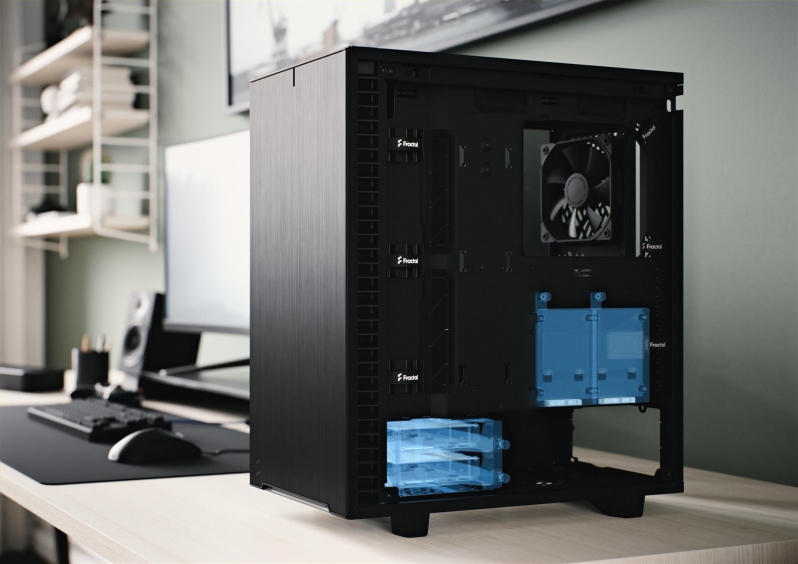
Storage-wise, Fractal’s Define 7 Compact supports two 3.5/2.5-inch drives under the case’s PSU shroud and two 2.5-inch drives behind the case’s motherboard tray. This case’s two 2.5-inch drives can be moved to the front of the case if necessary, or be used as an expansion option if users want to purchase two additional 2.5-inch drive caddies.
Two extra 3.5/2.5-inch drive trays can also be installed on the roof of this enclosure, a location where two 120mm fans could alternatively be mounted. Users of the Define 7 Compact can choose to mount their existing drive sleds there or acquire more to allow up to four 3.5-inch drives to be mounted within this enclosure.

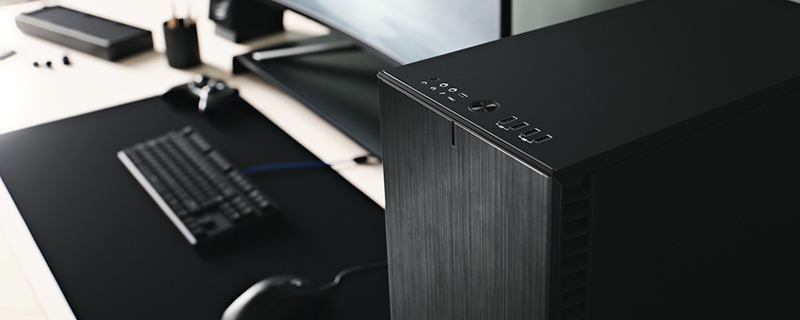
When it comes to I/O options, Fractal’s Define 7 Compact offers everything that is bigger brothers can deliver, offering users a USB 3.1 Gen 2 Type-C connection, dual USB 3.0 ports and 2 USB 2.0 inputs. In addition to this, the case offers users the same power/reset buttons and audio I/O as Fractal’s other cases.

Looking into the rear of the enclosure, we can see that Fractal offers users a wealth of cable management options to exploit. With this many cable tie locations, reusable velcro ties and other useful add-ons, it would be difficult to mess up cable management with this enclosure, especially if you are using a modular or semi-modular power supply.

Like the Define 7 and Define 7 XL, the Define 7 Compact features a fully removable top panel. This feature makes the installation of water cooling radiators easy, and makes system building a breeze. Remove the top of your case, and installing every conceivable component becomes easier. No more spacial restrictions, and less risk of scratching your case or components during the construction process.
The top of this case can also be fitted with a sound-deadened top and a fully ventilated top, allowing the Define Compact to suit any end-user. This will allow the case’s top 120mm fan mounts to be used to generate additional airflow, or to silence your enclosed system.

