


Makera Z1 Review – CNC Machining for the Masses

Meet the Makera Z1
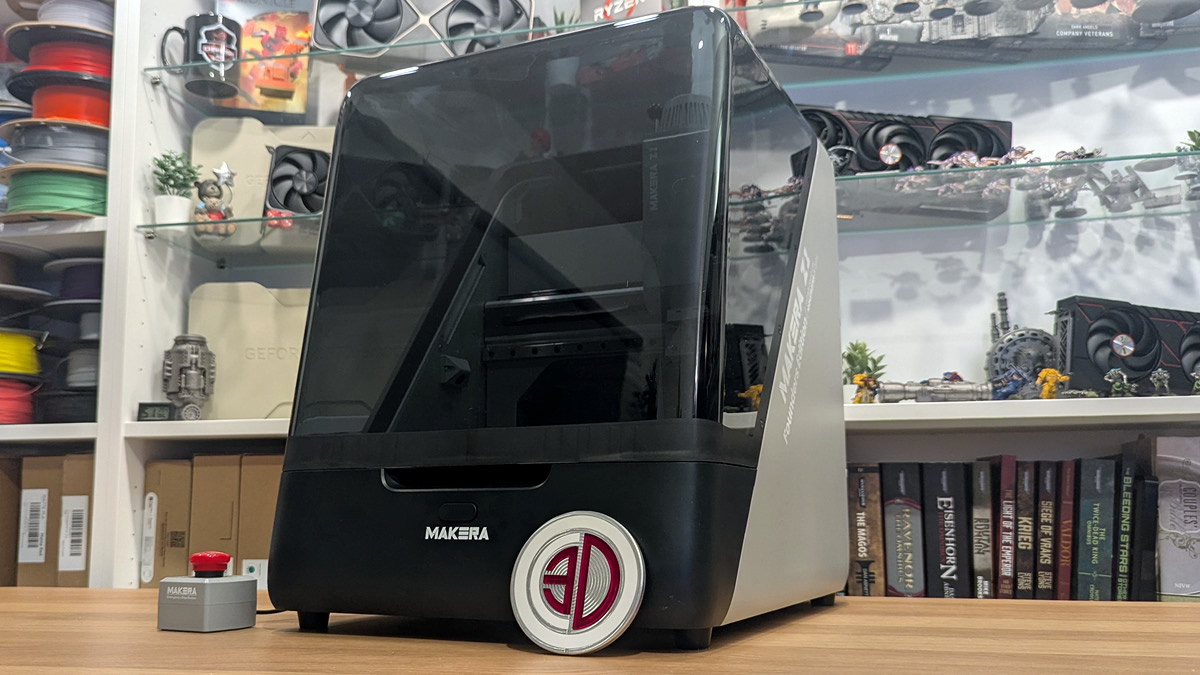
Makera’s Z1 aimed to make CNC machining easier and more affordable – It has succeeded
At-home manufacturing has undergone a transformation. Gone are the days when you needed to rely solely on hand tools to make things at home. Today, there is no shortage of good 3D printers and laser cutting/engraving tools on the market. However, CNC machining has remained almost exclusively the domain of dedicated workshops due to its complexity and high cost. With the Makera Z1, it is clear that CNC machining has finally come to the masses.
Makera isn’t a newcomer to the CNC market; it is an established player. Its Carvera and Carvera Air are popular tools amongst makers, giving the company a strong reputation within the CNC community. With its new Z1 Desktop CNC, Makera set out to build the go-to entry-level CNC machine, and today we are taking a look at what it can do.
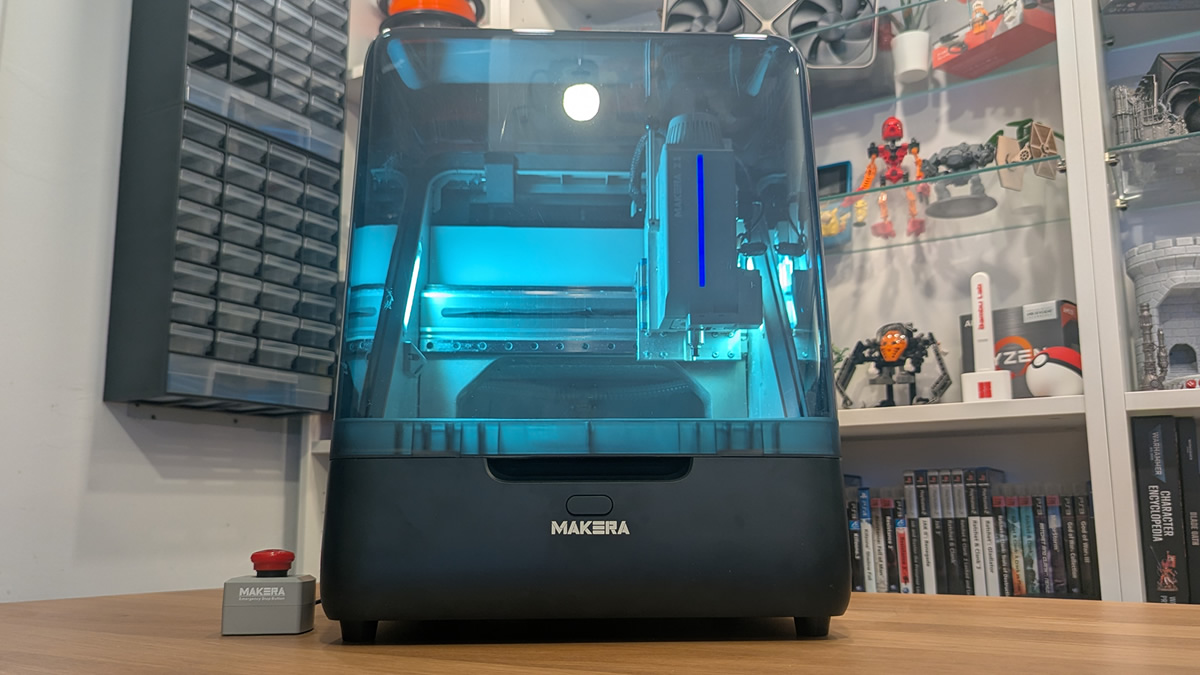
Makera Z1 Specifications
The Makera Z1 is a 3-axis desktop CNC machine, having a form factor similar to most enclosed 3D printers. The total work area is 200mm (X) x 200mm (Y) x 10mm (Z), though it is worth noting that this machine’s effective Z-height may be limited by the size of the machining bits you are using. This is especially true if you mount a clamp to this machine.
The machine uses air cooling and features a lever-driven manual quick change system. This means that users will need to manually change machining bits. The machine features a 1/8-inch collet out of the box, with optional 1/4-inch, 6mm, 4mm, and 3mm collets. This gives users of this machine access to a wide range of machining bits.
Software and Material support
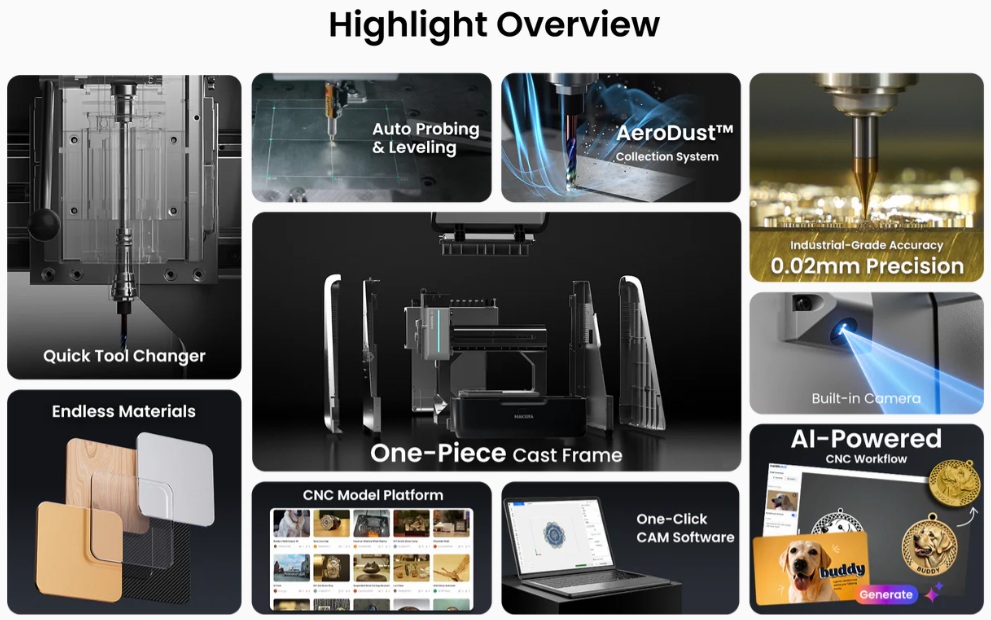
Software-wise, this machine supports Makera’s dedicated software (Makera Studio and the Makera mobile App) and a range of 3rd party CAD/CAM software. This includes Fusion360, Solidworks, AutoCad, VCarve Pro, Aspire, Illustrator, and more. Makera also has its Makerables community for project sharing and its own AI craft tools for zero-skill CNC model creation.
When it comes to materials, the Z1 is intended to machine Aluminium, Brass, Copper, and other non-Ferous metals. It also supports various woods, plastics, and composites. It can also machine custom PCBs. With its optional laser engraver, the Z1 works with wood, plastic, fabric, leather, and cardboard.
Add-ons
Optional add-ons for the Z1 include a 4-axis module, a cyclone dust collector, a laser module, a 3D wired probe, a vacuum bed, and a low-profile vice. These add-ons are available directly through Makera, either bundled with their Z1 or as standalone extras.
Makera Z1 Specifications |
|
| Dimensions | |
| Work Area | 200mm(X) * 200mm(Y) * 100mm(Z) / 7.9in * 7.9in * 3.9in |
| 4th Axis Work Area (optional) | 80mm(Diameter) * 150mm(Length) / 3.1in * 5.9in |
| Gantry Clearance | 115mm / 4.5in |
| Max Height (Lid open) | 840mm / 33in |
| Footprint | 350mm(Width) * 470mm(Depth) * 450mm(Height) / 13.8in * 18.5in * 17.7in |
| Weight | 17kg |
| Spindle | |
| Power | 150 Watt |
| Speed | 0 – 13000 RPM with closed-loop control |
| Collet | Custom collet with 1/8in integrated (optional: 1/4in, 6mm, 4mm, 3mm) |
| Tool Change Method | Quick tool changer |
| Cooling | Built-in air cooling |
| Motion System | |
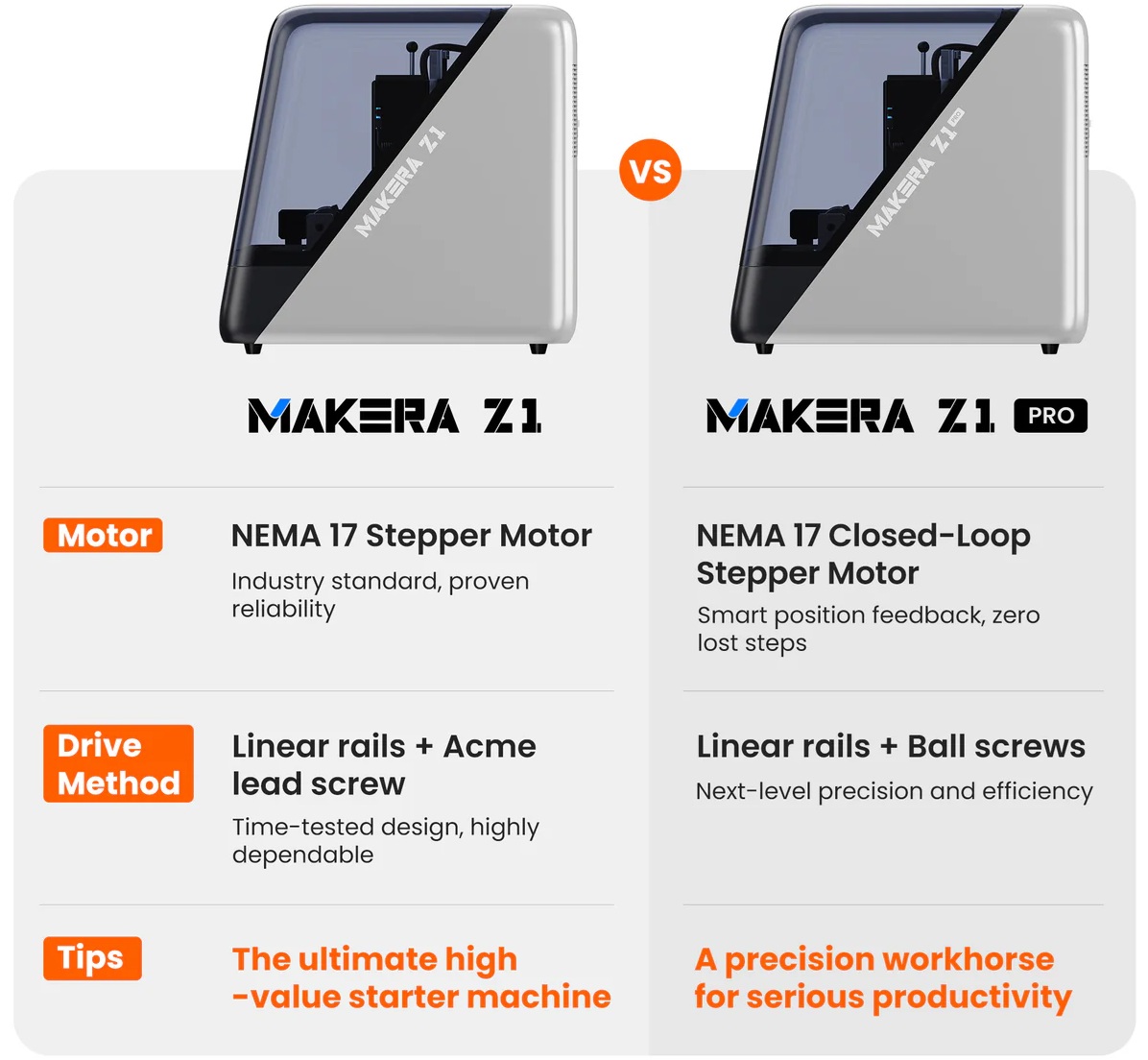
| Motor | Makera Z1:NEMA 17 stepper motor / Z1 Pro:NEMA 17 Closed-Loop Stepper Motor |
| Drive Method | Linear rails + Acme lead screw/ Z1 Pro:Linear rails + Ball screws |
| 4th Axis Drive Method (Optional) | Belt driven |
| Precision | |
| Spindle Runout | 0.01mm / 0.0004in |
| Resolution | 0.02mm / 0.0008in |
| Laser Module (optional) | |
| Power | 5 Watt |
| Laser Type | 445nm semiconductor diode laser |
| Dust Collection | |
| AeroDust™ Collection System | Integrated spindle & tool cooling with active chip evacuation and dust collection. |
| Supported Materials | |
| Metal | Aluminum, brass, copper and other Non-Ferrous metals. |
| Wood | Hardwoods, softwoods, MDF, plywoods, etc. |
| Plastic | Foam, PVC, ABS, Acrylic, PC, HDPE, etc. |
| Composite material | Carbon fiber, FR4, etc. |
| Laser engrave material | Wood, plastic, fabric, leather, cardboard, etc. |
| Software | |
| Makera Studio — the new Makera CAM. | Makera’s first one-click consumer CAM software — available free to all Makera users. |
| Compatible CAD/CAM software: | Fusion360, SolidWorks, AutoCad, VCarve Pro, Aspire, Illustrator, etc. |
| Makera App — the new Makera Controller | Makera’s mobile app lets you control and monitor your machine remotely. |
| Makerables | A universal CNC project-sharing platform from Makera. |
| AI Craft | Makera’s AI tool lets you Customize CNC Models with Zero Modeling Skills. |
Quick Tool-Change
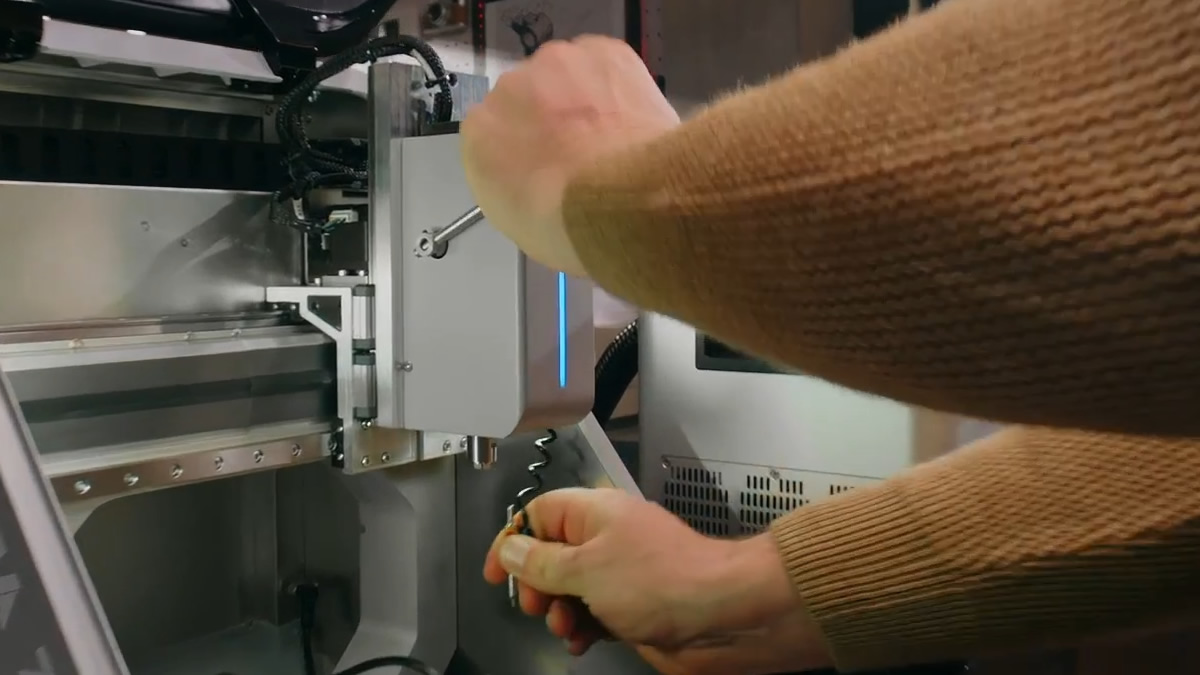
As mentioned before, the Makera Z1 uses a lever-driven manual tool quick-change system. Simply hold your bit, pull the lever, remove your bit, and replace it. Return the lever to the top, and your new bit will be firmly secured. Attached to the right of the toolhead is Makera’s automatic probing tool, which acts as a laser guide for placing jobs, and an automatic levelling tool.
Makera Z1 VS Makera Z1 Pro
While we are reviewing the Makera Z1 today, we note that this CNC machine has a Pro variant. Both use the same one-piece cast frame and housing. Both machines are identical in size and have largely the same capabilities. So what has changed? The Z1 Pro has NEMA 17 Closed-Loop Stepper motors and uses ball screws instead of standard NEMA 17 stepper motors and an Acme lead screw. The Z1 Pro is a more precise machine, with stepper motors that can be used to detect anomalies. That said, the difference between the two machines is minimal, and at slower machining speeds the Z1 and Z1 Pro should be equally precise. For most users, the Z1 is the better buy.
Makera Z1 – What’s in the box
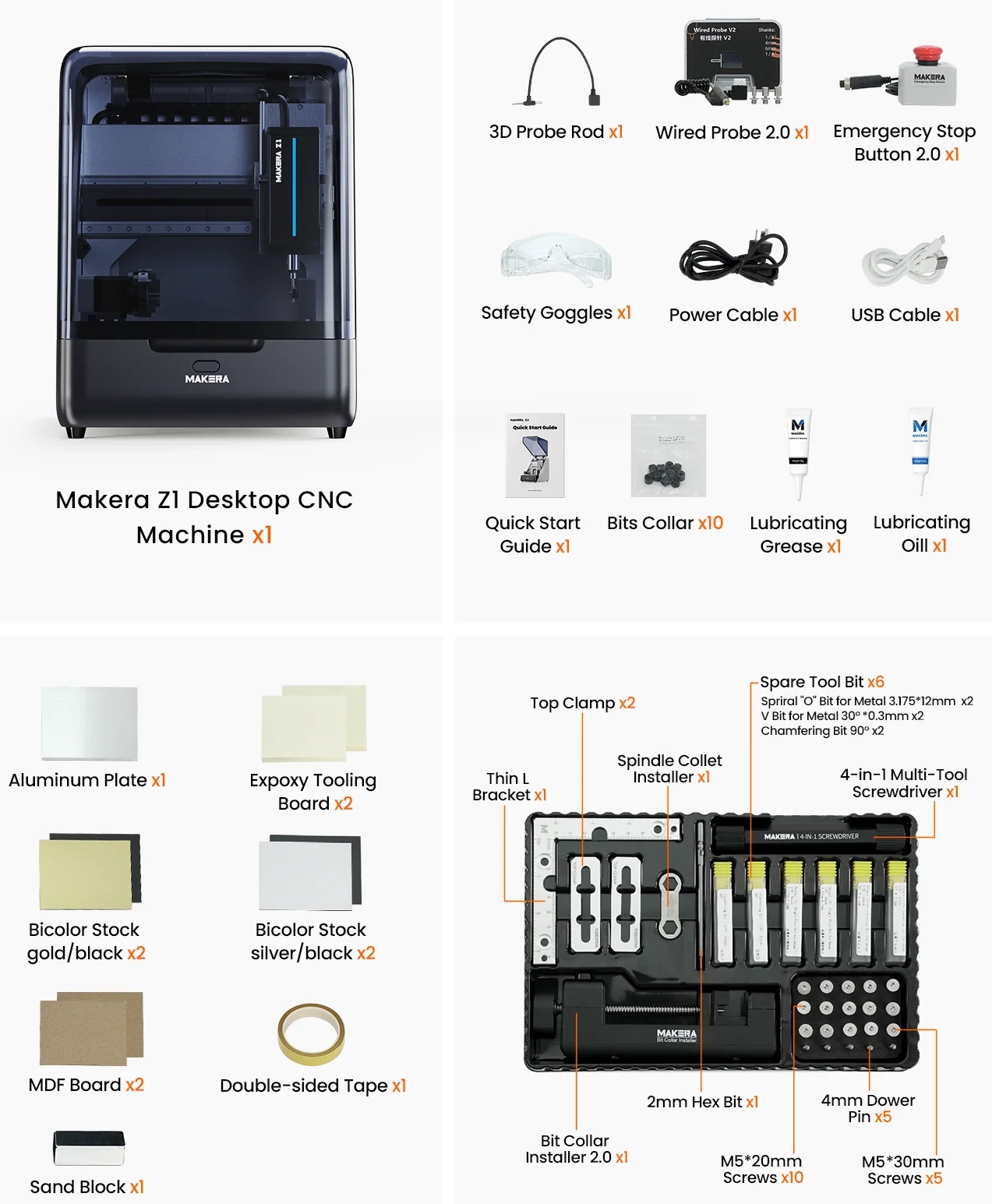
Included with the Z1 is everything that users need to get started. They have the machine itself, two wired probe options, an emergency stop, power/USB cables, safety glasses, a set of bit collars, and lubricating oil/grease. A quick start guide is also included with the package.
The package also contains various starting materials, double-sided tape, and a sanding block. Included materials are an aluminium plate, epoxy tooling board, various bi-colour boards, and some MDF boards. The machine also includes a tool kit with a bit-collar installer, clamps, various machining/engraving bits, and a 4-in-1 screwdriver.
(Makera Z1 Standalone Box Contents)

