Master Fail! Cooler Master MasterFrame 600 PC Case Review

Up Close with the MasterFrame 600
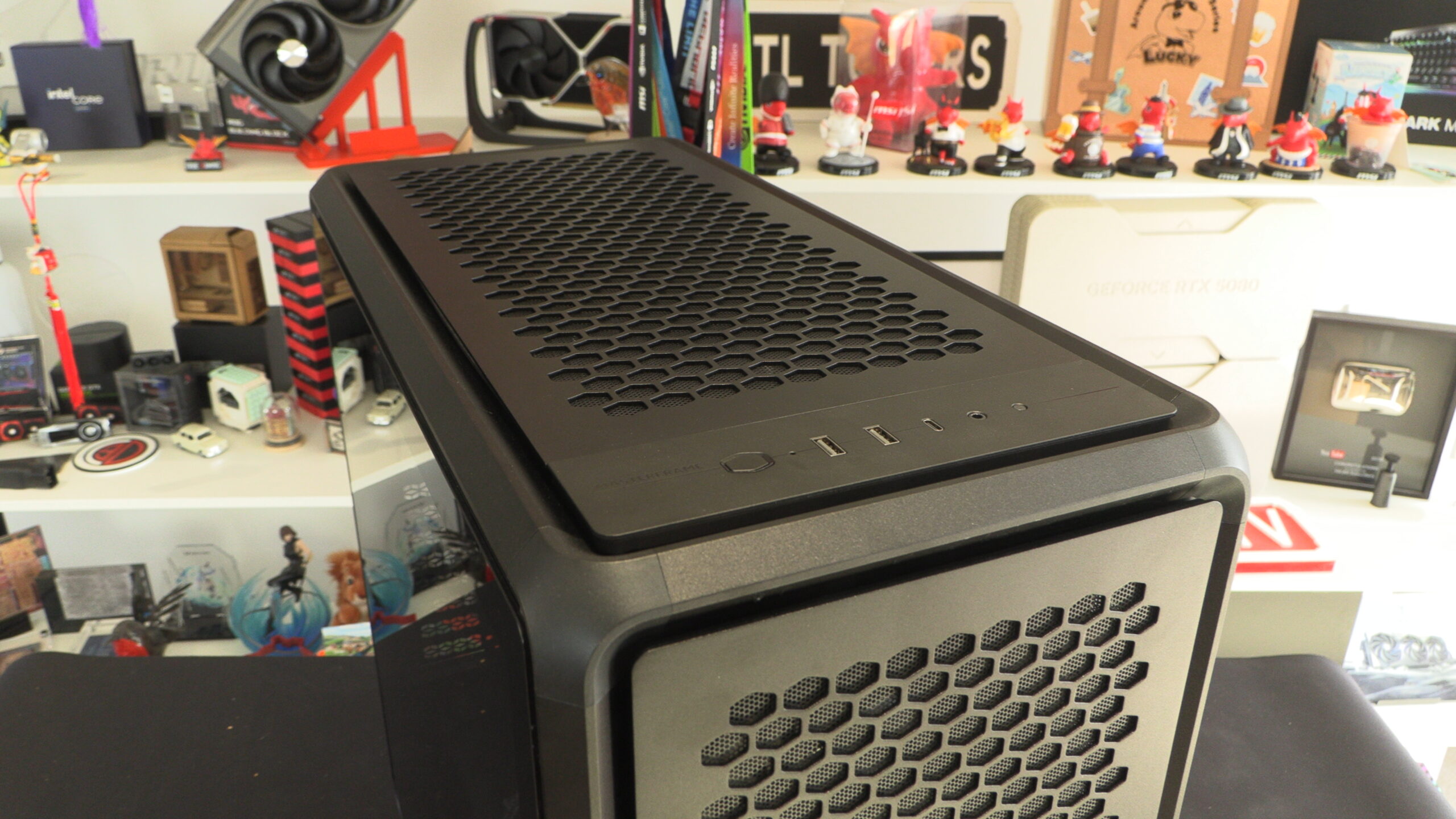
The MasterFrame 600 appears impressive on the outside, but its insides reveal numerous problems
At the front of the MasterFrame 600, we have a standard selection of I/O ports and button options. We have a power switch, two USB 3.2 Gen 1 Type-C ports, one USB 3.2 Gen 2×2 Type-C port, and a 3.5mm headset jack (audio+mic).
The top panel of the FRAME 600 is easily removable. It is attached to the case using magnets, which are visible below. This reveals the case’s fan mounts, all of which mount to the case’s “Frame 2.0” rails.
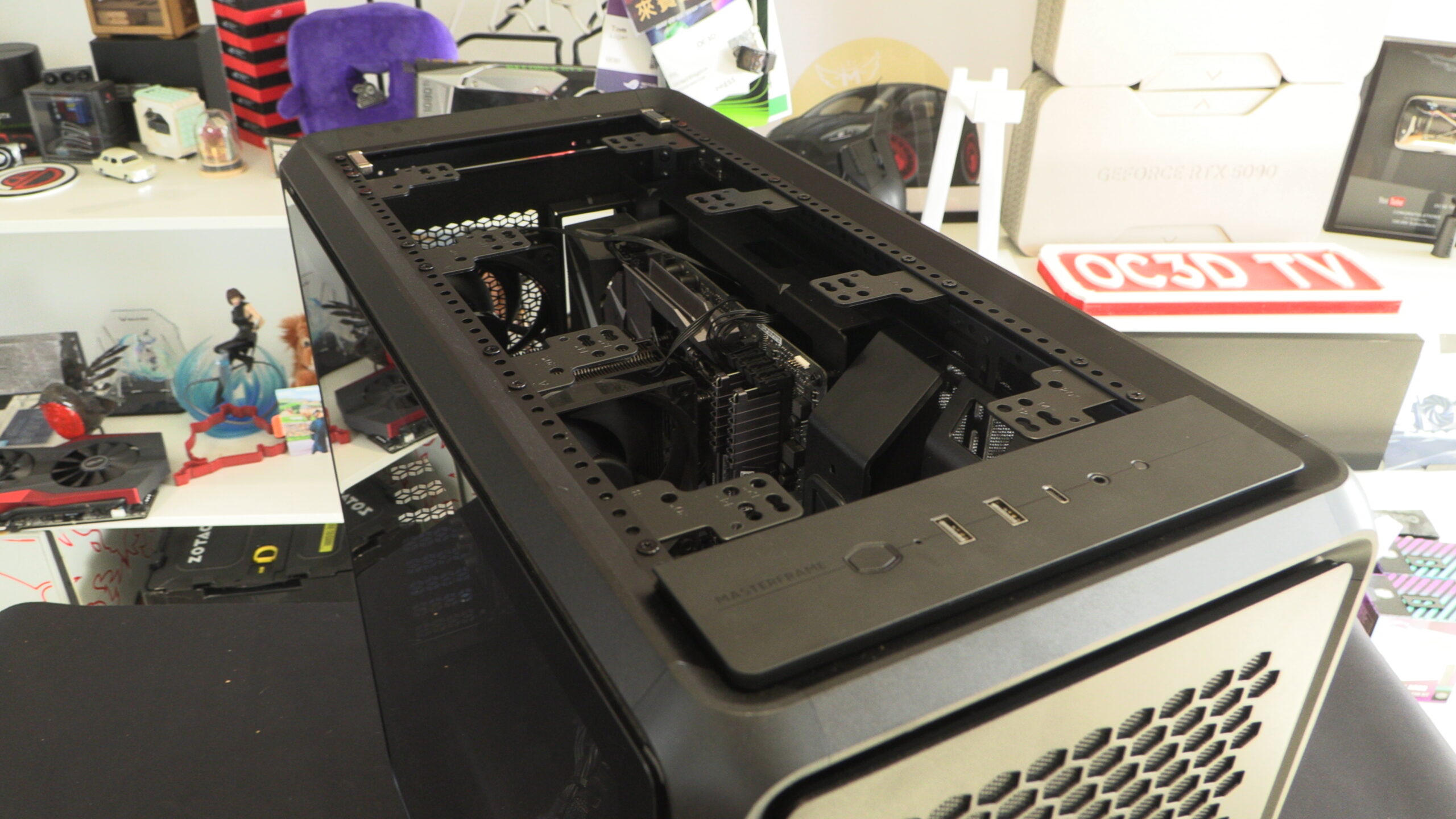
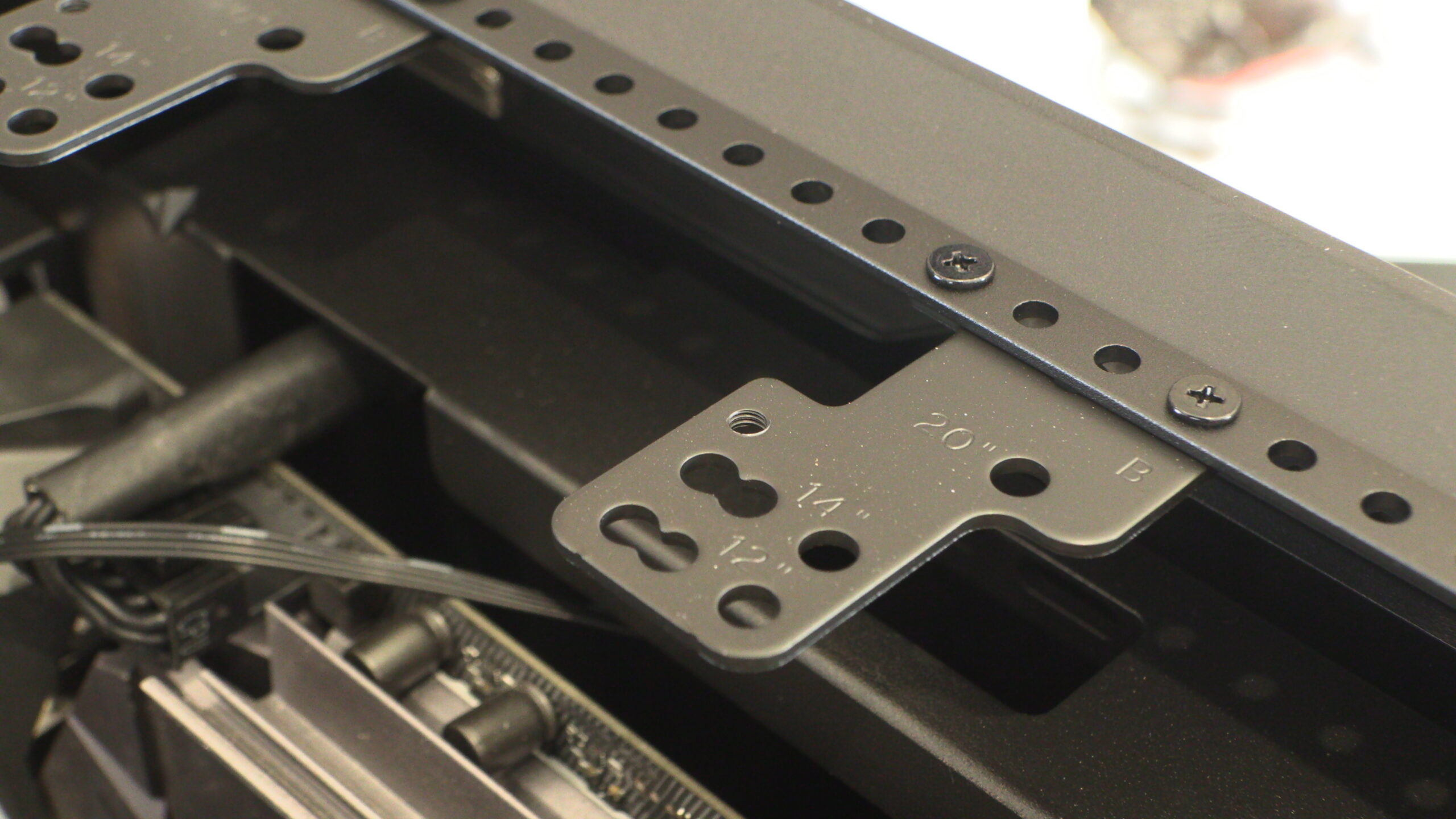
Using Cooler Master’s fan mounts, MasterFrame users can mount 120mm, 140mm, and 200mm fans. According to Cooler Master’s specifications sheet, this case can also accommodate two 180mm fans using these mounting holes.
Front Panel – Removing that mesh is a pain
The first thing that we will note about the Masterframe 600’s front panel is that its Cooler Master badge can be moved/removed. This allows users to have a case with an “unbranded” aesthetic, and allows users to place their Cooler Master logo in a new location. This is great news for anyone who is modding this case. After all, it allows Cooler Master’s panels to be painted more easily.
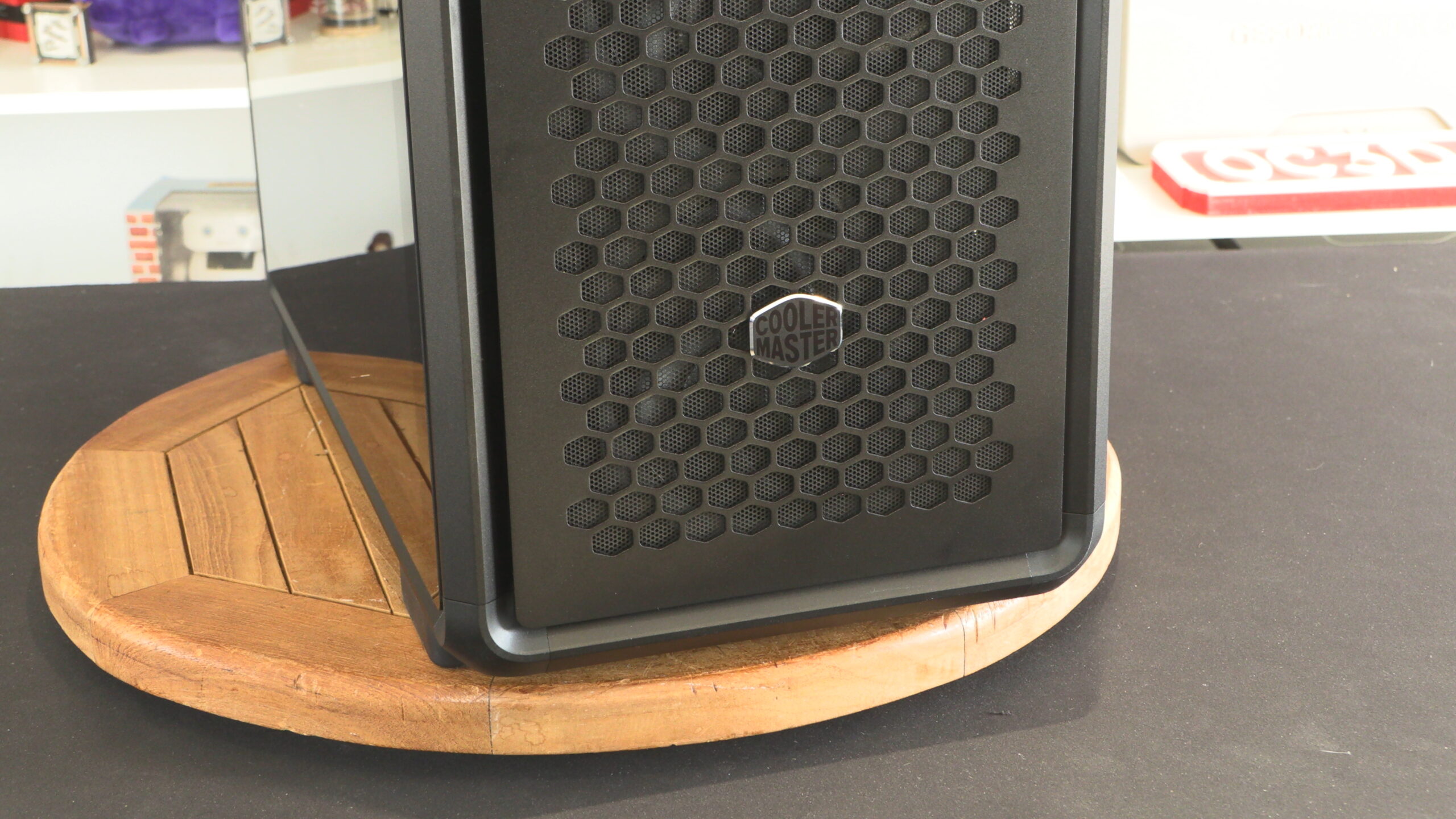
While this mesh is removable without removing all of the screws at the rear of this panel, doing so without removing these screws will force users to bend and crease this case’s mesh. This is a bad design, and makes the case much harder to clean than it should be. Removing this mesh is also necessary if users want to remove/move this case’s Cooler Master badge. Removing this mesh should be a tool-free experience. After all, this is the MasterFrame 600’s primary air intake. This design should not have made it into production on a “premium” case.
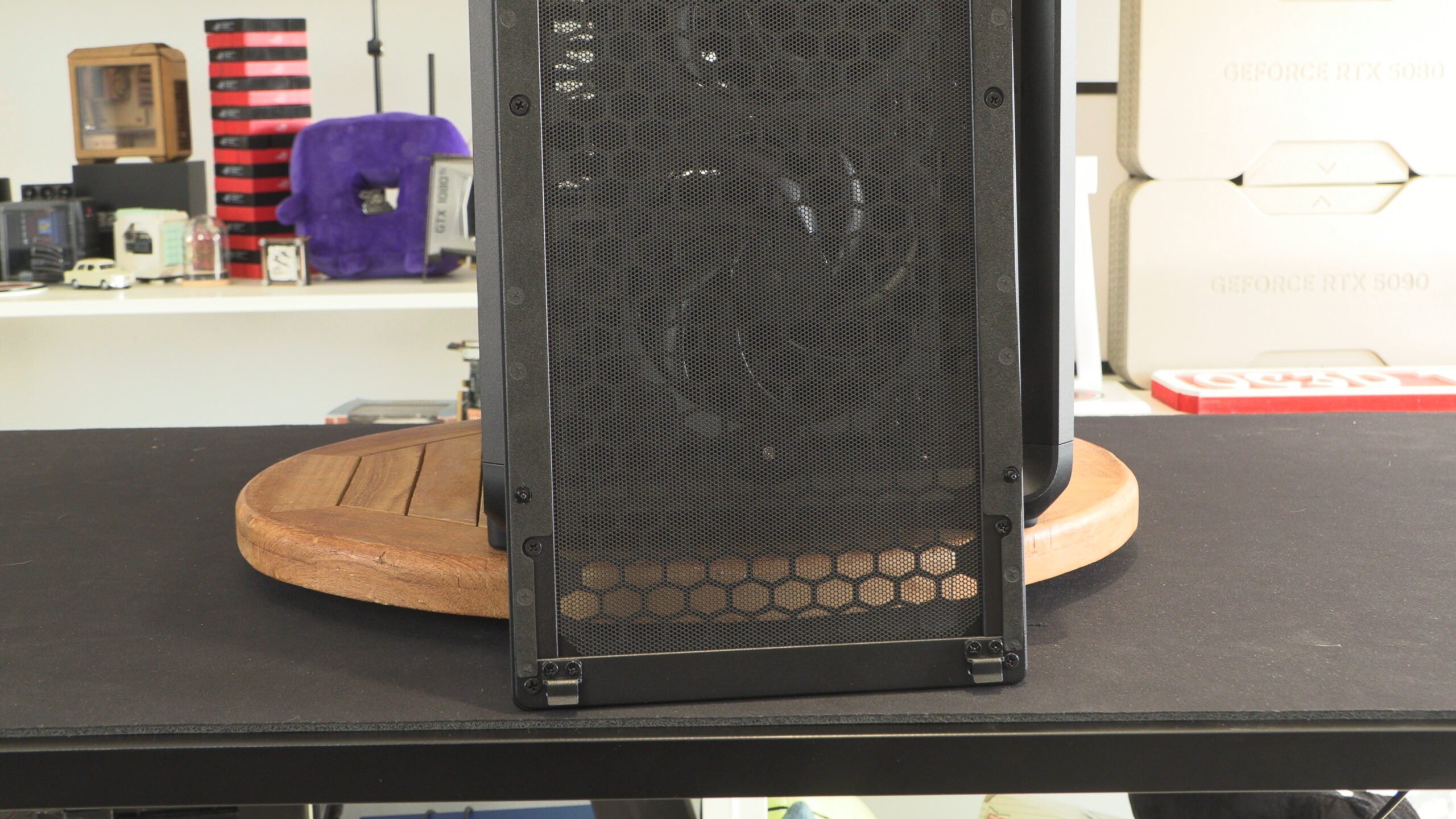
Front Fans
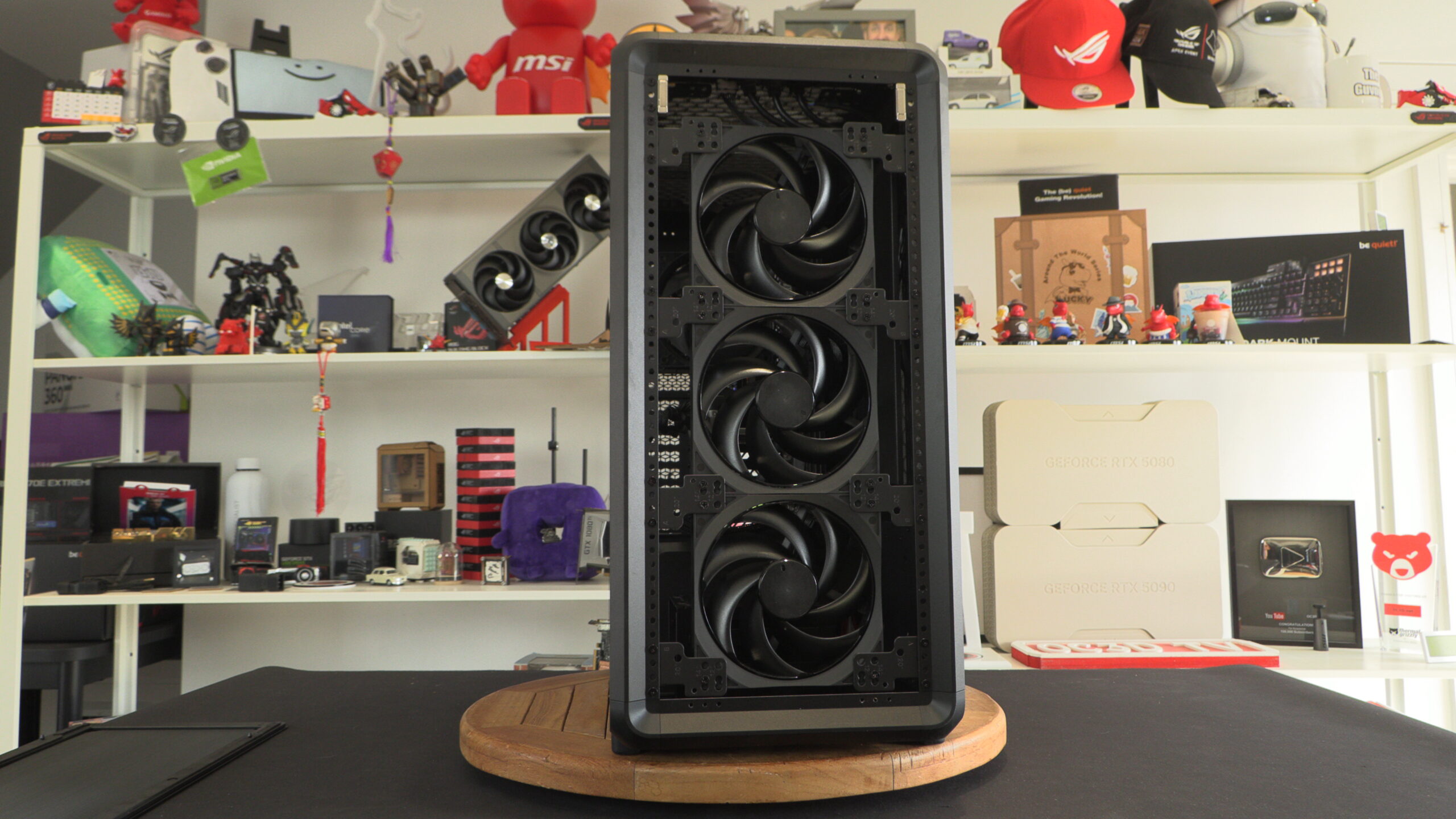
Out of the box, the MasterFrame 600 Black ships with three 140mm SickleFlow fans at its front. These fans act as the case’s primary air intakes. Alternatively, users can install three 120mm fans or two 180mm/200mm fans at the front of the case. This location can also be used to install a liquid cooling radiator up to 420mm in size.
FreeForm 2.0
Below, we can see the feature that makes the MasterFrame 600 special. Cooler Master’s FreeFrom 2.0 rail system. These Aluminium parts act as this case’s primary structural element, and are what pretty much all parts of this PC case connect to. This allows a high level of configurability and moldability. Custom parts can be created wth these extrusions in mind, using their screw holes to attach to the case’s primary structure.
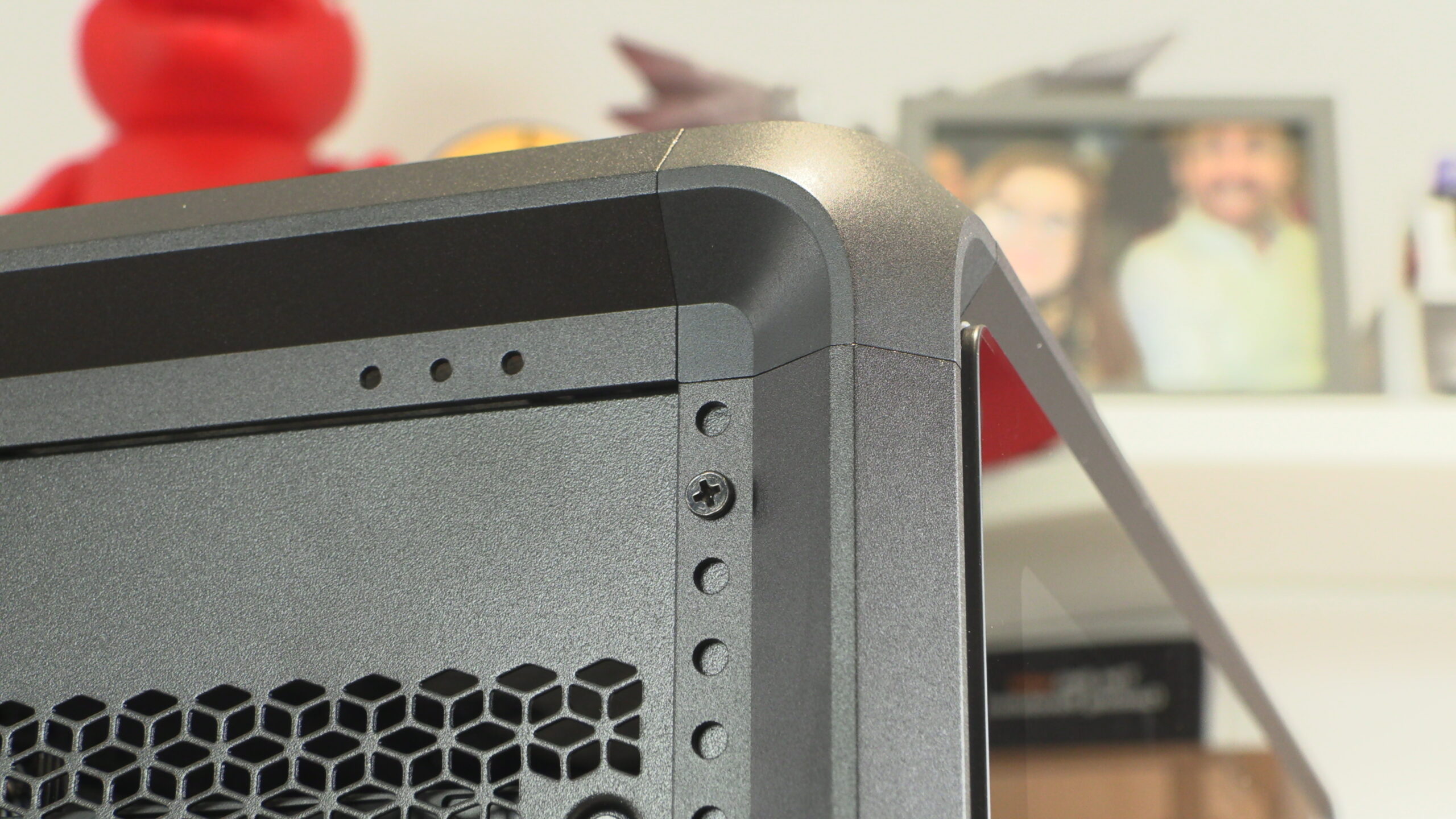
The rear of the MasterFrame 600 is comprised of two elements. The top part has the case’s PCIe slots, motherboard IO slot, and a 120mm fan mount. The other part is the PSU compartment. These parts can be removed and reoriented to place this system’s PSU at the top of the case. This is one way that users can alter the look and functionality of the MasterFrame 600.
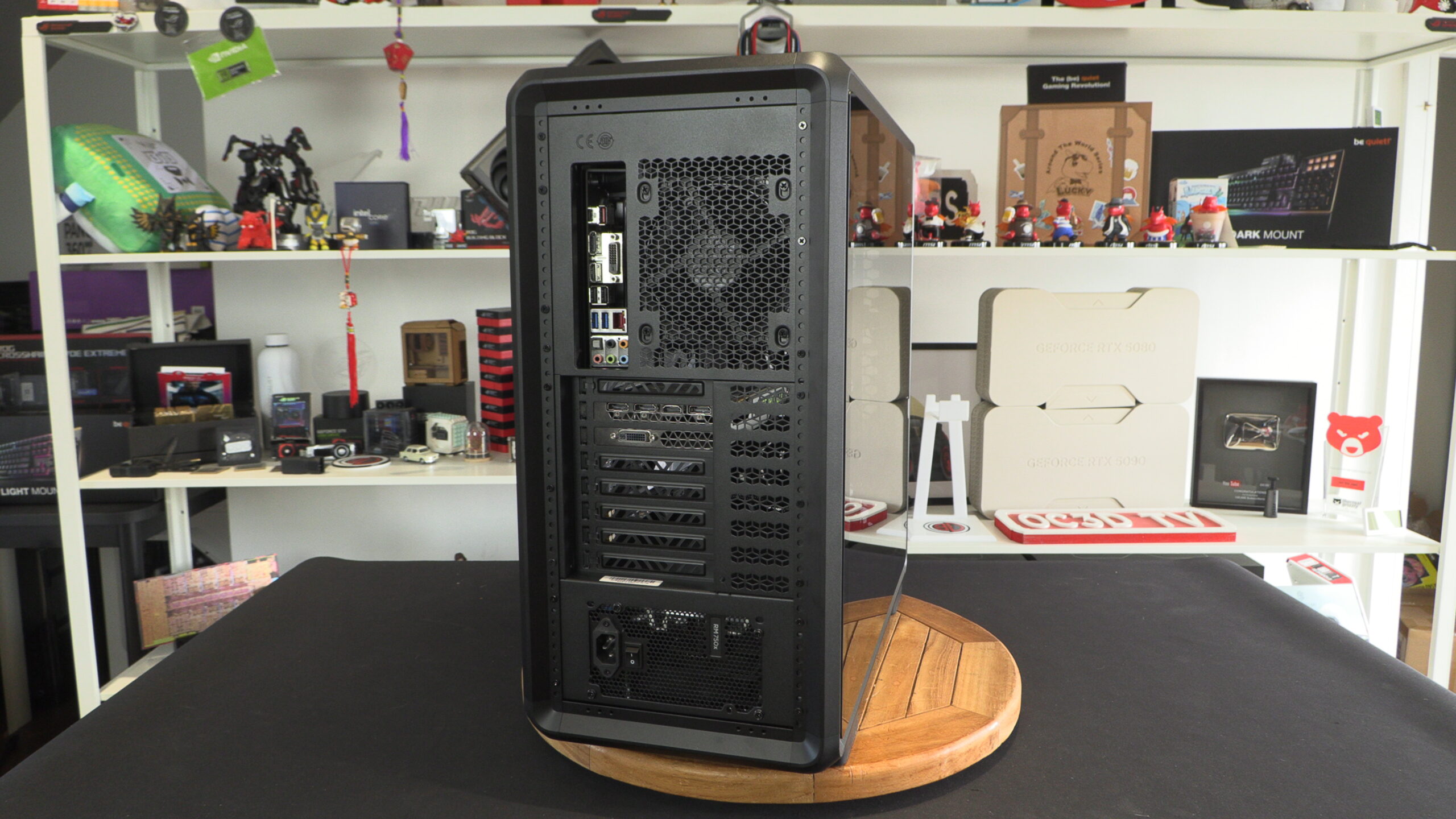
The rear of Cooler Master’s MasterFrame 600
If there was a place where the MasterFrame 600’s design goes downhill, it’s here. The MasterFrame 600 has a great external aesthetic. Regardless, it’s the inside that lets the case down massively.
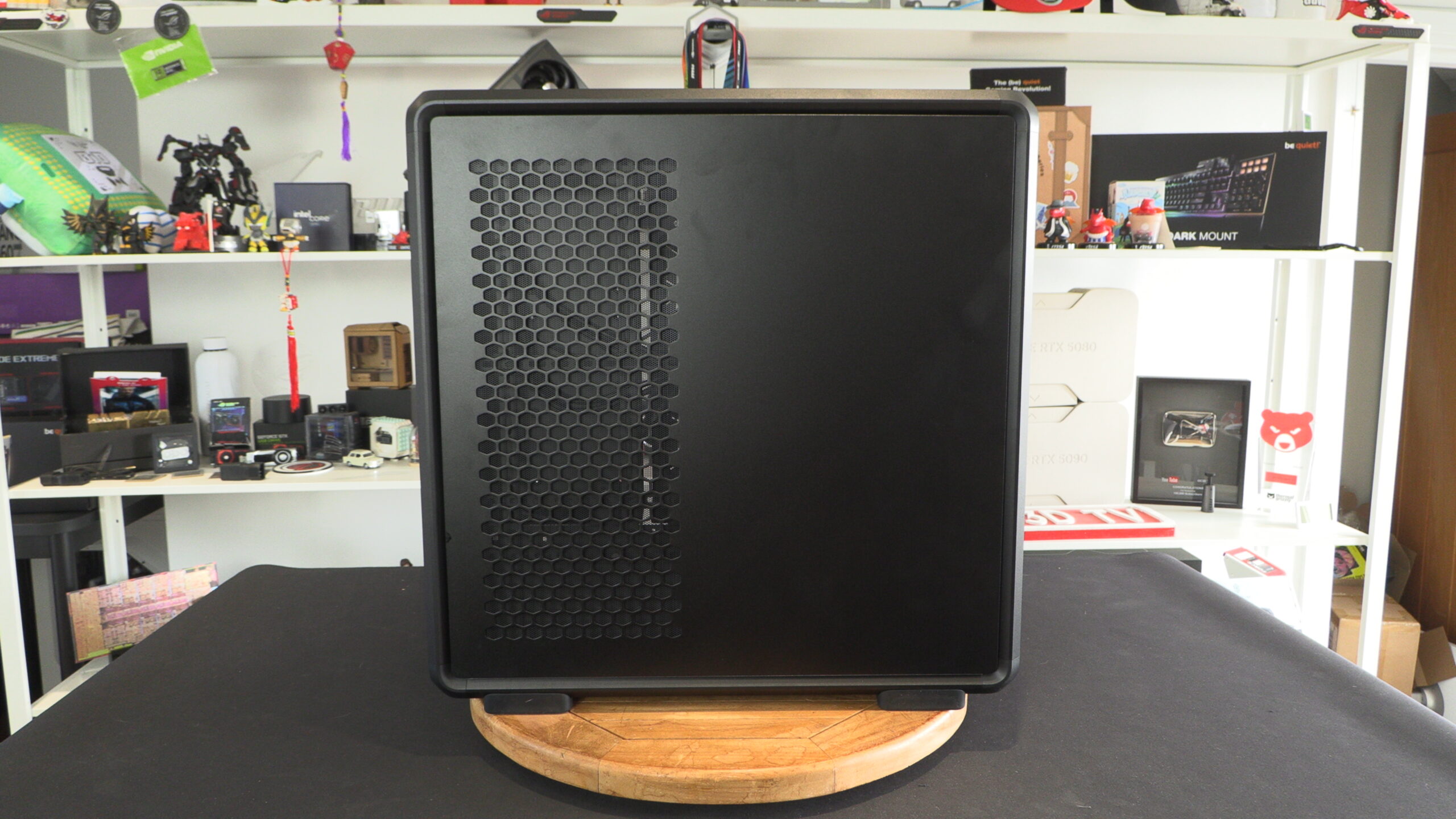
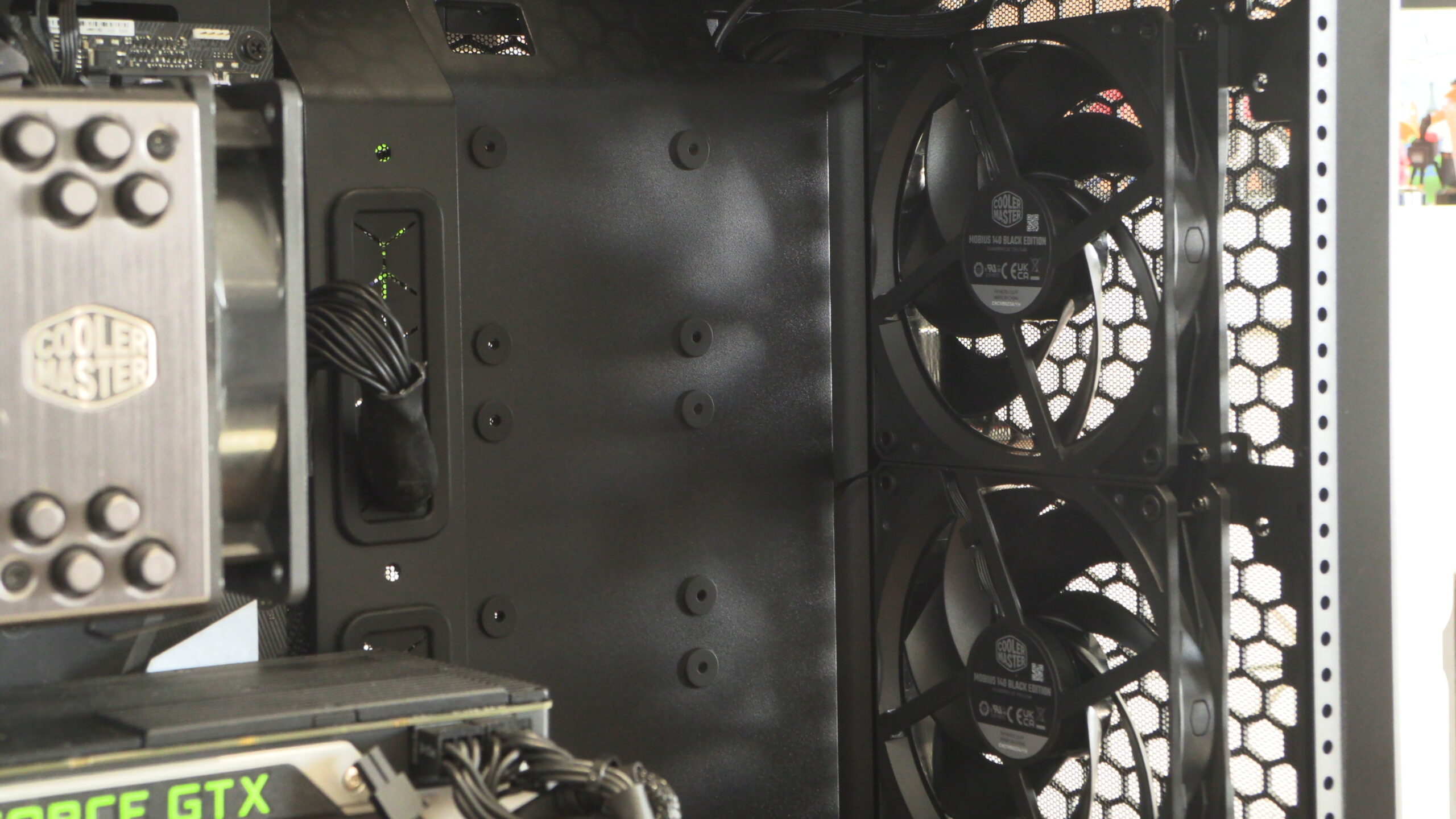
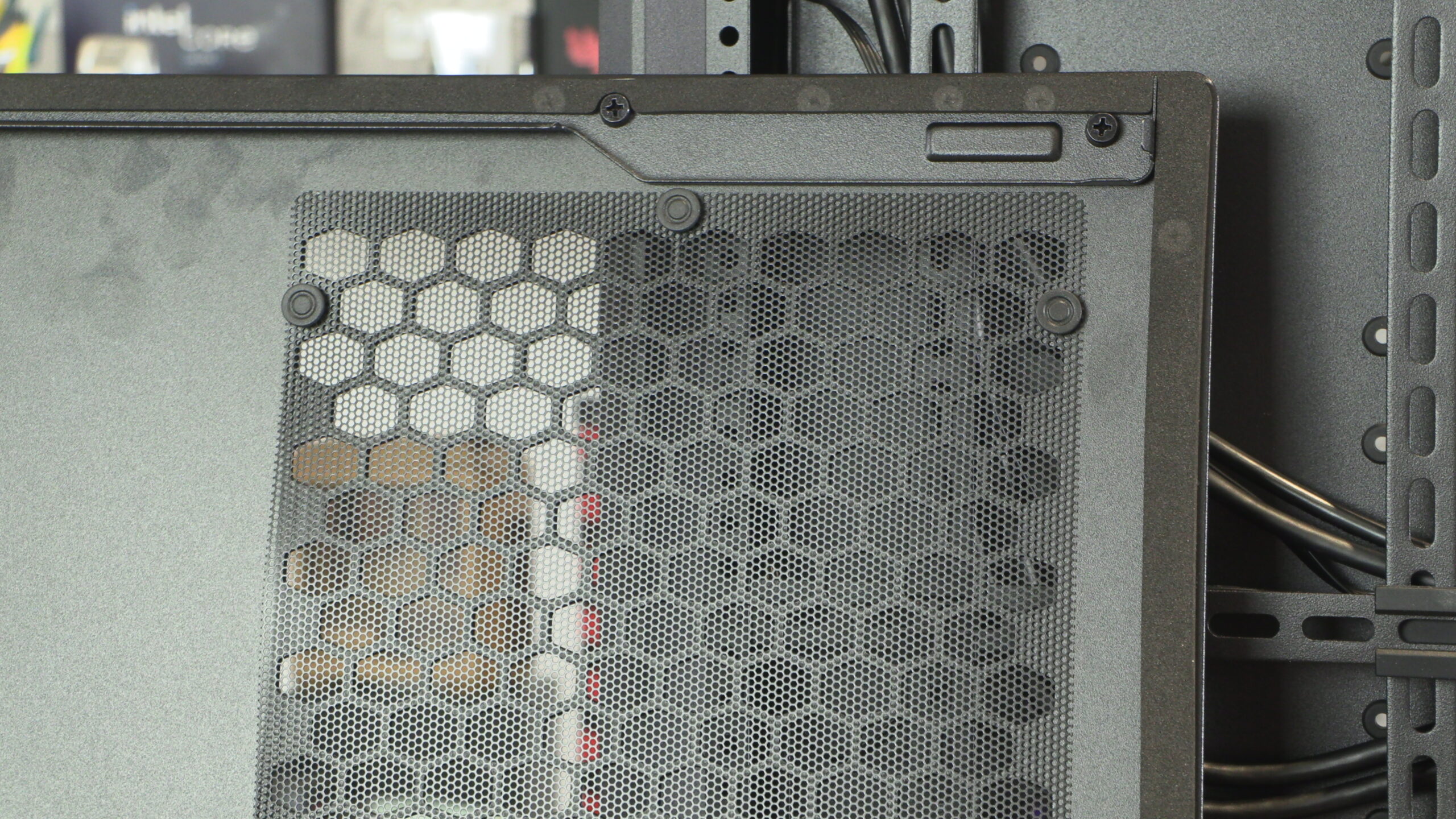
When we remove the MasterFrame 600’s side panel, we notice two things. First, we have push pins securing this panel’s mesh dust filter. Cooler Master, why was this not used for the front panel? This makes removing your mesh much easier, so why is this not used on the case’s primary air intake?
The second thing we noticed is the Meccano stylings of this case’s interior struts. While functional, this design is messy. It is also clear to us that hiding all of our PSU’s cables will be impossible inside this chassis.
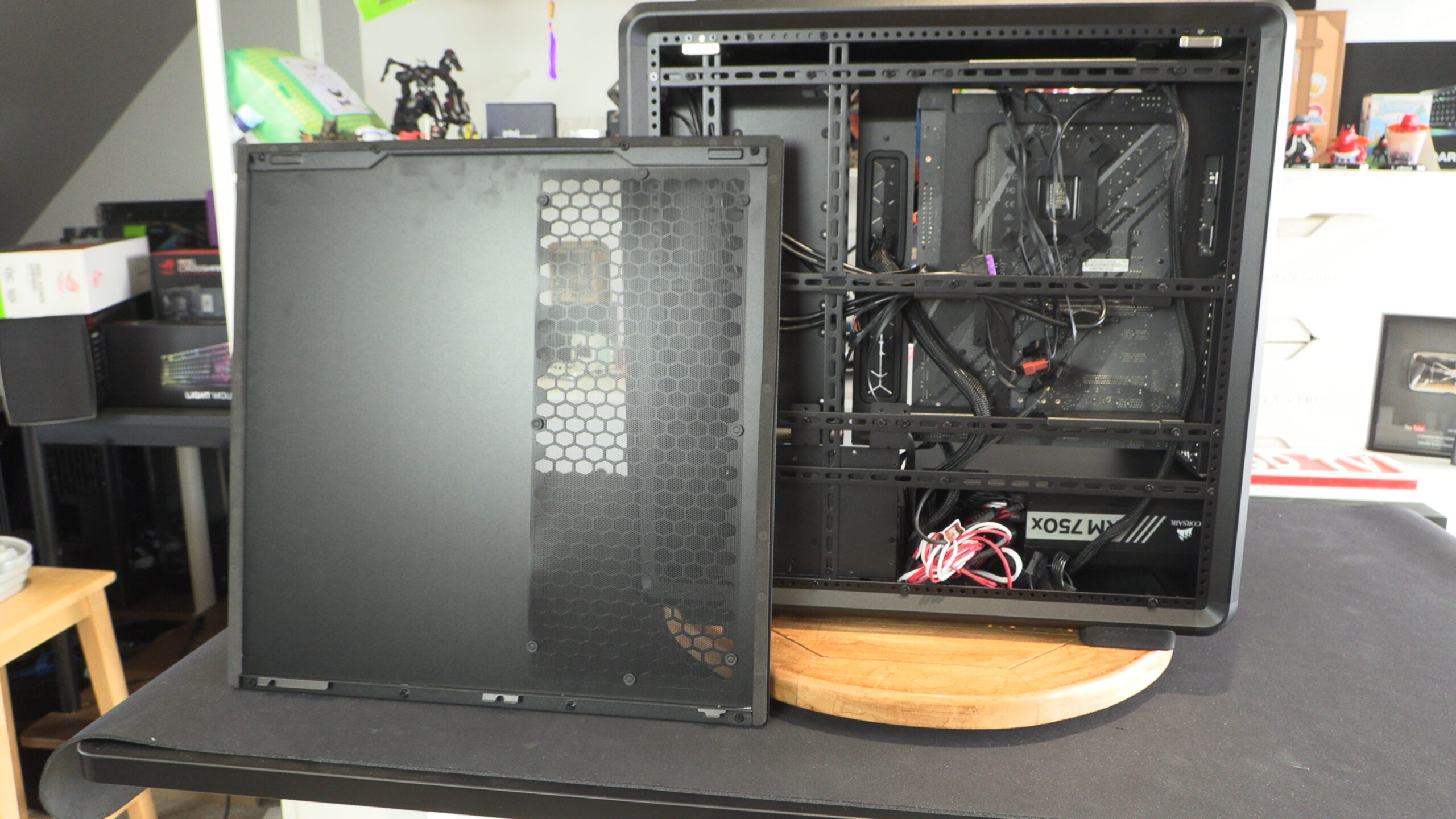
Cable Management Nightmare
Looking closer at this case, it is clear where Cooler Master’s influences are. This case takes a lot of design cues from Cooler Master’s older Cosmos cases. The case feels dated, as if it were from 2016, not 2025.
Today’s PC builders want tidy builds. They want PSU cables to be as invisible as possible. That’s impossible with the MasterFrame 600. This is not what PC builders expect from a “premium” PC case.
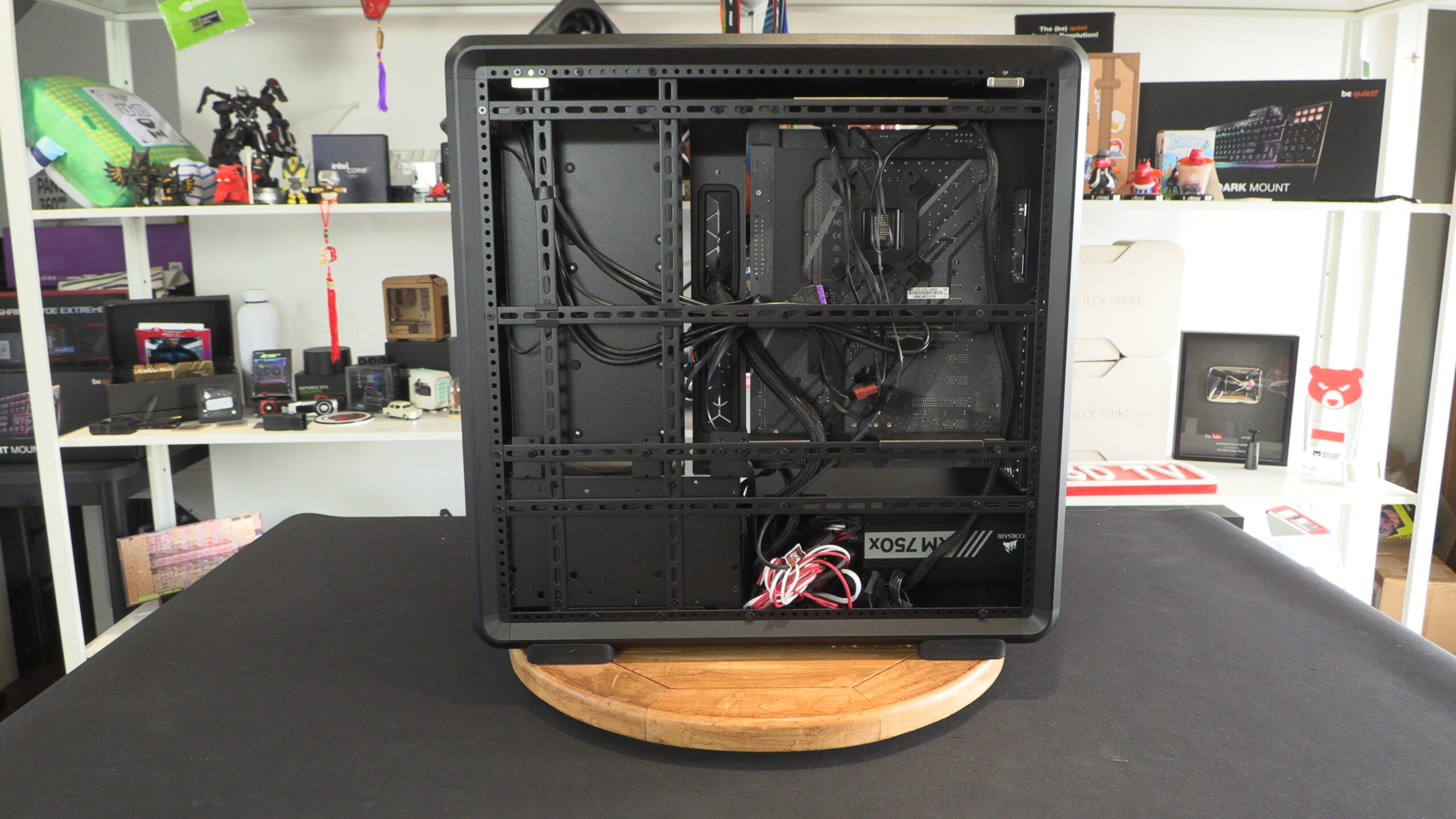
Just look at this case’s 24-pin motherboard cable. It needs to bend and flex around one of this case’s motherboard mounting points. Also note that this cable is visible from the front section of the MasterFrame 600. Between this case’s PSU shroud and the base of your motherboard, all PSU cables will be visible.
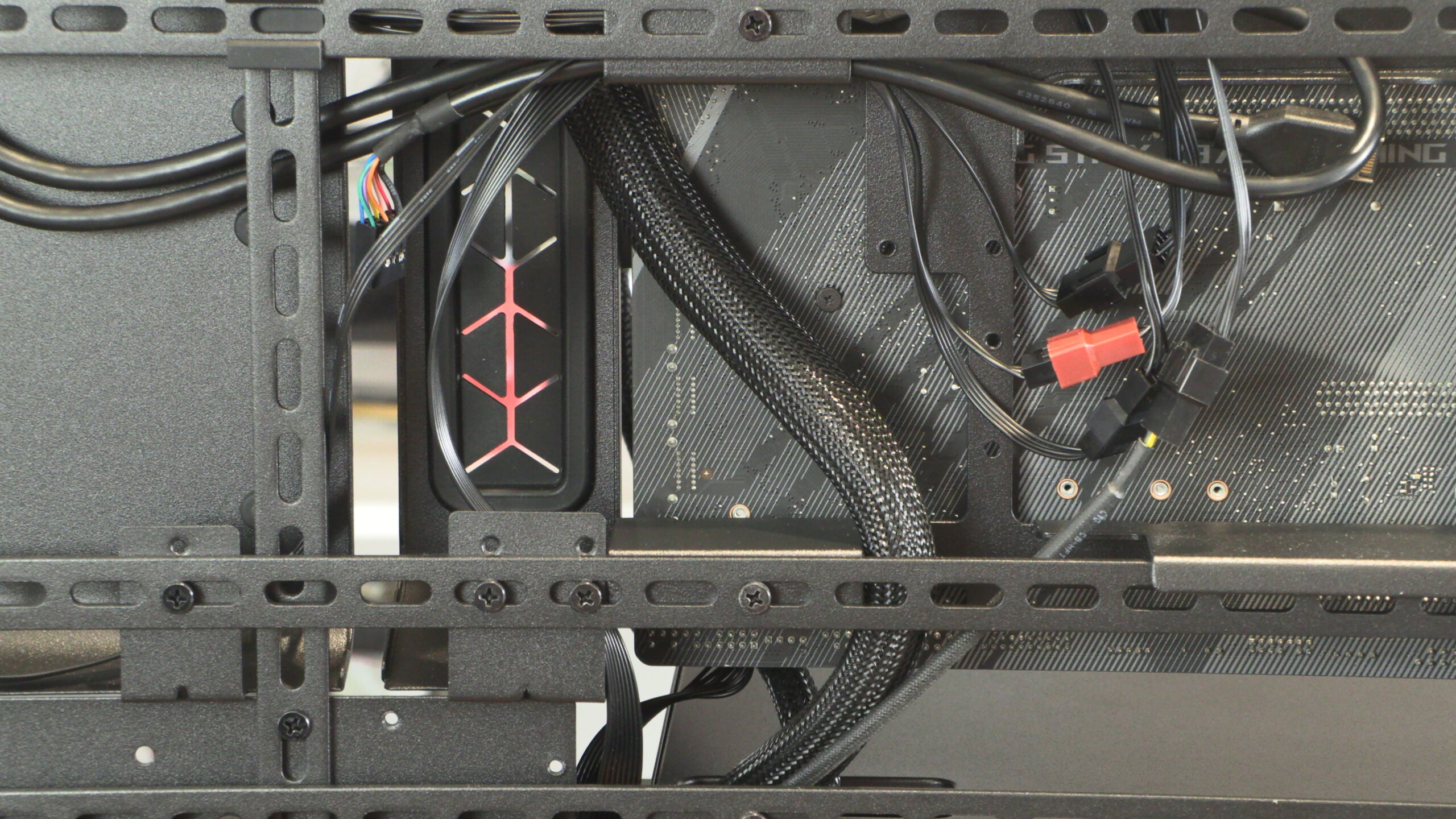
While highly configurable, Cooler Master’s design is inelegant. Cable management isn’t clearly thought out. This is a case that feels like it is from the past, not the modern era.
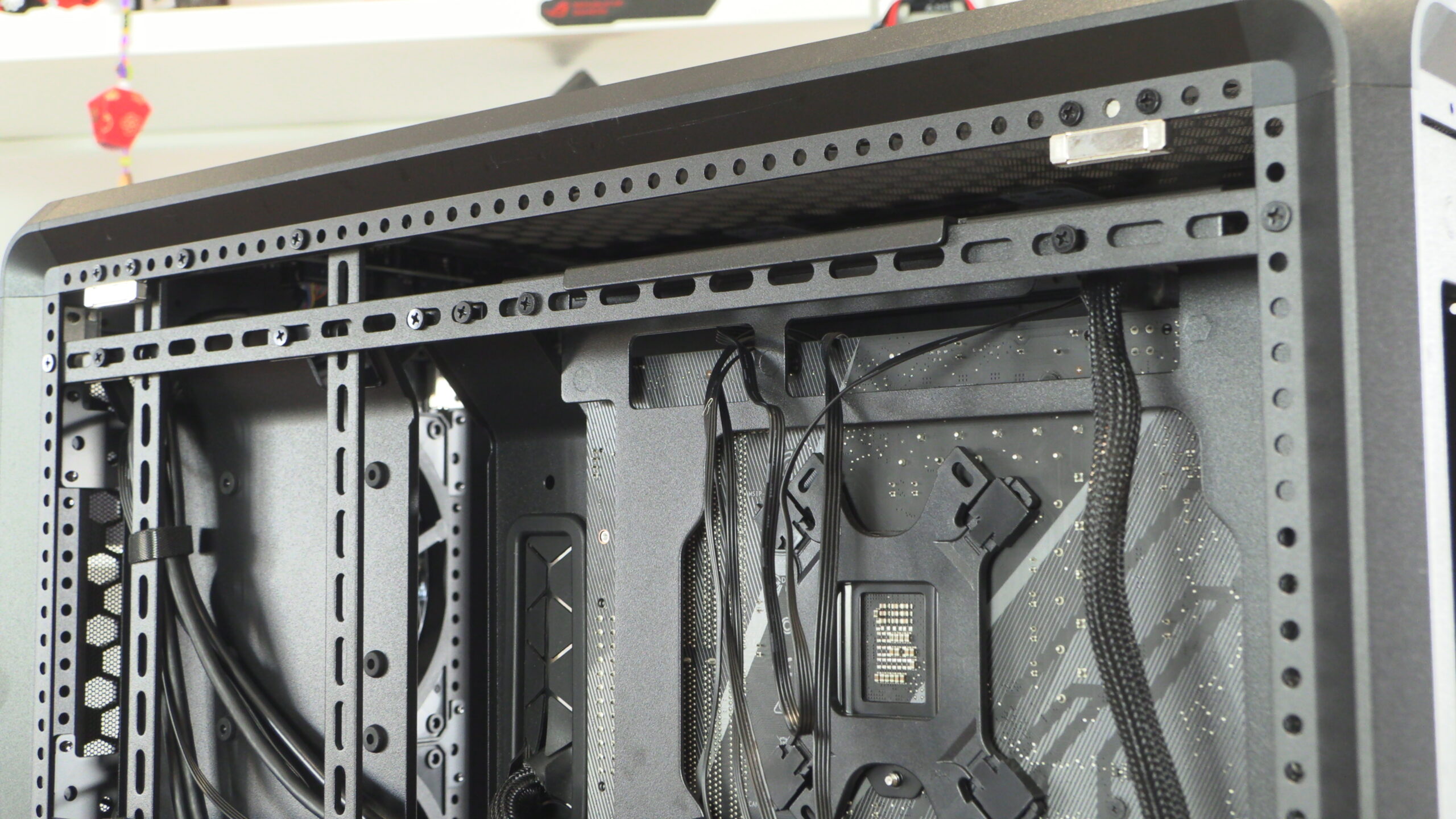
The main chamber of the MasterFrame 600
The MasterFrame 600 features a tinted glass side panel, at least for its black version. This gives the hardware inside a more subtle look and dulls down the brightness of any LED lighting you may use. Depending on your preferences, this may be a good thing. Like this case’s other panels, it is attached magnetically, making removal an easy process.
Note that this case’s left side panel can be used at the right side of the case; and vice versa.
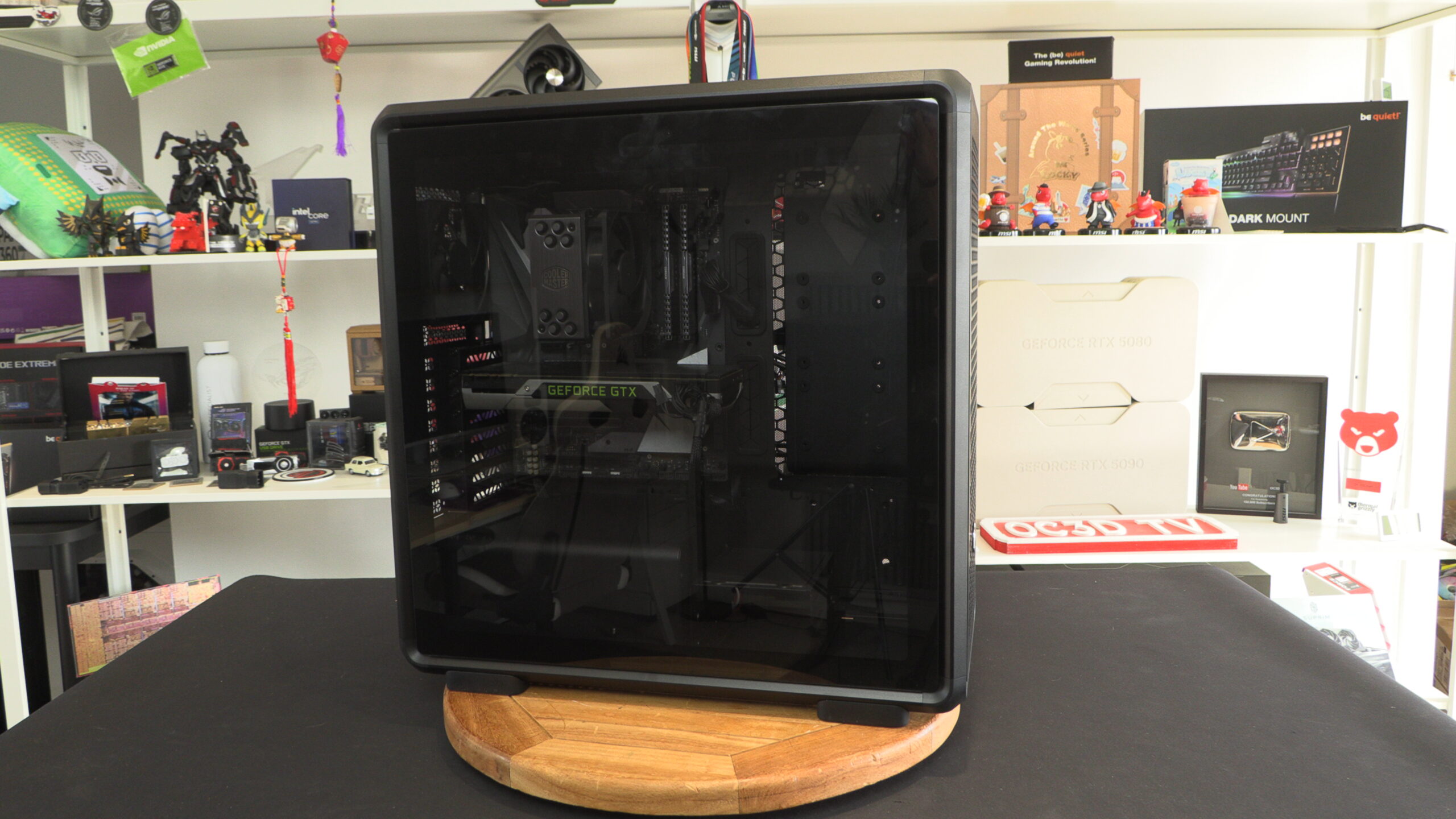
Inside the MasterFrame 600, we have a case that could have been released a decade ago. We have a 3.5/2.5-inch drive bay in clear view, we have visible mounting areas for 2.5-inch HDDs/SDDs, and highly visible PSU cables.
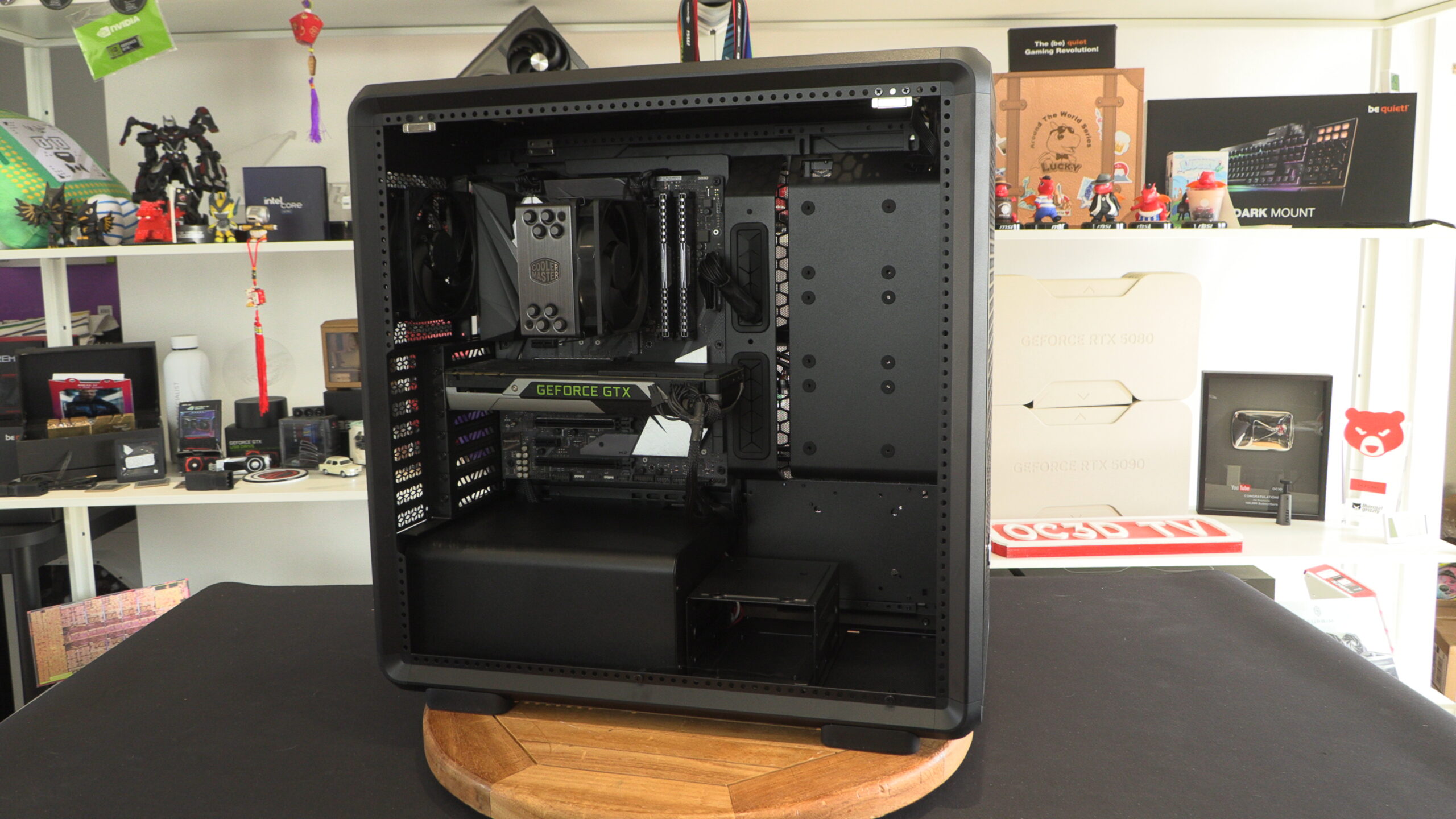
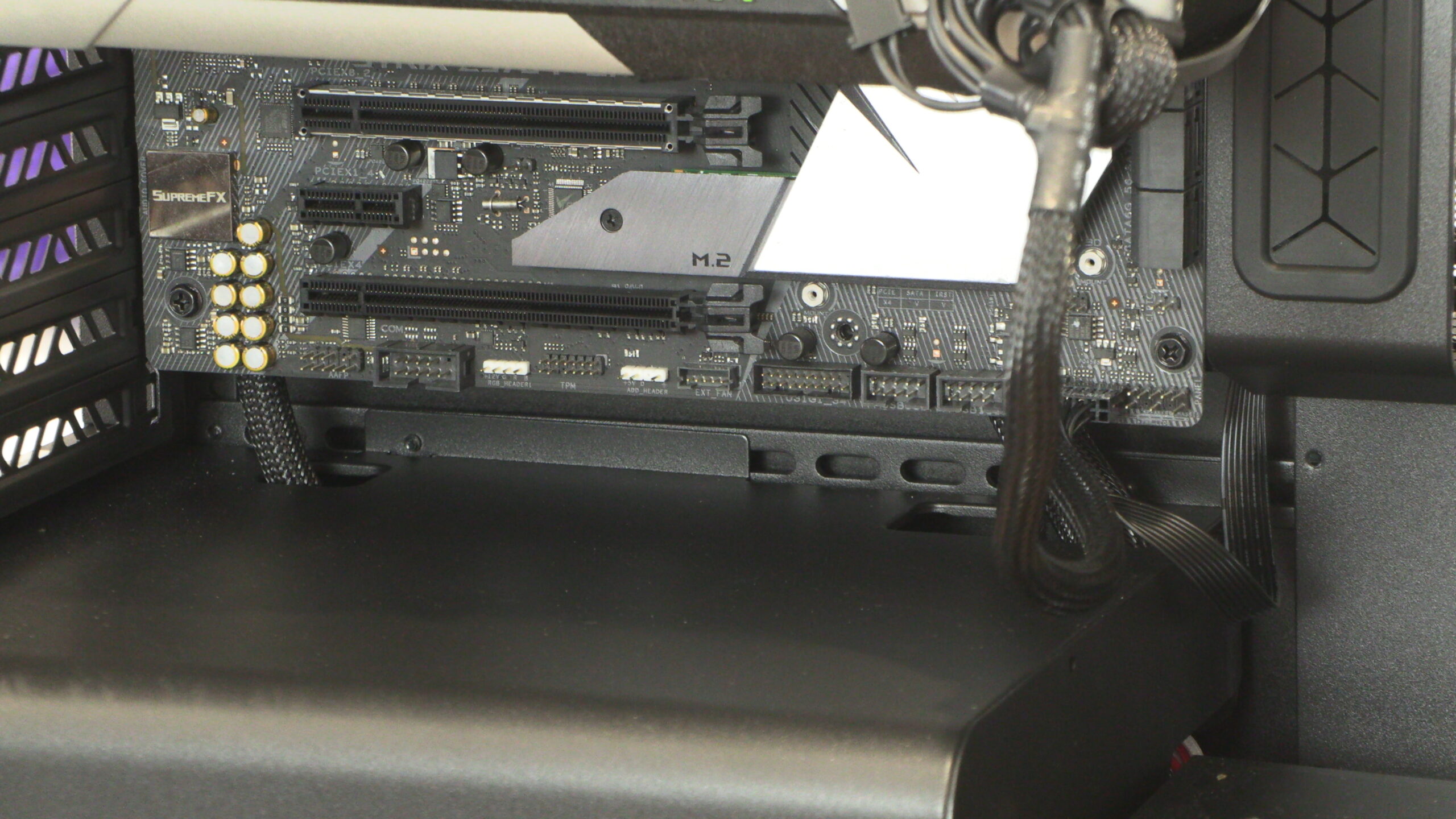
Below you can see all of the cases that are coming from our power supply. All cables must pass through these channels. Even if you used a Back-Connect style motherboard, this means that some of your PSU cables will be visible. Cooler Master has made no effort to hide these cables. Those who want to hide these cables will need to create a custom blocker plate or take other measures to block their view of these areas. Again, this feels like something that should be in a new “premium” PC case.
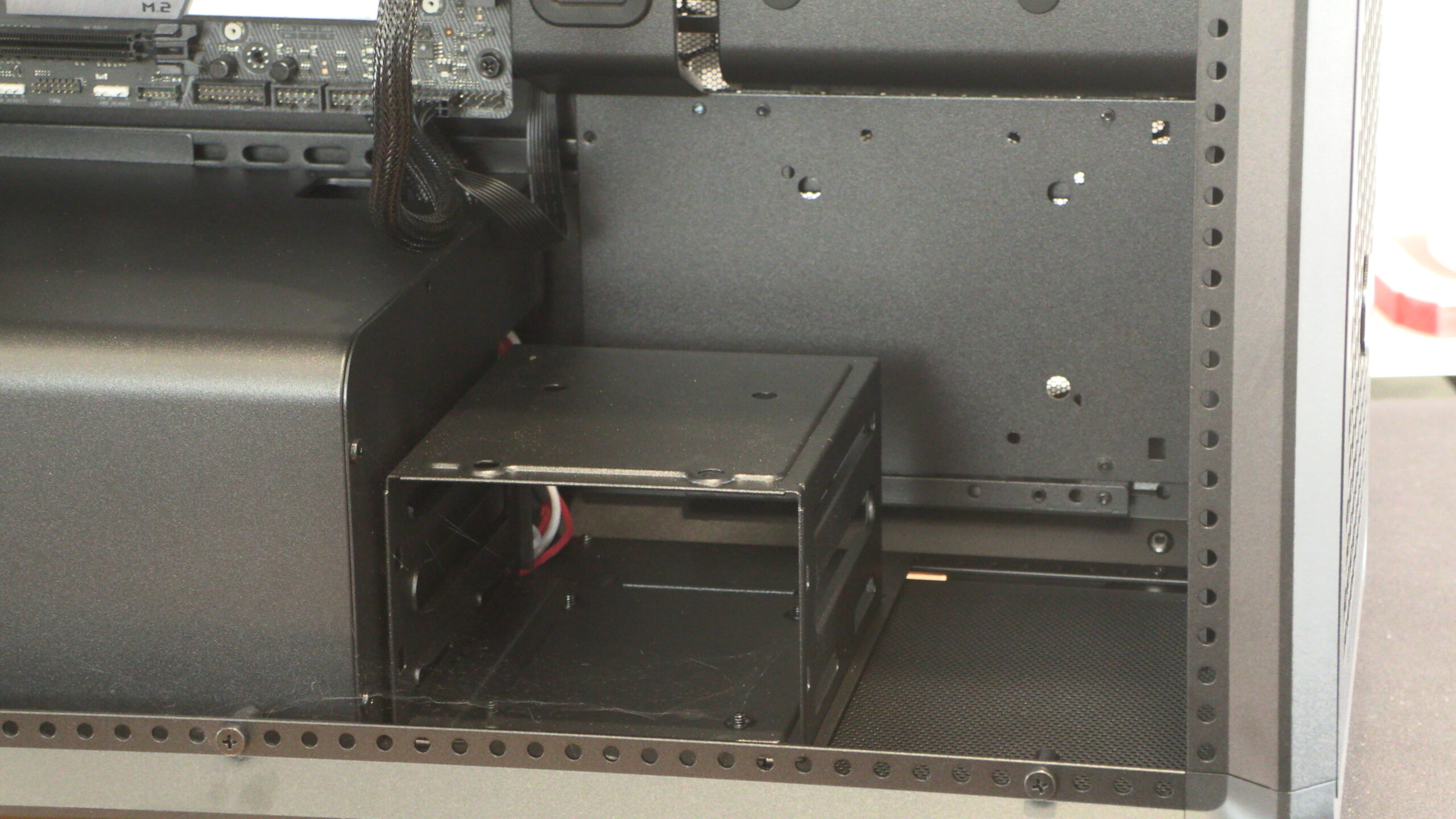
While it is great to have the option to use 3.5-inch and 2.5-inch drives in a modern PC, it is weird for a premium case not to hide this part under a shroud. Again, this is something that I feel modders could fix. That said, I think Cooler Master should have fixed this themselves. “Modders can fix it” isn’t a good excuse.
This HDD cage can be removed, which is good news for those who do not use HDDs.
A dated aesthetic
The MasterFrame 600 is a premium case that feels dated. Below we can see mounting locations for several 2.5-inch drives. It’s almost like Cooler Master has forgotten that the PC industry has mostly moved past SATA SSDs. Will many PC builders want to display three SATA SSDs inside their builds? No, most of them wouldn’t use that many SATA SSDs (M.2 NVMe SSDs exist after all), and most modern PC builders would hide these drives behind their motherboard trays.
While this SSD mounting plate can be removed, doing so exposes the Meccano skeleton of this case. Yes, fans can be installed here, but this creates another wave of cable management issues. The MasterFrame 600 isn’t a well-thought-out case.