Gigabyte Z68 G1.Sniper 2 Review

Connectivity
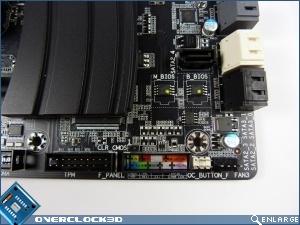
Away from the aesthetic and into the practical. There are plenty of connections all across the Sniper 2, from 5 fan headers, through USB3.0 headers and the always excellent Gigabyte Front Panel. The OC_Button is where you plug the front panel into to allow a one-touch OC.
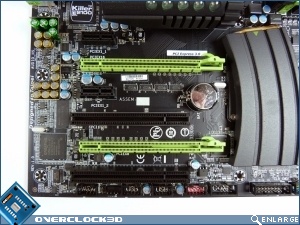
The main PCIe slot is labelled as supporting the PCIe 3.0 standard. As far as we understand this is purely a BIOS upgrade, but it’s great to see the Sniper 2 supports it out the box, even if PCIe 3.0 GPUs aren’t yet available.
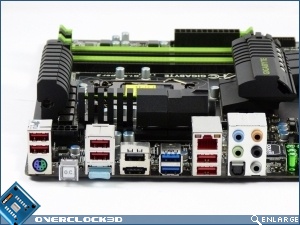
Round the back we have all the standard connections one would expect to see, from a combined PS/2 port through USB 2.0 and USB 3.0 ports. ESATA, the RJ45 GigaLAN and an HDMI for the Lucid VIRTU or, if you’ve gone mad, integrated output.
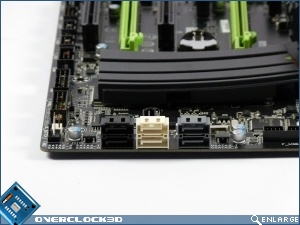
SATA is provided by two chipset SATA 6Gbp/s, two Marvel 6Gbp/s and two 3Gbp/s SATAIIs. Intel Rapid Storage Technology is supported too if you really feel the need for speed.
One surprise about the Sniper 2 is the lack of on-board on and off buttons. These have become such a part of modern mobos that it was quite a shock to see the Sniper 2 without them. Not a massive thing of course, but there is so little to complain about with the design that it’s worth noting.