


Wraith Ripper PCIe Issue – GPU case mod – fix

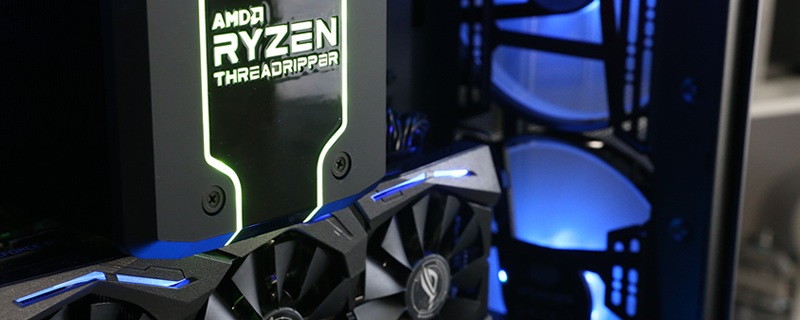
The Build
In this system build, we made use of the following hardware, sticking to Cooler Master and ASUS branding to, as much as possible, match our problematic Wraith Ripper, Zenith combo.
This system is enclosed in Cooler Master H500M chassis (full review here), powered by Cooler Master’s MasterWatt 1200W power supply and filled with a selection of Cooler Master’s RGB MasterFans for cooling and lighting. To complement this, we are using G.Skill’s Trident Z RGB DDR4 memory, which we have found to work very well with AMD’s TR4/X399 platform.
Graphics-wise, we are using ASUS’ ROG Strix GTX 1080 Ti, which is currently the manufacturer’s most powerful consumer graphics card, at least for now.
AMD Ryzen Threadripper 2990WX
ASUS ROG Zenith X399 Extreme
32GB G.Skill Trident Z RGB 3200MHz
Corsair MP500 M.2 NVMe SSD
ASUS ROG Strix GTX 1080 Ti
Cooler Master H500M Chassis
Cooler Master MasterWatt 1200W PSU
Cooler Master MasterFan Pro RGB fans
Cooler Master Wraith Ripper X399 CPU cooler

What have we done?
In effect, we have created a custom vertical GPU mount for our GTX 1080 Ti graphics card. Yes, we know that some of you will say that we could have used the Cooler Master H500M’s vertical GPU mounts directly, but our reasoning behind avoiding that is twofold.
We wanted to show you guys something that you could do with your own case, which may or may not have a stock vertical GPU mounting solution, and secondly, we think that the wider gap between the graphics card and the H500M’s window looks better and provides the graphics card with more optimal cooling. Otherwise, the graphics card sits very close to the H500M’s tempered glass window.
The way we have mounted our graphics card is far from what anyone could call permanent and is not in any way “transport ready” for shipping or LAN party usage. Talented modders can create a more robust mounting system than this, but what we have created is ideal for most static systems.

Like most vertically mounted graphics cards, we need to use a PCIe extension cable, a product that can cost between £20-£30 in the UK depending on your retailer and cable length.
Our advice with PCIe extension cables is to make sure that you avoid tight bends whenever possible, as these cables can be extremely fragile. A tight bend can break one of the traces within the cable and make it useless for GPU connectivity. Keeping this in mind will help you to avoid wasting money on new extension cables.
Users of PCIe extension cables should also make sure that their extended PCIe slot isn’t touching anything metallic. Shorting out your PCIe extension can do extensive damage to a user’s system.

To avoid scratching our Cooler Master H500M chassis, we have fitted our GTX 1080 Ti’s PCIe bracket with two plastic covers, which will protect our case’s plastic PSU shroud from damage.
Eagle-eyed readers will know that the covers we used are Nvidia’s SLI slot covers, which come fitted to every modern Nvidia graphics card with SLI support, making these scratch resistant covers free to use.
These covers will fall off very easily, so those who want a more robust solution could use a little PVA glue to bond the covers (non-permanently) to your GPU’s PCIe cover locating tabs.

At the other end of our graphics card, we used the graphics card support bracket on our Cooler Master H500M to provide the structural support the GPU needs to remain steady within our system. Again, modders who use different cases can create their own supporting structure for their graphics cards.
If your GPU is two slots wide or broader, you can wedge any plastic item of sufficient size and shape in there as structural support. Watching the video on the next page will give you a better idea of what to expect.

