Control RTX/Raytracing PC Analysis

DLSS VS Upscaling
With Control, we get a very different look at Nvidia’s DLSS technology. Remedy has decided to present Nvidia’s AI upsampling feature as an upsampling tool, showing users the base resolution of DLSS enhanced images to give users a idea of what to expect.
At 4K, DLSS can be operated at 1440p and 1080p, enabling significant leaps in GPU performance. Below we will compare DLSS to standard upscaling techniques using Control’snative resolution scaler.
The screenshot comparison below, a 4K screenshot which uses DLSS at 1080p and beside it, we have a 1080p image which Control has upsamples to 1080p. In this comparison, we can see that DLSS presents a cleaner picture than DLSS in a lot of scenarios, making it superior to traditional upscaling in some instances. However, DLSS is not perfect and does not present cleaner images in all cases.
(DLSS VS Upscaling – 1080p to 4K)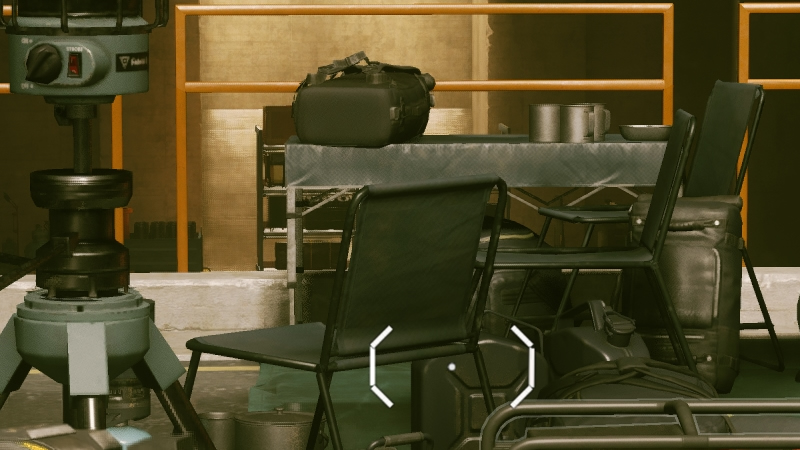
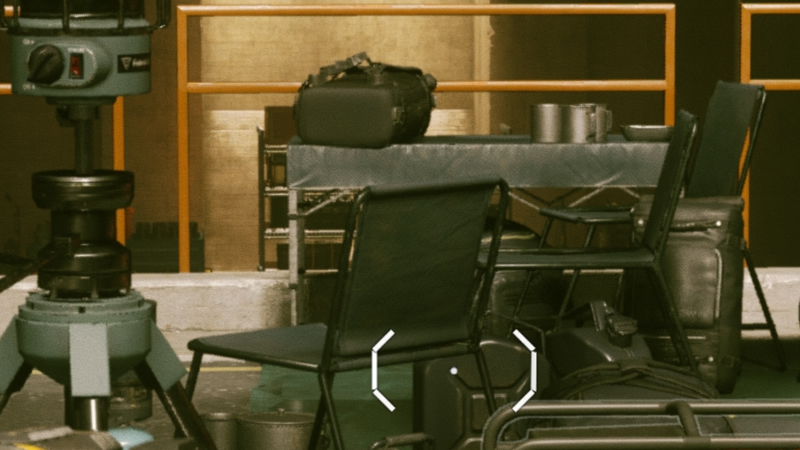
Below we can see that downside of DLSS, as while the technique can make a lot of the image clearer, DLSS’ AI algorithm cannot decern all details perfectly, especially when looking through semi-transparent or thin objects or effects. Hair can look strange when DLSS is enabled, and wire barriers can look extremely strange.
Looking at the wire mesh below, we can see that DLSS doesn’t know what it should be doing. Instead of creating thin, destiny lines, DLSS can make some details appear fuzzy, creating a less stable final image. While some of this scene looks clearer with DLSS enabled, it is clear that that statement doesn’t apply to everything. Perhaps Nvidia needs to add some more wire mesh and fencing to its AI training routine.
(DLSS VS Upscaling – 1440p to 4K)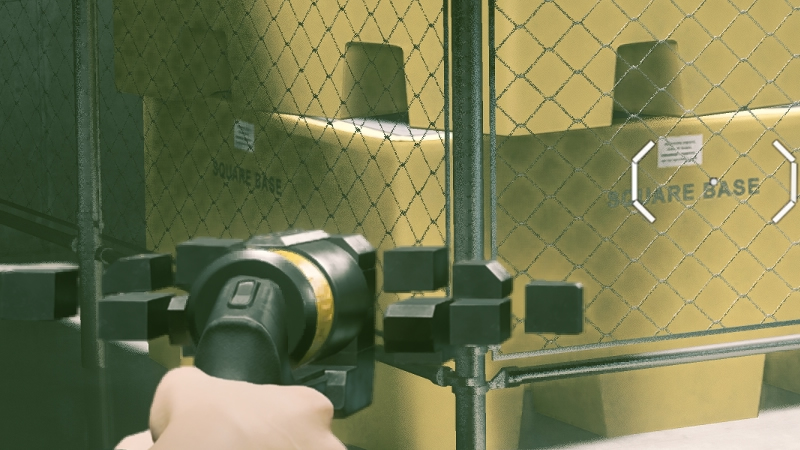
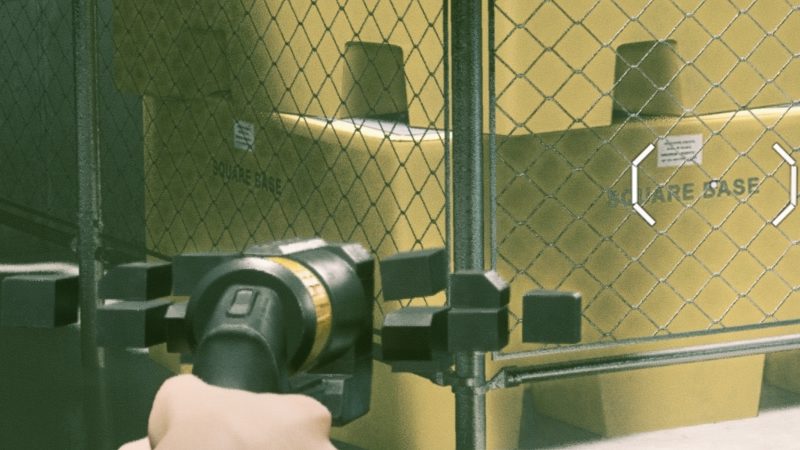
DLSS VS Native Resolution
When comparing DLSS (1080p base) to a native 4K image, it is clear that native 4K wins the day. There is no contest here. Native 4K presents a cleaner, clearer image, though Control’s naturally grainy look does a lot to make DLSS look passable in some instances. As we have seen above, DLSS can look a lot better than resolution upscaling, but it can also look worse depending on what you look at.
Large gaps between your rendering resolution and our DLSS resolution should only be used when larger performance gains are required. If not, then a higher resolution base image should be used, or preferably, your screen’s native resolution.
(Native VS DLSS – 4K VS DLSS (1080p))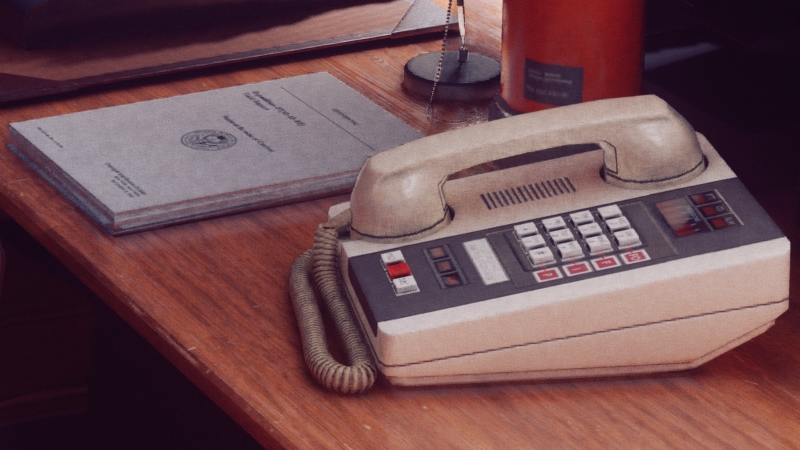
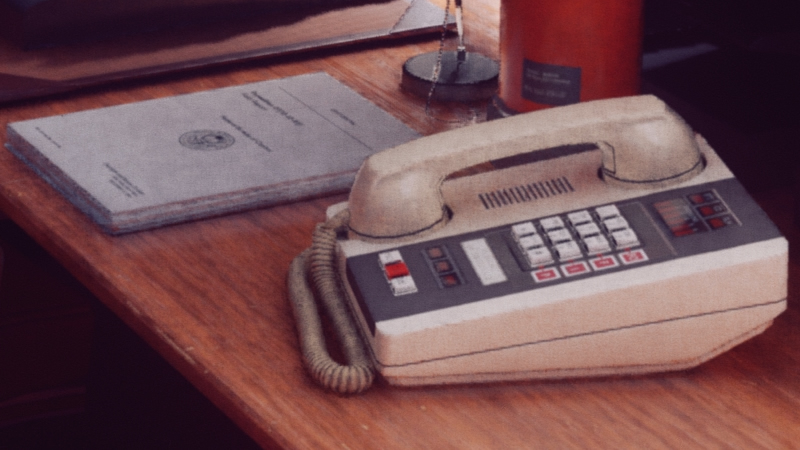
At a DLSS resolution of 1440p, DLSS looks a lot more like Native 4K, but as we have mentioned above, some scenarios can cause the differences between DLSS and a native resolution rendering to become a lot clearer. For starters, hair and the objects with wire mesh (as shown above) look fuzzy and strange when compared to a native resolution rendering. Even so, this quality loss may be worth it, given DLSS’ performance-boosting nature.