STALKER 2 PC Performance Review and Optimisation Guide

Optimisation Tips and Settings
Optimisation Tips
STALKER 2 is a demanding PC game. Most players should not be running this game using Epic settings. STALKER 2 looks plenty good when used with lower settings, and these lower settings will give you a more stable framerate and a smoother overall experience.
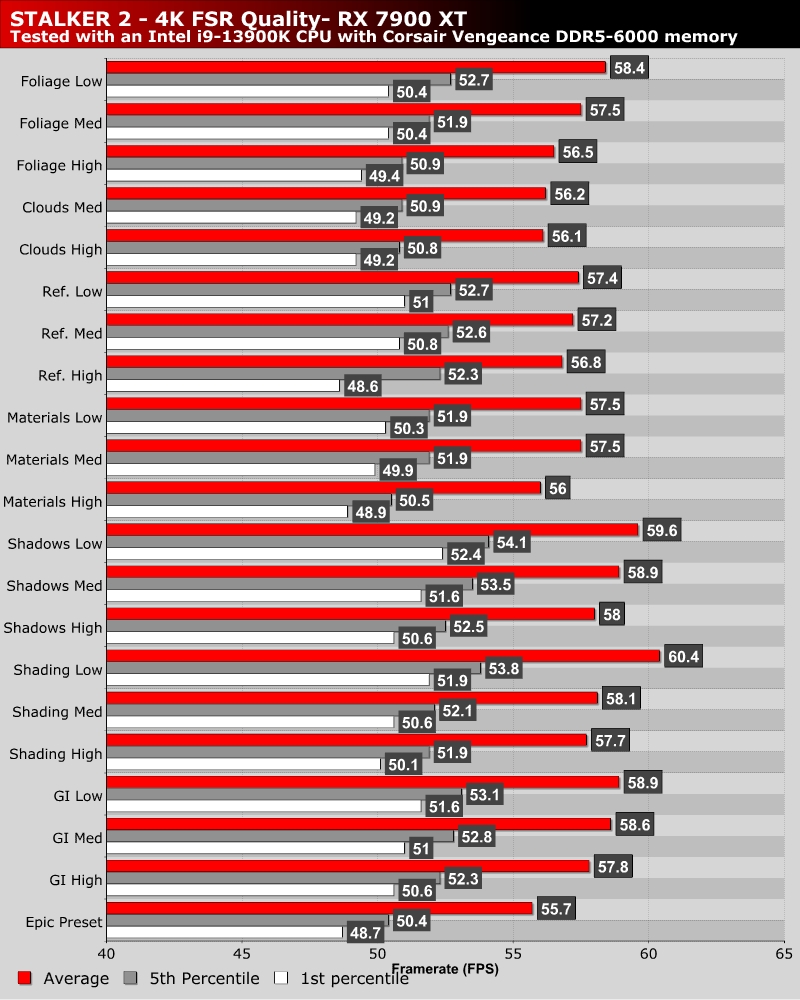
Below, we have tested most of STALKER 2’s graphical settings in our GPU test scene. The settings with the largest impact are Shadows, Shacing, GI (Global Illumination, and Folage). To deliver a large performance boost in STALKER 2, PC gamers will need to lower a lot of graphical settings.
If I am honest, this game’s Low, Medium, High, and Epic presets strike a great balance of image quality and performance. Medium settings are a great starting point for most PC gamers, especially if your PC doesn’t have much VRAM.
Note that Hair quality notably impacts game performance in areas with civilian NPCs. This does not impact our GPU test area but can deliver a small boost in other areas.
Optimised Settings
For our optimised settings, we made the following changes to STALKER 2’s graphical settings from its EPIC preset.
- Global Illumination – High
- Shaders – Medium
- Shadows – High
- Materials – Medium
- Clouds – Medium
- Reflections – High
- Hair – Medium
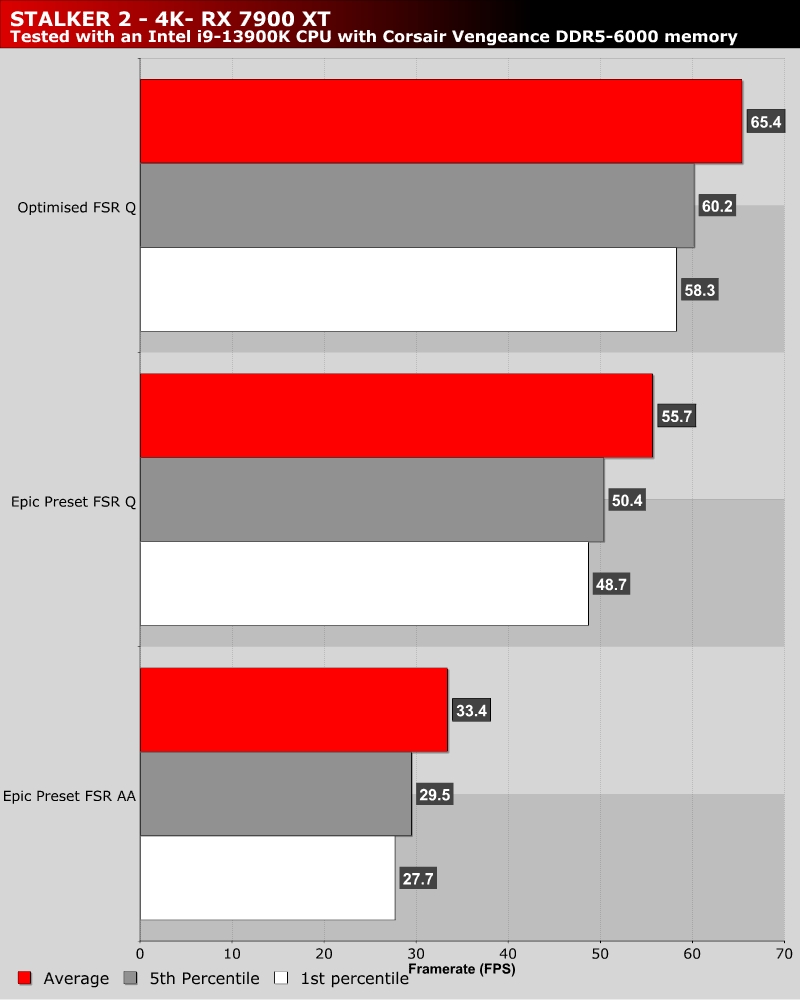
These settings have a minimal impact on overall image quality but deliver a moderate performance boost. Below, we see our average framerate increase from 55.7 FPS to 65.4 FPS. That’s a 17% increase! If you need a larger performance boost, you should probably use this game’s medium preset or higher levels of upscaling.