


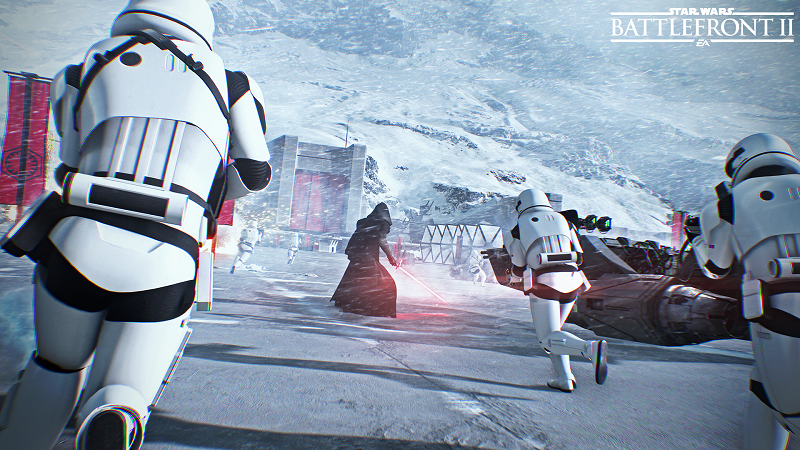
AMD releases their AMD Radeon Software 17.11.2 driver for Star Wars: Battlefront II


AMD releases their AMD Radeon Software 17.11.2 driver for Star Wars: Battlefront II
Radeon Software Crimson ReLive Edition is AMD’s advanced graphics software for enabling high-performance gaming and engaging VR experiences. Create, capture, and share your remarkable moments. Effortlessly boost performance and efficiency. Experience Radeon Software with industry-leading user satisfaction, rigorously-tested stability, comprehensive certification, and more.
Radeon Software Crimson ReLive Edition 17.11.2 Highlights
Support For
-Star Wars: Battlefront II
Fixed Issues
– Radeon ReLive recorded clips may experience green corruption or green screen backgrounds.
– Radeon ReLive may fail to record when switching a game between Fullscreen and Borderless Fullscreen.
– Radeon Settings may experience a crash or hang when enabling/disabling AMD CrossFire mode on some select Radeon HD 7000 series graphics products.
– Radeon WattMan user interface may not reflect overclocked or underclocked values for GPU memory.
– Radeon WattMan may not apply correct reduced voltage values for some Radeon RX 400 and Radeon RX 500 series graphics products.
– Secondary extended displays may experience green corruption when resuming from display off or sleep modes.
Known Issues
– Radeon RX Vega Series graphics products may experience a system hang on installation in Multi GPU system configurations. A workaround is to do clean install only for Multi GPU enabled systems.
– Some desktop productivity apps may experience latency when dragging or moving windows.
– Tom Clancy’s Rainbow Six® Siege may experience an application hang when breaching walls with grenades or explosives.
– A random system hang may be experienced after extended periods of use on system configurations using 12 GPU’s for compute workloads.
– The GPU Workload feature may cause a system hang when switching to Compute while AMD CrossFire is enabled. A workaround is to disable AMD CrossFire before switching the toggle to Compute workloads.
– Resizing the Radeon Settings window may cause the user interface to stutter or exhibit corruption temporarily.
– Unstable Radeon WattMan profiles may not be restored to default after a system hang.
– OverWatch may experience a random or intermittent hang on some system configurations. Disabling Radeon ReLive as a temporary workaround may resolve the issue.
– Radeon RX Vega series graphics products may intermittently experience stability issues while enabling/disabling HBCC.
Supported Desktop GPUs
Radeon Desktop Product Family Compatibility
Radeon RX Vega 64 AMD Radeon RX Vega 56 Radeon RX 580 AMD Radeon RX 570 Radeon RX 560 AMD RX 550 Radeon RX 400 Series Graphics AMD Radeon R7 300 Series Graphics AMD Radeon Pro Duo AMD Radeon R7 200 Series Graphics AMD Radeon R9 Fury Series Graphics AMD Radeon R5 300 Series Graphics AMD Radeon R9 Nano Series Graphics AMD Radeon R5 200 Series Graphics AMD Radeon R9 300 Series Graphics AMD Radeon HD 8500 – HD 8900 Series Graphics AMD Radeon R9 200 Series Graphics AMD Radeon HD 7700 – HD 7900 Series Graphics
Download Links
- – Windows 10 (32-bit | 64-bit)
– Windows 7 (32-bit | 64-bit)
Read more on AMD’s Radeon Software 17.11.2 driver on the OC3D Forums.