


MSI GPU Safeguard+ is a game-changing tech for 12V-2×6 GPUs

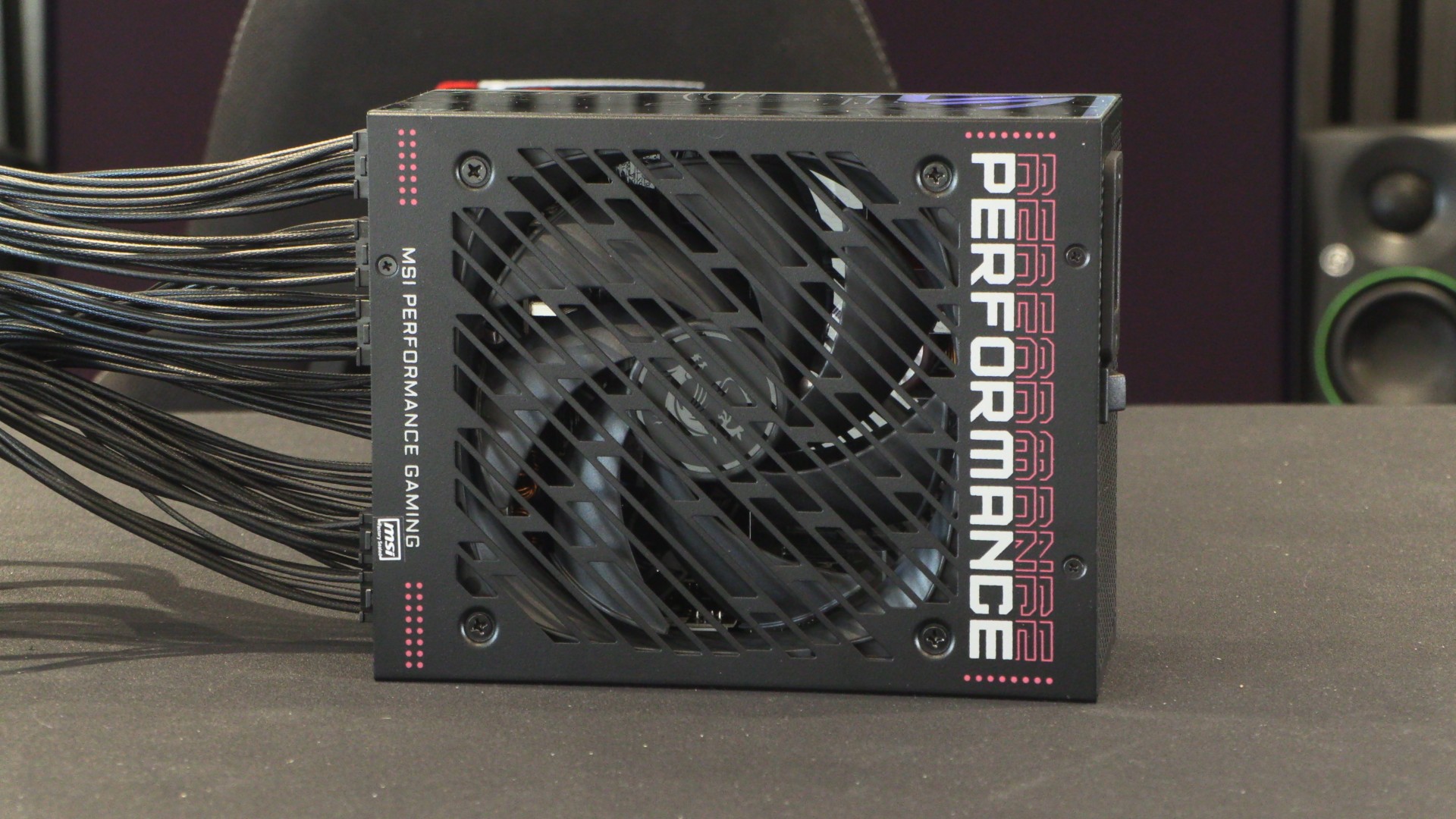
MSI GPU Safeguard+ finally allows me to trust 12V-2×6 GPUs
If I’m honest, I’m not a fan of 12V-2×6 or 12VHPWR. There have been far too many reports of burnt graphics cards or melted power connectors to ignore. If I were to spend many hundreds, or perhaps thousands, on a new graphics card, I want the assurance that its power connectors won’t burn to a crisp. This is where MSI has stepped in with their exclusive GPU Safeguard+ technology.
With their new MPG Ai1600TS PCIe5 and MPG Ai1300TS PCIe5, MSI has given 12V-2×6 GPU users advanced protection technology. Each wire on their 12V-2×6 power connectors is monitored in real-time to detect a power imbalance. This prevents cable-melting incidents by giving users ample warning and shutting down a user’s PC before any damage can be done. If too much power is pushed through a single wire,
We’ve recently published our review of MSI’s MPG Ai1600TS PCIe5 power supply, but we felt that its GPU Safeguard+ technology needed to be discussed separately.
Is 12V-2×6 safe?
What must be noted is that millions of 12V-2×6-powered graphics cards have been sold, and relatively few have experienced cable melting incidents. Every instance of a burnt or melted GPU is newsworthy, leading to the impression that these incidents are more common than they are. Even so, these incidents didn’t occur with older GPU power standards. As such, there is good reason for PC builders to be concerned about 12V-2×6.
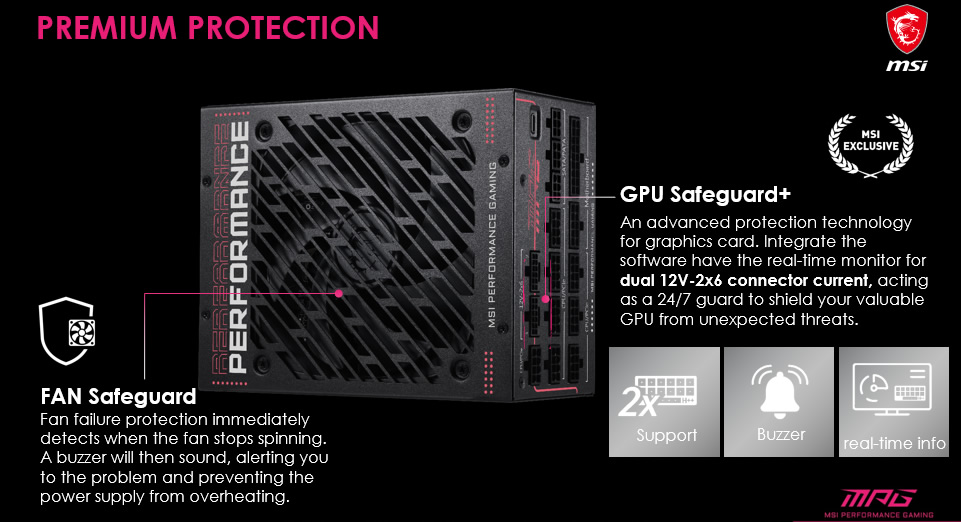
How MSI GPU Safeguard+ works
MSI’s MPG Ai1600TS PSU features an MCU that monitors current flowing through each pin of a 12V-2×6 power connector. The PSU uses this monitoring data to continuously monitor the system, enabling it to detect anomalies.
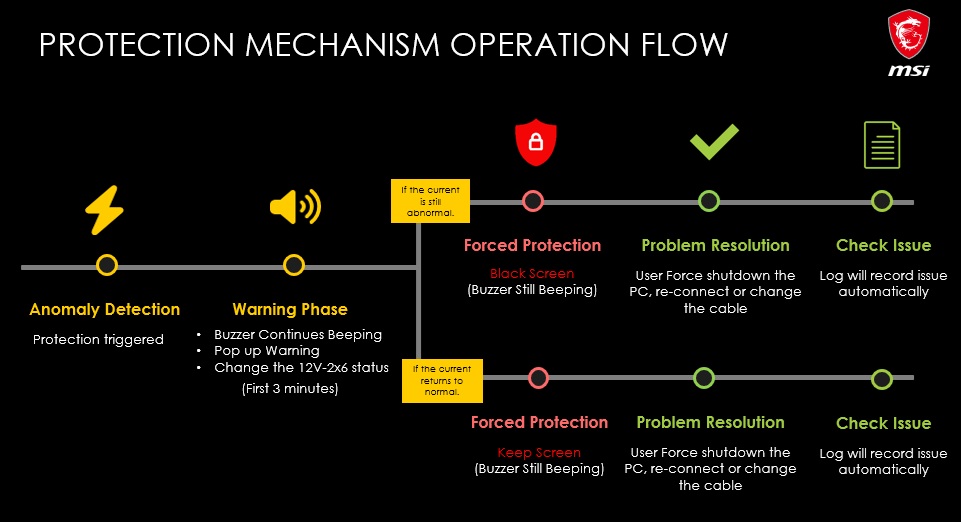
When unbalanced electrical currents are detected, a warning phase is activated that will alert users to issues. If sudden current spikes exceed safe limits, instant overcurrent protection is enabled, turning off your system.
Below is a chart for how Safeguard+ works when an unbalanced electrical current is detected.
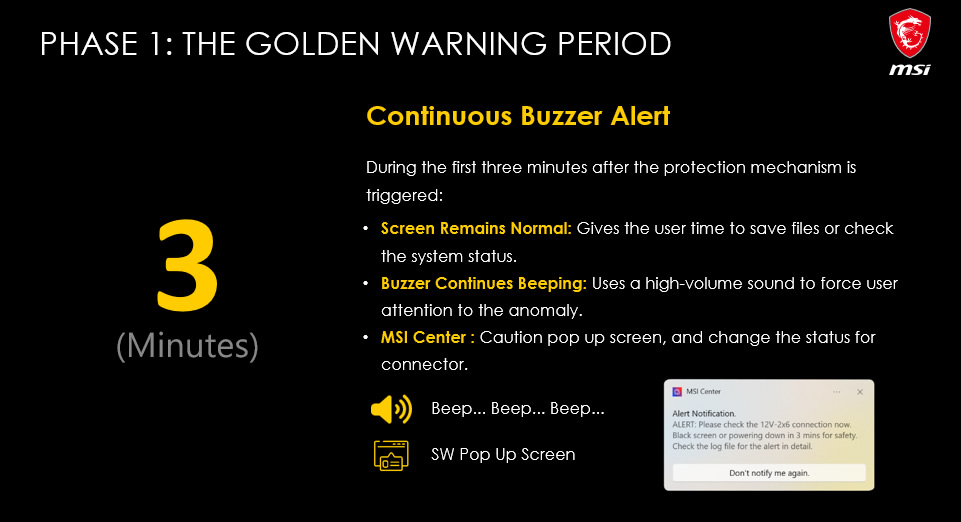
Phase 1
When protection mechanisms are activated, the system will run as normal, but users will see a pop-up alerting them to the error. Additionally, their PSU will start to beep. These two actions should prompt users to save their files and check their system status. This stage lasts for three minutes.
It is worth noting that this alert happens when the error is detected, not when heat buildup occurs. This means the error is detected before excessive heat buildup occurs. This gives users time to save their work before their system shuts down.
Software and hardware warnings and protection
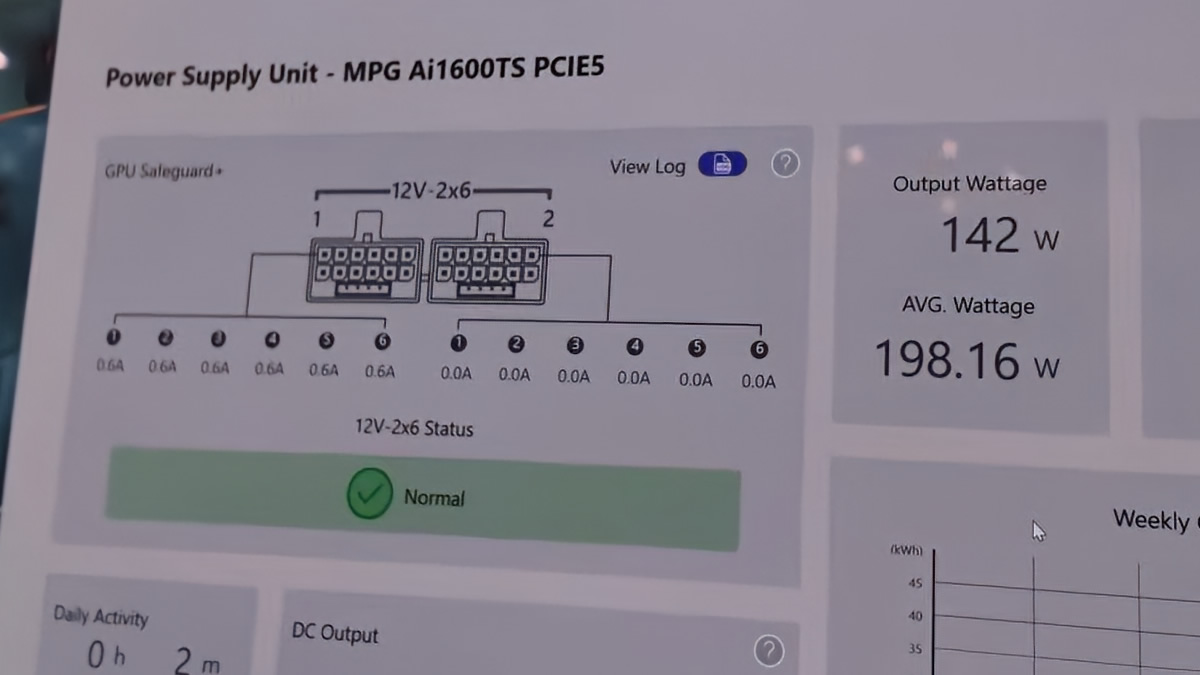
Below, we can see MSI Center measuring the current draw from each cable on a 12V-2×6 power cable. If abnormalities are detected, a warning will be displayed to users. This data is logged for future reference, should users need it.
Phase 2
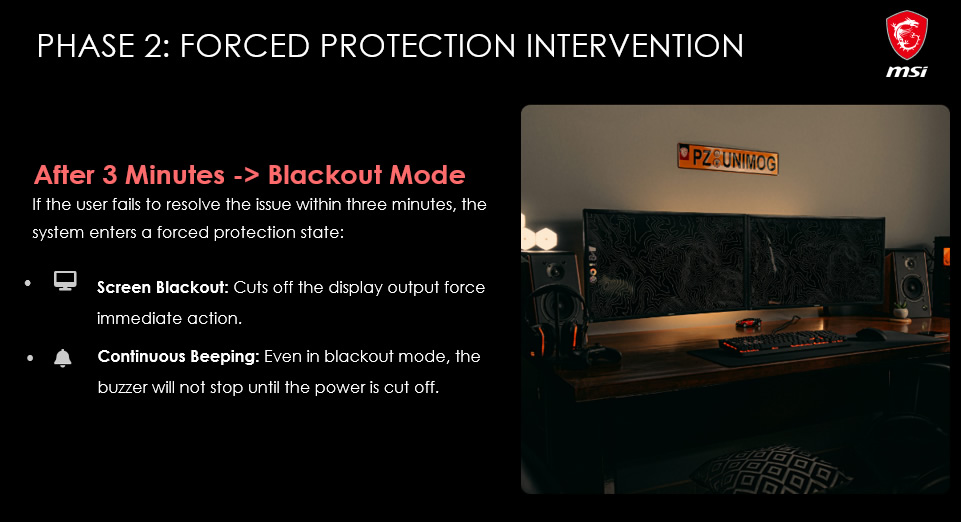
After three minutes, your PSU will enter a forced protection state. Power delivery to your graphics card will cease unless the power anomaly ends. This will cause your screen to go black. Your PSU will continue bleeping during this stage.
Phase 3
After their system enters protection mode, users should power it down using a forced shutdown. After this, users should check the condition of their system. The user should reconnect or replace their 12V-2×6 cables if necessary.
MSI GPU Safeguard+ VS GPU Safeguard
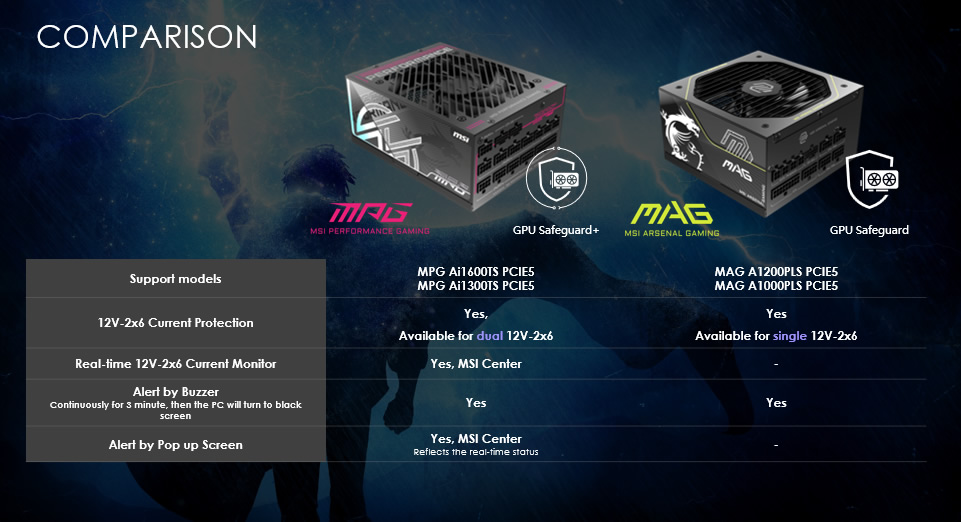
With their MPG AI1600TS PCIe5 and MPG Ai1300TS PCIe5, MSI offers its GPU Safeguard+. This means that they have 12V-2×6 current monitoring and protection, a buzzer alert, real-time 12V-2×6 current monitoring, and a PC pop-up alert if issues are detected.
MSI’s MAG A1200PLS PCIe5 and MAG A1000PLS PCIe5 PSUs only feature 12V-2×6 current protection and a buzzer alarm. Both sets of PSUs power off GPUs after three minutes, offering a similar level of protection. However, only GPU Safeguard+ PSUs have added MSI Center support, real-time monitoring, and analysis features.
This is a great advancement from MSI
If you are investing many hundreds or potentially thousands in a new graphics card, MSI’s GPU Safeguard and Safeguard+ technologies are a great way to help protect that investment. While 12V-2×6 cable melting/burning incidents are relatively rare, they do happen. For those who want peace of mind, MSI Safeguard and Sageguard+ deliver that. Honestly, I can see a lot of brands copying this MSI tech in the future.

You can join the discussion on MSI’s GPU Safeguard+ technology on the OC3D Forums.
