be quiet Pure Loop 3 LX CPU Cooler Review

Thermal Testing – Cinebench R24
OC3D CPU Cooler Stress Test
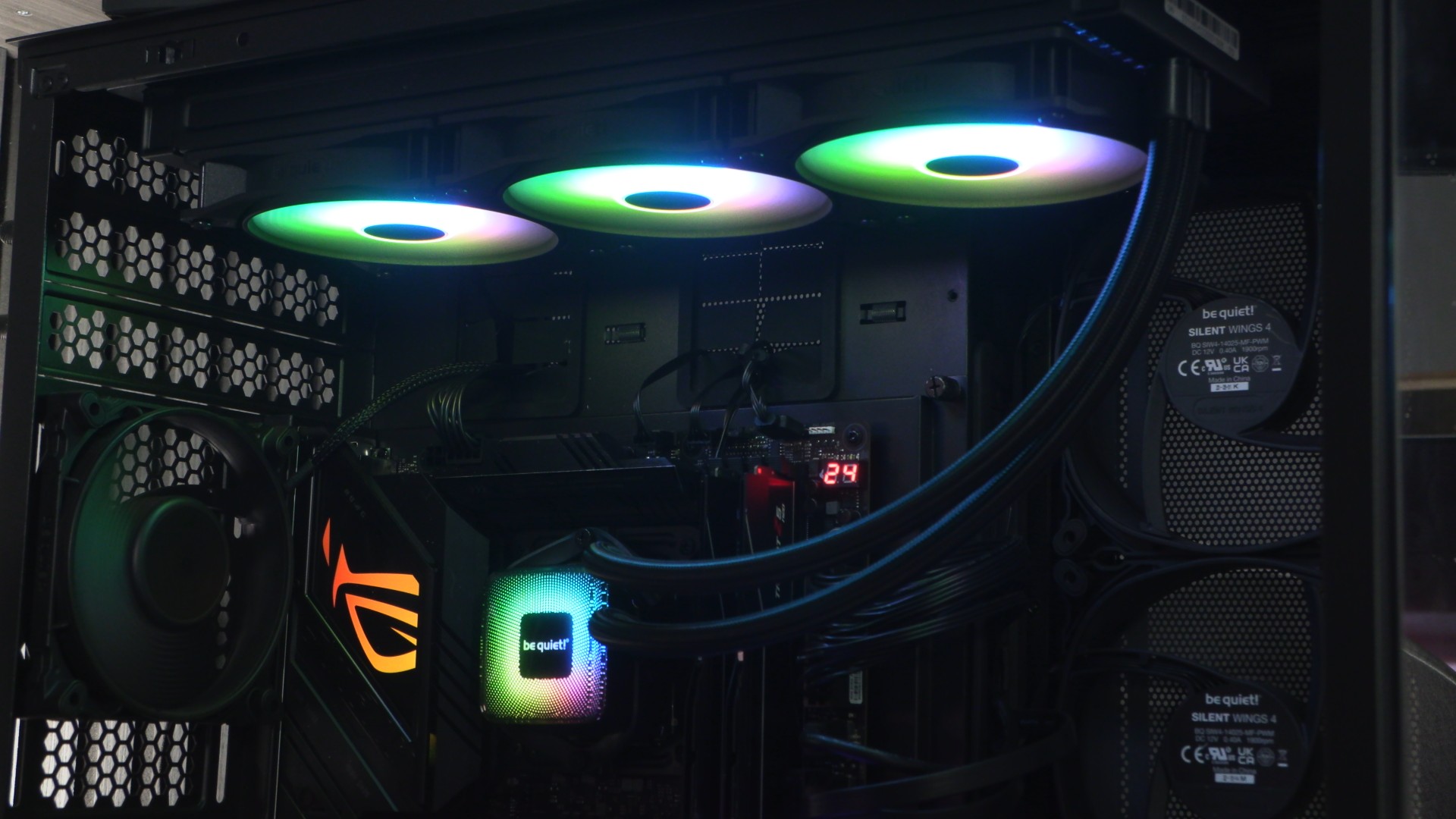
We want to push CPU coolers to their limit, and that requires a workload that will place maximum load on our i5-14600K CPU. Why didn’t we choose an i7 or an i9? The simple answer is that we want to test a variety of CPU Cooler options. If we put the hottest CPU we could in our system, only the best of the best CPU coolers would even past our testing procedures. Since not everyone uses such a power-hungry CPU, we decided to tone the wattage and thermal loads down by using an i5-14600K. Even so, this CPU consumes a lot of power and generates a lot of heat under all-core workloads.
For testing, we have used Cinebench R24. This is an all-core workload that places heavy strain on all available CPU cores. This load pushes CPU thermals higher than any other, and do so consistently. We use Cinebench R24 for 30 minutes to see how hot our CPU gets over that time. If CPU temperatures rise to 100 degrees Celsius or over, that CPU cooler has failed our testing. This is part of the reason why there are more coolers on our higher fan RPM cooler charts. Some coolers will pass our thermal testing at higher RPMs, but fail at lower fan RPMs.
1000 RPM Performance
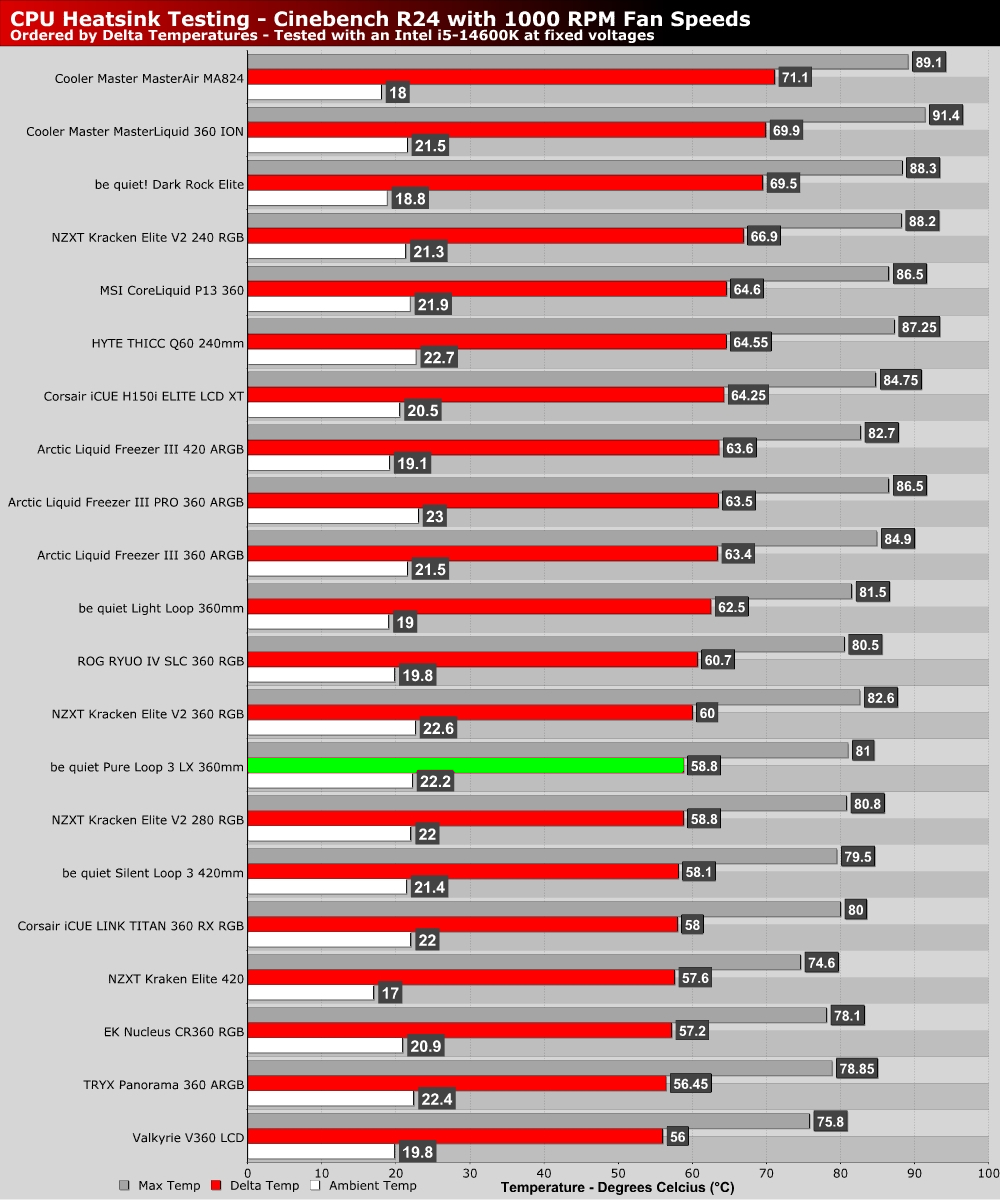
Despite its low pricing, the Pure Loop 3 LX 360mm delivers solid performance levels at low fan RPMs. Less than three degrees behind the best CPU cooler that we have tested. Not bad for a CPU cooler that costs around £120.
1500 RPM Performance
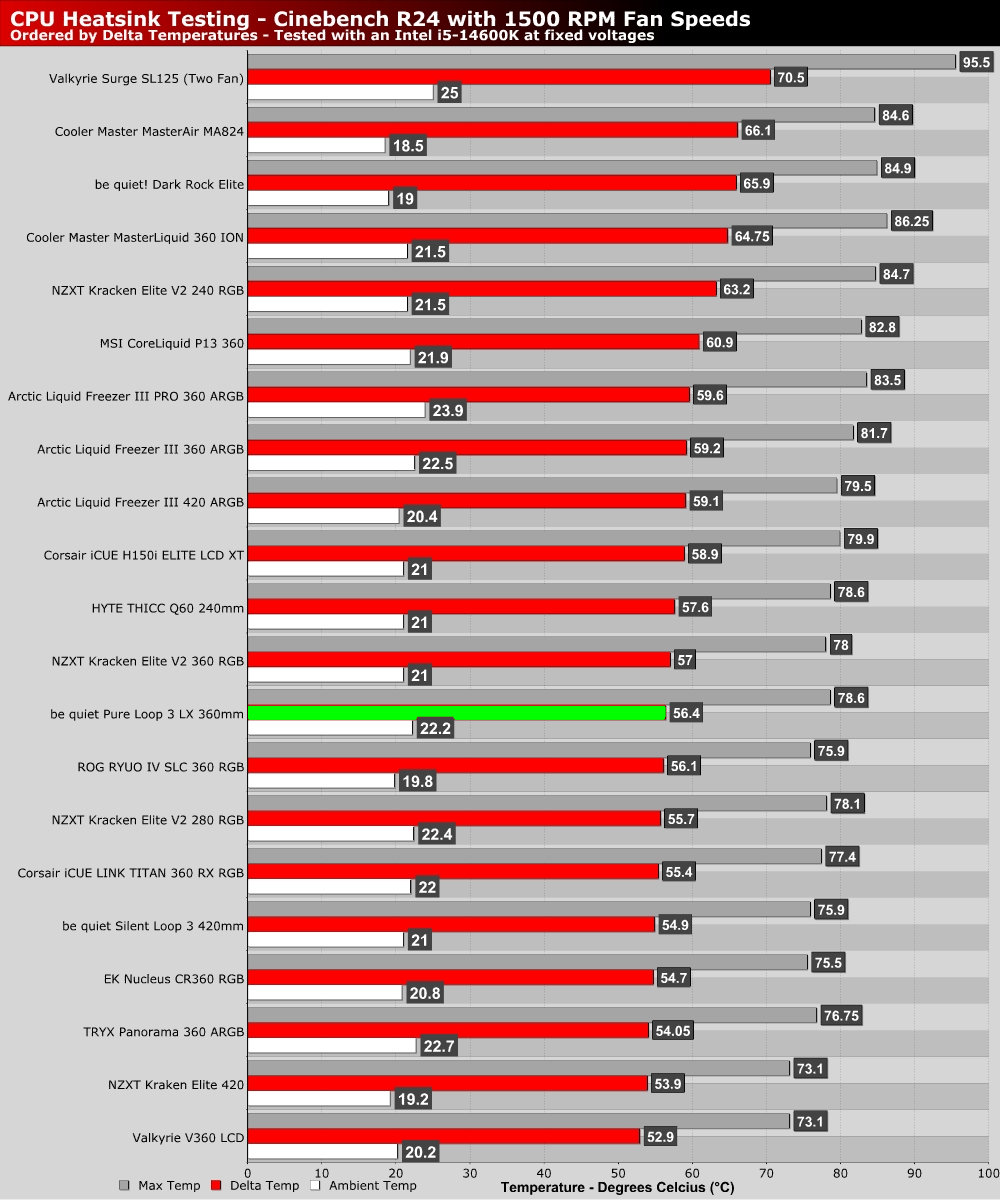
At 1500 RPM, we continue to see strong results. Below this cooler sits between NZXT’s Kracken Elite V2 360mm and ASUS’ ROG RYUO IV SLC, both of which are much more expensive products (with LCDs).
Max RPM Performance
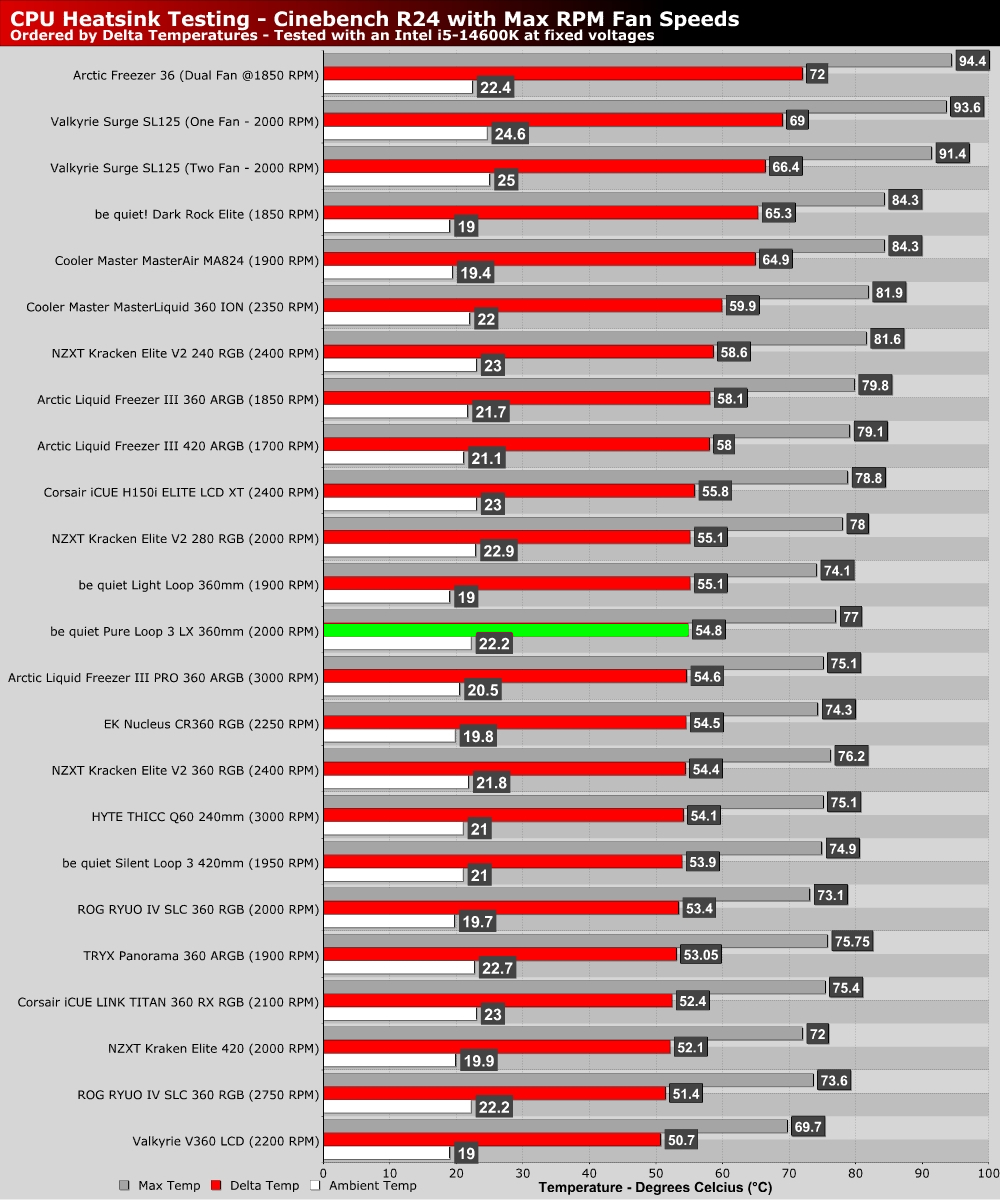
At this cooler’s maximum fan speeds, we see it fall a little behind in our charts. However, this is due to the fact that many cooler can operate their fans at higher RPM values. This cooler’s fans max out at 2,000 RPM, which is plenty fast for standard use cases. Faster speeds can deliver lower thermals, but they significantly increase fan noise. If you want a quiet PC, you don’t want to run your fans at overly high speeds.