


AMD Ryzen/Raven Ridge APU Gaming Review

Total War: Warhammer 2 – Can we push this game’s graphics without a huge performance hit?
With Total War: Warhammer II we decided to take a similar approach to Assassin’s Creed Origins, given the demanding nature of the title. Total War games are famous for their high system requirements for high framerate gameplay at its max graphical settings, making our lowly APUs quake in their sockets at the thought of battling a Skaven horde at Ultra settings.
What we decided to do here was to see how much further we could push the game’s graphics while maintaining a similar framerate, delivering a better visual experience without a huge performance downgrade. Below you can see the results of these changes.

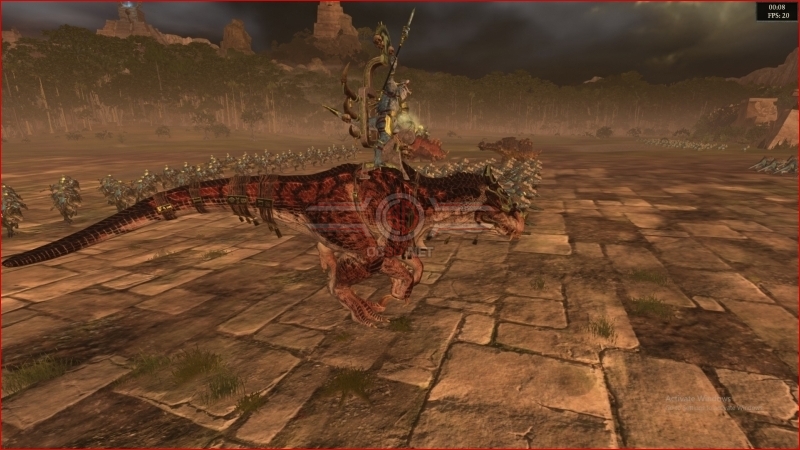


You can see that we have managed to increase the game’s unit sizes, push higher resolution textures and add a form of cheap anti-aliasing to the game, offering sharper details, less sharp staircase edges and more rats, lizards, elves, lizards etc to combat your opponents.
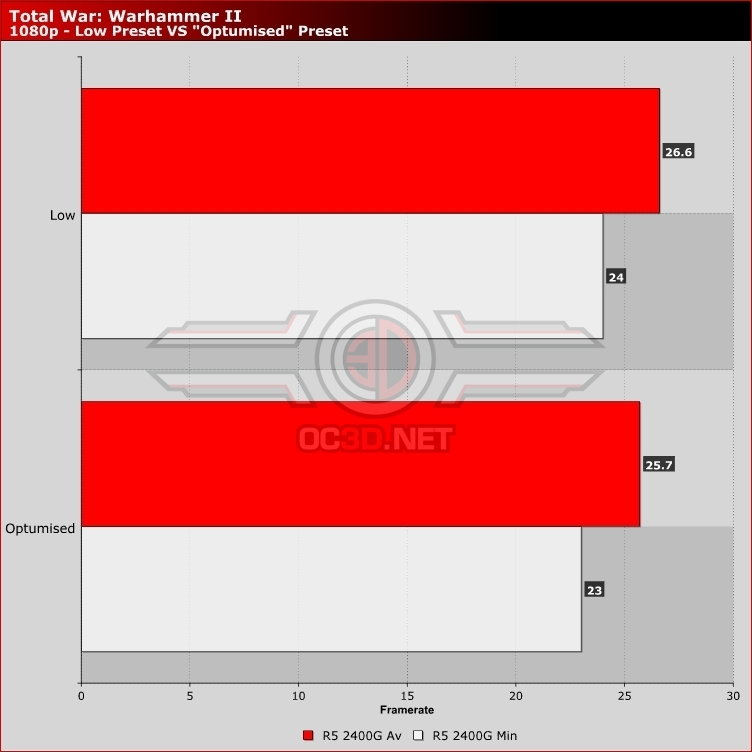
The use of FXAA will be a controversial choice for some, given how it reduced visual sharpness in some areas though we think the reduction in aliasing is worth the softer presentation. As you can see below, our graphical changes here have a minimal impact on the game’s performance, though we decided to leave the unit sizes to medium to give our APU an easier time when we played larger battles.
Performance
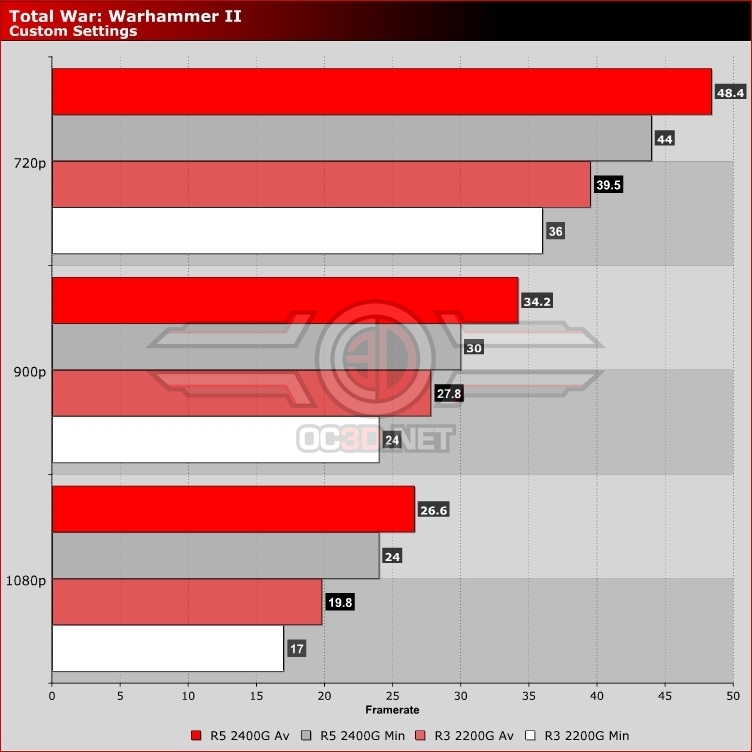
At 1080p it is clear that our two budget APU offerings are not quite up to running Total War: Warhammer II, requiring a drop to 900p for the 2400G to run at 30 or over and a resolution of 720p for our 2200G. Being a turn-based title on the campaign map, and a CPM (clicks per minute) light game in battle it is hard to see some performance dips as a significant problem in Total War Warhammer II.
Framerate dips in a Total War don’t affect gameplay much, given the fact that control response has a relatively small impact on the game, especially if you make use of the game’s battle pause mode in single player.
Below are the settings we used to play Total War: Warhammer II, activating FXAA while upping the game’s texture and terrain details while also boosting the game’s unit size to medium. We also decided to enable unlimited video memory, as these APUs can use more than their allotted 2GB of system memory without a performance downgrade.

