


ASUS ROG Strix Z790-A Gaming WiFi D4 Review

Up Close Continued
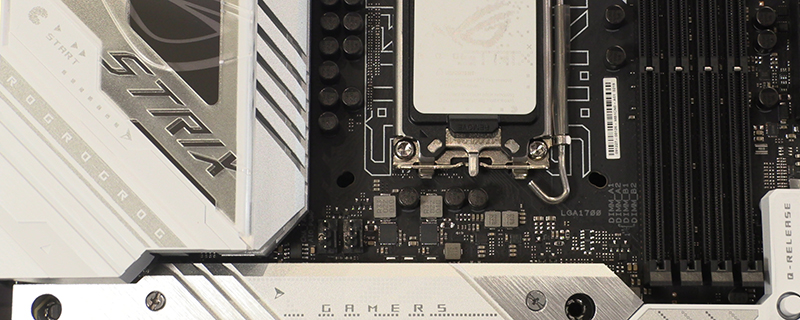
As we move along you can see the DDR4 DIMM slots sitting next to the incredibly useful PCI Express release latch. Why nobody else thought of placing it somewhere we can actually get to it we’ll never understand. Now we’ve got it we don’t want to go back to the old way. You can also see the two braced USB 3.2 Type-A and Type-C front panel connectors.

Another slightly curious element about the Strix Z790-A design. By using DDR4 they’re accepting it’s for those on limited budgets, yet they also give us only 4 SATA ports to play with. Pick a side, ASUS.

The bottom right corner contains the front panel connectors that always make us feel like we’re Dr Frankenstein plugging their monster in. It’s the vital connection between case and board. Three fan headers give you plenty of cooling flexibility too.

We can’t remember the last time we had an AIO that didn’t also require us to plug it in to a USB 2.0 internal header, and they are also useful for those of you with RGB fans. Funny how this old tech is kept alive by the newest glitz and glamour.

Lastly the bottom left has the second pair of ARGB/RGB headers for the AURA lighting, another fan header, and the separate board trace that keeps the SupremeFX audio free from any interference.

Here, finally, is where the AIO pump header connector is. It’s odd to split them up so much. Not very in keeping with the usual Strix attention to detail.

Taking off the M.2 heat spreaders shows how the design of the Strix works beneath those covers. We’re still not sure whether we like it, but that’s the benefit of a subjective opinion. You might love it.

Lastly the back IO, as well as having a superb Pacman and Ghost graphic, has a good selection of USB 3.2 ports, in both types. You’ve also got the BIOS and CMOS buttons, HDMI and DisplayPort outputs, and the jacks for the SupremeFX audio. Networking comes in both WiFi 6E and ethernet 2.5Gb versions, depending upon your preference and router location.

