


Gigabyte AB350N Gaming Ryzen ITX Motherboard Review

Conclusion
One of the problems that has always existed with ITX motherboards is one of real estate. It doesn’t matter how careful you are with your component placement, how much attention to detail you employ, the stark reality of the limited PCB size means that there will always be compromises.
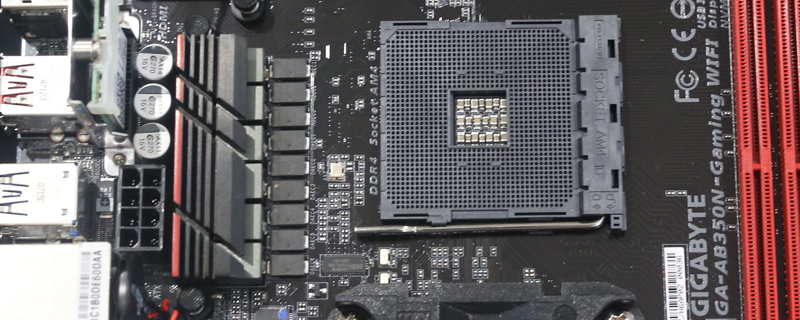
With the larger AMD AM4 socket that real estate has shrunk still further and when you combine it with all the features that form part of the B350 chipset then it would take a lifetime to place them as well as they have been, much less improve upon the layout. This means that the VRM MOSFET heatsink on the AB350N is somewhat inadequate to the task in certain situations.
As we saw on the previous page if you’re looking to put a beefy member of the Ryzen range into this motherboard then you are pretty much forced to run a downward facing cooler rather than the tower style, and no chance at all of running an AIO. How much performance you can then extract from your setup largely depends upon your tolerance for temperatures. Gigabyte said that 70°C would be the upper limit, we’re totally comfortable with 90°C, and the manufacturer of the MOSFETs rates them up to 125°C, although naturally you wouldn’t want them getting that hot. With a downward facing cooler utilising high speed fans you could happily run a Ryzen 7 1800X at stock, or overclock the bejeezus out of a Ryzen 5 1600X and still maintain usable temperatures.
Considering the compact dimensions of the AB350N Gaming ITX the overclocking capabilities are better than expected, managing to overclock all three of our test CPUs to 3.9 GHz, which is only 100 MHz away from the speeds we’ve seen on some beefy X370 motherboards, let alone one as affordable and lets face it – as small as this.
Like so many things you need the right tools for the job, and with the Gigabyte AB350N ITX as long as you know that the right tool for the job is a downward facing cooler to push lots of cooling air across the voltage regulators, then you’ll be delighted at the performance you can squeeze from this compact setup. Just be aware we would suggest normal tower coolers and even AIO water coolers are almost in every instance a no go here. Get the right kit and she will serve you well but we cant help feeling that the heat sink it self could have easily and should have been bigger. We also think without a downdraft cooler the board is almost at the point its not fit for purpose so Gigabyte need to make it clear on all retailers this needs a down facing cooler and it wouldn’t be a bad idea if they offered a bundle deal too. Might also be an idea to change the heat sink and offer them for free to anyone that has bought the board assuming the design was actually sound.
Something that has come to mind is either they knew about this lack of cooling and still signed the product off or more worryingly haven’t actually tested any of this. Lucky we did really.
Discuss your thoughts about the Gigabyte AB350 Ryzen ITX Motherboard Review on the OC3D Forums.
