Gigabyte Z68XP-UD3P Review

Up Close cont
Despite its full ATX size the UD3 doesn’t want for connectivity options. The Gigabyte front-panel connector is one of my favourites, being both colour-coded and having the connections marked on the circuit board. Anyone who’s spent ages flipping through a manual trying to work out what goes where will appreciate the simplicity of the Gigabyte solution. We’ve also got a USB 3.0 connector should the two hard-wired ones prove too few for your high-speed needs.
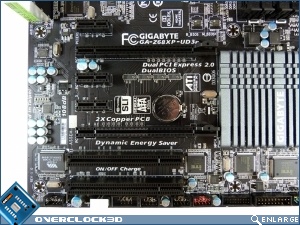
All your PCI needs are covered. We’ve got two legacy PCI slots for those ancient old bits of hardware you should have long thrown out, three PCIe x1 ports for those extra USB ports or soundcards and the like, as well as the two big ones for GPUs. One x16 and one x8. It’s a little disappointing to see the second port is only x8 and restricts the main PCIe to x8 if both are populated, but there is a reason this is the UD3P and not the UD5 or better.
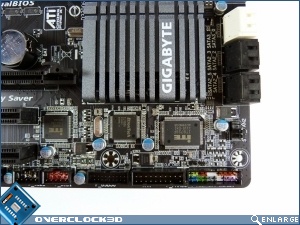
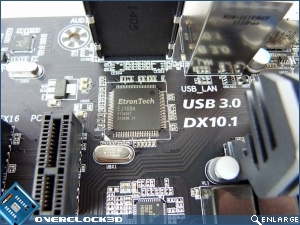
Speaking of USB3.0 ports the ones on the UD3P are provided by an EtronTech EJ168A which is a new one on us and we can’t think of another motherboard we’ve seen that used this particular solution.
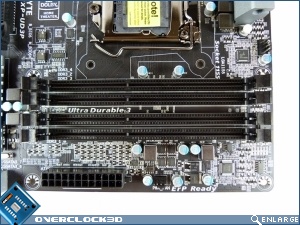
Up next to the DIMM slots is a row of LED indicators for those times your overclocking exploits or hardware installation isn’t quite up to snuff. The memory sockets do seem particularly close to the CPU socket, so if you plan on some monster cooler it’s worth making sure you’ve got low profile DIMMs.
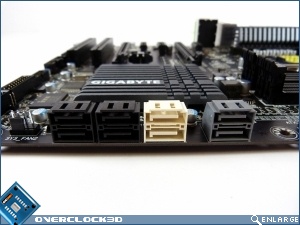
The Z68XP-UD3P has 8 SATA ports, with half of them being the 6Gbp/s variety. This is good to see as the backwards compatibility of the SATA III means there is no reason other than cost to not use as many as possible, especially as the speed benefits are so enormous compared to SATA II.
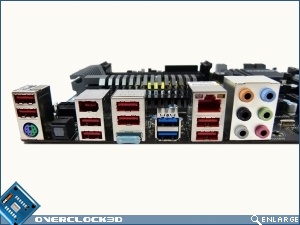
Finally round the back we have a plethora of USB2.0 ports along with the standard LAN and audio connectors and a couple of USB3.0 ports. Video output is limited to a HDMI but that’s plenty for most modern displays.