Gigabyte Z87X-OC Review

Up Close
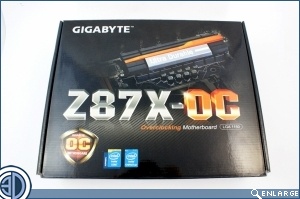
In keeping with a board aimed squarely at the enthusiasts, rather than someone wandering past a shelf, the Z87X-OC comes in a very simple box, dominated by the model name. One very cool feature for anyone who is looking to push their system hard is the inclusion of the PCI bracket. Nearly everyone who is in the pursuit of records runs on an open bench table for ease of access. This has the downside of meaning that your GPU isn’t secured, and this becomes ever more of a problem the more cards you install. By providing a bracket to keep the cards stable, up to four, it’s a small feather in the cap of the Gigabyte, albeit on that most of you will never use.
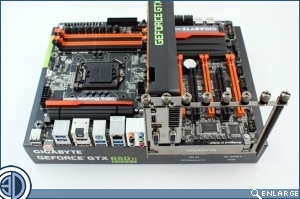
The Z87X-OC itself is a little bit of a mixed bag in looks. The black and orange obviously looks lovely, but the heatsinks are extremely plain and uninteresting. The MSI Gaming has set the bar high and it’s up to everyone else to keep up.
The area around the CPU socket is kept as clean as possible to allow for easy use of exotic cooling solutions.
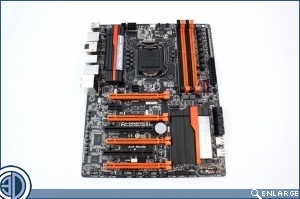
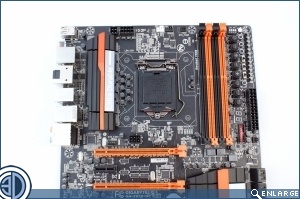
It’s nice to see the CMOS battery below the second PCI slot. There are some things that are best cured by the old school battery removal technique, and it’s nice to know we don’t have to take out the GPU to do so. The PCIe x1 slot would be better at the bottom of the ‘board for those with a modern sound-card. Where it is it’s pretty useless unless you’re not running a GPU, and who has a sound card but no graphics card?
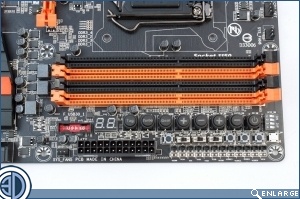
Tucked away by the RAM slots are all the important buttons that allow you to easily overclock. We’ll cover the buttons in detail on a subsequent page, but below those are a switch for the OC Trigger button that’s found at the rear of the Z87X-OC, BIOS selection switches, the amazing Settings Lock button which remembers your previous settings even after a CMOS clear, memory safe and CMOS clear buttons round out the set.
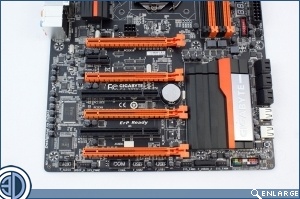
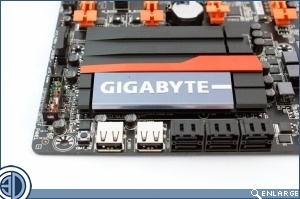
With a lot of cool add-ons available for the front of our cases, it’s nice to see some proper USB ports available at the front of the OC. It’s worth noting that these support the On/Off charge which enables you to swiftly charge your mobile devices, and most of us have a phone or MP3 player plugged in at all times.
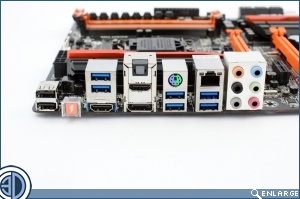
At the rear we have, from left to right, USB2, OC Ignition, USB3 and display outputs, PS2, GigaLAN and the 8 channel audio.