


Ashes of the Singularity PC Performance Review

Graphical Options and Settings
In Ashes of the Singularity, there are a lot of graphical options for PC gamers to tinker with like game resolution, Anti-Aliasing, Point Light Quality, Glare Quality, Terrain Object Quality, Shading Samples, Terrain Shading Samples, shadow quality and Texture Quality.
Once you start the game you will be asked whether or not you want to run the game in DirectX 11 or DirectX 12. You cannot change what graphical API you are using in-game and you will be required to restart the game when you change any of the game’s graphical settings.
Today we will be testing the game with the games 5 in game quality profiles, Low, Standard, High, Extreme and Crazy. Screenshots of each of these graphical presets are shown below.


(Low Preset (Left), Standard Preset (Right))


(High Preset (Left), Extreme Preset (Right))
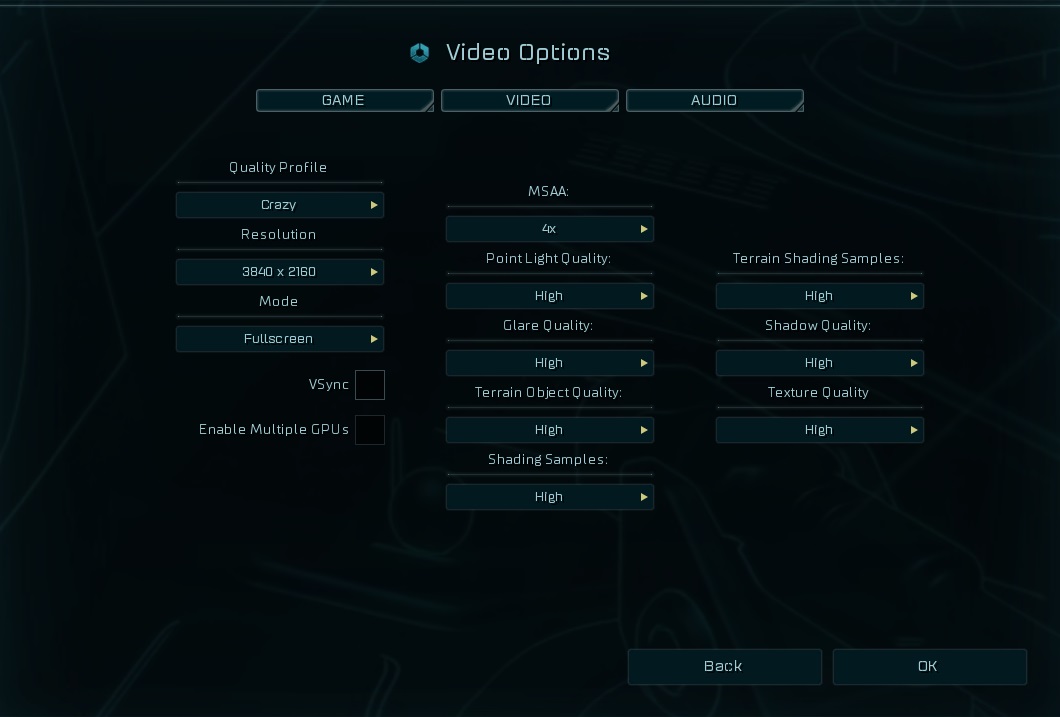
(Crazy Preset)
