Hands on with Panther Lake – Intel ARC B390 Gaming Tested!

More Games Testing
More Games testing!
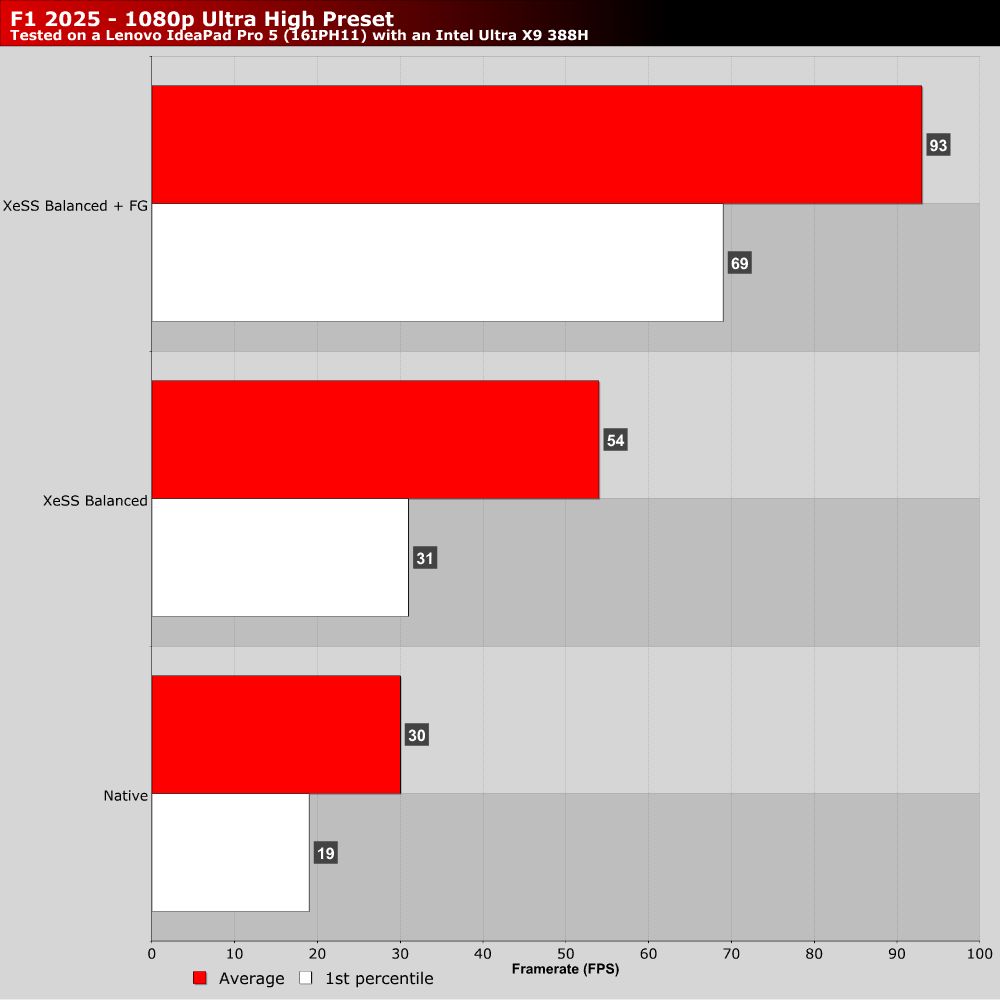
If you’ve read our content before, you’ll know that we love a good racing game. So our next ports of call were F1 2025 and Forza Horizon 5. With F1 2025, we will note that the game’s Ultra High preset makes heavy use of ray tracing. Even so, we got very playable performance when XeSS and Frame Generation were enabled.
Honestly, I thought that I would need to turn off ray tracing to get good performance from an integrated graphics chip. Based on this result, Intel’s ARC ray tracing cores are robust and shouldn’t be underestimated. With a few optimised settings, I bet I could get this game to run at 120 FPS. Sadly, we didn’t have time for that.
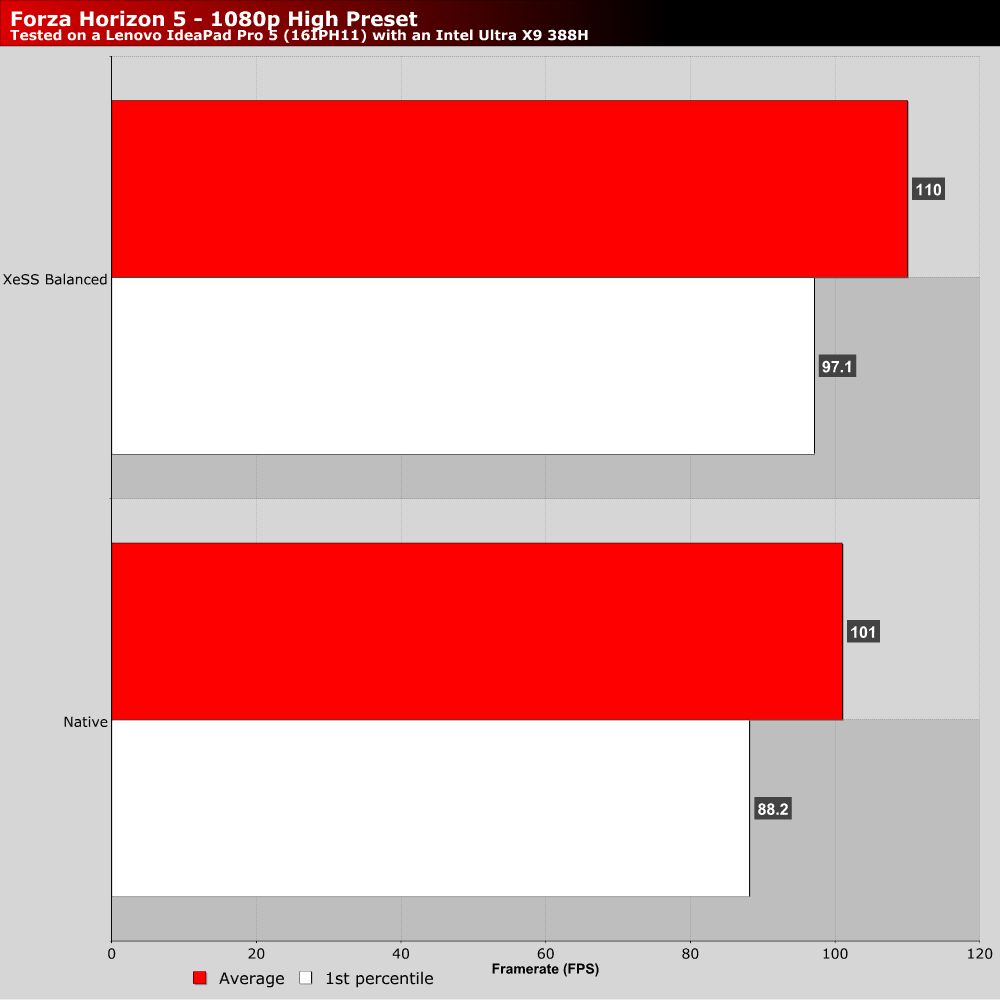
Next, we have Forza Horizon 5. We quickly ran the game at 1080p High settings and then ran the game with XeSS set to “Balanced”. Note that XeSS didn’t give us much more performance in this game. Sadly, we couldn’t analyse this further. Are we CPU-limited? Regardless, running this game at over 100 FPS on integrated graphics is a huge achievement.
An unfair test
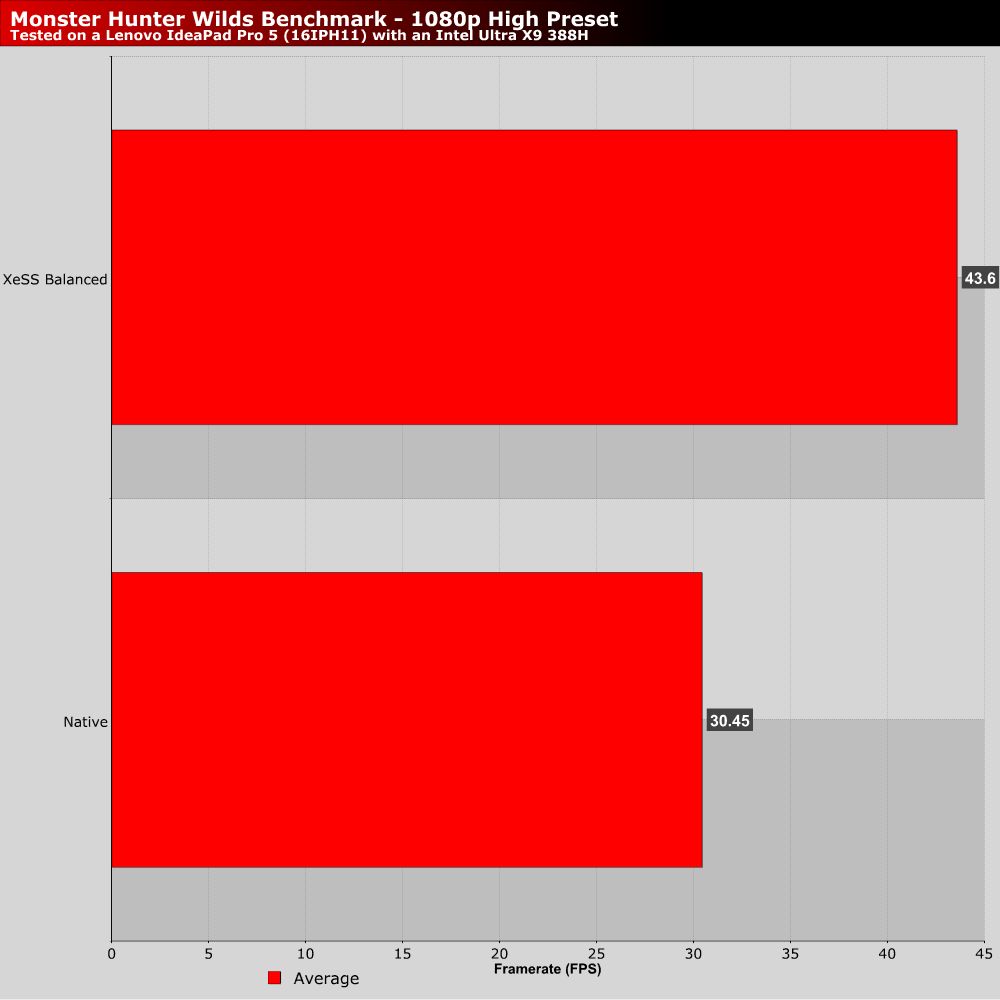
We had time for one more test, and Monster Hunter Wild’s PC benchmark was installed. We had to try it. Note that this test isn’t based on the newest version of Monster Hunter Wilds. As such, it is not well optimised. That said, the results below clearly show strong performance gains when using XeSS.
If we were running the retail version of Wilds, the game’s optimisation patches would have yielded us better performance. Additionally, it would have added XeSS Frame Generation, giving us another way to smooth out this game’s framerate. Add in some optimised settings, and should have a playable experience on Panther Lake.