


ASUS Strix Scope TKL Deluxe Review

Up Close
All the Strix products have one thing in common, namely that the packaging is dominated as much by the rainbow ROG Eye logo as it is by the product image. With such a lot of real estate available to the designers, even on a TKL keyboard, the Scope is definitely going to grab your attention.

In keeping with the modern style of packaging that has stopped pointing arrows at absolutely every single feature, the Strix Scope TKL Deluxe just shows off the elements that differentiate it from the herd.

Inside the box we have the keyboard itself, trimmed in all the elements that one would expect to find on a Republic of Gamers branded product. We also have the detachable cable which, thankfully, has a Type-C connector on the keyboard end making it easy to attach and detach, a far cry from the days when you were peering into a tiny recess trying to discover which way up the keyboard expected your micro-USB cable to be.
The wrist rest deserves special praise, being plush and supportive and a great improvement upon the hard plastic options that are a wrist rest in the same way that a spike can be a seat if you’re determined enough.

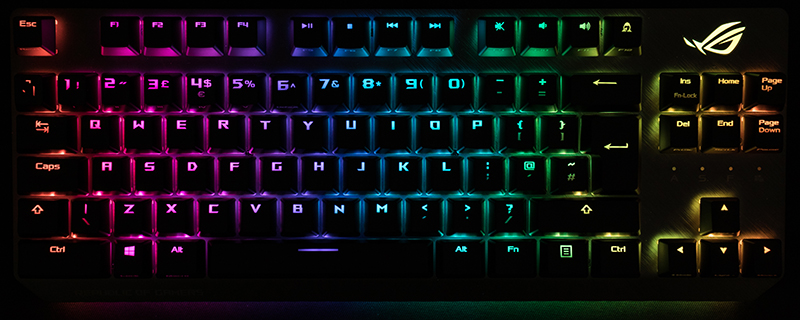
Besides the smaller form factor of the TKL design, the eagle-eyed amongst you will have noticed that the left control key is double the width of most CTRL keys. Given how commonly this is used as a part of your FPS keyset, it is something we find more useful than you might imagine if you haven’t experienced it.

On the underside we find plenty of rubber pads to keep the Strix Scope TKL firmly locked in place on your desk, and the plastic covers will ensure that the tacky coating doesn’t get covered with fluff before you get the keyboard onto your desk. There is also a light bar at the leading edge of the Scope which gives an attractive underglow effect, even if it is – or at least should be if you value your wrists – hidden by the wrist rest.

Like nearly every other mechanical keyboard on the market the ASUS Strix Scope TKL utilises the legendary CherryMX switches as its backbone, here in the most popular red format. Red switches have the shortest actuation distance, the lightest pressure and the most linear response with no tactile click or bump to let you know you’ve pushed it far enough. Once you’ve learnt that mechanical keys don’t need to be depressed any further than scissor or laptop style ones you’ll appreciate the speed available from the Reds.

