


Corsair M55 RGB Pro Review

Up Close
We’ve spoken about the visual impact of the Corsair packaging so often you must have grown weary of hearing about it by now, but no matter how often we see it there is something about the eye-catching yellow and clear product picture that demands your attention.


Normally manuals for mice remain firmly in the box but as the M55 RGB Pro has the capability to switch between left and right handed modes without needing to install the iCUE software it is perhaps worth taking the time to see which button combination does this, so you don’t accidentally swap sides when being particularly clumsy with your inputs.

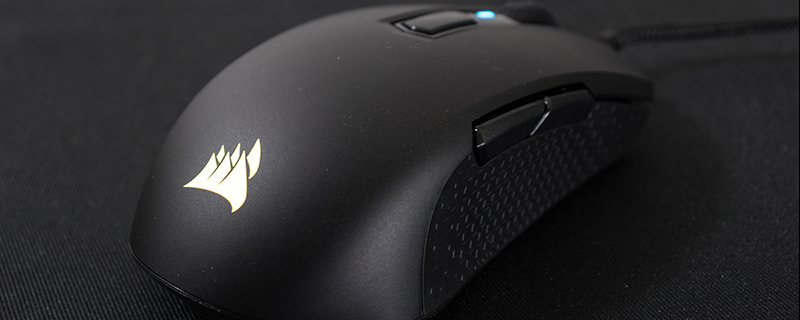
As an ambidextrous mouse the R55 RGB Pro has perfect vertical symmetry. We like that the DPI button is flush rather than prominent, and that the side buttons are easy to reach and yet don’t get in the way regardless of which hand you use. What you can’t get in mere photographs is the lightness of it. At a mere 86 grams it’s one of the lightest mice on the market and yet doesn’t feel flimsy in any regard.

On the underside we have a central position for the PAW3327 sensor – thankfully the days of offset sensors seem to be behind us – and there is plenty of PTFE acreage to ensure the M55 glides smoothly across your surface. It’s also worth noting that the braiding on the cable is particularly good. We worried at the mid-point pricing that Corsair might have gone with a harder wearing but less flexible braid, but it’s as robust and yet flexible as any we’ve seen.

As you would expect from a symmetrical design the M55 RGB Pro looks the same on both sides, with a large textured surface providing the grip and two similarly sized buttons performing the front/back and any other functions you choose. We’re particularly happy with how uniform the crispness of the click is on all four side buttons.


