Ducky Cushion 98 Keyboard Review

Conclusion
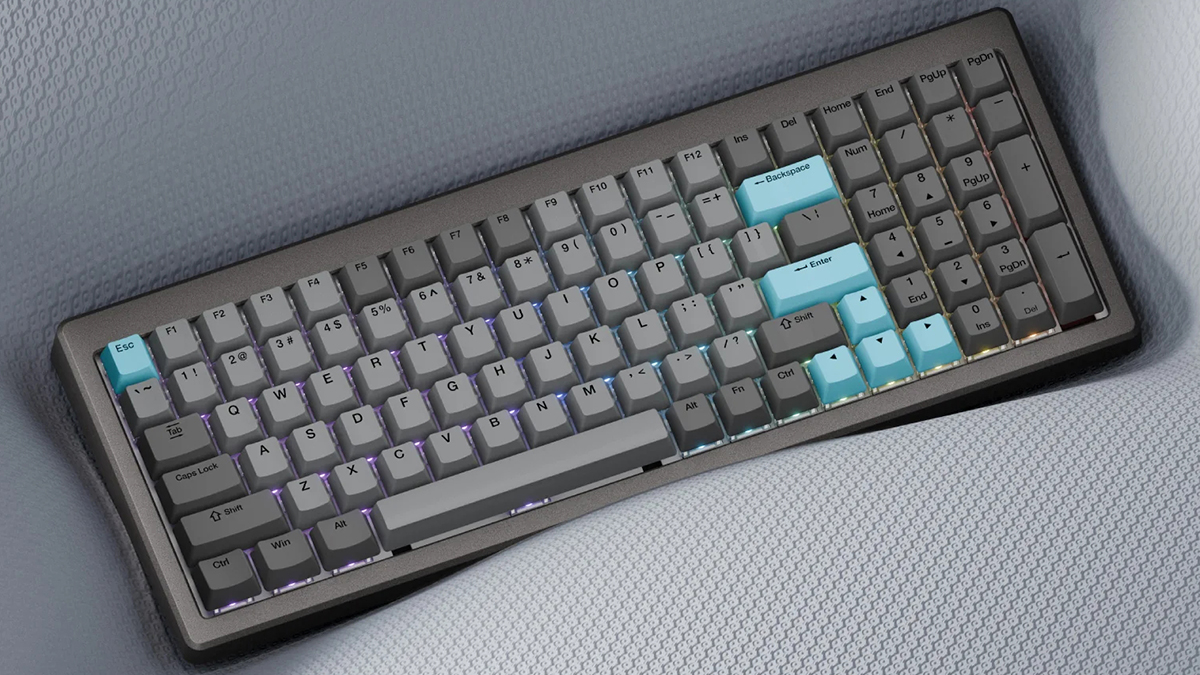
Conclusion
The Ducky Cushion 98 continues their fine work. We say all the time that you don’t need to limit yourself to a single manufacturer, and if you care at all about your Human Interface Device, you have to investigate a proper keyboard. The Cushion 98 ticks an awful lot of keyboard boxes.
Obviously the first thing you notice is the size. There are plenty of full size keyboards, and if space is an issue then the TKL options are there. This is an 80% with 100 keys. So you are not compromised by having to run without a numpad, but neither do you have a keyboard taking up acres on your desk. It is very good if you need the smaller footprint.
User-Friendly
Connectivity hits the flexibility that makes life easier. As well as a wired option, the Cushion 98 has Bluetooth and 2.4GHz wireless connection choices. Perfect if you want to own a single keyboard that works with everything. Just like your comfortable jumper or a favourite pair of trainers, familiarity let’s you do things faster. Should you want to go down the wireless route, note the Cushion 98 has a 4000mah battery. Days of use without having to live near a charging port.
That ease of use carries over into the web based software. You saw on the previous page how well laid out and clear it is. It’s responsive too. If you’ve ever found yourself fighting to assign a macro to a specific key combination then the Ducky software makes you happy. Configurable on a browser also means you can be up and running on any system with the minimum of fuss. That simplicity doesn’t limit your options though. Two Fn layers give you 180-odd custom key options. Additionally the RGB has multi-layers built in, so you can enjoy a regular look on the desk, and easily setup up a reactive profile if you want.
Quiet
For a long time we said that the Ducky keyboards were as quiet as mechanical keyboards got. If you want NKEY rollover, and you do, then go Ducky. Be Quiet then launch their Mount range, and stole the silence crown. Clearly Ducky haven’t rest on their laurels, and the Cushion 98 is the results of their labour. As you saw from our photos on page two, you have a carefully crafted keyboard, and are provided with two different damping options. Combine those with the Ducky Shush Silent switches and you end up with a keyboard which stands toe-to-toe with the Be Quiet offering. Even if you type like an elephant you’ll struggle to hear it.
Perhaps most impressively is how Ducky have solved the problem of giving you damping choices. You don’t need a screwdriver or Allen key. Magnets and a stable surface and you’re good to go. We especially like how you can’t fault the build quality. You’d imagine a setup that lets you remove all the layers of the keyboard would introduce flexibility, but it doesn’t. It’s as if it doesn’t come apart at all, except we know it does.
For combining the legendary reliability of the Ducky brand, with a new level of silence that matches the market leader, the Ducky Comfort 98 wins our OC3D Silence Award. You won’t type on a quieter keyboard this year.

Discuss the Ducky Cushion 98 in our OC3D Forums.