Gigabyte Aivia Krypton Mouse and Mousepad Review

Gigabyte Aivia Krypton Mouse and Mousepad Review

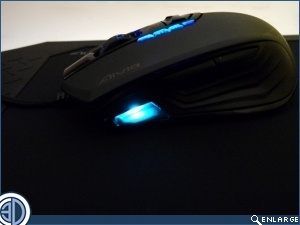
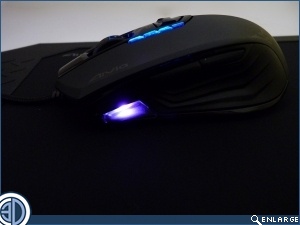
Lighting

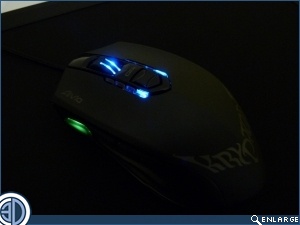
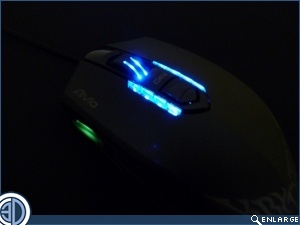
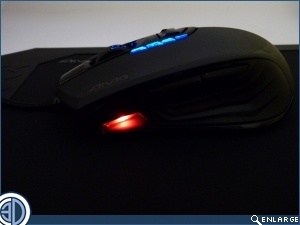
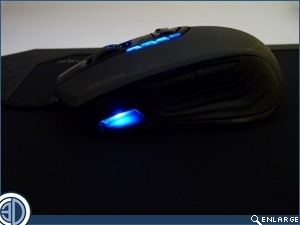
At the side of the DPI switch is a visual indication of which stage you’re in of the four you can set in the profiles. The wheel brightness can be adjusted so if you find it irritating you can dim it, or even turn it off entirely. 

Gigabyte Aivia Krypton Mouse and Mousepad Review     Gigabyte Aivia Krypton Mouse and Mousepad Review  
Within the software, which we’ll see on the next page, you can adjust the colours of the profiles to suit your preference for easy, at a glance, profile identification.
Gigabyte Aivia Krypton Mouse and Mousepad Review      Gigabyte Aivia Krypton Mouse and Mousepad Review  

Gigabyte Aivia Krypton Mouse and Mousepad Review     Gigabyte Aivia Krypton Mouse and Mousepad Review  

Uh-oh! It looks like you're using an ad blocker.

OC3D relies on ads to provide free content and sustain our operations. By white listing us on your ad blocker, you help support us and ensure we can continue offering valuable content without any cost to you. We only run our own hand picked ads from Industry brands like MSI, BeQuiet, Sapphire and PC-Specialist - meaning they are all relevent to the content you are reading.

We truly appreciate your understanding and support. Thank you for considering whitelisting OC3D