


MSI Vigor GK60 Mechanical Gaming Keyboard

Up Close continued
By default the Vigor GK60 has less curving on the keys than some keyboards we’ve reviewed, but this is offset by the thicker chassis giving a more banked – and thus ergonomically comfortable – typing experience without necessitating the raising of the feet. If you prefer your keyboard aimed a little more towards you then the feet do jack it up quite high. We also like that the feet raise sideways so that there is zero chance of the keyboard collapsing backwards onto them if you push it hard. Although with the extra rubber foot at the front we saw on the previous page this would require a very serious shove indeed.


The business end of the Vigor GK60 is the Cherry MX switches, here in our favourite Red format. Every mechanical keyboard of note utilises these switches and even though they have been copied many times they have never been bettered. Reliability is the cornerstone of them, and given how much abuse our WASD key grouping takes it’s something that we greatly respect. It’s also worth noting, in case you were unaware, that each switch is individually housed so if one does die you do only need to replace that one, rather than the whole keyboard.

Lighting, profile and media keys are controlled by the now standard combination of the Fn key – here labelled with the MSI Dragon logo – and the home grouping f keys. It’s all very easy to use onboard if you didn’t want to tinker about in the software, although obviously the software opens up greater possibility for customisation.

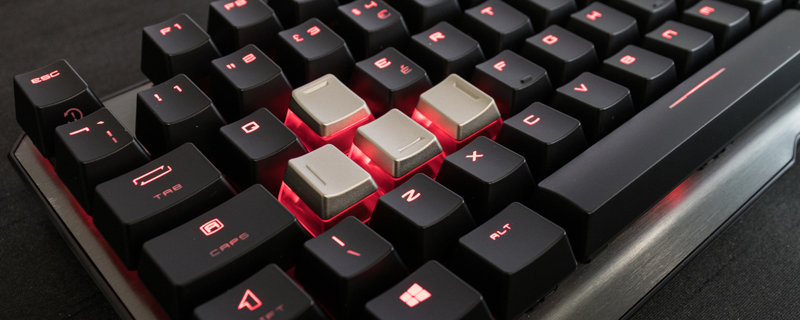
There are plenty of lighting modes available by default on the Vigor GK60, even if they are nowhere near as impressive when utilising a single colour as they are on the full RGB offerings. Still, it’s nice to have the basics covered and we’re sure that for most people just a fully lit keyboard or a FPS keyset will be enough to make them happy. Note also that the lock indicators are also red, and not too bright.


