AMD FSR 4 Redstone Tested – Call of Duty: Black Ops 7

FSR Ray Regeneration Tested
FSR “Redstone” Ray Regeneration Tested in Black Ops 7
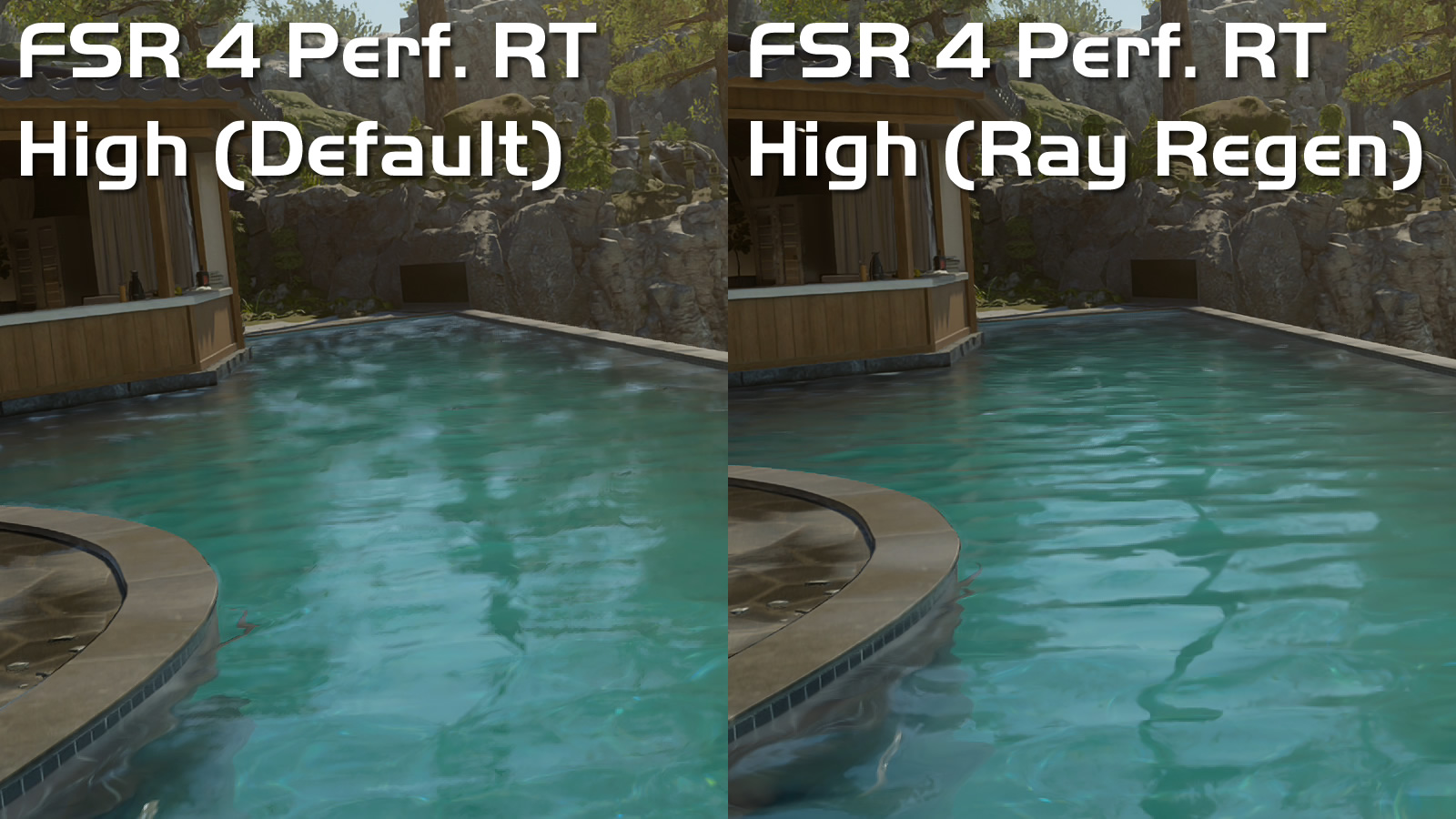
The first thing that I will note about FSR Ray Regeneration is that it is much more temporally stable than Black Ops 7’s “default” denoiser. In the image below, the water reflections are more defined and less hazy. That said, reflections are far from clear on this wavy pool, as they would be in real life.
With Ray Regeneration, these reflections become clearer and less fuzzy. Honestly, without ray regeneration, it is arguable that these reflections are not worth enabling.
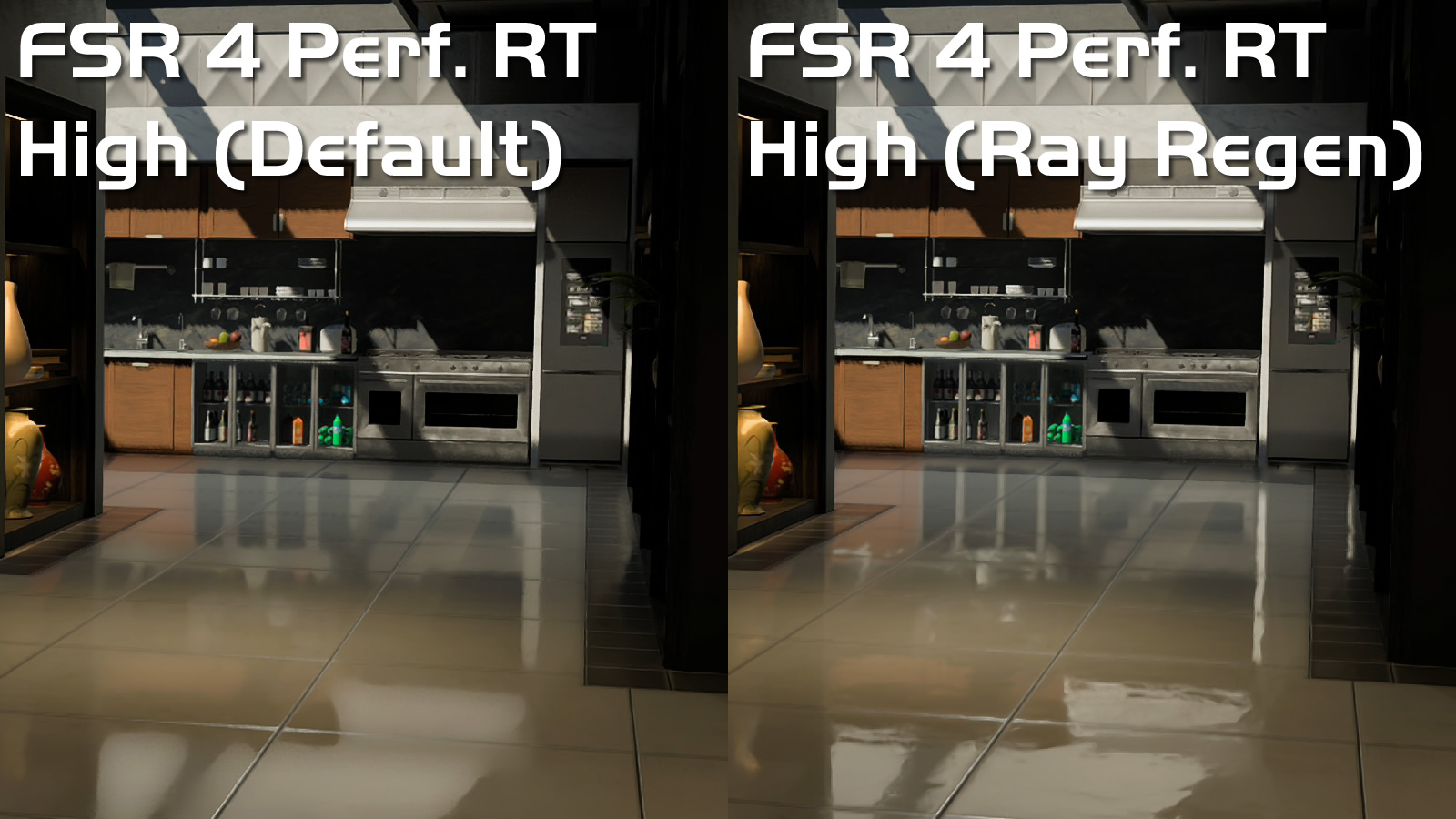
Next, we have reflections on a flat surface. We can clearly see what is being reflected and how detailed those reflections are. With this game’s default denoiser, these reflections are a blurry mess. With FSR Ray Regeneration, reflections are much more refined. Black Ops 7 clearly looks better when FSR 4 is enabled.
Ray Regeneration without FSR 4 upscaling
In Black Ops 7’s options menu, it is explicitly stated that FSR Ray Regeneration is designed to be used in conjunction with AMD’s FSR 4 upscaling technology. When used without FSR 4 upscaling, Black Ops 7 runs at much lower framerates when using ray regeneration. Perhaps Ray Regeneration shares some performance overhead with FSR 4, allowing both features to work best together.
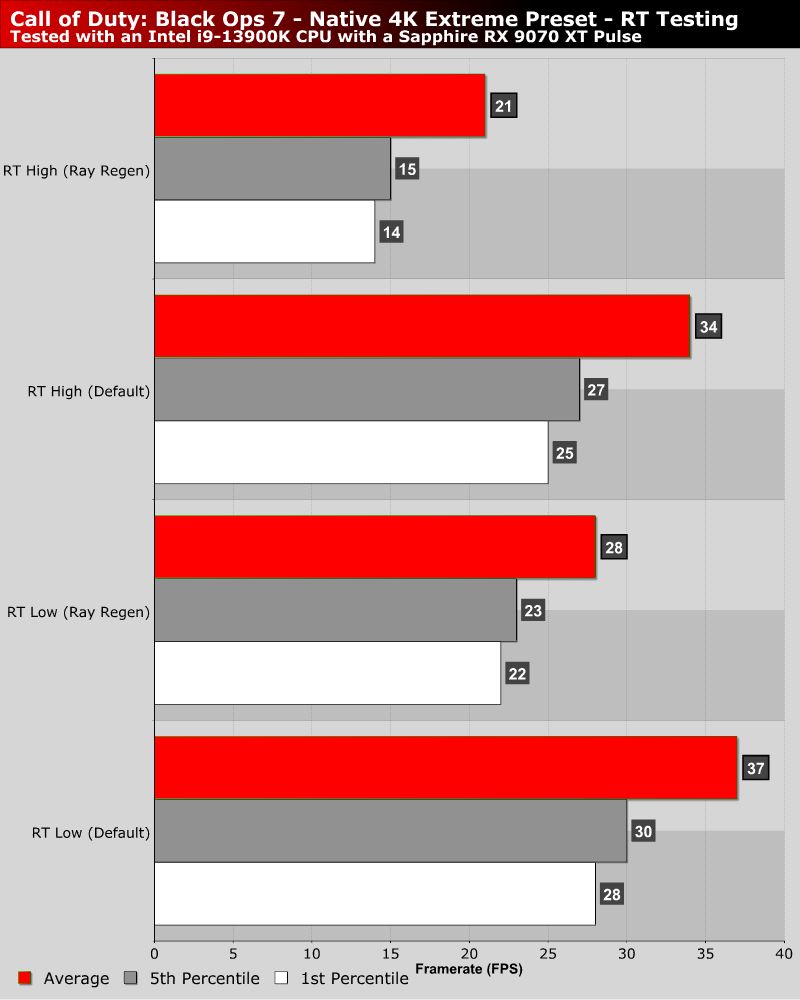
Ray Regeneration works best alongside FSR 4 upscaling
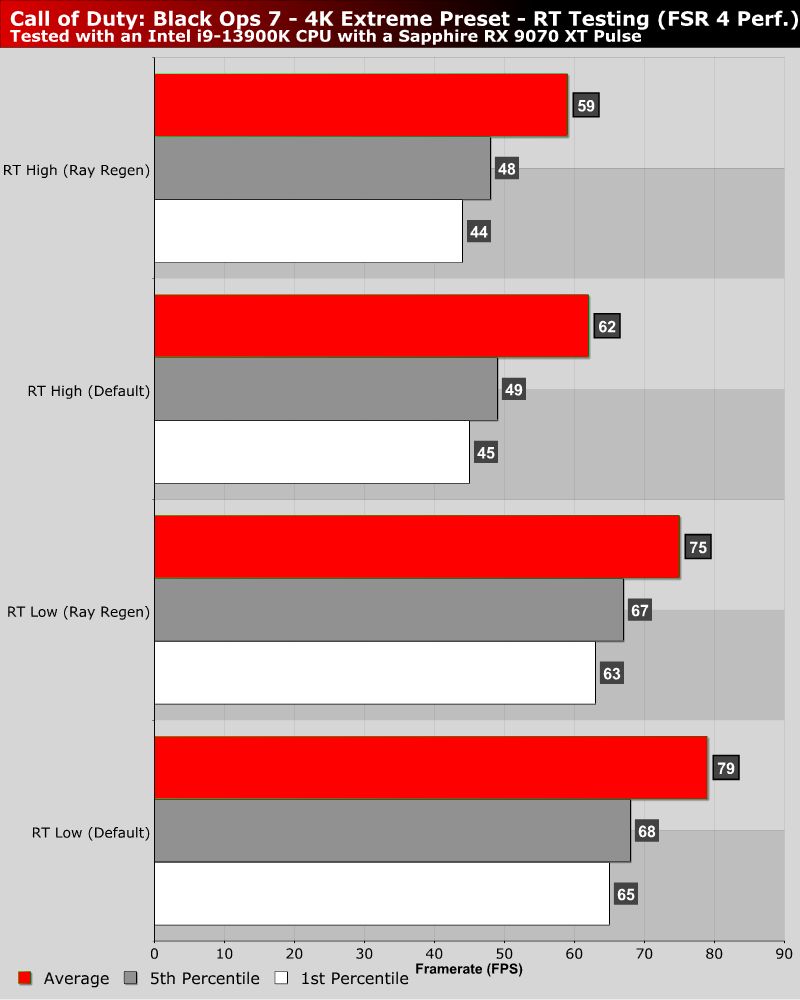
When used in conjunction with FSR 4 upscaling, the performance gap between ray regeneration and Black Ops 7’s “default” denoiser narrows. While ray regeneration is slightly less performant, that difference is more than made up for by its visual impact.