AMD FSR 4 Redstone Tested – Call of Duty: Black Ops 7

FSR 3 VS FSR 4 – Image Quality
FSR 3 VS FSR 4 – Image Quality comparison
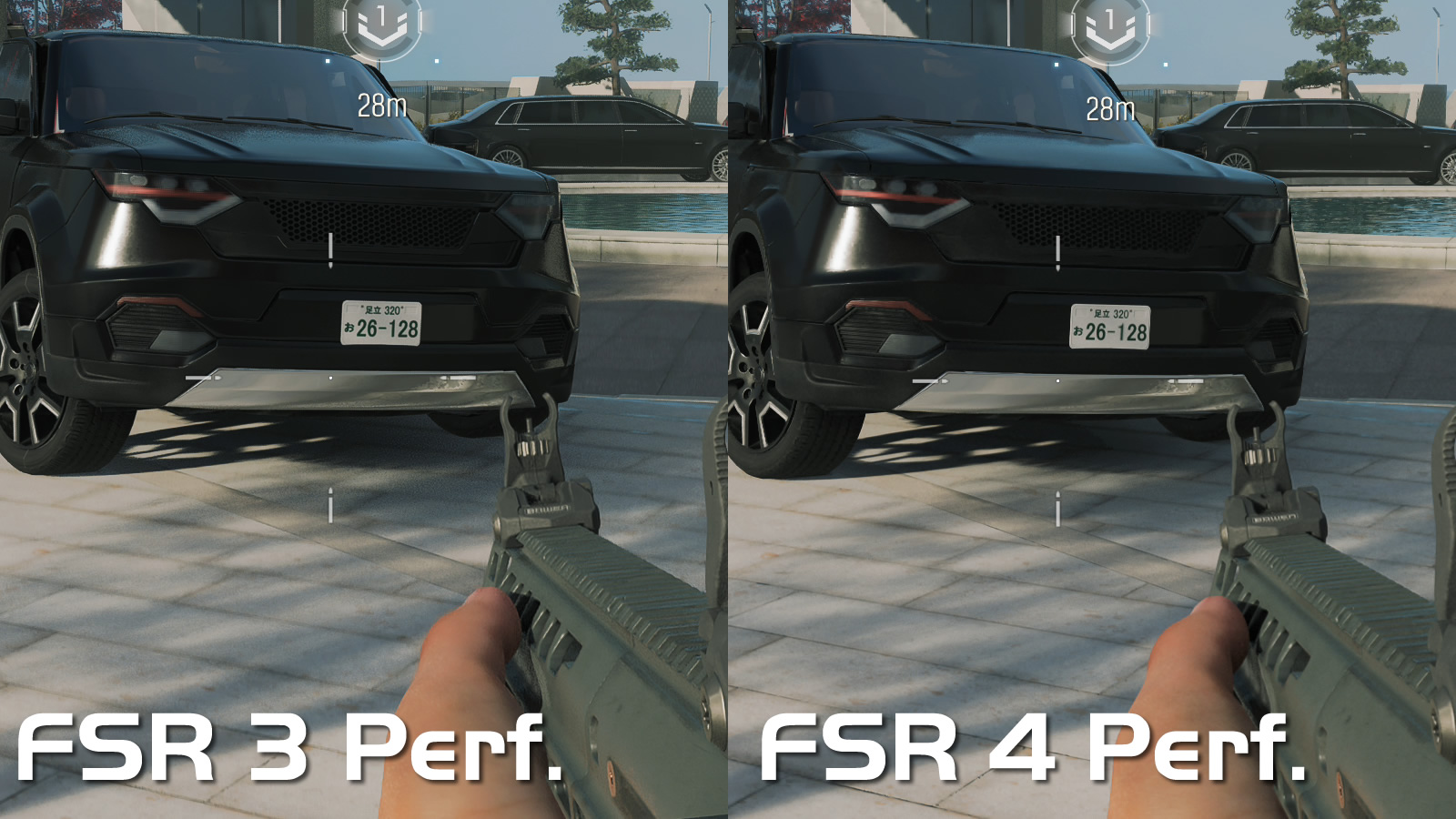
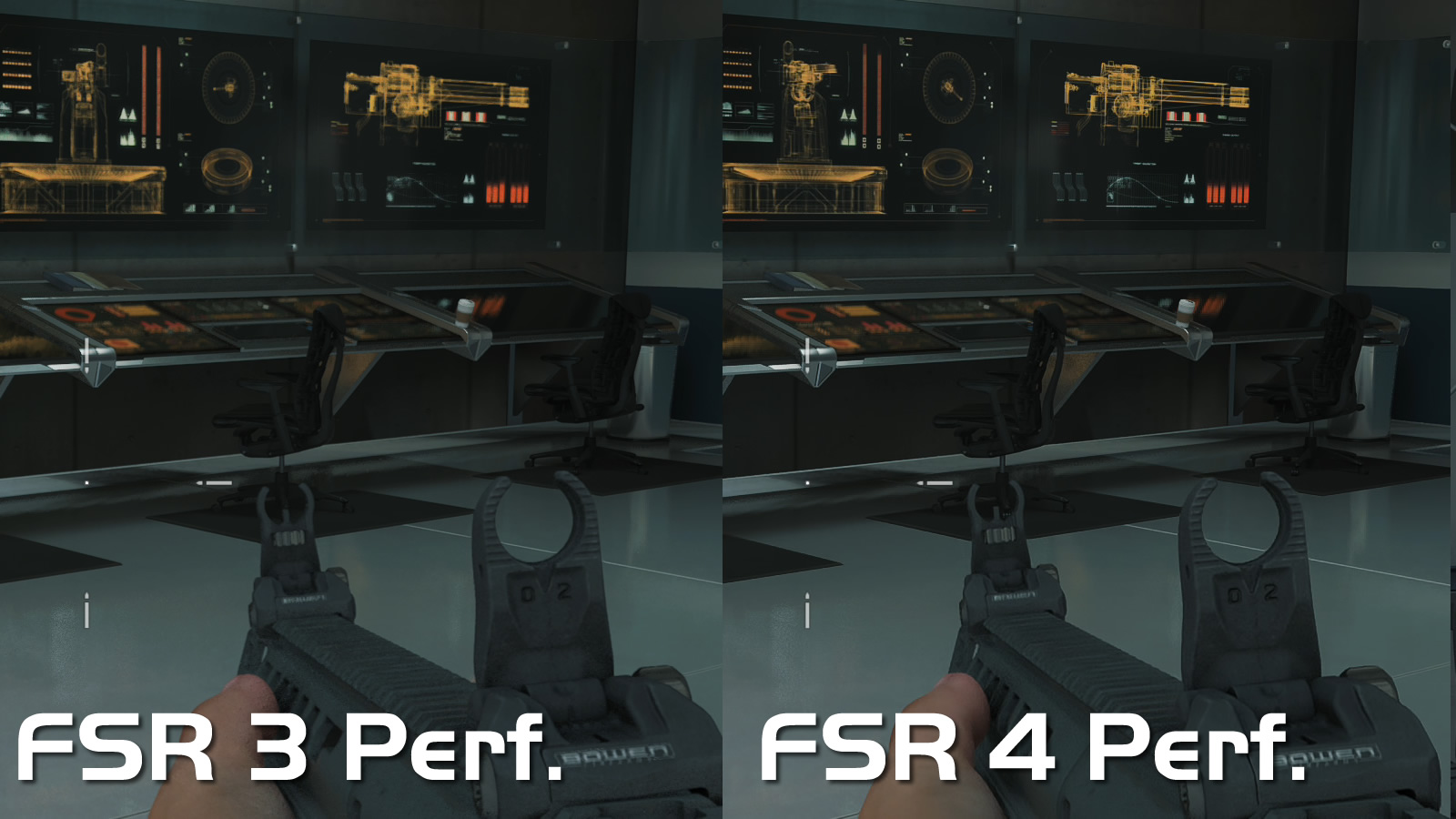
Overall, FSR 3 delivers grainier results than FSR 4. FSR 4 gives us a clearer image with sharper edges, especially for moving objects. With FSR 3, reflections on water and on vehicles are grainy, making the game look much less realistic. FSR 3 is also less temporally stable, though this cannot be shown with screenshots.
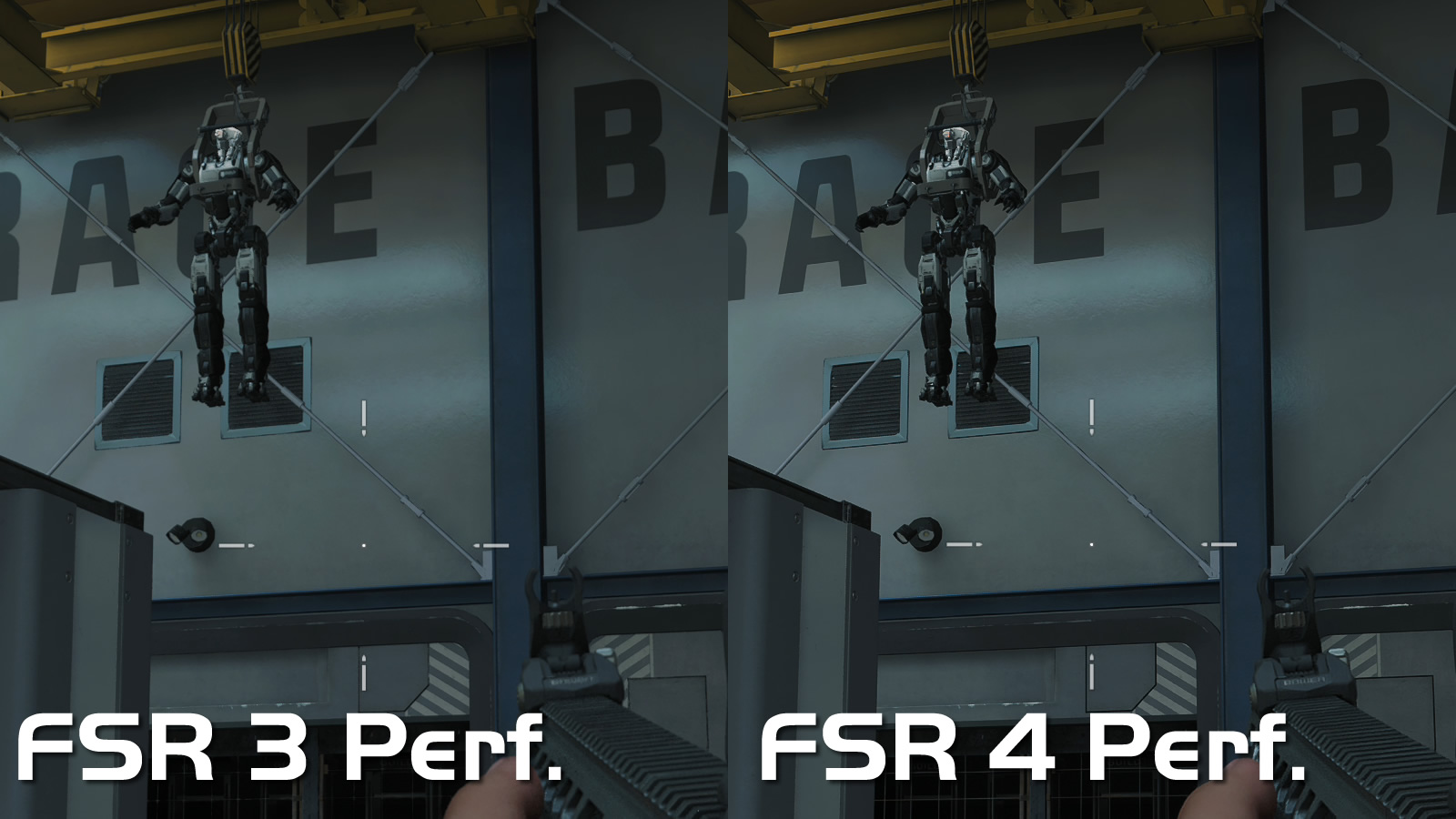
The images below are cropped from 4K screenshots. Note that these shots are not zoomed in or edited. These are just crops from a 4K screenshot.
In the image below we can see that a lot of detail is lost with FSR 3. The robot hanging from the ceiling is much less defined with FSR 4. With FSR 4, many additional details are visible. Revets on metal objects can be seen with FSR 4, but are practically invisible with FSR 4. The player’s weapon is also better defined.
With FSR 4, the images on the screens of this control room are much better defined. With FSR 3, these images are blurry. These differences are easily noticeable in-game, even at 4K.
FSR 3 VS FSR 4 Performance
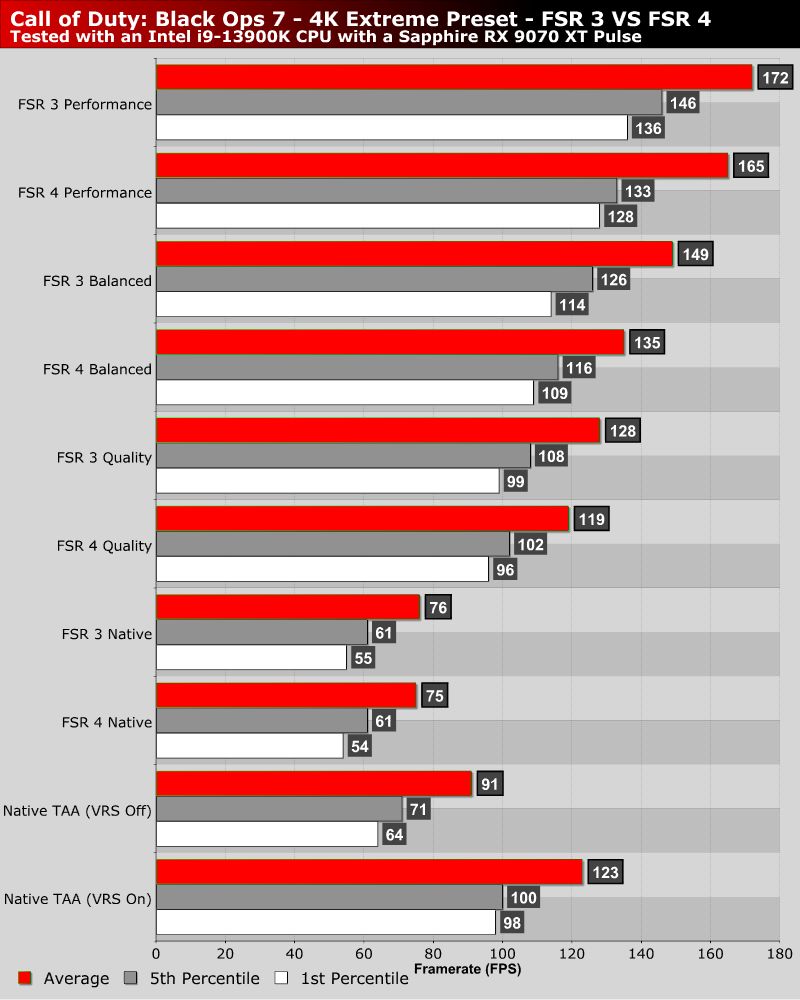
Overall, FSR 3 is more performant than FSR 4. However, at native 4K, both solutions are less performant than Black Ops 7’s default anti-aliasing solution (TAA). Furthermore, both FSR 3 and FSR 4 need to be used in quality mode to deliver similar performance to Black Ops 7’s native 4K presentation when VRS is used. Note that gamers can’t enable VRS alongside upscaling solutions like FSR 3 and FSR 4.