Call of Duty: Black Ops 6 PC Performance Review and Optimisation Guide

Optimisation Tips & Settings
Call of Duty: Black Ops 6 PC Optimisation Tips
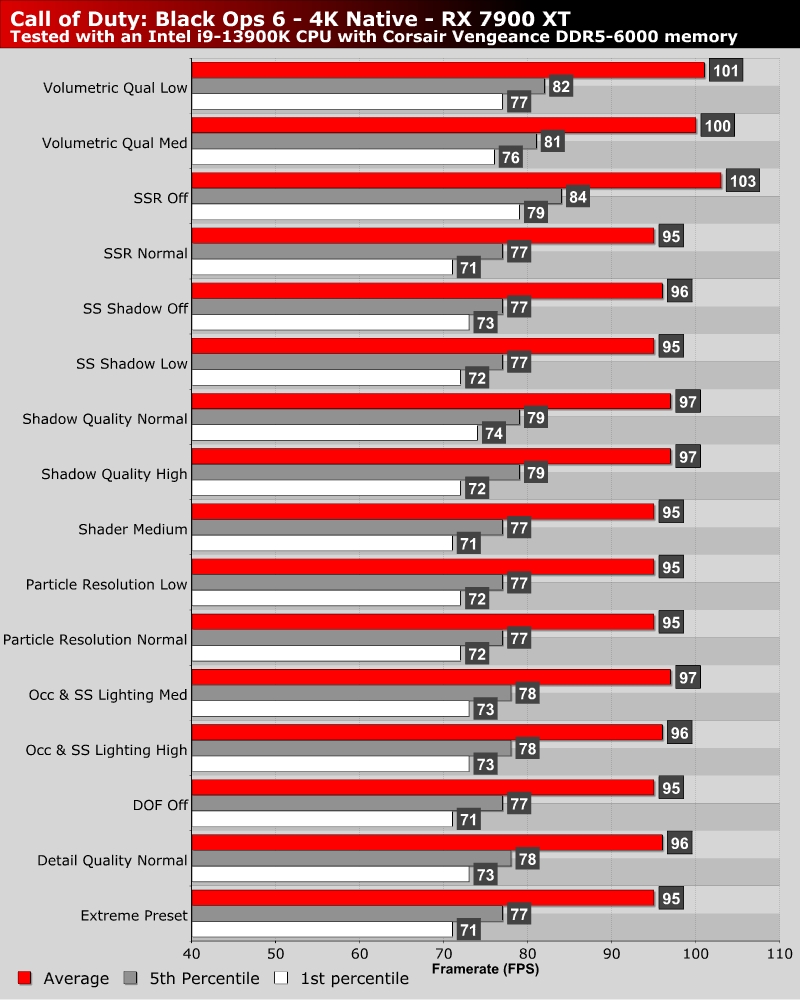
As always, Call of Duty gives PC gamers a wealth of graphical options. There’s almost too many to tinker with. For most settings, performance did not change much suggesting that significant performance gains will require multiple graphical settings to be lowered. That said, there are a few graphical options that have a significant performance impact.
For example, turning off Screen Space Reflections (SSR) alone boosts average framerates by 8.4%. That said, disabling SSR will have a noticeable impact on this game’s visuals. Another setting that has a larger-than-normal performance impact is Volumetric Quality. Using medium settings here boosts average framerates by over 5%.
Quick Optimisation Tips
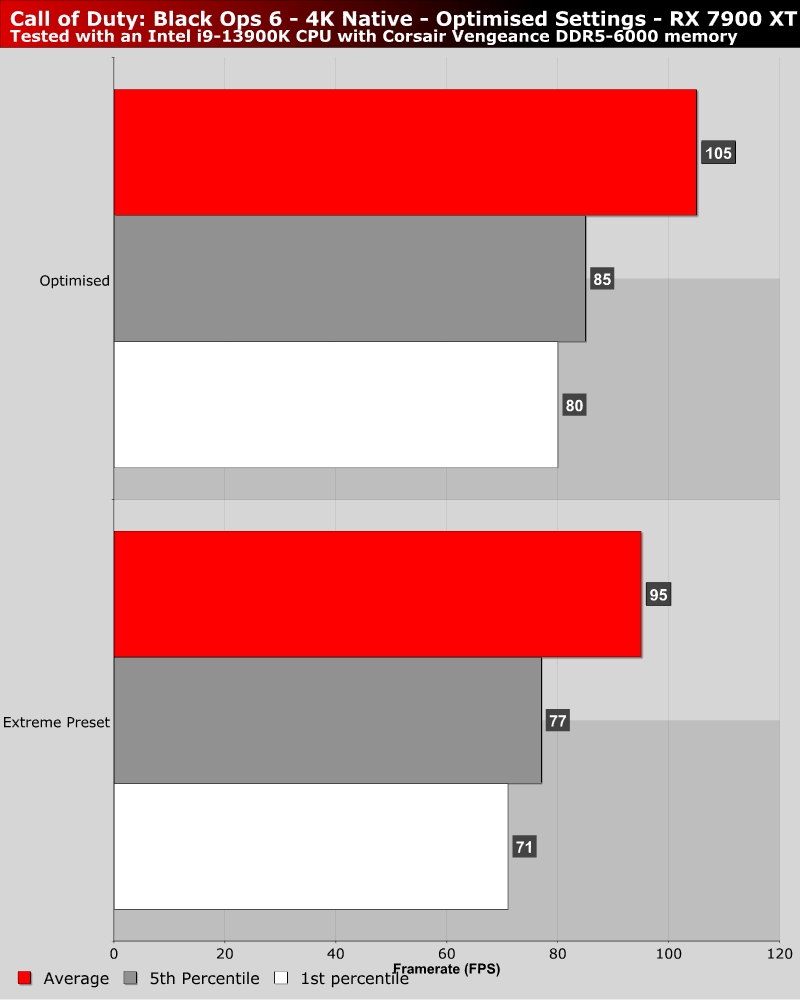
With three settings changes, we achieved a 12.6% boost to Black Ops 6’s 1st percentile framerates without upscaling. For average framerates, we recorded a 10.5% boost. To achieve this, we set Shadow Quality to Normal, Volumetric Quality to Medium, and Occlusion and Screen Space Lights to High. For larger performance gains, more drastic changes to graphical settings are required.
If you want further performance gains, you should consider disabling Screen Space Reflections (SSR).