Call of Duty Warzone DLSS Quality and Performance Analysis

DLSS Quality – Does it look as good as native resolution rendering?
One of DLSS’ biggest claims is that it can deliver near-native levels of image quality and higher framerates on supported hardware, giving what amounts to a free performance upgrade for gamers. If image quality remains nigh-identical, then there is no reason for gamers not to enable DLSS if it is possible.
In Call of Duty: Warzone, DLSS can deliver tremendous performance improvements, especially at high resolutions. That said, the image quality provided BY DLSS is not problem-free.
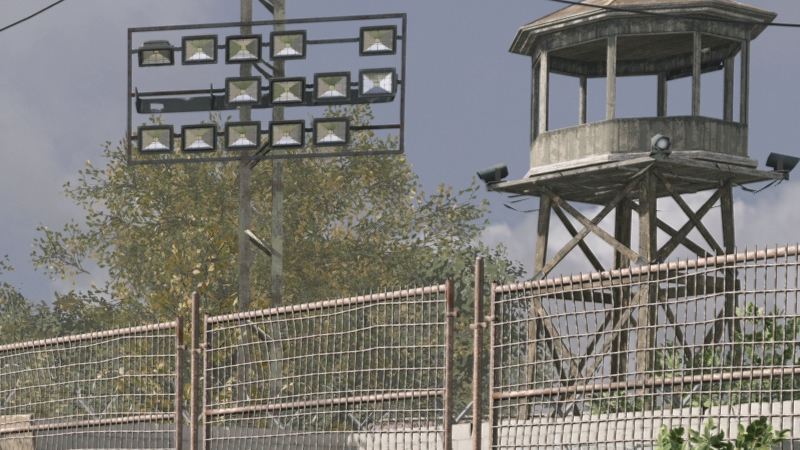
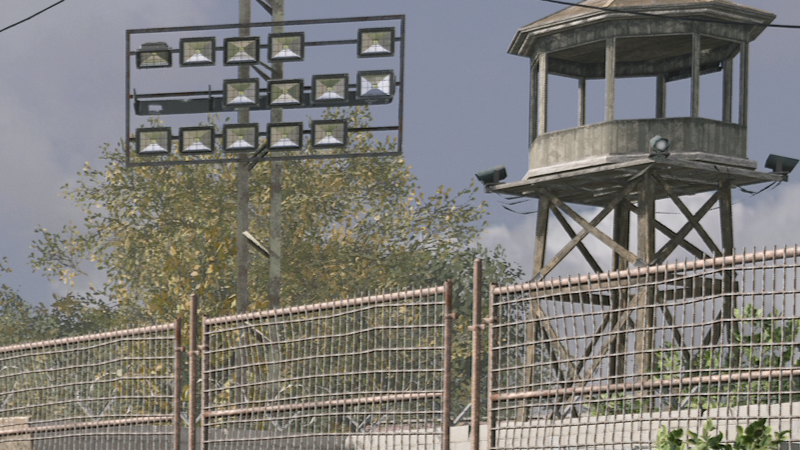
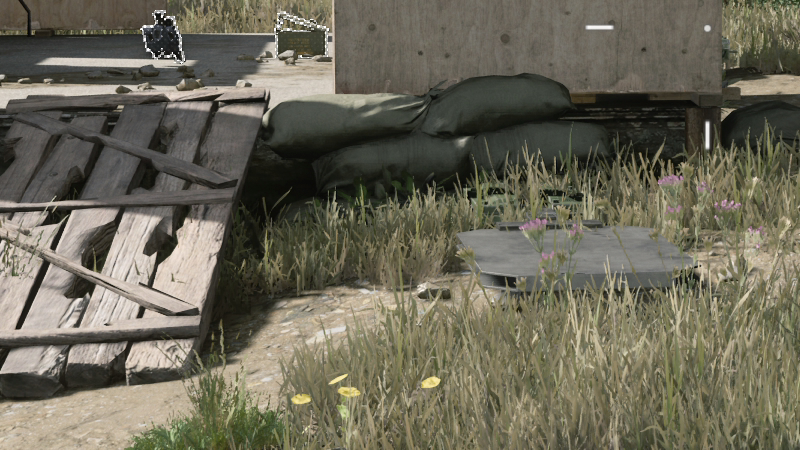
Below, we can see that the outlines of objects within Warzone are impacted negatively by DLSS, providing gamers with thicker, more pixelated outlines whenever DLSS is enabled. Sadly, these issues only become more noticeable as lower quality levels of DLSS are used, so much so that Ultra Performance mode looks downright silly.
(Native 4K VS DLSS Quality)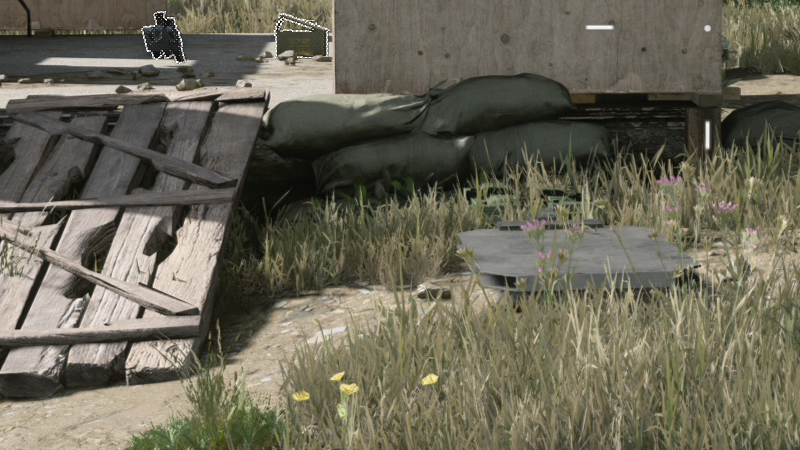
Other image quality issues
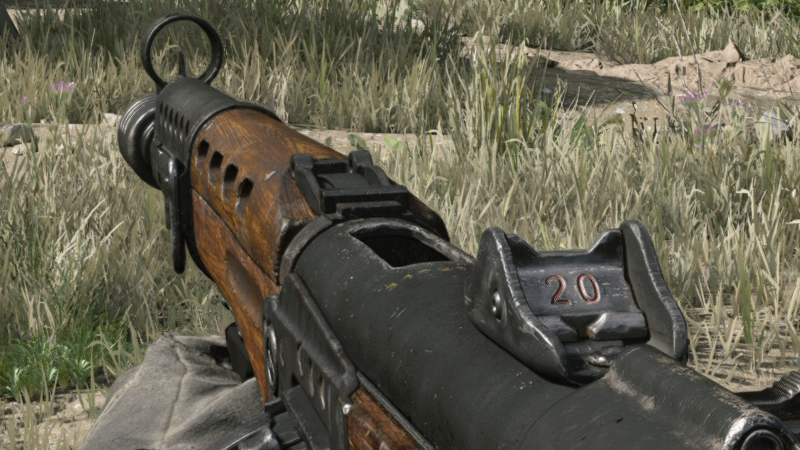
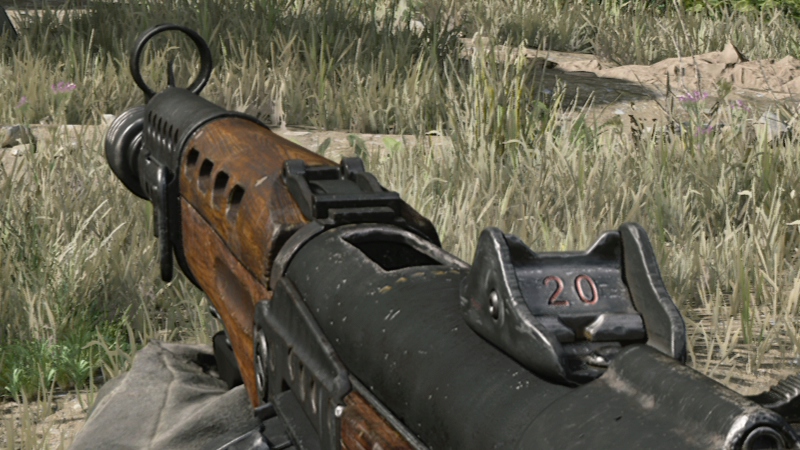
Another thing that we noticed is that when World motion blur is enabled, DLSS created a strange artefact around player weapons when players turn their viewport. This can be very distracting while aiming. Upon further analysis, these artefacts are present when rendering the game at a native resolution, but they are so small that they are almost impossible to notice if you aren’t searching for them. DLSS makes these issues larger, especially in lower DLSS quality modes.
Thankfully, Competitive Call of Duty: Warzone players will never have world motion blur enabled, making this qualitative issue a non-factor for most gamers. Even so, this highlights how games and technologies like DLSS can interact to deliver lower levels of image quality than is otherwise expected.
DLSS’ Balanced and Performance Modes
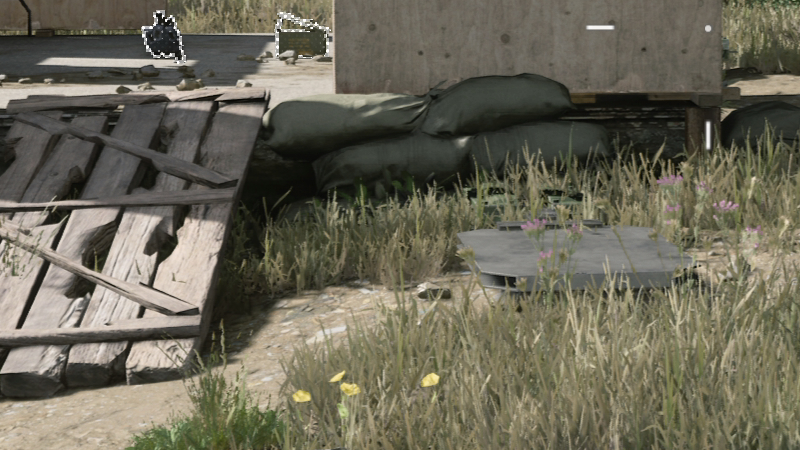
When lower quality forms of DLSS are enabled, aliasing becomes more noticeable within Call of Duty Warzone, especially for thin overhead wires and other thin pieces of geometry.
Outlines for weapons, cash and other items become thicker and more gnarly to look at. That said, these borders are designed to make these items more noticeable, so whether or not this is a bad thing is a matter of perspective.
Outside of these graphical artefacts, DLSS’ Balanced and Performance modes provide visuals that are similar enough to native resolution rendering to be fully playable, and the framerate boosts offered by these modes at 4K will make the game much more responsive during competitive play. While native resolution rendering looks better, the performance benefits speak for themselves.
(Native 4K VS DLSS Performance) 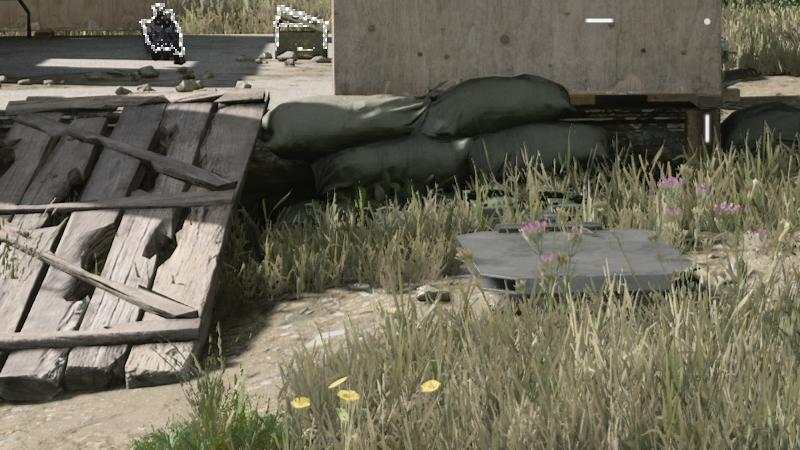
Ultra Performance Mode
At 4K, Call of Duty: Warzone’s Ultra Performance DLSS mode adds a lot of aliasing to the game and has a huge impact on the game’s graphical quality. This mode is intended for those with 5K, or 8K, displays, where the base resolution of DLSS would be high enough to account for these factors.
Frankly, Ultra Performance mode should not be used by most Call of Duty: Warzone players, as an RTX 2060 already has enough performance for a 4K (mostly) 60 FPS experience with DLSS set to balanced mode. Ultra Performance mode pushing DLSS too far into the realms of performance, setting quality to the side for the sale of higher framerates. At that stage, there are better settings to tweak in Warzone.
(Native 4K VS DLSS Ultra Performance) 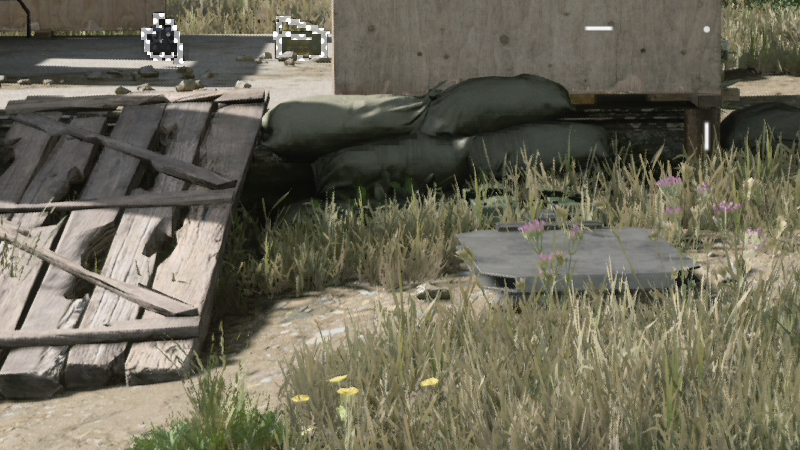
For our performance testing with DLSS, we will be primarily using DLSS’ Balanced setting, as it offers gamers a great compromise between visual quality and raw performance.
Below are two further comparisons between DLSS Balanced and a native 4K presentation. As you can see, both images are similar, though native resolution rendering does have an edge; at least to our eyes.