


Hellblade: Senua’s Sacrifice PC Performance Review

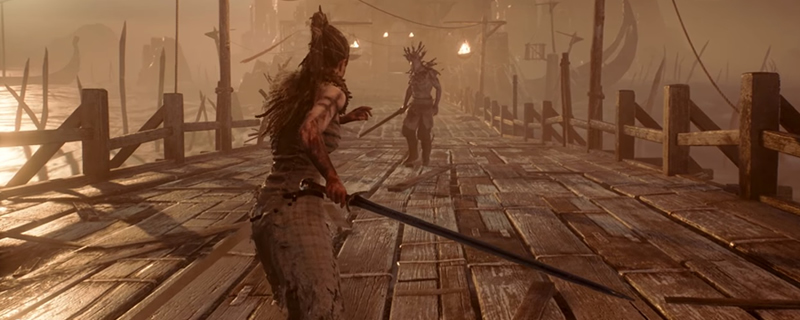
4K Screenshot Graphical Comparison
Hellblade Senua’s sacrifice can be a beautiful game, but when moving down the graphical presets the game can also get downright ugly. Thankfully the game can be played with reasonable quality textures with any GPU with 2GB or more of VRAM.
Moving from Low to the Medium graphical setting we can see a night and day difference in quality, with the textures on almost every surface seeing a notable increase in resolution, especially on Senua, plants and the terrain. We can also see a notable increase in the amount of visible plant life as well as a boost in shadow quality.
Going up to high-quality settings will improve distant details, will see additional item be added to the distance, like the two lamps beside the distant door. We can also see additional plant life in both the near and medium distance as well as further boosts in texture quality.
Going up to maximum (Very High) graphical quality we can see even more plantlife and much more detailed shadows throughout the game, with a lot more distant details like the rope connecting certain objects and other distant details like the fire within the distant lamps.
Even at maximum quality settings, players of Hallblade will still see some noticeable pop-in, especially on the terrain where additional rocks and other details draw in and some plants increase in quality. We can also see improvements to shadow resolution and ambient occlusion in the game’s maximum settings.


