MechWarrior 5: Mercenaries – RTX Beta Analysis

In Hangar
MechWarrior 5: Mercenaries features Off, On, High and Maximum settings for its raytraced shadows and reflections, but for the purposes of this testing, we opted to only use the game “on” option to enable raytracing.
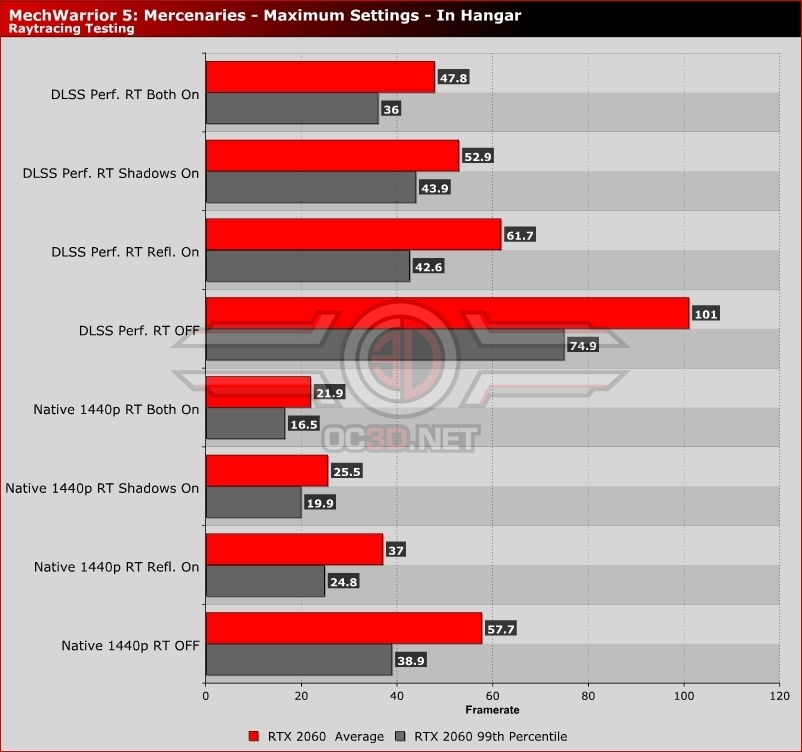
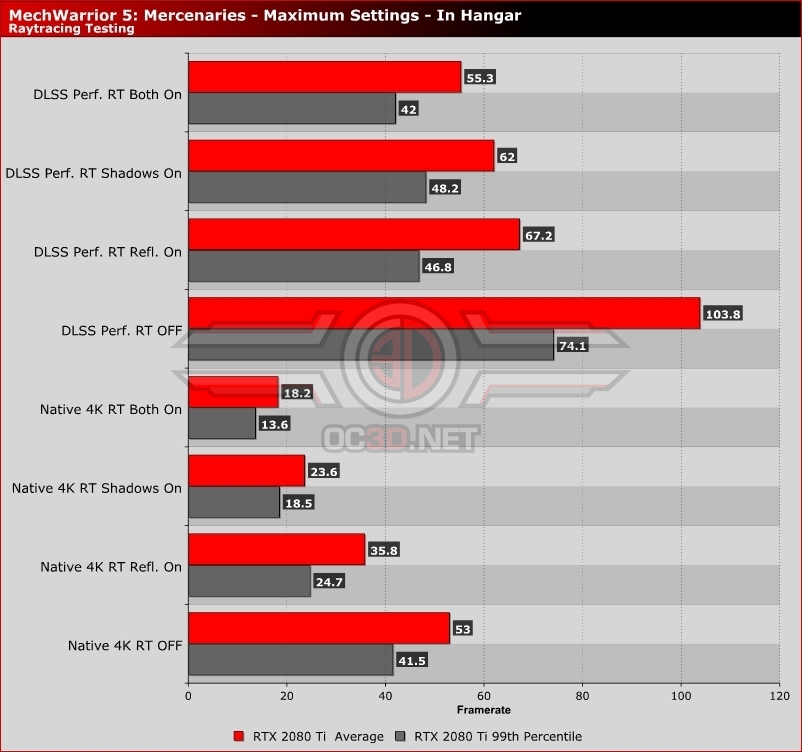
Starting off with our Hanger benchmarking area, we can see that raytracing has a huge performance impact, both with DLSS turned on and off. Enabling DLSS will mitigate a lot of the performance drop delivered by raytracing, but even then performance can remain low at times, especially within MechWarrior 5’s demanding hanger area. Lower framerates can be tolerated here though, as this area features no combat and doesn’t necessarily require ultra-fast framerates or reactions times.
With raytracing, DLSS is practically mandatory, as enabling both raytraced reflections and shadows will tank your system’s performance. Hopefully, these settings will become less demanding as MechWarrior 5 is developed further.
1440p Testing on an RTX 2060
4K Testing on an RTX 2080 Ti
In Mission
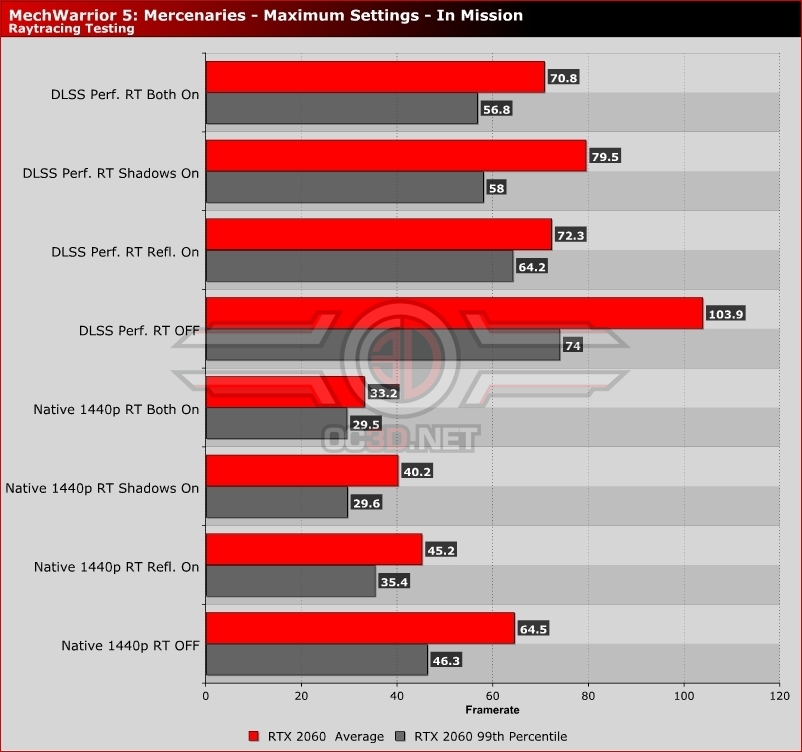
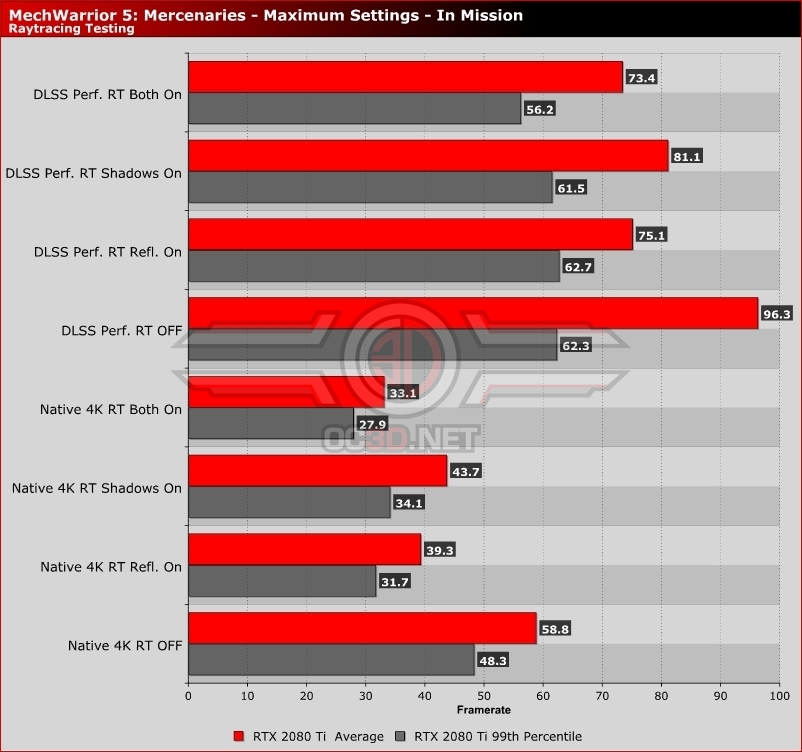
While Mechwarrior 5’s performance is often higher in missions than in the game’s Hanger hub area, the game’s raytracing options remain challenging to run on Nvidia’s current-generation of RTX hardware.
The impact of raytracing in these areas is minimal, making it hard to recommend turning on raytracing, especially when it comes with such a high performance cost. Most gamers will be better off keeping DLSS enabled and raytracing disabled, as that seems to be the ideal way to get some high-framerate Mech combat action.