STALKER 2 PC Performance Review and Optimisation Guide

Preset Scaling – CPU and GPU Impact
Preset Scaling – GPU Impact
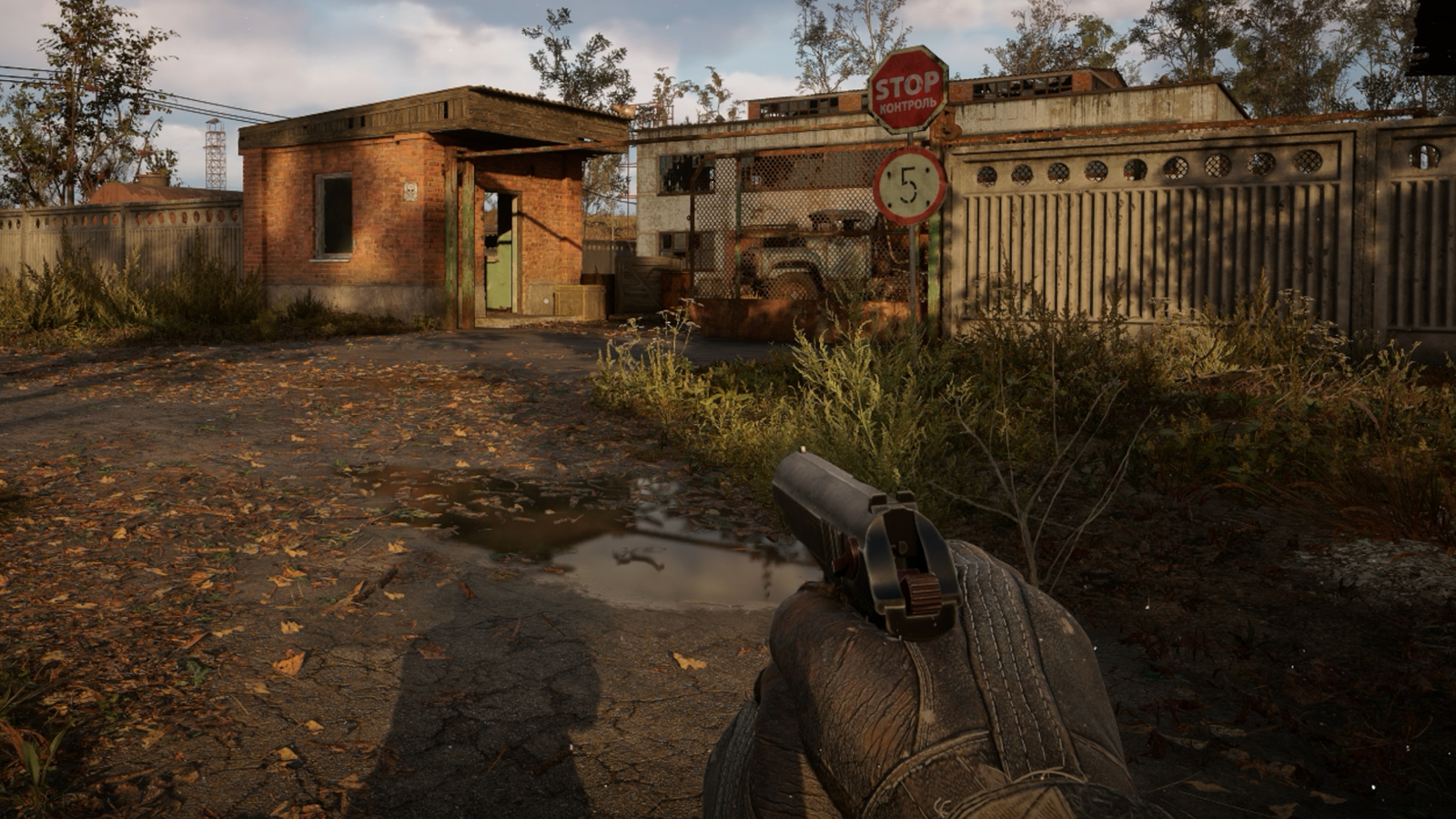
STALKER 2 is a demanding game, but it is scalable. On PC, STALKER 2 players have four basic presets: low, medium, high, and Epic. Having played the game using all presets, I can confirm that it looks pretty good with all of them. This game doesn’t look like a potato when low settings. However, as always, higher graphical presets will result in more detailed visuals. Overall, Medium is a solid preset for most gamers, as you will need a powerful system to utilise higher presets without tonnes of upscaling.
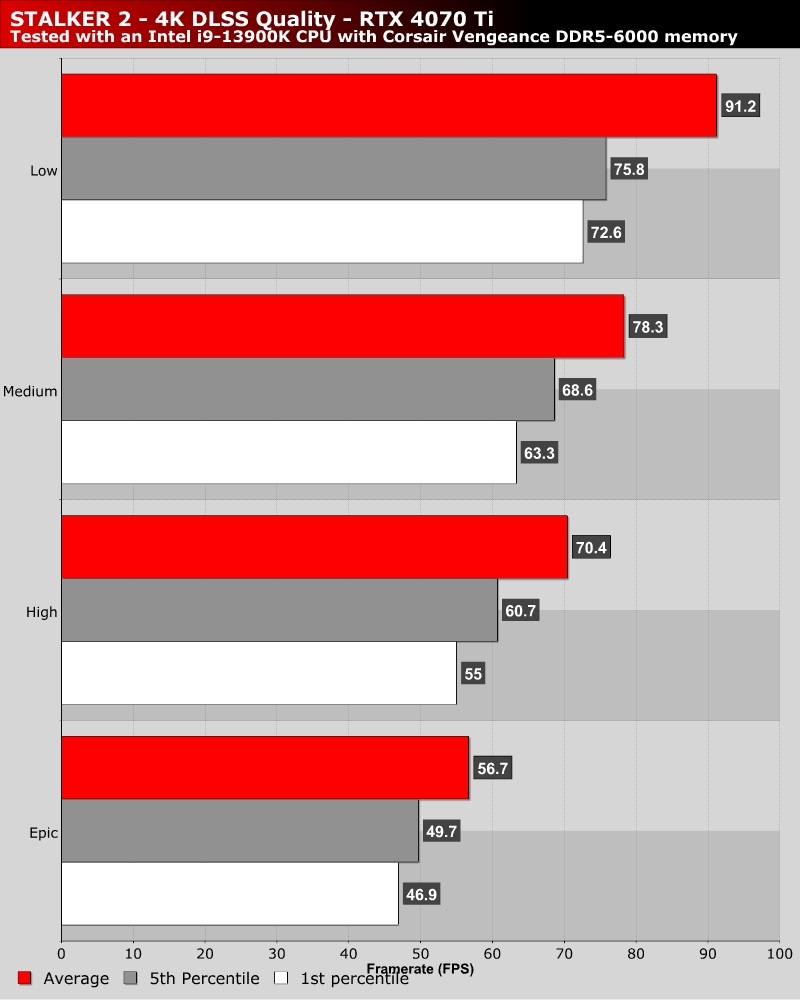
On an RTX 4070 Ti at 4K using DLSS Quality Mode, moving from Epic to High resulted in a 24% performance boost. Moving from Epic to Medium resulted in a 38% performance boost. Moving to Low delivers even more performance; using these settings will result in noticeably lower image quality.
Preset Scaling CPU Impact
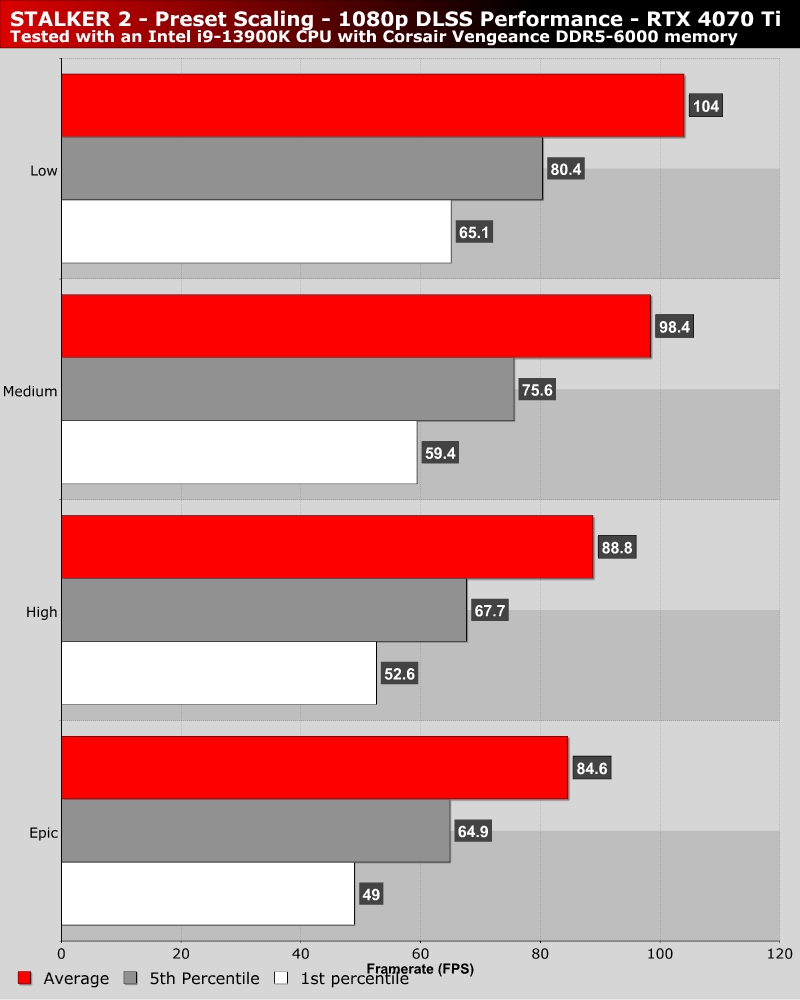
CPU-wise, lower presets will have a notable impact on game performance in CPU-limited areas. Below, we can see that moving from High to Medium settings will result in a 19% increase in 1st percentile framerate. That’s a significant increase. In this game, settings don’t just have a GPU impact. Some settings impact CPU performance significantly.