STALKER 2 PC Performance Review and Optimisation Guide

1080p Performance
1080p Performance
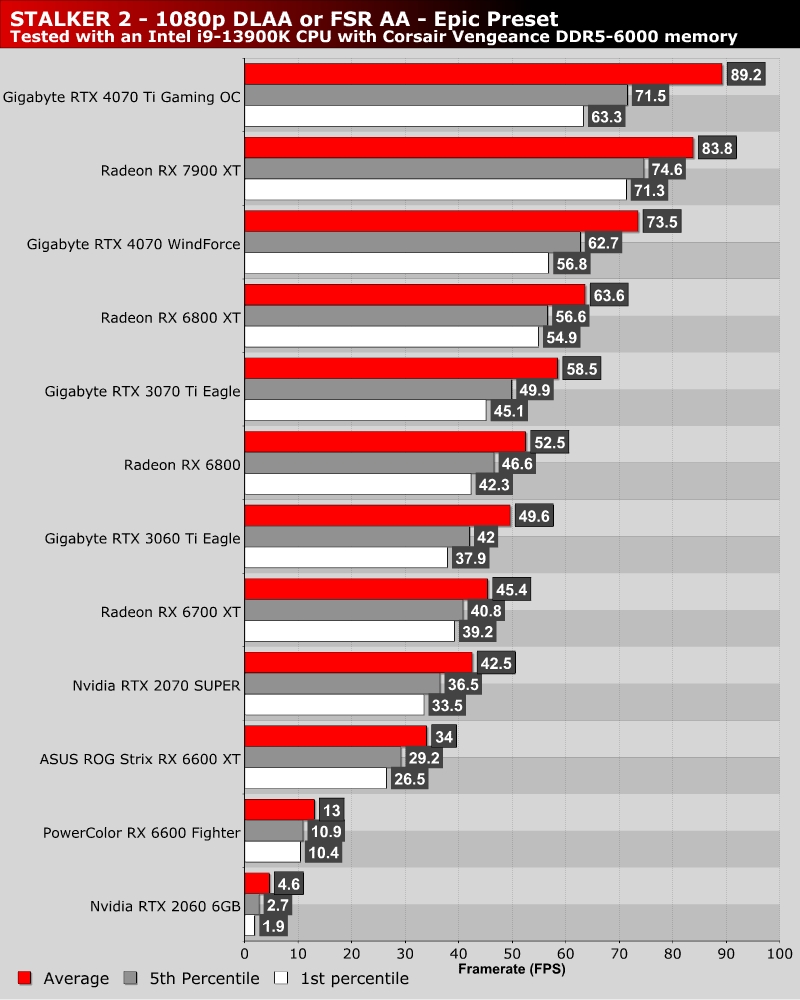
First off, I will note that STALKER 2 doesn’t like 8GB GPUs, at least at EPIC settings. After a time, the game will stutter and run poorly. Our test area, while demanding, doesn’t showcase these issues as much as other areas. However, we can confirm that all the 8GB GPUs that we tested ran into stuttering and performance issues after a few minutes of gameplay.
Below, we can see Nvidia’s RTX 2060 fail to deliver anything approximating playable performance. 6GB is clearly not enough memory. For GPUs like the RX 6600, using Medium settings sees performance increase significantly. Lower settings can allow 8GB GPUs to run this game much better. Yes, texture detail is lost, but smooth performance is what matters.
At native 1080p, STALKER 2 only ran at over 60 FPS at all times on a minority of GPUs. Clearly, most STALKER 2 players should use upscaling and lower graphical settings.
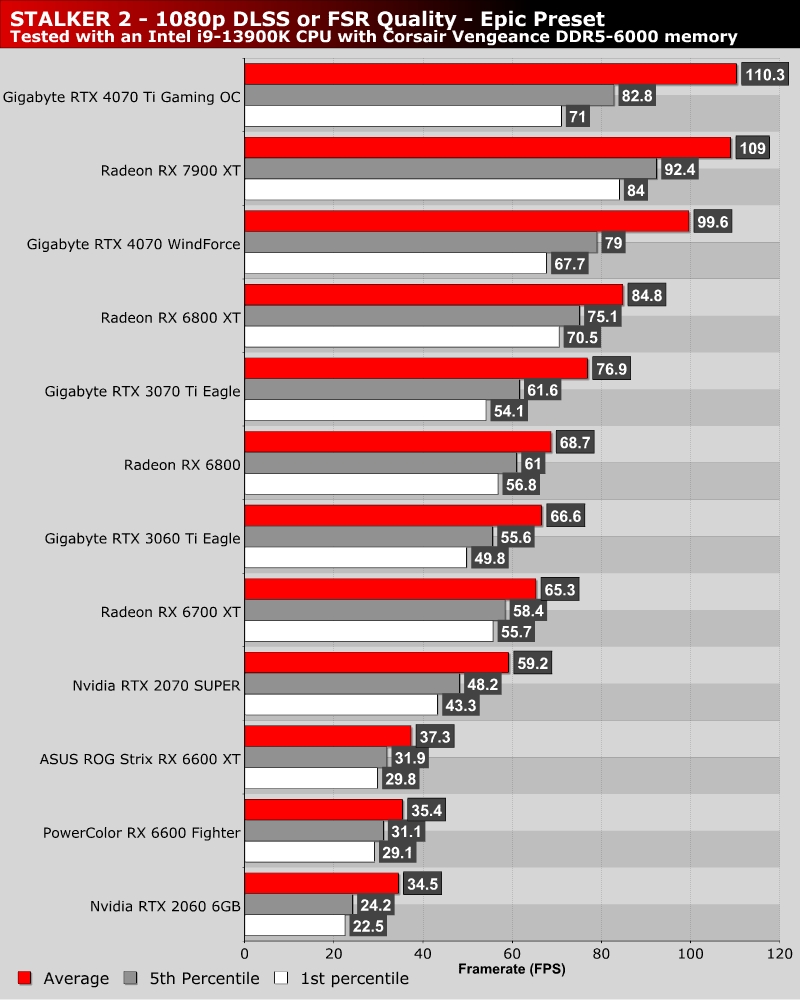
With DLSS and FSR set to Quality, all GPUs perform much better. 60+ FPS average framerates are much more achievable, and GPUs with lesser VRAM become more stable. That said, 8GB GPUs still need lower settings to not run into performance issues after a few minutes of gameplay.
At 1080p with “Quality” upscaling settings, GPUs like the RX 6600 XT and RTX 2070 SUPER can deliver average framerates of around 80 FPS. Not bad for such low-end GPUs.