


PCSpecialist Gladius R9 System Review

Up Close
One of the best things about PCSpecialist system builds is that you receive everything you would have if you’d have brought the parts yourself and built it. It gives you the confidence of having the manuals, the flexibility of having all the expansion screws and cables should you change things up down the road.


As a full glass case it’s no surprise that all the panels are covered in plastic to keep things safe. The system itself is supplied heavily protected in a box so sturdy you could use it as a house in an emergency.

Whomever invented this expanding foam protection deserves an award. It stops your GPU rattling around against the PCI Express slot during transit, and yet is very easy to remove or reinstall as needed. It’s the ultimate belt and braces approach PCSpecialist use.

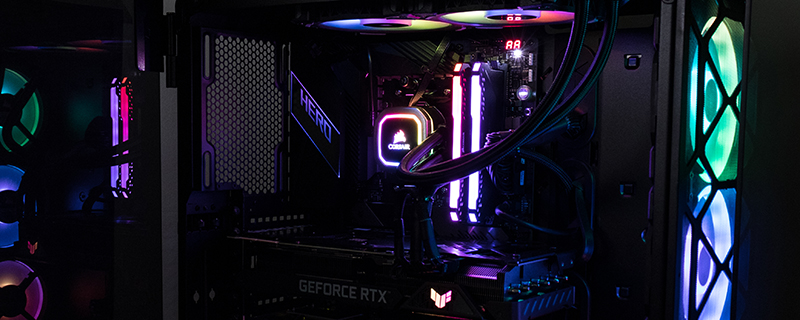
We’ll dig into more detail on the next page, but some times it is nice to get an overall impression of a system. It’s so obviously well built with tidily placed cables and high end hardware that we had to seek hard to find anything that made us raise an eyebrow, and the only thing we thought of was the lack of an exhaust fan at the rear of the case. This, spoiler alert, doesn’t affect the temperatures negatively though, with the Gladius R9 being under 80°C under even the harshest loadings we could give it.

As anyone who has built a rig knows, it’s one thing to make the front look good by stuffing everything ‘under the rug’, but it takes a special attention to detail to make the backside of your case look as clean and tidy as the front side. PCSpecialist are masters at this and the Gladius R9 is almost as pretty behind as in front.

Before we get into the nitty-gritty details, the top of the Corsair 500D SE case has both Type-A and Type-C high speed USB connectors next to the front panel audio.

