


Nvidia launches their Geforce 431.60 WHQL driver for Wallenstein and Madden 20

Nvidia launches their Geforce 431.60 WHQL driver for Wolfenstein and Madden 20
Game-wise, Nvidia’s Geforce 431.60 driver adds support for Wolfenstein: Youngblood, Wolfenstein: Cyberpilot, Madden NFL 20 and Metro Exodus’ first piece of DLC content. On top of that, an SLI profile has been created for Madden NFL 20.
Below are Nvidia’s Geforce 431.60 WHQL release notes.

What’s New in Version 431.60 WHQL
Game Ready Drivers provide the best possible gaming experience for all major new releases, including Virtual Reality games. Prior to a new title launching, our driver team is working up until the last minute to ensure every performance tweak and bug fix is included for the best gameplay on day-1.
Game Ready
Provides the optimal gaming experience for Wolfenstein: Youngblood, Wolfenstein: Cyberpilot, Madden NFL 20, and the first DLC for Metro Exodus.
Gaming Technology
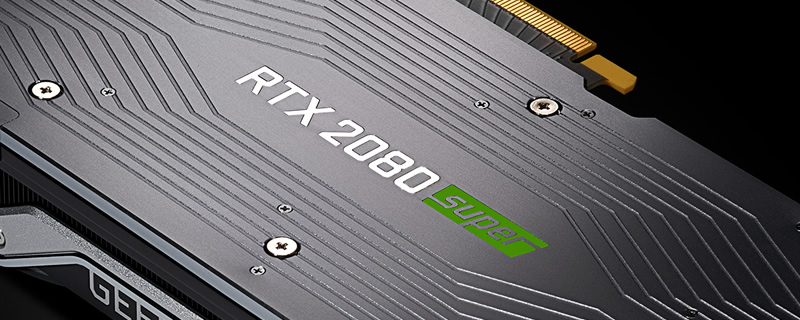
– Adds support for GeForce RTX 2080 SUPER GPUs.
– Adds support for new G-SYNC compatible monitors.
Application SLI Profiles
Added or updated the following SLI profiles:
• Madden NFL 20
Software Module Versions
• nView – 149.77
• HD Audio Driver – 1.3.38.16
• NVIDIA PhysX System Software – 9.19.0218
• GeForce Experience – 3.19.0.107
• CUDA – 10.1
• Standard NVIDIA Control Panel – 8.1.940.0
• DCH NVIDIA Control Panel – 8.1.954.0
Changes and Fixed Issues in Version 431.60
The following sections list the important changes and the most common issues resolved in this version. This list is only a subset of the total number of changes made in this driver version. The NVIDIA bug number is provided for reference.
Fixed Issues in this Release
– [SLI][GeForce GTX 1080][Notebook]: The display flickers when using SLI. [2622166]
– [World of Warcraft Battle for Azeroth]: Terrain and icons flicker randomly in the game. [2633205]
– HDR option is missing from the Windows Control Panel. [200534450]
Open Issues in Version 431.60 WHQL
As with every released driver, version 431.60 WHQL of the Release 430 driver has open issues and enhancement requests associated with it. This section includes lists of issues that are either not fixed or not implemented in this version. Some problems listed may not have been thoroughly investigated and, in fact, may not be NVIDIA issues. Others may have workaround solutions.
For notebook computers, issues can be system-specific and may not be seen on your particular notebook.
Windows 10 Issues
– [NVIDIA Control Panel]: When the 3D Settings page->Vertical Sync setting is set to Adaptive Sync (half refresh rate), V-Sync works only at the native refresh rate after rebooting the system. [2543187]
– [Tom Clancy’s The Division II]: The game may crash when played in DirectX 12 mode. [2587043/200406322]
– [Mortal Kombat 11]: Random white and green flickering occurs in the game.[2599980]
– Mouse cursor may not render correctly after exiting a game. [2645203]

Product Compatibility
Nvidia RTX 20 series
Geforce RTX 2080 Ti, Geforce RTX 2080 Super, Geforce RTX 2080, Geforce RTX 2070 Super, Geforce RTX 2070, Geforce RTX 2060 Super, Geforce RTX 2060
NVIDIA TITAN Series
NVIDIA TITAN V, NVIDIA TITAN Xp, NVIDIA TITAN X (Pascal), GeForce GTX TITAN, GeForce GTX TITAN X, GeForce GTX TITAN Black, GeForce GTX TITAN Z, Geforce Titan RTX
GeForce 10 Series
GeForce GTX 1080 Ti, GeForce GTX 1080, GeForce GTX 1070 Ti, GeForce GTX 1070, GeForce GTX 1060, GeForce GTX 1050 Ti, GeForce GTX 1050, GeForce GT 1030
GeForce 900 Series
GeForce GTX 980 Ti, GeForce GTX 980, GeForce GTX 970, GeForce GTX 960, GeForce GTX 950
GeForce 700 Series
GeForce GTX 780 Ti, GeForce GTX 780, GeForce GTX 770, GeForce GTX 760, GeForce GTX 760 Ti (OEM), GeForce GTX 750 Ti, GeForce GTX 750, GeForce GTX 745, GeForce GT 740, GeForce GT 730, GeForce GT 720, GeForce GT 710
GeForce 600 Series
GeForce GTX 690, GeForce GTX 680, GeForce GTX 670, GeForce GTX 660 Ti, GeForce GTX 660, GeForce GTX 650 Ti BOOST, GeForce GTX 650 Ti, GeForce GTX 650, GeForce GTX 645, GeForce GT 640, GeForce GT 635, GeForce GT 630
431.60 WHQL Download Links
Windows 10 – 64 Bit
Windows 7 – 64-Bit
You can join the discussion on Nvidia’s new Geforce 431.60 WHQL driver on the OC3D Forums.