


Microsoft promises to make Windows 11 faster and more reliable

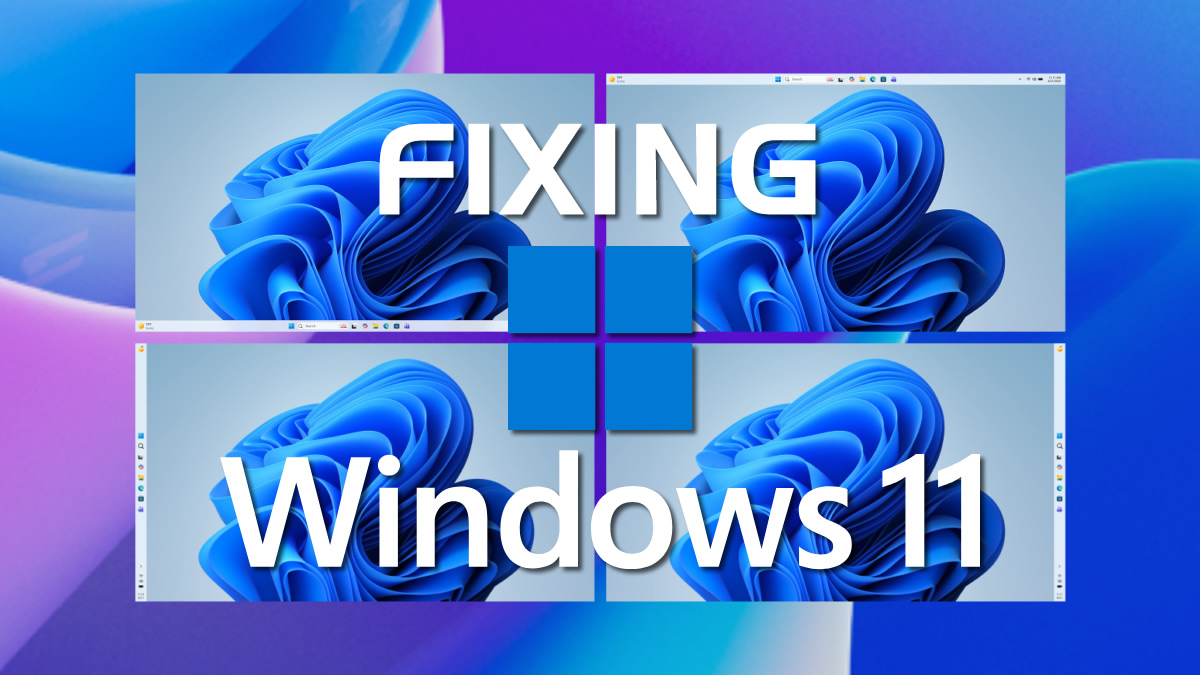
April 2026 will bring some HUGE changes to Windows 11, and more are coming
2026 is the year of Windows 11 improvements. Windows 12 isn’t coming anytime soon, and Microsoft’s focus is on making its Windows 11 faster and more reliable.
With Windows 11’s April 2026 Insider updates, Microsoft has started down its path towards Windows 11’s renewal. Microsoft wants to rebuild trust in Windows, and its plans are ambitious.
New Windows leadership is driving change
In September 2025, Pavan Devuluri was promoted to President of Windows and Devices. One of his first acts was to unite Windows’ core and client Windows teams under a single organisation. This undid the split made between these teams in 2018. Note that this change happened three years after Windows 10 launched, and three years before Windows 11 launched. This change was intended to end Windows’ disjointed development structure and help improve the OS with future iterations.
Now, we are starting to see the fruits of Pavan’s efforts. Microsoft is now taking feedback seriously and is taking action to address the long-term concerns of Windows users. In time, this should make Windows a faster and more reliable OS. Hopefully, this means that the era of Windows bloat is over.
Changes coming with April’s Windows 11 Preview
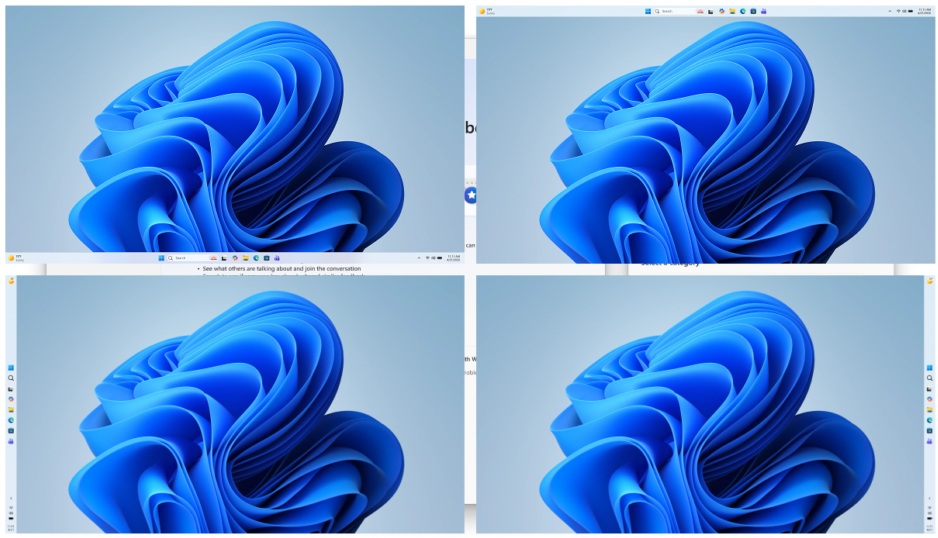
Next month, Microsoft plans to roll out new features and roll back some of Windows 11’s AI integrations. Microsoft’s top changes include new taskbar customisation options, such as taskbar repositioning, and the removal of “unnecessary Copilot entry points”.
New options will also give Windows 11 users greater control of system updates. This should reduce the number of automatic restarts and notifications users see.
File Explorer is also getting updates to launch faster and flicker less. Combined with smoother navigation and “more reliable performance”, File Explorer should feel much better to use on Windows 11. Windows Insiders will also gain access to an improved Feedback Hub.
Today, I’m sharing what we are doing in response. Here are some of the initial changes we will preview in builds with Windows Insiders this month and throughout April.
- More taskbar customization, including vertical and top positions: Repositioning the taskbar is one of the top asks we’ve heard from you. We are introducing the ability to reposition it to the top or sides of your screen, making it easier to personalize your workspace.
- Integrating AI where it’s most meaningful, with craft and focus: You will see us be more intentional about how and where Copilot integrates across Windows, focusing on experiences that are genuinely useful and well‑crafted. As part of this, we are reducing unnecessary Copilot entry points, starting with apps like Snipping Tool, Photos, Widgets and Notepad.
- Reducing disruption from Windows Updates: Receiving updates should be predictable and easy to plan around, so we’re giving you more control. This includes the ability to skip updates during device setup to get to the desktop faster, restart or shut down without installing updates and pause updates for longer when needed, all while reducing update noise with fewer automatic restarts and notifications.
- Faster and more dependable File Explorer: File Explorer is one of the most used surfaces in Windows. Our first round of improvements will focus on a quicker launch experience, reduced flicker, smoother navigation and more reliable performance for everyday file tasks.
- More control over widgets and feed experiences: Widgets should feel helpful and relevant, not distracting or overwhelming. We’re introducing quieter defaults, more control over when and how widgets appear, and improved personalization for the Discover feed.
- A simpler, more transparent Windows Insider Program: The Windows Insider Program is how you help shape the future of Windows, and it should be easy to understand what to expect and how to participate. We are implementing changes to make it easier for you to navigate with clearer channel definitions, easier access to new features, higher quality builds, better visibility into how your feedback shapes Windows, and more opportunities to engage directly with us.
- Improved Feedback Hub, available starting today: Your feedback is essential to improving Windows, and it should be easy to share and see what others are saying. Today, we’re rolling out the largest update to Feedback Hub yet to our Insiders, with a redesigned experience that makes it faster and easier to submit feedback and engage with the community.
– Microsoft/Windows
Making Windows 11 faster throughout 2026
Alongside changes aimed at delivering greater OS, driver, and app stability, Microsoft is working to improve Windows 11’s performance. Microsoft plans to make Windows 11 faster and more responsive.
For starters, changes are being made to File Explorer to make it faster and more responsive. Furthermore, copying and moving large files should be faster. Microsoft also plans to improve Windows 11’s memory usage, freeing up memory capacity for other tasks.
Microsoft also plans to move more of its apps to its WinUI3 framework, reducing platform overhead while increasing performance and efficiency. The company also aims to make the Windows Start menu more responsive by “moving more of experiences to WinUI3”. This is effectively an admission that much of Windows uses an alternative, slower framework that made Windows 11 slower and less responsive than it should have been. This shortsightedness is now being addressed.
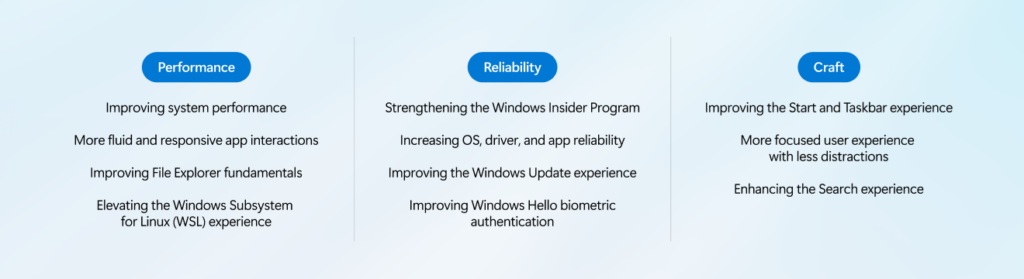
Delivering on Performance, Reliability and Craft
What follows is our plan to raise the bar on Windows 11 quality this year, with a focus on performance, reliability and well-crafted experiences. These areas have meaningful impact on how you experience Windows: how fast it starts and responds, how stable it is under real workloads, and how consistent and thoughtful the experience feels.
[Performance]
We are focusing on making Windows 11 more responsive and consistent, so performance feels smooth and reliable.
Over the course of the year, we’re improving system performance, app responsiveness, File Explorer, and the Windows Subsystem for Linux, helping Windows stay fast as you move between apps and workloads.
Improving system performance: Reducing resource usage by Windows to free up more performance for what you’re doing.
- Faster and more responsive Windows experiences, with early improvements already delivering launch time reductions in apps like File Explorer
- Improved memory efficiency, lowering the baseline memory footprint for Windows, freeing up more capacity for the apps you run
- More consistent performance, even under load, so apps stay responsive throughout the day
More fluid and responsive app interactions: Reducing interaction latency by moving core Windows experiences to the WinUI3 framework.
- Improving the shared UI infrastructure that Windows experiences rely on, reducing interaction latency and overhead at the platform level
- Faster responsiveness in core Windows experiences like the Start menu, by moving more experiences to WinUI3
Improving File Explorer fundamentals: Reducing latency and improving reliability across search, navigation and file operations.
- Substantially lower latency for search, navigation and context menus
- Copying and moving large files will be faster and more reliable
- Faster launch and responsiveness for common file tasks
– Microsoft/Windows
If Microsoft succeeds in its aims, Windows 11 will be transformed into a faster, more responsive, and less memory-heavy OS. This is great news for everyone, especially users who use lower-end systems with less available memory. Honestly, these are the changes that Microsoft should have made years ago. Thankfully, under Pavan Devuluri’s leadership, Windows 11 appears to be on the road to renewal.
You can join the discussion on Windows 11’s upcoming changes on the OC3D Forums.
