


ASUS ROG Gjallar Bluetooth Soundbar with Wireless Subwoofer Review

Conclusion
Conclusion
Have you ever seen those fail video compilations where it looks like it’s going to be a win, only to fall at the end? Players celebrating touchdowns a yard too soon. Missing open goals. Horses fall at the last. Whatever it was, the idea is a common theme. That’s very much the deal with the ASUS ROG Gjallar.
Part One – What We Like
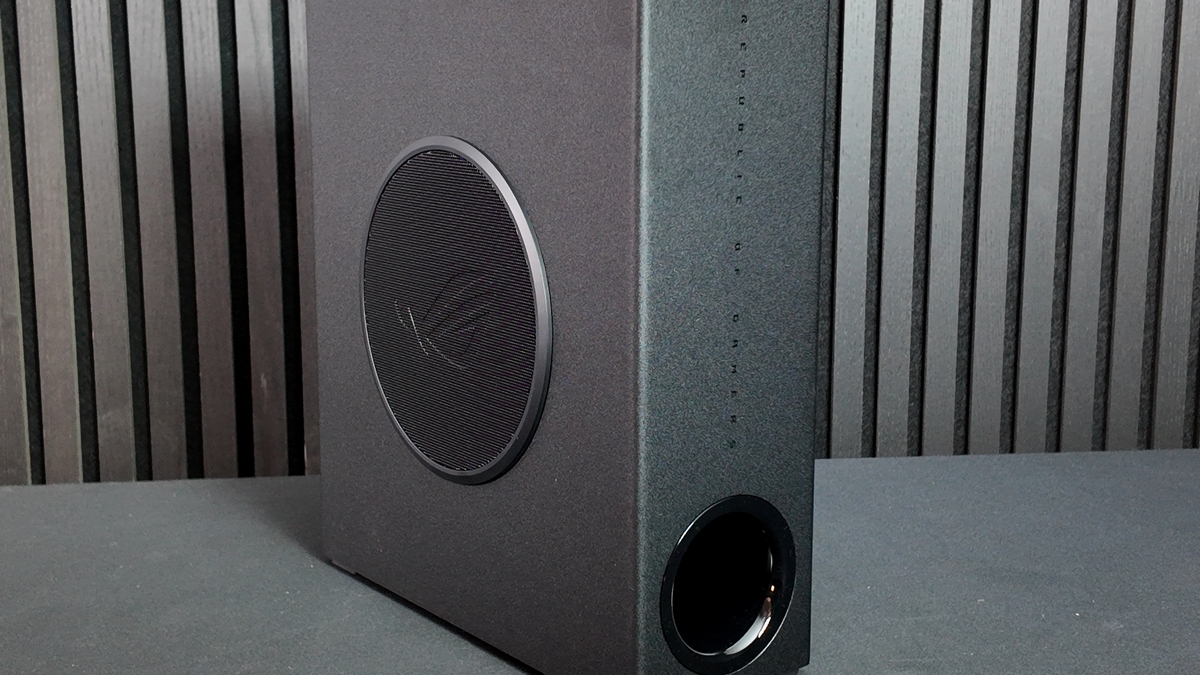
Be in no doubt, the hardware is fantastic. Very much up to ASUS normal high standards. All three elements are built superbly. Weighty, robust. Buttons and dials have a reassuring crispness, whilst connectors are firmly in place. None of the wobbliness that you get with cheap kit. A good thing too, given the serious price point that the Gjallar comes at. The sounds are fantastic. The bass is punchy to the point we could turn it right down and still get lots of fat low end. Despite the small speaker size on the soundbar itself, the audio is sweet and clear. If you’ve got music or a soundtrack with a full frequency of instruments, the ROG Gjallar can handle them with aplomb. Everything has its own, clearly defined, space.
It’s loud too. The old meme about “I don’t always listen to x, but when I do, so do my neighbours”. This can “but when I do, so does my town” it. More than enough even for a very large living space. If you’ve ever had a wired subwoofer you’ll appreciate the wireless nature of the Gjallar one. Put it anywhere, enjoy thumping bass. And boy oh boy can it pound hard. Not to the point of overwhelming anything else, not unless you deliberately set out to do so, but enough to make you appreciate it across a range of different audio stylings.
So it’s built well, is versatile, and sounds glorious. What’s not to like?
Part Two – What’s Not To Like?
We’ve written this twice. First we put the software. Then we clarified by saying the software, both in Armory Crate and Web forms. But let’s be frank. It’s the whole user experience. Largely summed up in our video, but a brief precis reads thusly :
If you want to control the lighting, and you do, then you need the Armory Crate software. Never the highlight of any ASUS product, if you’ve brought into the ASUS ecosystem you’re more than used to it. Plus it’s huge footprint won’t be so jarring. But you can only control the lighting. To control the sound, you have to invoke their web software, as we saw on the previous page. What’s that? You did all that and yet the lighting has stopped working? That’s because you need to turn the unit on manually every time, and before your system boots up.
Do NOT hit the aura button on the remote if you have set up your own custom lighting in armory crate. You think youll be able to skip through options and then go back to your custom one…. Nope. Youll have to go back into the software to re-enable your custom lighting again now. It just doesnt make any sense.
The remote has a power button that youll need to use if you use it for consoles, TV or other external devices and thats fine but the fact the unit wont start or shut down with your PC is again stupid. Its just such a basic feature that should have….. Just been there. Sigh.
At least the equaliser on the browser works well. We don’t know why it can’t be in the Armory Crate though. Whomever designed the remote has never heard of backlighting. Or usability. Tons of identical feeling buttons with zero way to differentiate them besides muscle memory, or the indignity of holding it up to the light. There is also no way on the remote to adjust the subwoofer, if you want to do that its back to the browser again….
The whole point of the ASUS price premium is that the usability is high. You’re paying for quality, obviously, but also convenience. Like dining out. You can do it cheaper yourself, but why would you put up with the hassle?
Sadly for the ASUS ROG Gjallar Soundbar all the good – built and sound quality, connectivity, wireless subwoofer that pumps hard – is let down by the miserable “you need Armory Crate for x, web software for y, and whilst you can use it on consoles or your TV, you can’t control the lighting because you can’t install Armory Crate” experience. For 500 notes, we want better, from Asus we EXPECT better.
Discuss the ASUS ROG Gjallar Bluetooth Soundbar with Wireless Subwoofer in our OC3D Forums.
