


ROG ASUS Strix Magnus Gaming & Streaming Microphone Review

Introduction
When I was a boy just after I finished reapplying the wattle to my hut I used to play games heavily. Back when gaming was very much the preserve of the geeks and most of the games you played you’d typed in yourself from the back of a manual. Anyway, my Mum always said to me that gaming was a waste of my time and definitely wouldn’t lead to any income in the adult world.
Some time later Thresh won John Carmack’s Ferrari. But that was okay, only the truly gifted could ever make any reasonable money from gaming. Then RTS games grew large, Street Fighter begat EVO and finally MOBAs appeared and now even the partially gifted can make a reasonable living from gaming. But if you’re not some superstar, not the worlds greatest, or perhaps are, then Twitch and other live streaming sites have meant that even the most obscure games and mediocre gamers can bring in an income by showing the world their efforts. From Let’s Play, through walkthroughs, random snippets, speedruns, or glitch hunting, the internet is awash with celebrity gamers.
Now if you’ve ever glanced at a Youtube video on how to complete a particularly tricky section of your current game then you’ll know that the one thing that is lacking in our High Definition, High Bandwidth, scarecam world is good audio. If we had a pound for every time we’d heard someone eating their microphone, or their speech was rendered inaudible by the rustling of Doritos and clacking of keys then we’d be able to give up OC3D and go and live in the Bahamas.
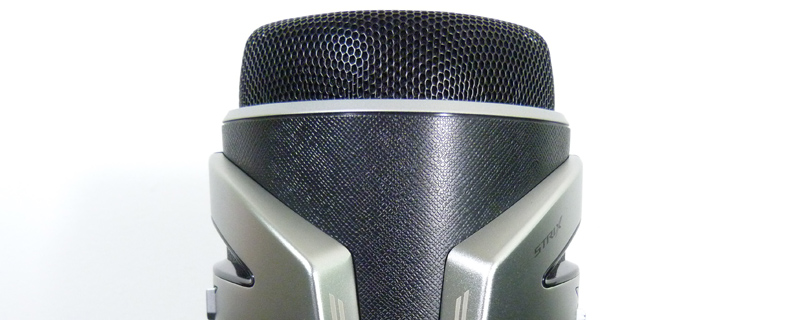
Enter ASUS Strix and their Magnus microphone. A compact, desk mounted audio solution with some nifty tricks up its sleeves.
Technical Specifications
Usually with the specifications we include a table of some sort, but the Magnus is simple enough that a box shot will suffice. Three microphones, various controls, and a bit of RGB lighting tick all the microphone boxes you can have. Also by using three microphones the Magnus can control them in different ways. So you have a Cardoid mode for just listing to the person in front of it, a stereo mode should you have a friend or significant otter round to game with you, and an ‘all around the room’ mode perfect for recording podcats with a lot of guests.

