

ASUS ROG Strix SLC IV 360 ARGB LCD CPU Cooler Review

The mount matters
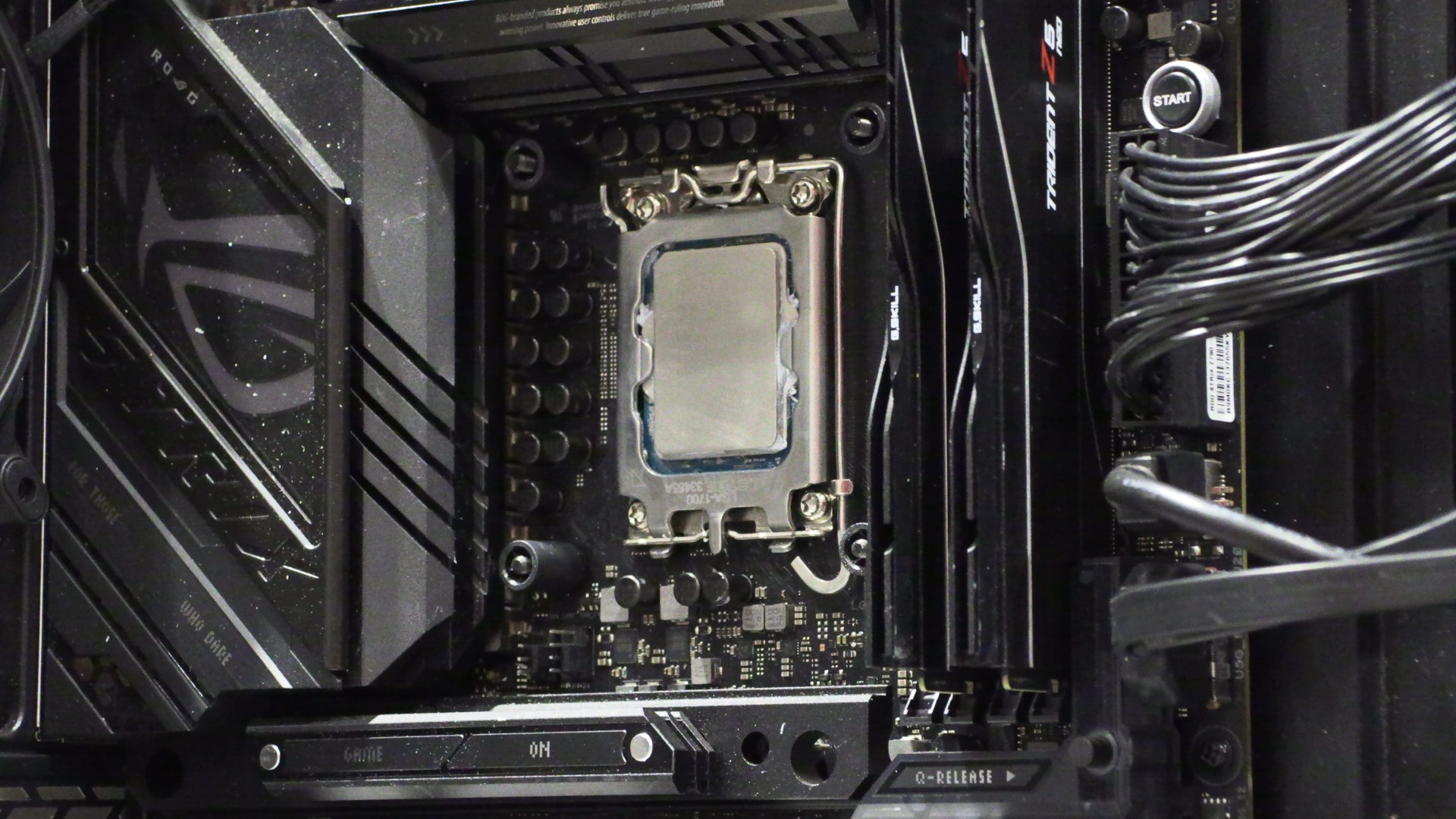
You need three hands to mount this cooler correctly…
One problem that quickly became apparent when installing this cooler is that it isn’t solo-friendly. This CPU cooler, or at least our specific unit, requires three arms/hands for installation. One hand for your screwdriver, one hand to hold the water block, and another to hold the cooler’s backplate in place.
Clearly, the spacer provided with this CPU cooler was intended to be tight enough to hold the cooler’s backplate in place, but that wasn’t the case for our unit. Our first attempt led to a poor install and sub-par thermals. We then set our motherboard on a box to hold the backplate in place so we could install the CPU cooler properly. This is not a good installation experience.
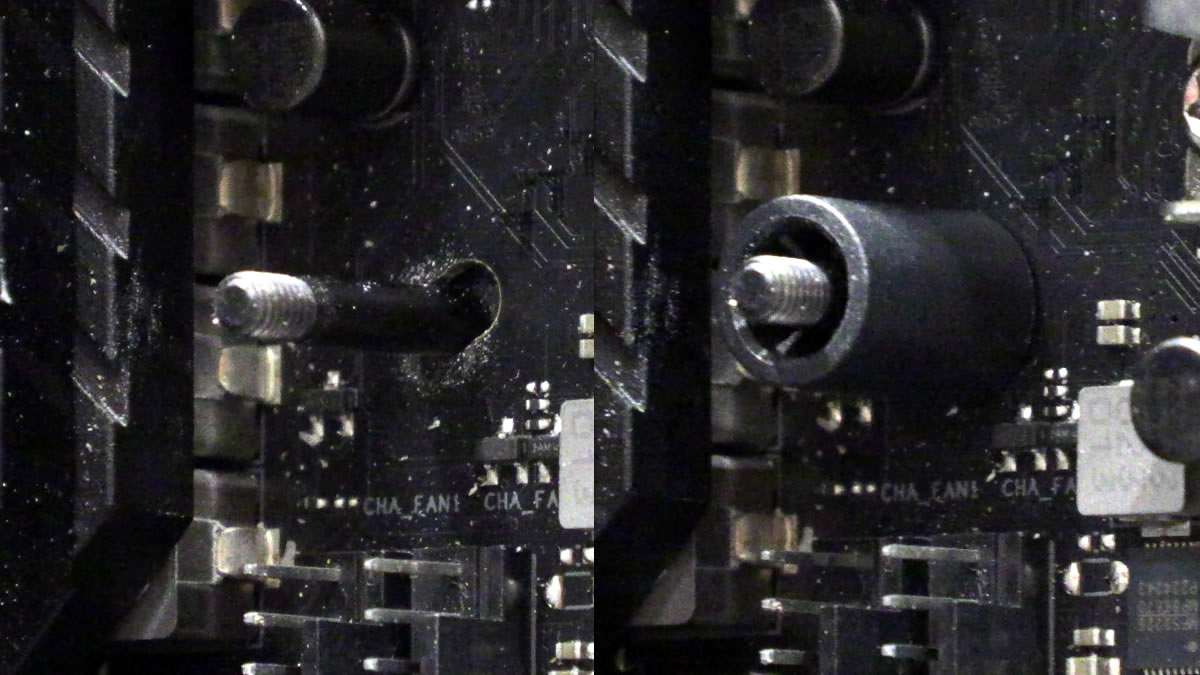
(This retention spacer wasn’t made with tight enough tolerances; it doesn’t hold the backplate in place)
A bad mount can result in much worse cooling performance
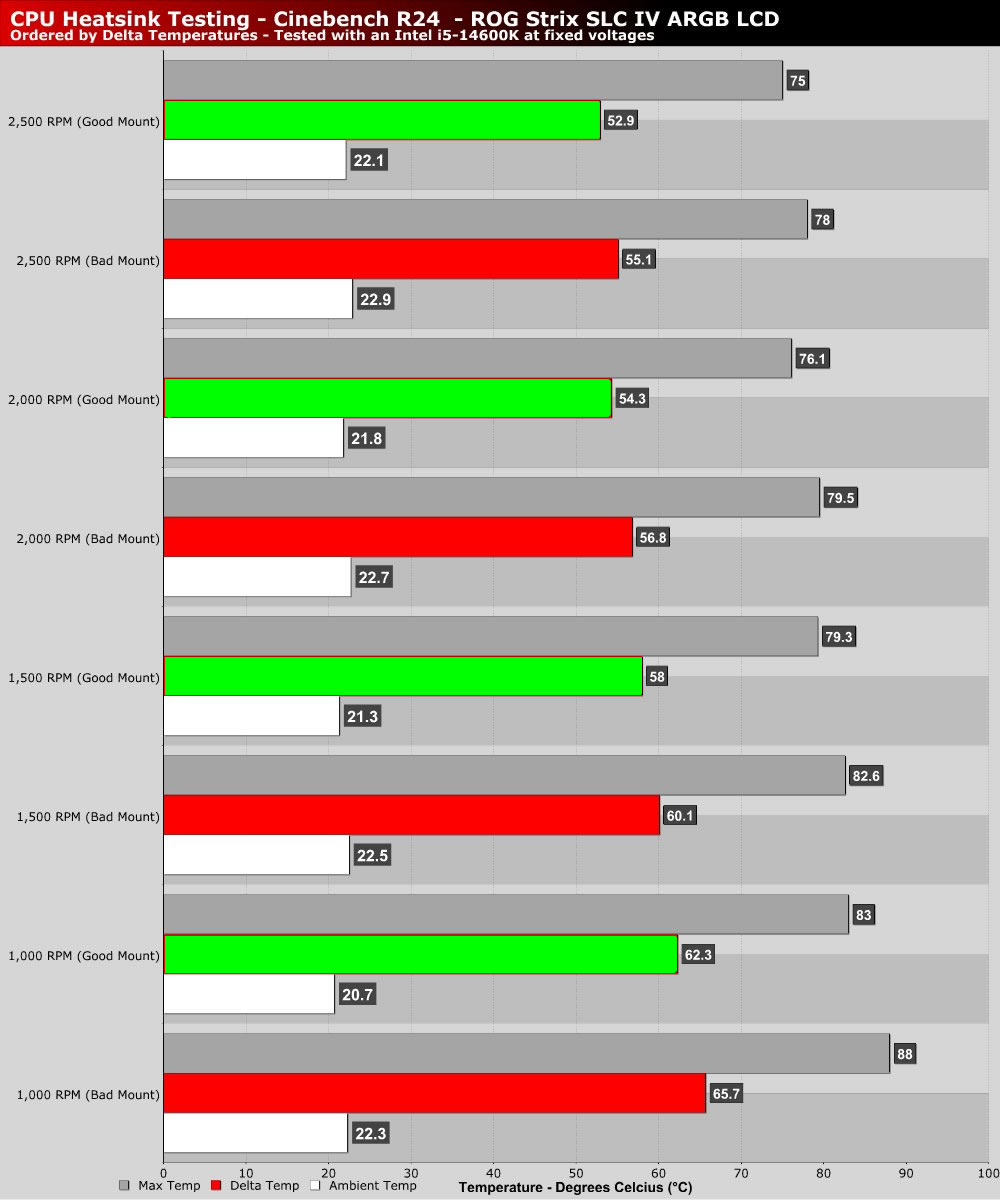
When we first tested the cooler, our test system ran hotter than expected. We expected much better results from a premium liquid cooling solution like this. Thankfully, after we reinstalled the unit, temperatures dropped significantly. In all of our tests, CPU thermals dropped by 2.1-3.4 degrees Celsius.
Our advice to users of this CPU cooler is to ensure that you mount it correctly. If your backplate doesn’t stay in place during installation, ask someone to help, or use a box to hold it in place while your motherboard is horizontal. A bad mount can result in notably higher CPU thermals.